You want to build a website, but you do not know how to code. WebStarts helps you make websites easily with a simple drag-and-drop system. You do not need to download any software. Everything works online with your internet browser. You can start for free and see your site live in minutes. Beginners find the process friendly and stress-free.
Key Takeaways
WebStarts lets you make a website without knowing code. You can use its drag-and-drop editor to build your site. It is simple and quick to use.
You can start for free and see your site online fast. You do not have to pay right away. You can try the platform first.
WebStarts gives you free web hosting with every plan. Your site will stay online with no extra fees.
You can pick from many templates that you can change. You can switch colors, fonts, and layouts to fit your style.
The platform has SEO tools built in. These tools help people find your site on search engines.
WebStarts works well on phones and tablets. Your website will look good on any device without more work.
You can add an online store to your website. This helps small businesses sell things easily.
Customer support is there in different ways. You can get help whenever you need it.
What Is WebStarts?
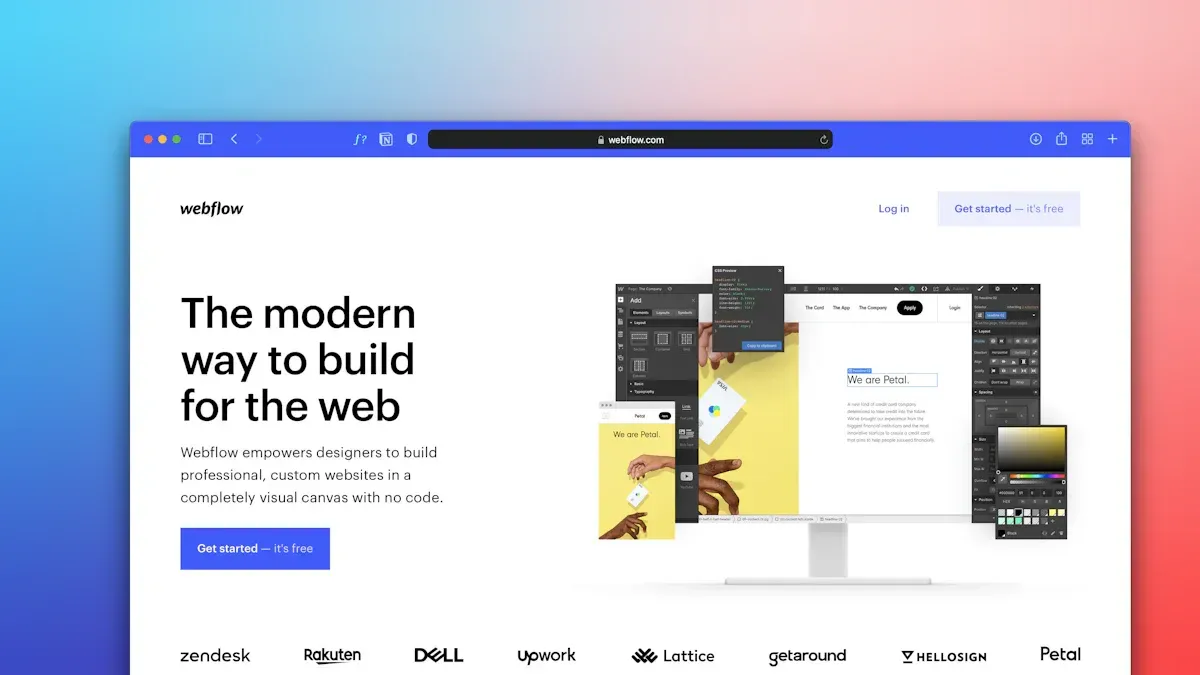
Website Builder Overview
You want a tool that helps you build a website without stress. WebStarts is a website builder that gives you everything you need to create a site from scratch. You do not need to be a tech expert. You just need an idea and a few minutes. WebStarts stands out because it offers free web hosting for all plans. You can design your site with a highly customizable interface. There are no limits on the number of pages or how much traffic your site can get. You can add advanced features like eCommerce and blogging. WebStarts also includes built-in SEO tools to help people find your site online. Your website will look great on phones and tablets because of its responsive design. If you need help, you can reach customer support through different channels.
Tip: You can use WebStarts for a business, a personal blog, or even an online store. The platform fits many needs.
Here are the main features that make WebStarts different from other website builders:
Free web hosting for all plans.
Highly customizable design interface.
No limits on pages or bandwidth.
Advanced features like eCommerce and blogging.
Built-in SEO tools for better visibility.
Responsive design for mobile-friendliness.
Excellent customer support via multiple channels.
Cloud-Based Platform
WebStarts works as a cloud-based platform. This means you do not need to install any software on your computer. You can access your website from any device with an internet connection. You can work on your site at home, at school, or even at a coffee shop. Everything saves automatically in the cloud, so you do not lose your progress.
Here is a table that shows the technical advantages of using a cloud-based website builder like WebStarts:
Feature Description Drag-and-Drop Editor Lets you customize your website layout without coding skills. Mobile Optimization Adjusts your website for the best view on mobile devices. SEO Friendliness Helps you change metadata to improve search engine rankings. E-commerce Functionality Lets you sell products directly from your website. Customer Support Gives you 24/7 phone support and lots of online help resources.
You can also add custom code for special widgets, create a blog, and connect your site to social media or videos.
No Coding Needed
You do not need to know HTML, CSS, or any other coding language to use WebStarts. The platform uses a drag-and-drop editor. You can move pictures, text, and buttons around with your mouse. You see changes in real time. This makes building a website feel like making a digital poster. WebStarts has an interface that is simple and easy to understand. Many users say it is more user-friendly than other website builders. You can focus on your ideas instead of worrying about technical details.
Note: If you want to add something special, you can use custom code, but it is not required.
WebStarts gives you the power to build a website your way. You can start small and grow your site as your needs change. You do not face limits on pages or bandwidth, so your website can expand with you.
How WebStarts Works
Sign Up Process
You can start building your website with WebStarts in just a few minutes. The process is simple and does not require any technical skills. Here are the steps you will follow:
Visit the WebStarts home page at WebStarts.com.
Find and select the Get Started – It’s Free button.
Choose a template that fits your vision for your site.
Enter your name, email address, and password, then select Sign Up.
You do not need to enter payment information to begin. You can explore the platform and see how the drag-and-drop website builder works before making any commitments. Most users finish the sign-up process in less than five minutes. This quick start helps you move straight to designing your landing page or online store.
Tip: You can always change your template or site details later, so do not worry about making everything perfect at the start.
Drag-and-Drop Editor
WebStarts gives you a drag-and-drop editor that makes website creation easy for everyone. You do not need to know how to code. You can move text, images, buttons, and other elements around your page with your mouse. You see every change instantly.
The drag-and-drop editor feels intuitive. You can arrange your site exactly how you want.
Many users say they set up their sites quickly, even connecting domains and launching their pages in a short time.
You can design your site to match your style and needs. The drag and drop builder lets you focus on creativity instead of technical details.
You can add new sections, adjust layouts, and preview your site as you build. This hands-on approach helps you learn by doing. WebStarts supports you with helpful tips and guides along the way.
Templates and Design
WebStarts offers a wide variety of templates for different types of websites. You can pick a template for a business, personal blog, portfolio, or landing page. Each template is fully customizable. You can change colors, fonts, images, and layouts to match your brand or personality.
You do not have to start from scratch. The templates give you a strong foundation. You can add or remove sections as needed. WebStarts updates its template library often, so you always have fresh design options.
Note: You can switch templates at any time without losing your content. This flexibility helps you experiment with different looks until you find the perfect fit.
WebStarts makes it easy to create a professional-looking site, even if you have never built a website before. You can focus on your message and style while the platform handles the technical parts.
Publishing Your Site
You have finished designing your website. Now you want to show it to the world. WebStarts makes publishing your site simple. You do not need to worry about uploading files or using special software. You only need to press one button.
Here is how you publish your site:
Look for the Publish button in the WebStarts editor.
Click the button when you are ready.
WebStarts puts your website online right away.
You can see your site live on the internet in seconds. You do not need to wait for approval. You can share your website link with friends, family, or customers immediately.
Tip: You can update your site anytime. Just make changes in the editor and press Publish again. Your updates will appear online right away.
WebStarts gives you a free web address when you publish. This address looks like yourname.webstarts.com. You can use this free address as long as you want. If you want a custom domain, you can add one later.
Hosting and Domain Options
WebStarts gives you choices for hosting and domains. Hosting means WebStarts stores your website files on their servers. You do not need to buy extra hosting. Every plan includes hosting, so your site stays online 24/7.
You can use the free WebStarts subdomain, or you can connect your own custom domain. A custom domain looks like www.yourbusiness.com. Having your own domain makes your site look more professional.
WebStarts offers different plans for hosting and domains. Here is a table that shows the main options and prices:
Plan Name Price Disk Space Data Transfer Free Domain Description Individual N/A unlimited 0 Custom domain, custom email, ad-free pages, ideal for organizations and freelancers. Business $25.00/mo N/A N/A 0 More features for businesses, includes additional tools and support.
You can start with the free plan and upgrade when you need more features. The Individual plan lets you use your own domain and removes ads. The Business plan gives you extra tools and support for growing companies.
Many website builders charge extra for custom domains or hosting. WebStarts includes these features in their paid plans. You do not pay hidden fees. You get unlimited data transfer, so your site can handle many visitors.
Note: You can buy a domain through WebStarts or connect one you already own. This gives you flexibility and control over your website address.
WebStarts makes hosting and domain setup easy. You do not need technical skills. You can manage everything from your WebStarts dashboard.
WebStarts Features

eCommerce Tools
You can turn your website into an online store with webstarts. The platform lets you add a store directly to your site. You do not need third-party apps. You can list your products, set prices, and start selling right away. This makes webstarts a strong choice for small businesses that want to grow online.
You can also create important pages for your store. These include homepages, landing pages, and policy pages. These pages help you tell your brand story and build trust with your customers. When you use webstarts, you can show your products in a way that looks professional and clear. You can manage your inventory and track your sales from your dashboard. This helps you stay organized and focused on your business.
Tip: A modern website with a built-in store can help you reach more customers and increase your sales.
SEO and Marketing
You want people to find your website. Webstarts gives you tools to improve your search rankings. You can add keywords to your headers and page titles. This helps search engines understand your site. You can also use a clear navigation bar. This makes it easy for search engines to crawl your pages.
Here are some ways webstarts helps with SEO and marketing:
You can place keywords in header tags to boost your site’s visibility.
You can set up a navigation bar for better internal linking.
You can design your site to keep visitors engaged, which can lower bounce rates.
Webstarts also lets you connect your site to social media. You can share updates and reach more people. You can use built-in marketing tools to send emails and track your results. These features help you grow your audience and get more visitors to your modern website.
Mobile Optimization
Many people use phones and tablets to browse the internet. Webstarts makes sure your website looks good on any device. The platform uses responsive design. This means your site changes shape to fit screens of all sizes. You do not need to make a separate mobile site.
You can preview your site on different devices in the editor. You can adjust layouts and images for the best look. A modern website must work well on mobile. Webstarts helps you meet this need without extra work.
Note: A mobile-friendly site can help you reach more visitors and keep them on your page longer.
Webstarts gives you the tools to build a site that works everywhere. You can focus on your content and let the platform handle the technical parts.
Blogging and Social Integration
You want your website to reach more people. WebStarts gives you tools to help you share your ideas and connect with your audience. You can add a blog to your site with just a few clicks. This blog lets you post news, updates, or stories. You do not need to use another service. Everything works inside WebStarts.
You can write new posts, add pictures, and even schedule when your posts go live. You can organize your posts by topic. This helps your readers find what they want. You can also let people leave comments. This makes your site feel more active and friendly.
WebStarts helps you share your website on social media. You can connect your site to platforms like Facebook, Twitter, and Instagram. This means you can reach people where they spend time online. You can add social sharing buttons to your pages. Visitors can share your content with their friends. This can bring more people to your site.
Here are some ways WebStarts helps you with blogging and social media:
You can add a blog to your website without extra tools.
You can post updates, news, or stories to keep your site fresh.
You can organize your blog by topics or tags.
You can let visitors leave comments on your posts.
You can connect your site to popular social media platforms.
You can add sharing buttons so visitors can share your content.
You can use built-in marketing tools to promote your site.
Tip: Posting often on your blog can help your site show up in search results. Sharing your posts on social media can bring more visitors.
WebStarts makes it easy to manage your blog and social media in one place. You do not need to switch between different apps. You can see how many people visit your site and which posts are popular. This helps you learn what your audience likes.
You can use your blog to tell your story, share tips, or promote your business. You can use social media to reach new people and stay in touch with your followers. WebStarts gives you the tools to grow your website and your audience.
Note: You can start with simple blog posts and add more features as you learn. WebStarts supports you every step of the way.
Who Should Use WebStarts?
Small Businesses
You want your small business to stand out online. WebStarts gives you the tools to create a website quickly, even if you have no technical background. You can show your services, share your story, and reach more customers. Many small business owners choose WebStarts because it saves time and money.
Here is a table that shows how different types of small business can benefit from using WebStarts:
Business Type Benefit Description Tourism You can create websites fast, which helps you promote local attractions and events. Landscaping You can show your services and past work with an easy-to-use interface. Real Estate You can advertise properties and add payment options for clients. E-commerce You can set up an online store and manage sales with simple tools.
You do not need to hire a web designer. You can update your site anytime. This helps your small business grow and stay flexible.
Tip: A good website can help you get more customers and build trust in your brand.
Personal Projects
You may want to share your hobbies, art, or ideas with the world. WebStarts helps you build personal projects like portfolios, blogs, or online resumes. You can pick from many high-quality templates that look great on any device.
You can build a professional online presence for your work or hobbies.
You can use tools for creating CVs, photo galleries, or personal stories.
You do not need to start from scratch. WebStarts gives you everything you need to show your talents and connect with others.
Note: You can update your project anytime and add new sections as you grow.
Beginners
You may feel nervous about building your first website. WebStarts makes the process simple and friendly. You do not need to know how to code. The platform guides you step by step.
Here are features that make WebStarts perfect for beginners:
Feature Description Drag-and-drop website builder You can build pages by moving items with your mouse. Customizable templates You can pick designs that fit your style and needs. Integrated tools You can manage your site without learning technical skills. Visual editor You can see changes as you make them. SSL certification Your site stays safe and secure. Mobile site optimization Your site looks good on phones and tablets. Tutorials and support You get help whenever you need it.
You can learn as you go. WebStarts supports you with guides and customer service. You can build confidence and create a website you are proud of.
Other Users
You may not run a business or want a personal blog, but you still need a website. WebStarts gives you tools for many different users. You can use it for school, community, or creative projects. You do not need special training. You only need an idea and a goal.
Many groups find WebStarts helpful. You can build a site for a club, a sports team, or a classroom. You can share news, schedules, and photos. You can keep members updated with announcements. You can even set up private pages for your group.
Nonprofit organizations use WebStarts to reach people. You can create a site to share your mission. You can post events, collect donations, and show your impact. You can add forms for volunteers or supporters. You can use built-in tools to send emails and connect with your community.
Educators use WebStarts for class websites. You can post homework, share resources, and give updates. You can make a calendar for important dates. You can add a blog for class news. You can keep parents and students informed.
Freelancers and artists use WebStarts to show their work. You can make a portfolio with images, videos, and descriptions. You can add contact forms for clients. You can link your social media profiles. You can update your site as your skills grow.
Here is a table that shows how different users benefit from WebStarts:
User Type How WebStarts Helps Nonprofits Share mission, collect donations, post events Educators Post homework, share resources, update parents Clubs/Teams Share schedules, news, photos, private pages Freelancers Show portfolio, add contact forms, link social media Event Organizers Create event pages, manage RSVPs, share updates
Tip: You can start with a simple site and add more features as your needs change.
You may want to build a site for a special event. You can use WebStarts to make a page for a wedding, reunion, or fundraiser. You can share details, collect RSVPs, and post photos after the event.
You can also use WebStarts for creative projects. You can make a site for writing, music, or art. You can share your work with friends or the public. You can add galleries, blogs, and videos.
WebStarts gives you freedom to build the site you want. You do not face limits on pages or visitors. You can change your design anytime. You can use free hosting or connect your own domain.
You do not need to worry about technical problems. WebStarts handles security and updates. You can focus on your message and your audience.
Note: If you have a unique idea, WebStarts helps you bring it to life online.
WebStarts Benefits
Ease of Use
You want a website builder that is easy to use. WebStarts lets you move text, images, and buttons with your mouse. You can see your changes right away. This helps you build your site step by step. Many people like this feature. Some users think WebStarts is harder to use than other builders. You might see small problems sometimes, but most people still like WebStarts.
Here is a quick look at what users think about ease of use:
Comparison User Sentiment WebStarts More difficult to use compared to other builders
WebStarts has an overall rating of 4.7.
Users like the drag-and-drop tool but notice some glitches.
Users say it is less easy to use than other builders.
You can make a professional site without learning code. The platform shows you what to do at each step. You can pick a template and change it as you work. If you need help, you can find answers in the support section.
Tip: Try the drag-and-drop editor to see how simple it is to build your own website.
Customization
WebStarts lets you design your website the way you want. You do not have to use just one layout. You can move text, images, videos, and forms anywhere on the page. The drag-and-drop tool lets you put things where you want them. You do not need to worry about grids or rows. This makes it easy to create a site that fits your ideas.
You can change styles, colors, and fonts. You can add pictures, videos, and other things to make your site special. WebStarts does not make you use only pre-made templates. You can start with a template and change every part. This helps you make a site that is different from others.
If you want to add something special, you can use custom code. Most people find they can do everything without coding. You can update your site anytime. This makes WebStarts a good choice for people who want control over their website’s look.
Support and Resources
You might need help when you build your website. WebStarts gives you many ways to get support. You can watch over 150 video tutorials that show you how to use different features. These videos teach you about mobile websites, lead forms, and online stores.
Here is a table of support features you get with WebStarts:
Feature/Resource Description Mobile Website Creation Create a mobile version that looks great on all devices. Lead Capture Forms Capture leads and manage contacts easily. Email Marketing and Analytics Track visitor data and target leads. Domain and Email Setup Add domains and create matching email addresses. Online Store Creation Build an online store and accept credit card payments. Agency Features Manage multiple sites and create branded client portals. Video Tutorials Access over 150 in-depth tutorials. SSL Certificate and Encryption Keep your website secure.
You can also ask customer support if you have questions. The platform helps you set up domains, emails, and an online store. You can use built-in tools to see who visits your site and run your business. WebStarts gives you what you need to build and grow your site.
Note: You can always watch the video tutorials or ask support for more help.
Affordable Pricing
You want a website builder that fits your budget. WebStarts gives you clear and simple pricing. You do not face hidden fees or surprise charges. You can start with a free plan and upgrade when you need more features. This helps you control your spending and plan for your website’s growth.
WebStarts offers plans that include hosting, templates, and support. You do not need to buy extra services. Many users like that you can build and publish a site without paying right away. When you want more tools, you can choose a paid plan. These plans unlock features like custom domains, more storage, and advanced design options.
Let’s look at how WebStarts compares to other website builders. The table below shows the entry price and the most popular plan for each platform:
You see that WebStarts costs a bit more than uKit and Squarespace at the entry level. However, WebStarts includes many features in its base plan. You get unlimited pages, free hosting, and access to a drag-and-drop editor. Some other builders charge extra for these features.
You may wonder about customer satisfaction. WebStarts and uKit both have a satisfaction rating of 2.8 stars. This shows that users find similar value in both platforms. You should think about which features matter most to you when choosing a builder.
WebStarts sometimes offers an affordable lifetime deal. This deal lets you pay once and use the platform for as long as you want. You do not need to worry about monthly bills. Many people find this option helpful if they plan to keep their website for many years.
Tip: Start with the free plan to test WebStarts. Upgrade only when you need more features. This way, you save money and avoid paying for tools you do not use.
You can manage your website costs with WebStarts. You get a clear price, useful features, and the chance to grow your site over time. This makes WebStarts a smart choice for people who want value and flexibility.
WebStarts Review Lifetime Deal
Lifetime Deal Overview
You might want a website builder that costs only one time. The webstarts review lifetime deal lets you pay once for lifetime access. You do not have to pay every month or year. This deal gives you all the main tools you need for your website. You get a visual builder, cloud hosting, SSL security, custom email addresses, e-commerce tools, and an AI writer.
Here is a table that shows what comes with the webstarts review lifetime deal:
Feature Replaces… The “Killer” Value Normal Cost Deal Status Visual Builder Wix / Squarespace Drag-and-Drop Freedom ~$23/mo ✅ Included Hosting & SSL GoDaddy Fast Cloud Hosting ~$10/mo ✅ Included Custom Email Google Workspace 5 Business Inboxes ~$30/mo ✅ Included E-Commerce Shopify Basic Sell Products & Services ~$39/mo ✅ Included AI Writer Jasper Auto-Generate Content ~$20/mo ✅ Included Total Value Your Stack Full Digital Presence ~$1,500/yr $69 (Lifetime)
The webstarts review lifetime deal is great for freelancers and small business owners. It also works for anyone who wants a professional website. You can set up your site and keep it online for years. You do not have to pay more money later.
Value for Money
You want to save money and skip extra fees. The webstarts review lifetime deal helps you do that. Many people like paying just once for lifetime use. You do not have to worry about monthly or yearly bills. One user said they saved a lot of money this year. Another user liked how fast and easy it was to set up their site. The simple tools and quick setup make the deal even better.
You get all the main features for one price. You do not need to buy more tools or services. The lifetime deal covers hosting, email, e-commerce, and more. You can focus on growing your site instead of worrying about costs.
Tip: If you want to keep your website for a long time, the webstarts review lifetime deal can save you hundreds or thousands of dollars.
Comparison to Other Builders
You may wonder how the webstarts review lifetime deal is different from other builders. Most website builders make you pay every month or year. For example, Wix, Squarespace, and Shopify all have ongoing fees. These fees can add up to over $1,000 in a few years. The webstarts review lifetime deal gives you the same features for just one payment.
You get a drag-and-drop builder, hosting, SSL, custom email, and e-commerce tools. Other builders often charge extra for these things. The webstarts review lifetime deal includes everything. You do not have to worry about hidden fees or surprise charges.
Here is a quick list of what you replace with the lifetime deal:
Website builder (like Wix or Squarespace)
Hosting and SSL (like GoDaddy)
Business email (like Google Workspace)
E-commerce tools (like Shopify)
AI content writer (like Jasper)
You get a full digital presence with the webstarts review lifetime deal. You can build, launch, and grow your site without paying more. This makes it a smart choice for anyone who wants to save money for a long time.
Getting Started
Step-by-Step Guide
You can build your first website with webstarts in just a few steps. Start by visiting the webstarts homepage. Find the sign-up button and create your free account. Choose a template that matches your goal. You can pick a design for a business, a blog, or a portfolio. Use the drag-and-drop editor to add your text, images, and buttons. Move things around until you like how your site looks. Preview your website to see how it appears on computers and phones. When you feel ready, press the publish button. Your website will go live on the internet. You can share your new site with friends, family, or customers.
Tip: Save your work often. Webstarts saves changes in the cloud, but it helps to check your progress as you go.
Tips for Success
You want your website to stand out and work well for visitors. Plan your site before you start building. Write down the main pages you need, such as Home, About, and Contact. Think about what you want people to do on your site. Use clear titles and short paragraphs. Add images that match your message. Make sure your navigation is easy to use. Test your site on different devices to check that everything looks good. Update your content often to keep your site fresh. Use the built-in SEO tools to help people find your site online.
A table can help you remember important steps:
Step Why It Matters Plan your pages Keeps your site organized Use clear titles Helps visitors understand pages Add images Makes your site interesting Test on devices Ensures mobile friendliness Update content Keeps visitors coming back
Note: A simple, well-organized website often works better than a busy or confusing one.
Common Mistakes
Many new users make similar mistakes when building their first site with webstarts. You can avoid these problems by learning from others.
Some users forget to create a clear structure and flow for their website. This can confuse visitors.
Many people do not think about what happens after a visitor clicks a call to action. You should plan the next steps to match your website’s goals.
Failing to map out the user experience can lead to poor navigation and missed chances to engage your audience.
You can make your website better by planning the user journey. Think about what you want visitors to do on each page. Check your navigation links and make sure they lead to the right places.
Tip: Review your site as if you are a visitor. Ask yourself if you can find information easily.
By following these steps and tips, you can build a website with webstarts that looks great and works well for everyone.
You can build a website without learning code when you use webstarts. The platform gives you tools for design, eCommerce, and blogging. You get support and flexible pricing. Small businesses, beginners, and creative users find it helpful. Try the free plan to see how it works. If you want more features, explore the lifetime deal. Start your website journey today!
FAQ
What is WebStarts?
WebStarts is a website builder. You can use it to make websites without coding. You work online with a drag-and-drop editor. You do not need to install software.
Is WebStarts free to use?
You can start with a free plan. The free plan gives you basic features and a WebStarts subdomain. You can upgrade for more tools and a custom domain.
Can I use my own domain name?
Yes, you can connect your own domain. You can buy a domain through WebStarts or use one you already own. This makes your site look more professional.
Does WebStarts support online stores?
You can add an online store to your website. WebStarts lets you list products, set prices, and accept payments. You do not need extra apps.
Is my website mobile-friendly?
Yes, your website will look good on phones and tablets. WebStarts uses responsive design. You can preview your site on different devices.
How do I get help if I have questions?
You can watch video tutorials or read guides. You can also contact customer support. WebStarts offers help by email, chat, and phone.
Can I switch templates after starting my site?
Yes, you can change your template anytime. Your content stays safe. You can try different designs until you find the one you like.
Tip: Save your work before switching templates to keep your changes.