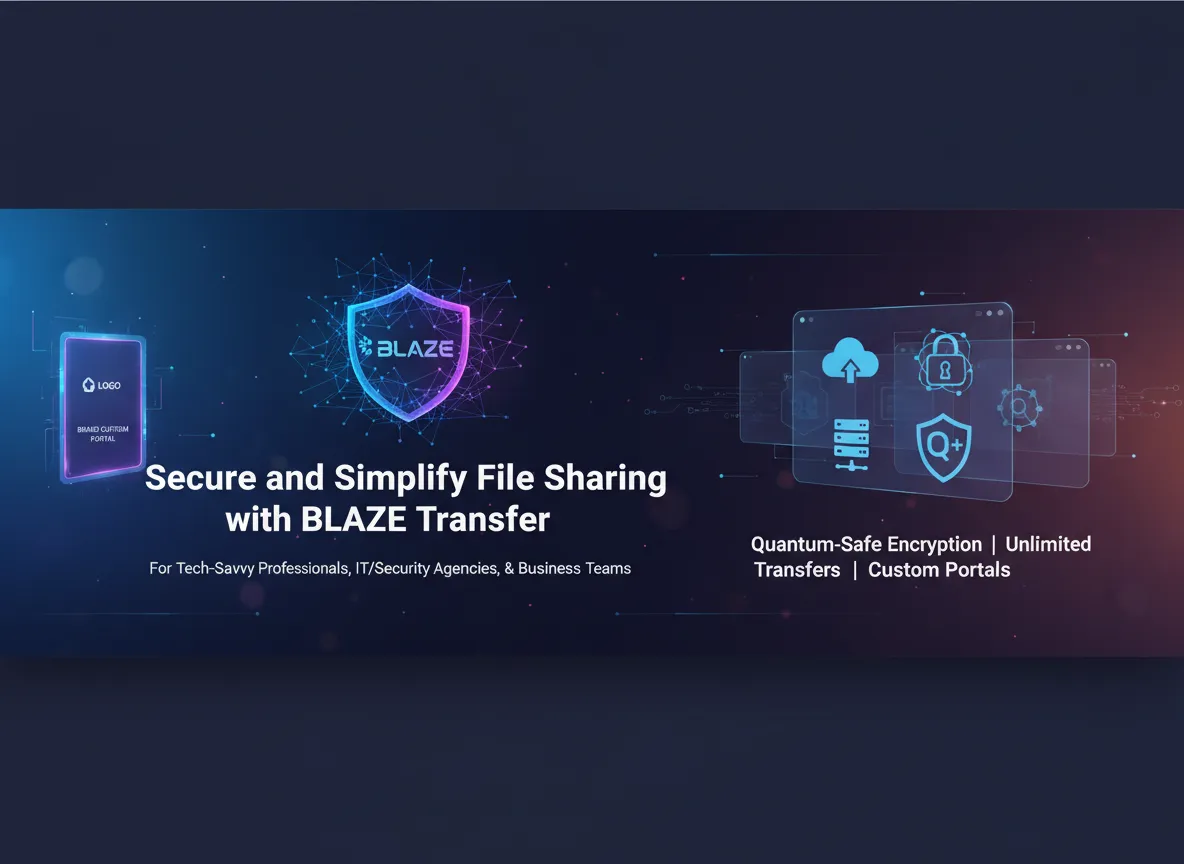
When I first struggled juggling multiple insecure file-sharing platforms with clunky interfaces and limited storage, I longed for one tool that could just work — seamlessly, securely, and flexibly. Enter BLAZE Transfer, a platform promising not only robust post-quantum encryption but also an intuitive interface that genuinely adapts to my needs. Let me walk you through what makes it stand out in a crowded space and why it could be your next go-to for secure large file transfers.
Quantum-Safe Encryption & Security Features
When it comes to secure file transfer, BLAZE Transfer sets a new standard by integrating advanced post-quantum encryption and a suite of robust security features. As someone who values both security and simplicity, I find BLAZE Transfer’s approach to data protection both reassuring and forward-thinking. The platform is built for a future where quantum computing could threaten traditional encryption, but with BLAZE Transfer, my files remain safe—now and in the years ahead.
Cutting-Edge Post-Quantum End-to-End Encryption
At the core of BLAZE Transfer’s security is a hybrid encryption protocol that combines Kyber-1024 (a leading post-quantum algorithm) with industry-standard 256-bit AES encryption. This dual-layer approach ensures that files are protected against both classical cyber threats and the emerging risks posed by quantum computers. Every file I upload or share is wrapped in end-to-end encryption, meaning only authorized users can ever access the content—whether it’s in transit or stored in the cloud.
- Kyber-1024: Quantum-resistant encryption for future-proof security
- 256-bit AES: Trusted, high-strength encryption for today’s threats
- End-to-end encryption: Files remain indecipherable to unauthorized parties at all times
Security isn’t just about protection, it’s about trust—and BLAZE Transfer nails both with its quantum-safe approach. – Chris P., Cybersecurity Analyst
Multi-Factor Authentication & Role-Based Access Control
BLAZE Transfer doesn’t stop at encryption. The platform includes multi-factor authentication (MFA) to verify user identities, making unauthorized access nearly impossible. I can enable MFA for my account and require it for team members, adding a critical layer of defense. For organizations and teams, role-based permissions allow me to assign specific access rights to users, ensuring that only the right people can view or manage sensitive files.
- MFA: Enhanced login security through two-factor authentication
- Role-based permissions: Fine-grained control over who can access, edit, or share files
Secure File Exchange with Unique Keys & OTP Protection
Sharing files externally is often the weakest link in data security, but BLAZE Transfer addresses this with unique security keys and One-Time Passwords (OTPs). When I need to send a file outside my organization, I can generate a secure link protected by a unique key. For even greater assurance, I enable OTP verification—recipients must enter a time-sensitive code to access the file, making unauthorized sharing virtually impossible.
- Unique security keys: Only recipients with the correct key can access shared files
- OTP-enabled links: Adds a dynamic, time-based layer of protection for external file sharing
These features, combined with detailed activity logs and seamless integration with cloud services, make BLAZE Transfer a comprehensive solution for anyone needing secure file exchange without sacrificing usability or speed.
Unlimited Large File Transfers & Flexible Sharing
One of the most impressive aspects of BLAZE Transfer is its true unlimited large file transfer capability. There are absolutely no restrictions on file size or type, which means I can share everything from high-resolution videos and massive design files to large datasets and complex documents with ease. This is a game-changer for professionals who regularly work with bulky files and need a fast, secure, and reliable way to move data between teams or clients.
The platform’s fast uploads and downloads dramatically reduce wait times and eliminate the frustration that often comes with transferring large files. Whether I’m sending a single huge video or a folder packed with mixed file types, BLAZE Transfer handles the process smoothly, ensuring that my workflow is never interrupted by slow transfer speeds or arbitrary limits.
Flexible Sharing for Every Workflow
BLAZE Transfer’s flexible sharing options are designed to fit a wide range of professional needs. I can share files directly via email, generate secure links for quick distribution, or even provide access to external, non-registered users—making it easy to collaborate with clients, freelancers, or stakeholders outside my organization. The platform’s support for all file types means I never have to worry about compatibility issues, no matter what I’m sending.
- No file size or type restrictions: Share videos, graphics, documents, and more.
- Fast uploads/downloads: Minimize downtime and keep projects moving.
- Multiple sharing methods: Email, secure links, and access for external users.
- End-to-end encryption: Every transfer is protected by post-quantum security.
Team Collaboration Tool with Multi-User Workspaces
For teams, BLAZE Transfer truly shines as a team collaboration tool. The platform supports multi-user workspaces, allowing me to add team members, assign roles, and control access to specific folders or projects. Depending on the plan, up to 6 users per license can collaborate seamlessly, making it ideal for agencies, IT departments, and creative teams who need to coordinate on large files without hassle.
Role-based permissions and detailed activity logs provide oversight and accountability, so I always know who accessed what and when. Real-time status updates let me track downloads and file activity, which is essential for managing deadlines and ensuring secure delivery.
Sharing large files has never been this painless and secure — a true relief for busy teams. – Maria N., Digital Project Manager
Feature Scalability Visualization
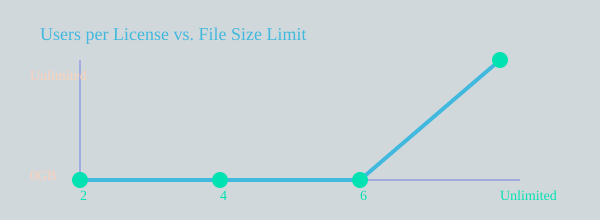
With BLAZE Transfer, large file transfer is no longer a bottleneck. The combination of unlimited file size, support for any file type, and robust team collaboration features makes it a standout solution for modern, fast-paced workflows.
Custom Portal Branding & Integration with Cloud Services
One of the standout features of BLAZE Transfer is its robust portal customization options, designed to help users reinforce their brand identity while maintaining the highest standards of security. With BLAZE Transfer, I can create fully personalized download portals that showcase my logo and incorporate dynamic, brand-aligned background slides. This level of customization not only enhances the visual appeal of my file sharing environment but also ensures that every client interaction feels professional and trustworthy.
“The ability to customize our client portals really elevated how professional our file sharing looks—and that matters to clients.” – James L., Freelance Web Designer
Personalized Download Portals for a Cohesive Brand Experience
Custom portals are more than just a visual upgrade—they serve as a direct extension of my brand. By adding my logo and selecting background images that reflect my company’s style, I can create a seamless experience for clients and collaborators. This attention to detail builds trust and makes every file exchange feel secure and intentional. The platform’s portal customization features are easy to use, allowing me to update branding elements as my business evolves.
Cloud Integration for Effortless File Management
BLAZE Transfer’s cloud integration capabilities are a major advantage for anyone looking to streamline their workflow. With direct integration to Google Drive and OneDrive, I can upload, store, and manage files in the cloud with a single click. This eliminates the need for manual downloads and uploads, saving valuable time and reducing the risk of errors. Whether I’m sharing files internally or with external partners, the ability to connect with popular cloud services means I always have access to the latest versions of my documents, from any device.
Custom Domain Name Support for Professionalism and Trust
To further enhance my professional image, BLAZE Transfer supports the use of a custom domain name for download portals. This means clients and partners see my business name in the URL, which adds credibility and reassures them that they’re interacting with a legitimate, branded platform. Custom domains are especially important for businesses that handle sensitive information or require a high level of trust in their digital transactions.
Secure File Exchange with Advanced Portal Features
Security remains at the core of BLAZE Transfer’s portal features. Each portal enables secure file exchange through unique security keys, and I can add an extra layer of protection by enabling One-Time Password (OTP) authentication for shared links. These features ensure that only authorized recipients can access sensitive files, giving me peace of mind with every transfer.
| Feature | Supported |
|---|---|
| Google Drive & OneDrive Integration | Yes |
| Custom Domain Names | Yes |
| Branded Portals (Logo & Background) | Yes |
| Security Key Sharing | Yes |
By combining portal customization, seamless cloud integration, and advanced security, BLAZE Transfer empowers me to deliver a branded, efficient, and secure file sharing experience every time.
Pricing Plans, Lifetime Access, and User Satisfaction
One of the most compelling aspects of BLAZE Transfer is its straightforward, affordable pricing structure and the unique opportunity for lifetime access software. As someone who values both security and long-term savings, I found the lifetime deals especially attractive. Each plan is designed to fit different team sizes and workflow needs, with the flexibility to stack up to five codes for expanded access and features. This means I can secure all future standard plan updates without worrying about recurring fees or surprise costs down the line.
Flexible, Tiered Pricing for Every Team
BLAZE Transfer pricing is organized into three clear tiers, each offering significant value at up to 80% off regular rates. The plans are tailored to user count and storage needs, making it easy for individuals, small teams, or growing businesses to choose the right fit. Here’s a quick overview:
| Plan | Price (Lifetime) | Users | File Receipt Window | Storage | Discount |
|---|---|---|---|---|---|
| Plan 1 | $39 | 2 | 30 days | Unlimited (30-day retention) | 80% |
| Plan 2 | $78 | 4 | 30 days | Unlimited (30-day retention) | 80% |
| Plan 3 | $117 | 6 | 60 days | 5GB/user (60-day retention) | 80% |
All plans include unlimited file sizes, robust post-quantum E2EE security, multi-factor authentication, and a comprehensive file transfer history. The higher-tier plans extend file retention and add long-term storage, which is perfect for teams needing to keep files accessible for longer periods. Activation is simple: I have 60 days from purchase to activate my code(s), and stacking codes allows for even greater flexibility as my team grows.
Lifetime Access and Ongoing Value
What sets BLAZE Transfer apart from many other file sharing platforms is the lifetime access model. By investing once, I eliminate the hassle of monthly or annual renewals. Every plan guarantees access to all future standard updates, so my team always benefits from the latest features and security enhancements. As one user put it:
Investing in lifetime access was a game-changer for our team’s workflow and peace of mind. – Emily R., Entrepreneur
High User Satisfaction and Trusted Performance
User satisfaction is a key indicator of a platform’s reliability, and BLAZE Transfer consistently delivers. With a perfect 5 out of 5 rating from 22 reviews, users highlight the platform’s fast transfer speeds, ease of use, and advanced security. The ability to manage file transfer history, customize download portals, and share files with both internal and external users makes it a standout choice for professionals who need secure, branded, and flexible file sharing.
- Lifetime deals with all future updates
- Affordable pricing tiers for 2, 4, or 6 users
- Extended file retention and long-term storage options
- Perfect 5/5 user rating based on real reviews
Comparing BLAZE Transfer with Other Lifetime Software Deals
When exploring the best lifetime access software for business productivity, it’s important to weigh both features and user satisfaction. In my search for the most effective file sharing software and business productivity tools, I’ve compared several standout lifetime software deals for 2026. Each solution targets a different need, but BLAZE Transfer consistently emerges as a leader for secure, flexible, and branded file transfers.
Let’s look at how BLAZE Transfer compares to other popular lifetime software deals. CitadelaWP Package Unlimited, for example, is a $99 lifetime deal that provides 29 ready-made WordPress templates. It’s a strong choice for web designers and agencies looking to streamline website creation, and its 4.2 out of 5 average user rating reflects solid satisfaction. However, CitadelaWP’s focus is on web design tools, not secure file transfer or data protection.
Vibeo, priced at $59 for lifetime access, is another interesting option. It specializes in turning user-generated content into high-conversion marketing videos, making it ideal for brands and marketers. With a perfect 5 out of 5 rating (albeit from a small user base), Vibeo is clearly delivering on its promise for those focused on marketing and social proof. Yet, it doesn’t address the critical need for secure file sharing or advanced team collaboration.
IdeaBuddy rounds out the list with a $69 lifetime access plan. This business planning tool is designed to help entrepreneurs and startups shape their ideas into actionable business plans. With a 4.67 out of 5 rating from 15 users, it’s a valuable asset for early-stage business development. Still, its primary focus is on ideation and planning rather than file transfer or security.
What sets BLAZE Transfer apart in the landscape of software deals 2026 is its robust approach to security and usability. Unlike the other tools, BLAZE Transfer is purpose-built for secure file sharing, featuring end-to-end post-quantum encryption, unlimited file size transfers, and advanced branding options like customizable download portals. Its multi-user workspace, detailed activity logs, and seamless integration with cloud services such as Google Drive and OneDrive make it a comprehensive solution for teams and organizations. The ability to share files with external users, enforce multi-factor authentication, and monitor every transfer in real time adds layers of control and peace of mind.
User feedback is a key differentiator. BLAZE Transfer holds a perfect 5 out of 5 average rating from 22 reviews, reflecting high satisfaction and trust among its users. As one small business owner, Aisha K., put it:
Evaluating multiple lifetime deals helped us find the right mix for security and productivity.
In conclusion, while CitadelaWP, Vibeo, and IdeaBuddy each offer valuable features for their respective audiences, BLAZE Transfer stands out as the best choice for those prioritizing secure, flexible, and branded file sharing. Its unmatched security, unlimited transfer capabilities, and high user satisfaction make it a top contender among lifetime access software and business productivity tools for 2026 and beyond.
TL;DR: BLAZE Transfer offers unmatched quantum-safe encrypted file sharing with unlimited file sizes, customizable branded portals, collaborative workspaces, and lifetime deals—perfect for professionals seeking security and flexibility.