I have a soft spot for “welcome” experiences.
Not the fluffy kind. I mean the moment right after someone signs up, pays, joins your workspace, or clicks that first activation email and lands… somewhere. That somewhere either makes them feel stupid (bad) or makes them feel guided (good).
And most products, even really good ones, still mess this up.
You send people to a dashboard with twelve menus. Or a docs page they did not ask for. Or a blank state that says “Create your first project” with zero context. Then you wonder why activation is low and support tickets are high.
So when I saw Warm Welcome positioning itself as a fast, single page welcome hub with clear CTAs and links, I paid attention.
There’s also the deal angle.
A lifetime deal for $69 is the kind of thing that makes you pause, squint, and think: okay, what’s the catch. Especially when the regular pricing is shown as $1288. (That number might be based on an annual plan bundle or long term projection, but still, it’s a big contrast.)
This post is for 2026 you. The version of you who’s tired of shiny tools. You just want something that works, doesn’t create more maintenance, and genuinely reduces confusion for new users.
Let’s dig in.

What Warm Welcome actually is (in plain language)
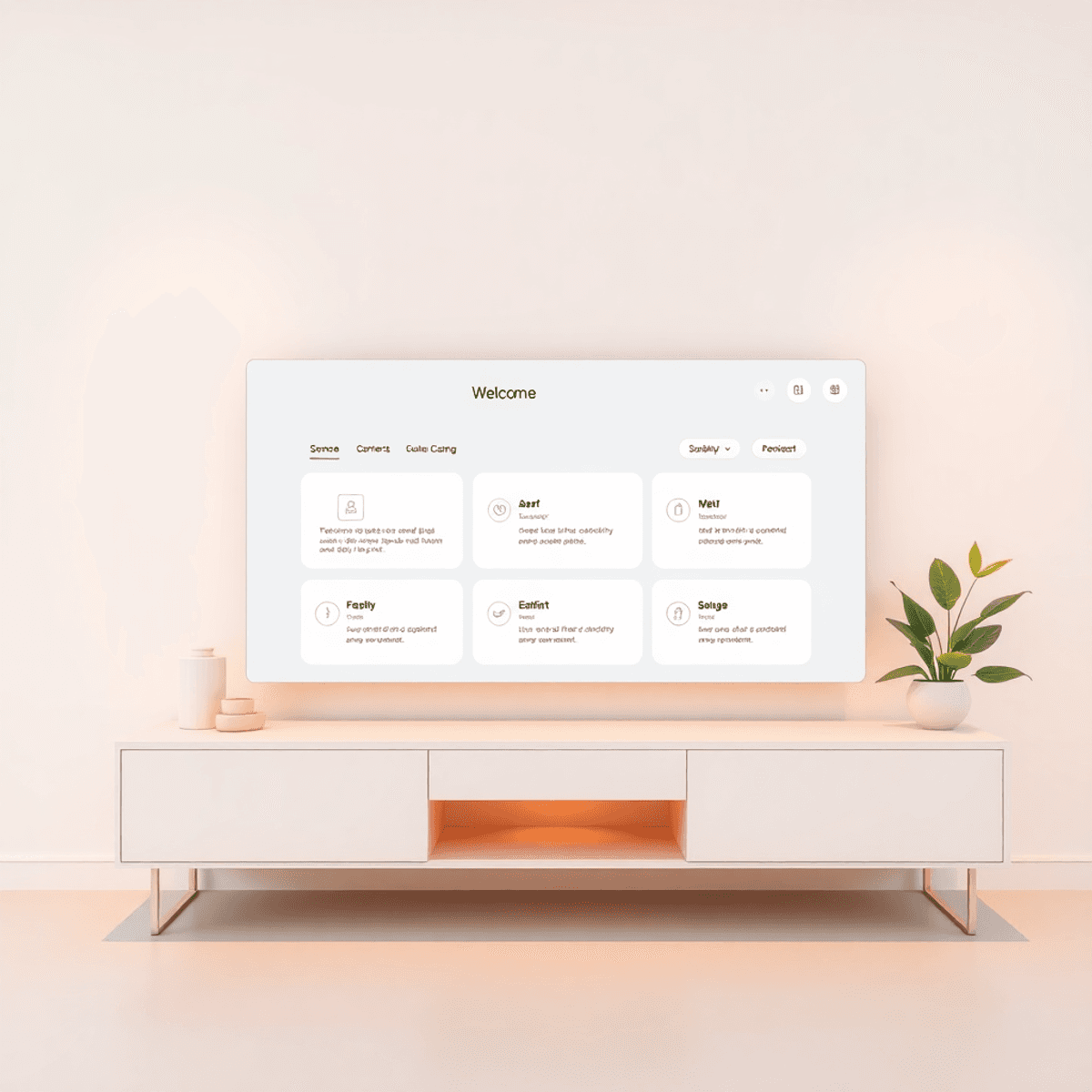
Warm Welcome creates a single page that acts like a starting point for someone new.
Think: a clean page that says something like…
- Welcome, here’s what to do first
- Here are the 3 most important actions
- Here’s the product tour
- Here’s documentation
- Here’s support
- Here are account links that people always ask for
It’s basically a central hub. Not a full onboarding platform. Not a complex in app flow builder. Not a CMS.
Just the page people land on and immediately understand.
And that simplicity is the entire point.
Warm Welcome leans hard into:
- Fast loading
- Minimal configuration
- Easy setup and editing
- Clear calls to action
- Custom messaging
- Visible support or contact paths
- A lightweight “do this now” experience
It was also updated recently. The listing mentions it was updated 2 months ago, which matters more than people admit. Some lifetime deals are basically… abandoned storefronts.
The real problem it tries to solve (and why it still matters in 2026)
In 2026, onboarding got “smarter”. Everyone has AI tours and interactive checklists and tooltips that chase your cursor around like an overly helpful waiter.
And yet.
The biggest onboarding killer is still the same boring thing:
People do not know what to do next.
They get overwhelmed. Or distracted. Or they go back to Slack and forget. Or they open a support ticket because your app didn’t answer the first five obvious questions.
A good welcome page fixes a lot of that, because it’s not trying to be fancy. It’s trying to be obvious.
Warm Welcome’s approach is basically:
- Put the top actions in front of the user immediately
- Reduce choices
- Reduce wandering
- Reduce “where do I click”
- Give them a clear path to docs, tours, support, billing, whatever you need
If you’re running a SaaS, a course, a community, an internal ops tool, even a client portal… you know that first day experience decides everything.

Who Warm Welcome is for (and who should skip it)
Let’s not pretend every tool is for every person. Here’s the honest split.
Warm Welcome makes sense for:
1. SaaS founders and small teams You need something you can publish quickly, tweak often, and not babysit.
2. Product launches When you launch, people arrive in a rush. A single page hub can keep the chaos down.
3. Support heavy products If you get repeated questions like:
- where’s the API key
- where’s billing
- how do I invite teammates
- how do I set up integrations
A welcome hub can triage a shocking amount of this.
4. Internal onboarding New hires, contractors, agencies, remote teams. One page with the important links and first actions is… just useful. No drama.
You should probably skip it if:
1. You want deep, in-app onboarding If you need tooltips, event based triggers, segmentation, A/B testing, and full onboarding analytics, this is not that.
2. Your welcome experience must be fully embedded and dynamic Warm Welcome is built around a single page experience. If your onboarding lives entirely inside the app UI and changes based on user role, plan, and behavior, you might need a more heavyweight platform.
3. You hate lifetime deal constraints Some people buy LTDs and then resent them later. If you already know you prefer subscriptions for ongoing product development guarantees, you might not enjoy this purchase even if the tool is fine.
The lifetime deal: what you get for $69 (and what to double check)
Here’s what we know from the deal details provided:
- Lifetime access for $69
- 1 user
- 60 day money back guarantee
- Core value: create fast, friendly welcome pages with clear CTAs and centralized links
- Positioning: reduces confusion, speeds up onboarding, minimal setup
Now, there’s a chunk in the notes that lists a lot of extras like:
unlimited users/bubbles/business cards/signatures/messages/pages/custom videos per email/storage/email sends/playlists/library/teleprompter scripts/interactive videos/live video chat/webhooks/bulk email campaigns/storage/stats
I’m going to be blunt. That reads like a blended feature list from multiple deals or a marketplace template that got messy.
So here’s my advice in 2026: Before you buy, verify what the $69 Warm Welcome deal includes on the actual sales page. Specifically:
- How many welcome pages can you publish
- Can you use a custom domain
- Branding removal or not
- How CTAs work (buttons, links, sections) – remember to follow best practices to hook customers with your call-to-action
- Any limits on views, traffic, or storage
- Collaboration (probably not at 1 user, but still)
- Integrations (webhooks are mentioned in the notes, but confirm)
- Analytics (if any)
- Embedding options
If the deal truly includes “unlimited pages” at $69, that’s strong. If it’s limited to a few pages, it can still be fine, but you want to know before you build your whole onboarding around it.
The good thing is the 60 day guarantee gives you enough runway to actually test it properly. Not for 20 minutes. For real.
For a more comprehensive understanding of such deals and how to navigate them effectively, refer to this ultimate guide for 2026.
What a “good” Warm Welcome page looks like (steal this structure)
If you buy Warm Welcome and then create a page that’s basically “Welcome!!!” and 14 random links, you are going to blame the tool.
So here’s a structure that works.
Section 1: One sentence promise
“Here’s the fastest way to get value from [Product] in the next 5 minutes.”
Section 2: 3 primary buttons (only 3)
- Start product tour
- Connect your first integration
- Invite your team
That’s it. Three.
Section 3: Quick links (secondary)
- Documentation
- Pricing or plan details
- Account and billing
- Security page (if relevant)
Section 4: Help
- “Need help?” with a link to support chat, email, or knowledge base
- Include expected response time if you can
Section 5: Optional, personal message
A short note from founder or team. Two to three sentences. Human.
This is where Warm Welcome should shine, because it’s designed around exactly this kind of clarity.
The part people miss: Warm Welcome is not just for “new” users
Yes it’s called Warm Welcome. But the bigger value is that it becomes a stable navigation anchor for moments when users are confused again.
Examples:
- They come back after 3 months
- They upgrade plans
- They add teammates
- You launch a new feature and need a “start here”
- You change an integration flow and need one canonical link
- You run a webinar and want attendees to land on a single action hub
A welcome page can quietly become your “source of truth” hub.
That is valuable.
In fact, crafting such a page can be part of seeking the productive life, as detailed in Stephen Wolfram’s personal infrastructure.
Performance and speed: why “lightweight” is not a small feature
Warm Welcome pushes “fast loading” and “lightweight” as a core benefit.
In 2026, that’s not fluff. It impacts:
- Drop off rate on mobile
- Email click through conversion
- How fast your users reach “aha”
- How “cheap” it feels (slow pages feel cheap, sorry)
A single page welcome experience that loads quickly and needs minimal configuration is often better than a fancy onboarding setup that takes weeks, breaks during updates, and becomes another thing you maintain.
“Worth it in 2026?” The real answer depends on your scenario
Here’s how I’d decide if I were you.
It’s worth it if:
You have a product with repeated first week confusion If you see the same questions over and over, a welcome hub can cut that down.
You want a fast onboarding win without a rebuild You can deploy a welcome page without touching core product code, depending on how you link it.
You run multiple funnels Different landing paths can lead to different welcome pages.
You value simplicity A clean hub is easier to keep accurate than a sprawling onboarding checklist system.
It’s not worth it if:
You already have a strong onboarding system that works If activation is high and support is calm, don’t buy tools out of boredom.
Your onboarding must be contextual and in app Warm Welcome is a page. Not an in app layer.
You need team collaboration The deal mentions 1 user. If your onboarding is owned by marketing, product, support, and CS together, one seat can be annoying.
For those considering whether certain lifetime deals are worth their investment in 2026, it’s essential to evaluate your specific situation. For instance, Breakcold’s lifetime deal could be beneficial if you’re facing repeated first week confusion with your product. On the other hand, if you’re looking for an easy onboarding win without major changes to your core product code, Launchflows’ lifetime deal might be the right fit. Alternatively, if you manage multiple funnels leading to different welcome pages, consider the Cardclan lifetime deal, which could offer valuable solutions in such scenarios.
The lifetime deal angle: why people regret LTDs (and how not to)
Most LTD regret comes from one of these:
- They bought it “just in case”
- They never implemented it
- They expected it to replace a whole category of tools
- They assumed unlimited features forever with no fine print
- The tool stopped being maintained
Warm Welcome avoids some of these risks because it’s not trying to be an everything tool. A welcome page generator is… fairly contained. The product scope is narrower, so it’s less likely to bloat into something else.
But you still want to do a quick “LTD sanity check”:
- Is the product updated regularly? (We have a recent update mention.)
- Is the core feature set simple enough to stay stable? (Yes.)
- Can you export or recreate pages elsewhere if needed? (Check this.)
- Does the tool lock you into a proprietary workflow? (Probably not, but confirm.)
And again, the 60 day refund window is your friend. Use it like a grown up. Implement it, ship it, measure results.
How I’d test Warm Welcome during the 60 days (simple, not perfect)
If you buy it, do this in week one:
- Create one welcome page for your most common new user type.
- Put 3 primary CTAs only.
- Link it in your welcome email, your in-app “getting started” button, and your help widget or support autoresponder.
- Watch what happens for 2 weeks: Are you seeing fewer tickets? Faster activation? Fewer “where do I find X” messages?
- Make one iteration based on real user behavior.
If nothing improves, refund it. No guilt.

A quick note about the deal source, re featuring, and not missing stuff
The background notes also mention the broader lifetime deal ecosystem:
- Deals are curated from trusted sources
- Founders usually do not re offer the same lifetime deal
- Some deals come back during Black Friday, anniversaries, New Year offers
- There’s a newsletter, Facebook community, and a Chrome extension for alerts
- Affiliate links may be used
That’s pretty normal in this space. LTD marketplaces and curators survive on affiliate commissions. That’s fine as long as the info is accurate and the refund policy is clear.
If you’re someone who actually uses LTDs strategically, the “don’t miss the deal” tooling can be helpful. But just be careful with that “save $5000/year” mindset. You only save money on tools you were going to pay for anyway.
For instance, consider the CardClan lifetime deal or the LaunchFlows lifetime deal. These are examples of strategic purchases that can yield significant savings if they align with your business needs. However, buying 14 lifetime deals you never implement is not saving. It’s collecting.
Warm Welcome alternatives (so you can sanity check the category)
If you’re on the fence, here are the usual alternatives people use instead of a dedicated welcome hub tool:
- A Notion page
- A Google Doc
- A basic landing page builder (Webflow, Carrd, etc.)
- Your help center “Start here” article
- An in app checklist tool
Warm Welcome’s advantage is that it’s purpose built. You get the welcome page format, CTAs, messaging, and presumably a faster setup loop than building it from scratch each time.
But if you already have a polished Notion setup that users love, you might not need this.
On another note, if you’re considering specific lifetime deals like WP Autoblog or want to explore its AppSumo review, these resources can provide valuable insights into their worthiness and utility.
So… should you buy the Warm Welcome lifetime deal in 2026?
If you want a simple answer that still feels honest:
Yes, it’s worth it in 2026 if you need a fast, clean onboarding hub and you will actually deploy it this month.
That’s the key part. This month.
For $69 lifetime, with a 60 day money back guarantee, Warm Welcome is priced low enough that the risk is manageable, and the product scope is focused enough that it can stay useful for a long time. Especially if your onboarding problem is mostly “users don’t know where to start”.
Just do yourself one favor before you click buy:
- confirm the exact limits of the deal on the sales page
- build one real page
- plug it into your onboarding
- measure whether confusion drops
If it works, you keep it and forget about it. The best tools feel a little boring after a while. They just sit there doing their job.
That’s kind of the dream, honestly.
FAQs (Frequently Asked Questions)
What is Warm Welcome and how does it improve the new user experience?
Warm Welcome is a fast, single page welcome hub designed to greet new users immediately after signup or activation. It provides clear calls to action, important links like product tours, documentation, support, and account management, creating a simple and guided starting point that reduces confusion and helps users know exactly what to do next.
How does Warm Welcome differ from traditional onboarding platforms?
Unlike complex onboarding platforms with interactive checklists, AI tours, or in-app flows, Warm Welcome focuses on simplicity. It offers a lightweight, minimal configuration single page that serves as a central hub rather than a full onboarding system. This makes setup easy and reduces maintenance while still effectively guiding new users.
Who should consider using Warm Welcome for their product or service?
Warm Welcome is ideal for SaaS founders and small teams needing quick publishing and easy tweaking, product launches managing influxes of new users, support-heavy products aiming to reduce repeated questions about billing or API keys, and internal onboarding scenarios for new hires or contractors where a simple resource page is valuable.
Are there situations where Warm Welcome might not be the right choice?
Yes. If you require deep in-app onboarding features like tooltips, event triggers, segmentation, A/B testing, or analytics; need your welcome experience fully embedded and dynamic within your app UI; or prefer subscription models over lifetime deals for ongoing development guarantees, Warm Welcome might not fit your needs.
What does the Warm Welcome lifetime deal include and why is it considered a good value?
The lifetime deal offers access to the Warm Welcome single page welcome hub for $69—a significant discount compared to the regular pricing listed at $1288. This deal includes fast loading pages, minimal configuration options, easy editing capabilities, custom messaging features, visible support paths, and ongoing updates as noted by its recent refresh two months ago.
Why is having a clear welcome page still important in 2026 despite advancements in AI-driven onboarding?
Even with smarter onboarding tools like AI tours and interactive checklists available in 2026, many users still face overwhelm or distraction when figuring out what to do next. A clear welcome page cuts through this noise by presenting top actions upfront, reducing choices, minimizing wandering within the app, providing direct paths to essential resources—ultimately lowering support tickets and boosting activation rates.