
Table of Contents
- 🧭 Why on-brand AI content matters
- ⚙️ How SuperCopy structures brand-first content
- 🧩 Building detailed audience personas (example: dentists)
- 📦 Defining product personas (example: Monthly SEO Services)
- 🎬 Templates and short-form video scripts
- 💬 Super Chat: conversational copy that knows your brand
- 🚀 Campaigns: plan, outline, and scale content
- 🖼️ AI image generation and media organization
- ✅ Strengths and limitations
- 🎯 Practical recommendations
- 🧾 FAQ
- 🔚 Final thoughts
🧭 Why on-brand AI content matters
Generic AI copy is fast but forgettable. The real win comes when generated content sounds like your brand and speaks directly to the people you want to reach. Persona-driven tools let you lock in a consistent voice, reuse brand rules, and scale content without rewriting the same instructions every time.
SuperCopy focuses on three things that matter for agencies and growth teams: brand personas, audience personas, and product personas. Together they produce content that hits specific pain points instead of producing broad, bland copy.
⚙️ How SuperCopy structures brand-first content
SuperCopy starts with a brand profile. You enter your website URL and the tool auto-generates a short description and brand positioning. From there you can add a brand dictionary to force preferred wording or ban certain phrases.
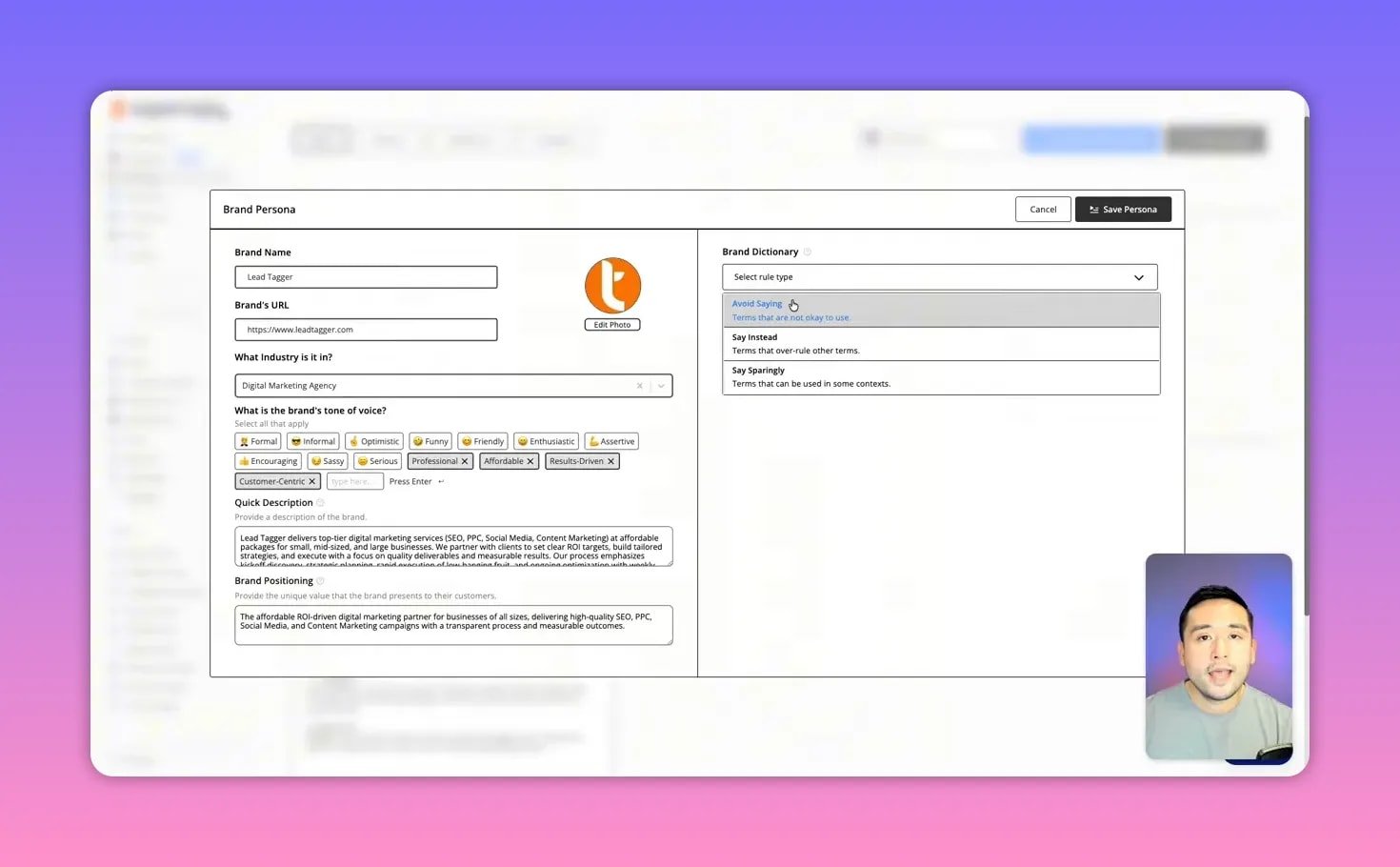
The three main building blocks are:
- Brand — company voice, banned words, and style rules.
- Audience Personas — who you’re writing for: goals, problems, triggers, and barriers.
- Product Personas — services or SKUs tied to those audiences.
🧩 Building detailed audience personas (example: dentists)
A persona should include demographics and psychographics. For dentists I typically add:
- Age: 35–65+
- Attributes: small business owner
- Problems: appointment cancellations, dropping leads
- Goals: more high-ticket implant patients
- Triggers: month-to-month lead drops
- Barriers: “too expensive” or being treated like a number
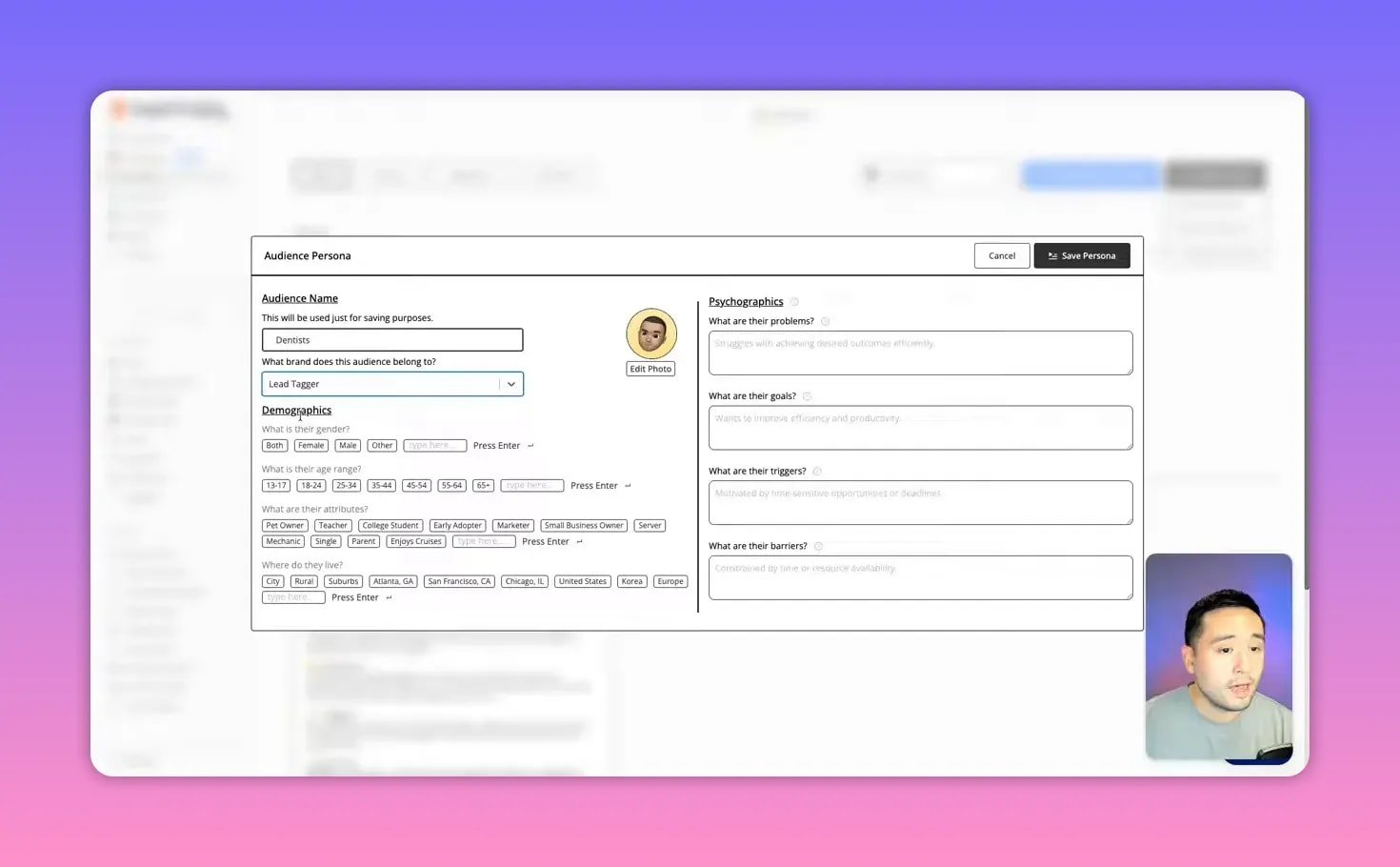
With that persona saved, SuperCopy can tailor social posts, emails, ads, and blog copy directly to a dentist’s priorities.
📦 Defining product personas (example: Monthly SEO Services)
Treat services like products. Describe what you deliver (technical SEO, on-page, reporting cadence). Linking a product to a brand + audience helps the AI surface the right benefits and language when generating content.
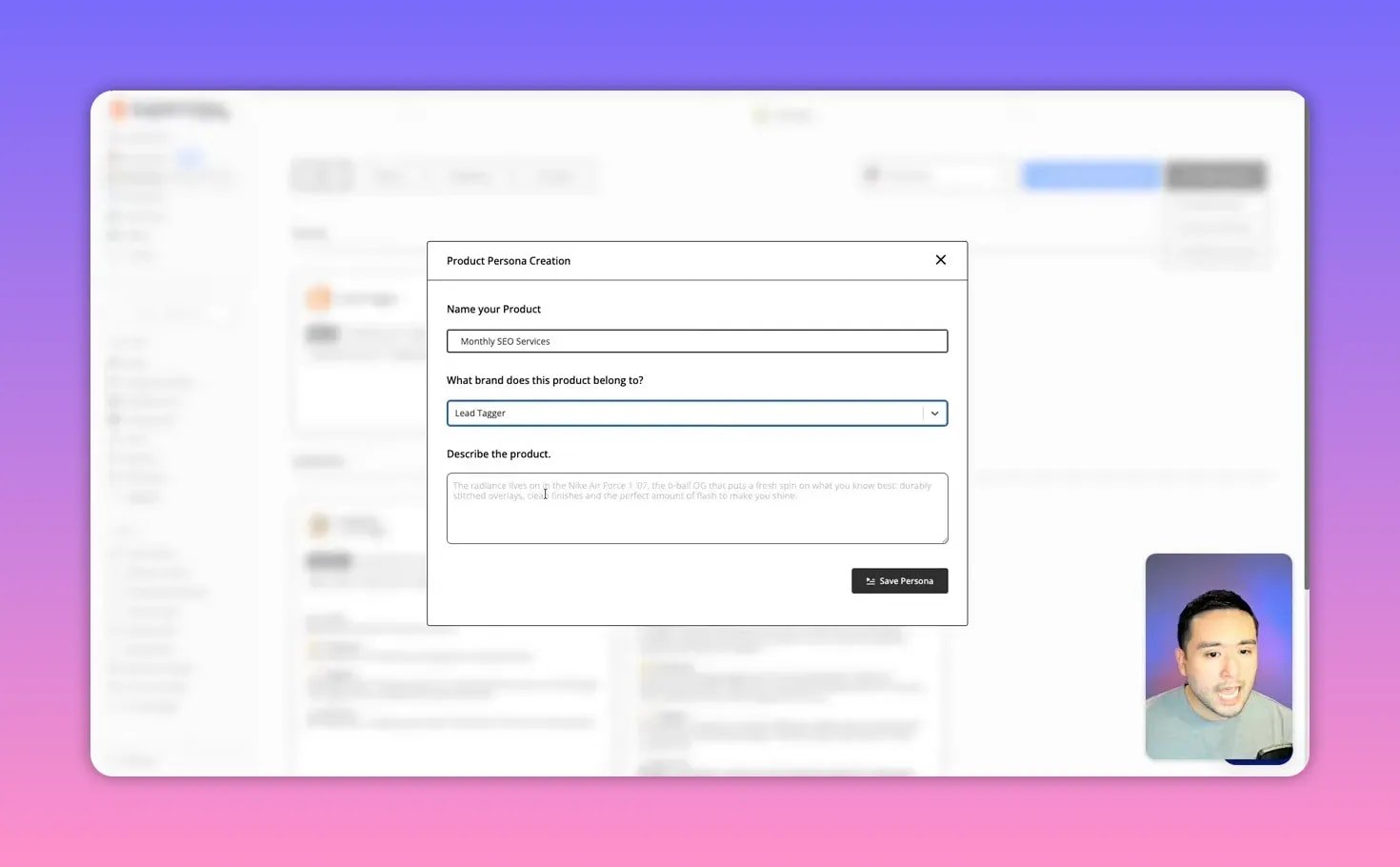
The result: content that places the right product in front of the right audience with consistent voice and messaging.
🎬 Templates and short-form video scripts
SuperCopy includes templates for social posts, emails, blogs, landing pages, and short-form video scripts. For video you fill out a small form — brand, audience, product, tone, keywords, length — and it drafts a script plus shot guidance.
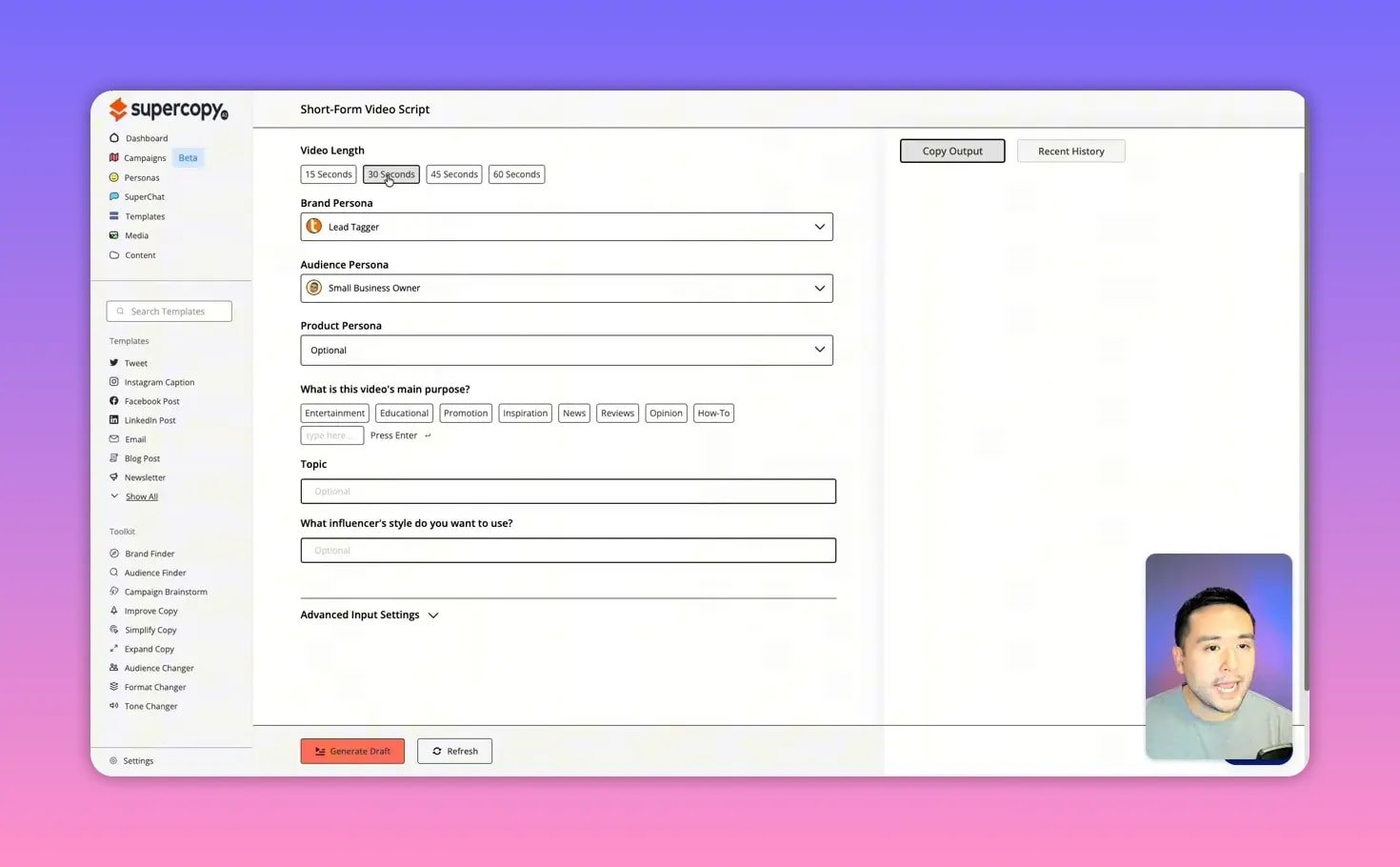
Example output includes:
- A tight 30-second script tailored to dentists.
- On-screen text suggestions and audio cues.
- Shooting guidance such as a bright clinic lobby and trending formats.
The scripts are usable out of the box but benefit from a quick human polish — tighten phrasing, swap in local references, and shorten lines for captions.
💬 Super Chat: conversational copy that knows your brand
Super Chat is the platform’s chat interface that understands your brand, audiences, and products. Think of it as a brand-aware ChatGPT. Use it to generate:
- Marketing ideas and campaign outlines
- Targeted prompts for specific audiences
- Quick edits to match tone or channel
Example prompt: ask for a lead-magnet campaign for small dental practices. The AI will suggest the playbook title, content highlights, promotion channels, and incentives like a free consultation.
🚀 Campaigns: plan, outline, and scale content
Campaigns follow a three-step flow: upload or write a brief, generate outlines, then auto-generate content for each outline. It’s useful for multi-channel launches where you need blogs, short videos, and social posts that tie together.
The outlines can be edited or removed, and content is generated into a project-management style board where each piece can be marked In Progress, Needs Approval, Approved, or Posted.
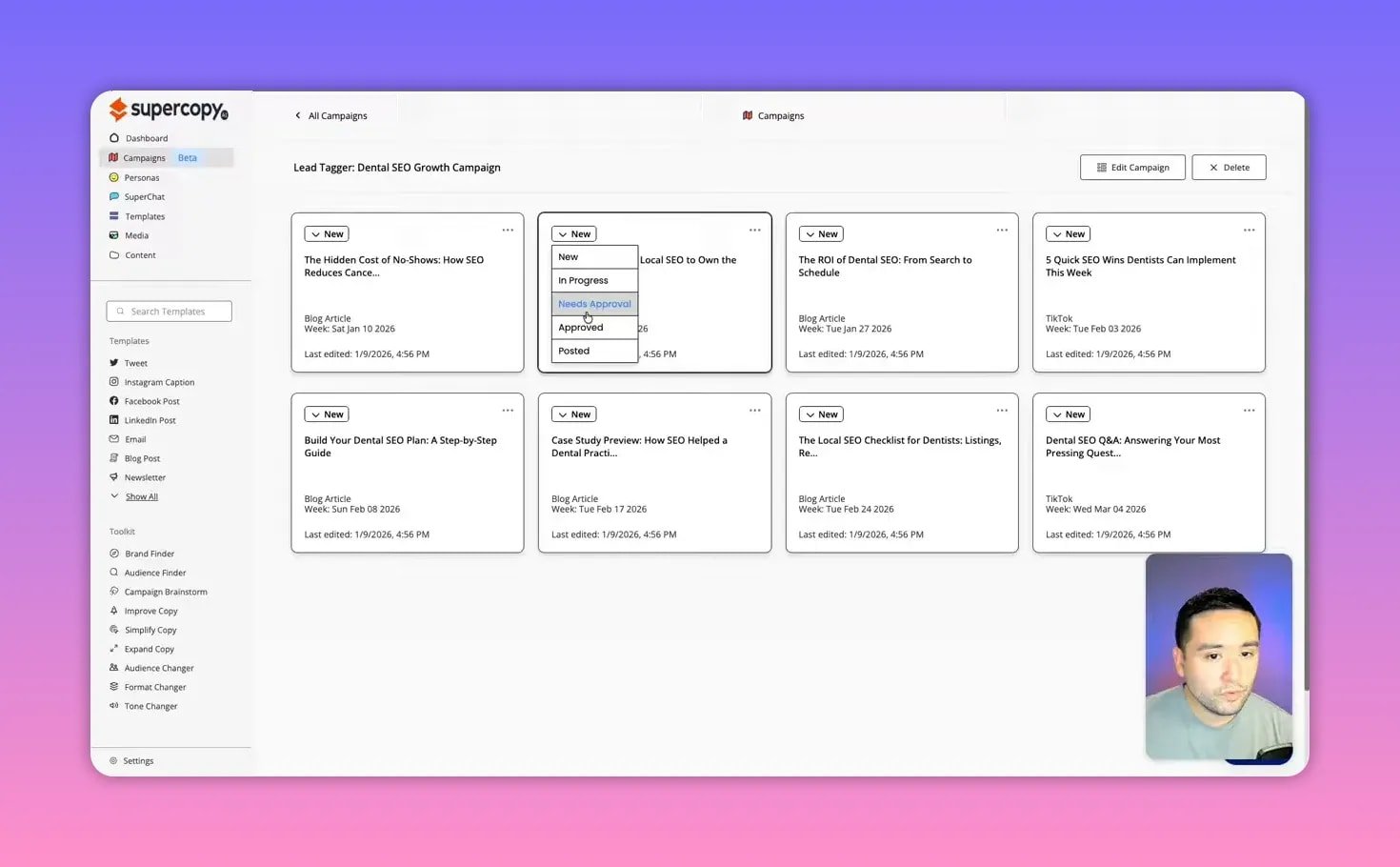
This is a big time saver for agencies: one brief, multiple deliverables, consistent brand voice across all pieces.
🖼️ AI image generation and media organization
SuperCopy includes an image generator tied to your brand and persona. Results can be mixed — good for simple stock-style imagery but not best-in-class for complex photorealism.
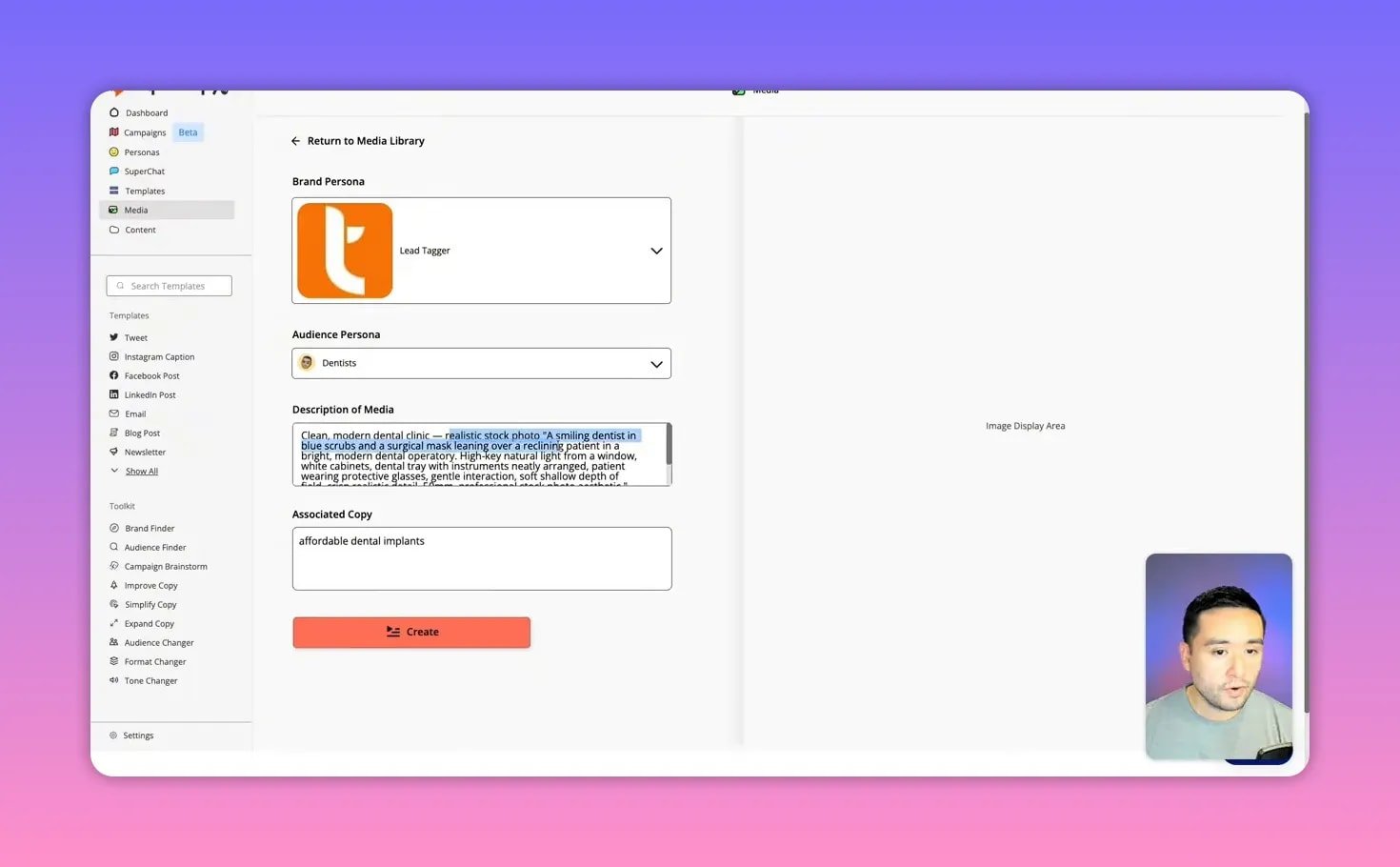
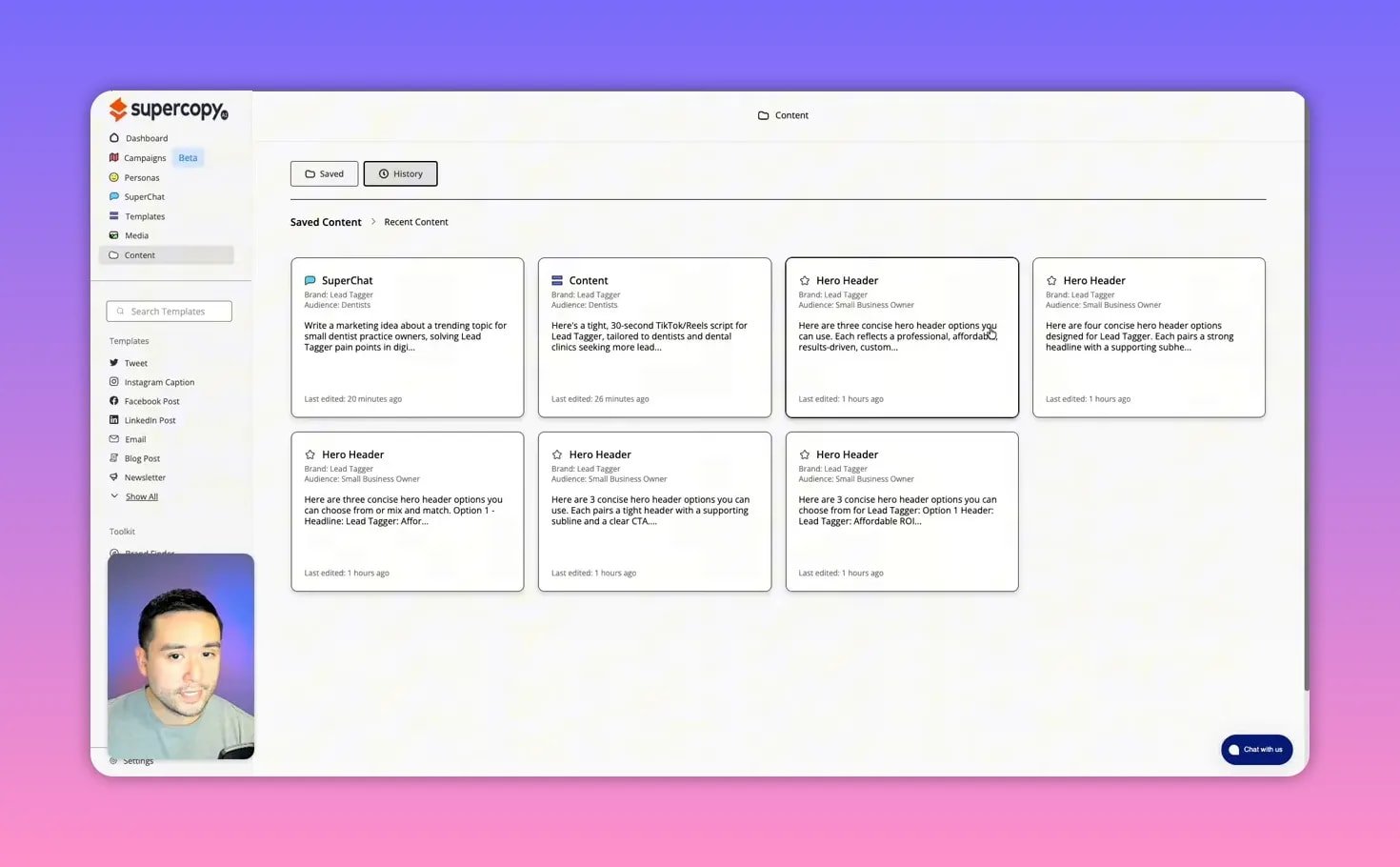
Where SuperCopy really shines is organization. All generated content and media are saved under the brand, searchable by folder, and accessible to team members if you upgrade to a higher license.
✅ Strengths and limitations
Strengths:
- Persona-driven workflows — create multiple audience personas per brand and reuse them.
- Content organization — folders, history, and a project view are built in.
- Campaign generation — turn one brief into blogs, videos, and social posts quickly.
- Brand dictionary — force preferred wording and ban terms (for example, use “affordable” instead of “cheap”).
Limitations:
- AI output quality is solid but not wildly better than other large models; expect to edit for nuance and structure.
- Formatting quirks can appear in longer pieces (too many bullets or odd indentation).
- Image generator can produce imperfect details; use dedicated image tools for production-grade visuals.
🎯 Practical recommendations
- Start with the brand dictionary. Small wording rules reduce grunt editing later.
- Build precise audience personas. The more specific the pain points and triggers, the more targeted the copy.
- Use campaigns for launches. One brief can yield a full content calendar across channels.
- Polish AI drafts. Treat them as structured first drafts that save hours, not finished products.
- Choose a higher tier for agencies. More words, more personas, and team seats make the tool scale better for multiple clients.
🧾 FAQ
Is SuperCopy better than ChatGPT for on-brand content?
SuperCopy is not necessarily “better” at raw language generation. Its advantage is context: brand, audience, and product personas plus a brand dictionary. That context reduces repetitive instructions and keeps copy consistent across channels. Expect to use SuperCopy for persona-driven scale and a general LLM for creative brainstorming.
Who should buy the AppSumo lifetime deal?
Agencies, freelance marketers, and small teams who produce repeatable content for multiple clients will get the most value. Higher tiers are recommended if you need many brand and audience personas or team seats.
Can SuperCopy generate images too?
Yes. It has a built-in image generator tied to brand and persona descriptions. Useful for quick hero images or social visuals, but for detailed photorealism or complex compositions you may want a specialist image tool.
How do I create an effective persona?
Be specific: include demographics, common objections, primary goals, triggers that prompt action, and realistic barriers. The clearer the persona, the less editing required on output.
What types of content can I create with SuperCopy?
Social posts, short-form video scripts, emails, blog articles, landing pages, ad copy, and multi-piece campaigns. The templates cover most common marketing deliverables and scale them through personas.
🔚 Final thoughts
Tools like SuperCopy are most valuable when your business needs consistency at scale. If you manage multiple clients or product lines and want to preserve a unique voice while producing lots of content, the persona and organization features are a clear time-saver. If your priority is the absolute best single-piece creative output, expect to pair SuperCopy with human editing or other LLMs for that final polish.
Use personas, enforce a brand dictionary, and treat generated drafts as accelerators. That workflow turns generic AI output into distinct content that actually sounds like you.