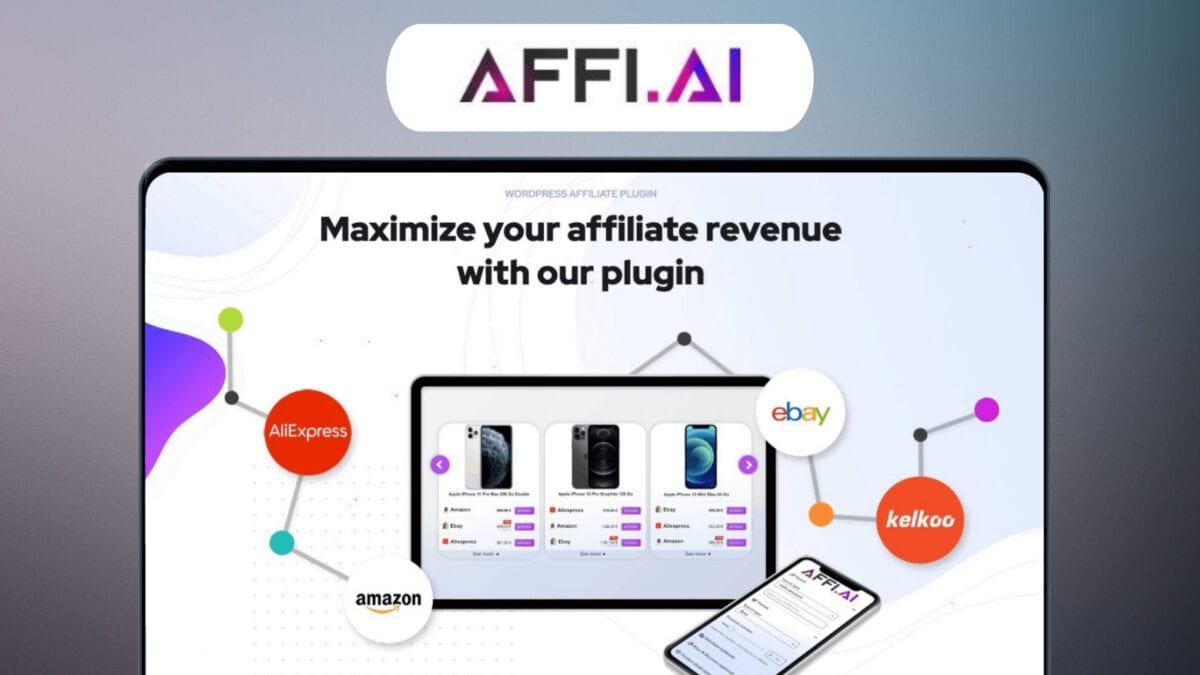
I remember when I first tried automating affiliate product displays—clunky shortcodes, broken prices, and endless manual updates. Affi.ai promised to fix that, so I dug in. This post is my small, practical guide to what Affi.ai does, how it installs, and whether the current lifetime deal is worth the jump.
What Affi.ai Actually Does (Features & Merchants)
Affi.ai is an all-in-one WordPress affiliate plugin I can use to add Product boxes, compare prices across merchants, and keep affiliate content updated without constant manual edits. The core idea is simple: it helps me create an Automatic display of relevant offers inside posts, then refreshes price and stock data daily so my pages stay accurate.
Smart contextual advertising with AI-generated Product boxes
Affi.ai can scan what my post is about and suggest affiliate offers that match the topic. It then builds AI-generated Product boxes that I can place using shortcodes, blocks, or page builders like Elementor (it also works with Gutenberg and the Classic Editor). If I have OpenAI credentials, I can also use ChatGPT recommendations to speed up product selection and descriptions.
Jon Reed, Affiliate Marketing Strategist: “Automating product boxes with daily updates changed how I track revenue—fewer surprises, more conversions.”
Multi-merchant price comparison (Amazon products + AliExpress integration)
Instead of showing one store, I can combine multiple merchants in a single box for side-by-side pricing. This includes Amazon products, eBay, AliExpress integration, Kelkoo, and Custom merchants. In the AFFIMAX version, it also supports affiliate networks like AWIN, Effiliation, and Tradedoubler, which helps when my monetization is not Amazon-only.
- Merchants: Amazon, eBay, AliExpress, Kelkoo, Custom merchants
- Affiliate platforms (AFFIMAX): AWIN, Effiliation, Tradedoubler
Daily automatic updates (price, stock, and product data)
Affi.ai refreshes product data daily, including price and stock status. This matters because outdated pricing can hurt trust and conversions. It also supports WooCommerce price syncing, so if I run a store alongside affiliate links, I can keep pricing consistent across my site.
Tracking, alerts, and practical automation
- Google Analytics click tracking to measure which boxes and links get attention
- SMS price-drop alerts for monitoring key products
- AI autoblogging options for faster content workflows
- SiteStripe converter to replace Amazon SiteStripe codes site-wide
- SEO support with structured data, plus mobile and AMP-friendly output
Amazon API compatibility (OffersV2)
Affi.ai has kept up with Amazon changes. As of 2026-01-27, it supports Amazon’s OffersV2 API (OffersV1 is retired). For uninterrupted Amazon functionality, I should be on v1.5.7 or later.
Free option: Affiliate AI Lite (Amazon-focused)
If I want to test the basics, Affiliate AI Lite (released 2025-07-23) is available in the WordPress Plugin Repository. It supports unlimited Amazon product boxes, visual displays, caching options, structured data for SEO, and Elementor integration, but the paid plans unlock broader merchant coverage and automation.
Merchant support distribution (SVG)
<!-- Percent labels --> <!-- Legend -->
<svg width="520" height="260" viewBox="0 0 520 260" xmlns="http://www.w3.org/2000/svg">
<rect width="520" height="260" fill="#ffffff"/>
<!-- Donut segments (approximate geometry) -->
<g transform="translate(160,130)">
<circle r="70" fill="none" stroke="#00E2B1" stroke-width="34"
stroke-dasharray="131.95 307.88" stroke-dashoffset="0" transform="rotate(-90)"/>
<circle r="70" fill="none" stroke="#CCD7E6" stroke-width="34"
stroke-dasharray="87.97 351.86" stroke-dashoffset="-131.95" transform="rotate(-90)"/>
<circle r="70" fill="none" stroke="#FBD0B9" stroke-width="34"
stroke-dasharray="87.97 351.86" stroke-dashoffset="-219.92" transform="rotate(-90)"/>
<circle r="70" fill="none" stroke="#54D3DA" stroke-width="34"
stroke-dasharray="43.98 395.85" stroke-dashoffset="-307.89" transform="rotate(-90)"/>
<circle r="70" fill="none" stroke="#D1D8DC" stroke-width="34"
stroke-dasharray="87.97 351.86" stroke-dashoffset="-351.87" transform="rotate(-90)"/>
<circle r="45" fill="#ffffff"/>
</g>
<text x="160" y="40" font-family="Arial" font-size="12" text-anchor="middle">30%</text>
<text x="85" y="160" font-family="Arial" font-size="12" text-anchor="middle">20%</text>
<text x="160" y="225" font-family="Arial" font-size="12" text-anchor="middle">20%</text>
<text x="230" y="175" font-family="Arial" font-size="12" text-anchor="middle">10%</text>
<text x="235" y="95" font-family="Arial" font-size="12" text-anchor="middle">20%</text>
<g font-family="Arial" font-size="12">
<rect x="310" y="55" width="12" height="12" fill="#00E2B1"/><text x="330" y="65">Amazon (30%)</text>
<rect x="310" y="80" width="12" height="12" fill="#CCD7E6"/><text x="330" y="90">eBay (20%)</text>
<rect x="310" y="105" width="12" height="12" fill="#FBD0B9"/><text x="330" y="115">AliExpress (20%)</text>
<rect x="310" y="130" width="12" height="12" fill="#54D3DA"/><text x="330" y="140">Kelkoo (10%)</text>
<rect x="310" y="155" width="12" height="12" fill="#D1D8DC"/><text x="330" y="165">Custom merchants (20%)</text>
</g>
</svg>
Setup, Integration & Product Boxes — How I Use It
Install as a WordPress plugin (Lite version or Pro)
I started with the Lite version (Affiliate AI Lite) because it’s free and Amazon-focused. It installs like any other WordPress plugin: upload/activate, then connect my Amazon affiliate settings and choose a default product box style. The setup feels beginner-friendly, and I didn’t need to touch code.
When I need more than Amazon—like multi-merchant price comparisons, automation, or alerts—I switch to the paid Affi.ai plan. The workflow stays the same; I just unlock more merchants and features.
| Item | Data |
|---|---|
| Affiliate AI Lite launch | 2025-07-23 |
| Recommended Affi.ai version for Amazon OffersV2 | v1.5.7 |
| Editors supported | Shortcode, block, Elementor, Classic Editor |
| Free Lite core focus | Amazon products |
Adding product boxes in the Gutenberg editor and Elementor
Most of my posts are written in the Gutenberg editor, so I use the Affi.ai block to insert a product box exactly where it fits the content (after a key paragraph, near a “best for” section, or under a comparison heading). I can search/select a product and publish without extra steps.
On landing pages built with Elementor, I use the Elementor widget to drop in the same product boxes and keep the design consistent. If I’m updating older posts, I sometimes use shortcodes instead, since they’re quick and work everywhere.
Here’s the kind of shortcode approach I use when I want speed:
[affiai_product id="12345" template="compact"]
One-click cleanup with the SiteStripe converter
My biggest time-saver has been the SiteStripe converter. I had older Amazon links pasted from SiteStripe, and updating them manually would have been painful. The converter scans and replaces legacy Amazon SiteStripe codes across my site in one click, so my product boxes and links stay consistent.
Susan Park, WordPress Developer: “The SiteStripe converter saved me hours migrating legacy affiliate codes—one-click fixes are underrated.”
Visual management, styling, and caching for performance
I manage product boxes from a visual dashboard: I can change layouts, button text, colors, and badges without breaking my theme. When I need tighter control, I add custom CSS to match my site’s spacing and typography.
To keep pages fast, I enable caching for product displays. This matters because product data can update daily (price/stock), and caching helps balance freshness with performance—especially on mobile and content-heavy pages.
Optional AI recommendations (ChatGPT integration)
If I want AI-driven product suggestions, I can enable ChatGPT integration, but it requires my own OpenAI credentials. I use it mainly to speed up picking relevant products for existing posts, then I review the suggestions before publishing.
Pricing, The Lifetime Deal, and the Real Risks
Lifetime deal pricing for this affiliate plugin (Single Plan)
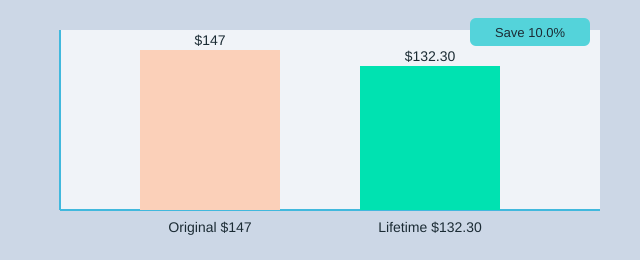
Right now, the Affi.ai Lifetime deal is easiest to understand through the Single Plan. The current offer is $132.30 (down from $147) when I use the promo code LIFETIMO. This plan includes lifetime updates, support for one site, and a 14-day money-back guarantee. If I manage multiple sites, there are tiered lifetime plans that cover more installs.
| Plan / Detail | What I get |
|---|---|
| Single Plan (Lifetime) | 1 site license, lifetime updates, support |
| Price | $132.30 (was $147) with LIFETIMO |
| Refund window | 14 days |
| User rating snapshot | 5/5 from 2 reviews |
Price snapshot chart (original vs discounted)
What I’m really buying: Pro version value + automatic updates
The main reason I consider the Pro version is revenue generation through automation: smart product boxes, multi-merchant comparisons, and automatic updates for price/stock/product data. That matters because affiliate programs change often. For example, Affi.ai supports Amazon’s OffersV2 API as of 2026-01-27, and it recommends updating (v1.5.7) to avoid interruptions. For me, that’s a strong sign the plugin is trying to keep pace—but it also means I need to stay on top of updates.
The real risks of any lifetime deal (and how I reduce them)
A Lifetime deal can be great value, but “lifetime” is tied to the product’s life, not mine. SaaS companies have used lifetime deals for early traction—examples often mentioned include Intercom, Zapier, Paperform, and SERanking. Some tools grow; others slow down or shut down.
Maya Alvarez, SaaS Analyst: “Lifetime deals are powerful growth levers—just make sure the vendors show transparent roadmaps and active communities.”
- Check independent reviews (G2, Capterra) and compare them with on-site ratings (Affi.ai shows 5/5 from 2 reviews right now).
- Verify the team (LinkedIn, ProductHunt) so I know who is behind the plugin.
- Read the changelog/roadmap to confirm ongoing compatibility work (like OffersV2 support).
- Use the refund window: I treat the 14 days as a real test period on my site.
Practical Tips, Checklist & Mini Case Study
Quick checklist before I buy (and before I place new affiliate links)
Before I commit to the Affi.ai lifetime deal, I treat it like any other revenue tool: I validate the product, the vendor, and my real needs. First, I check the public roadmap and recent changelog to see if updates are active (important with Amazon API changes). Next, I install the Free lite plugin (Affiliate AI Lite) on a staging site to confirm the editor flow, speed, and how product boxes look in my theme. Then I confirm merchant coverage: if I only need Amazon boxes, Lite may be enough; if I need multi-merchant comparisons (Amazon, eBay, AliExpress, Kelkoo, or custom sources), I plan for the paid version. Finally, I read the deal terms and make sure the 14-day money-back window and lifetime updates match my risk level, and I cross-check community feedback and Deal Explorer notes to gauge vendor reliability.
Optimization tips (SEO friendly + analytics)
After adding product boxes, testing and analytics matter more than design opinions. I enable daily automatic updates so price and stock stay current, and I turn on caching options to keep pages fast. To stay SEO friendly, I use structured data where available and keep product boxes consistent across posts. If I sell or reference WooCommerce products, I connect WooCommerce price syncing so my on-site pricing doesn’t drift from the box data. I also A/B test box layouts (comparison vs single offer, button text, and placement) and track clicks as events in Google Analytics so I can measure real changes instead of guessing.
Alan Chen, Conversion Optimization Lead: “Tracking product-box clicks in Google Analytics makes it far easier to measure real affiliate lift—data removes guesswork.”
For tracking, I label events clearly (for example, category affi_box, action click, label merchant_name) and compare CTR by post type and traffic source. If my niche is price-sensitive, I test SMS price-drop alerts to bring visitors back when an offer improves.
Mini case study: updating 10 older posts
I updated 10 legacy posts that already ranked but had scattered affiliate links. I replaced the old links with Affi.ai product boxes, enabled AI suggestions to match offers to each post, and added multi-merchant comparisons where it made sense. The biggest change was clarity: readers could compare merchants without leaving the page, and my click-through rate felt stronger because the call-to-action was more visible and consistent. I didn’t treat it as a “set and forget” update; I reviewed performance weekly in Google Analytics and kept the best-performing box style.
| Item | What I used it for | Evidence / note |
|---|---|---|
| Site change example | Updated 10 posts with product boxes + AI suggestions | Qualitative CTR uplift from clearer comparisons |
| Deal Explorer tools I cross-checked | Vendor discovery and community signals | Devdoit Sweep, SheetWiz, CallCow, RabbitHoles AI, MyClone, VoiceWave AI, HuntYourTribe, Rybbit |
| Support terms | Risk control before committing | 14-day money-back + lifetime updates included in the deal |
My takeaway is simple: I start with the Free lite plugin to reduce risk, upgrade only if I truly need multi-merchant features, and rely on Google Analytics testing to prove whether the new affiliate links and product boxes increase revenue over time.
TL;DR: Affi.ai automates WordPress product boxes, pulls multi-merchant prices, updates daily, and integrates with WooCommerce and ChatGPT. Lifetime deal: $132.30 (single site). Free Affiliate AI Lite exists.