I like Ahrefs. I really do.
It is fast, it is clean, it is honestly kind of addictive when you are in full SEO mode. You plug in a competitor, click around for 20 minutes, and suddenly you have 30 content ideas and 12 small existential crises about how they got all those links.
But then you look at the pricing. And you go quiet for a second.
If you are running a small blog, a niche site, a couple client projects, or you are just trying to grow one WordPress site without setting money on fire every month, Ahrefs can feel like paying for a gym membership when all you really needed was a pull up bar and a decent pair of shoes.
So this is my practical answer to that.
This post is about the Ahrefs alternatives I actually use. Not a giant list of 19 tools you will never open again. Just the stack that covers the important stuff, for roughly $25 a month. Sometimes a bit under, sometimes a bit over, depending on the plan you pick and whether you pay monthly or annually.
And yeah, I run an AI tools blog. So naturally, some of these are more modern, lighter tools. Not all AI, but a couple are, and they help.
Quick context. I write and test software like this on ai mc1 over at https://ai.mc1.me, mostly from the angle of pricing, limits, and whether something is actually worth paying for. This article is that same vibe, just focused on SEO tooling.
The uncomfortable truth about Ahrefs
Ahrefs is not expensive because they are greedy. It is expensive because:
- Link data is expensive to crawl, store, and refresh
- Good UI is expensive
- Everyone wants unlimited everything, all the time
And also because they can charge it. Because it is good.
But most people do not need all of Ahrefs. They need chunks of it.
When I audit what I actually do each month, it usually boils down to:
- Keyword research for new articles
- SERP checks and content planning
- Basic rank tracking
- Quick competitor research (top pages, top keywords)
- Occasional backlink checks (not daily)
- Technical SEO checks (not necessarily inside the same tool)
So instead of paying for one big “everything” suite like Ahrefs, which may not be the best fit for everyone, I split it into a few small tools that are good at their piece.
You lose some convenience. You save a lot of money. And weirdly, you often end up doing better work, because each tool forces you to be a bit more intentional.
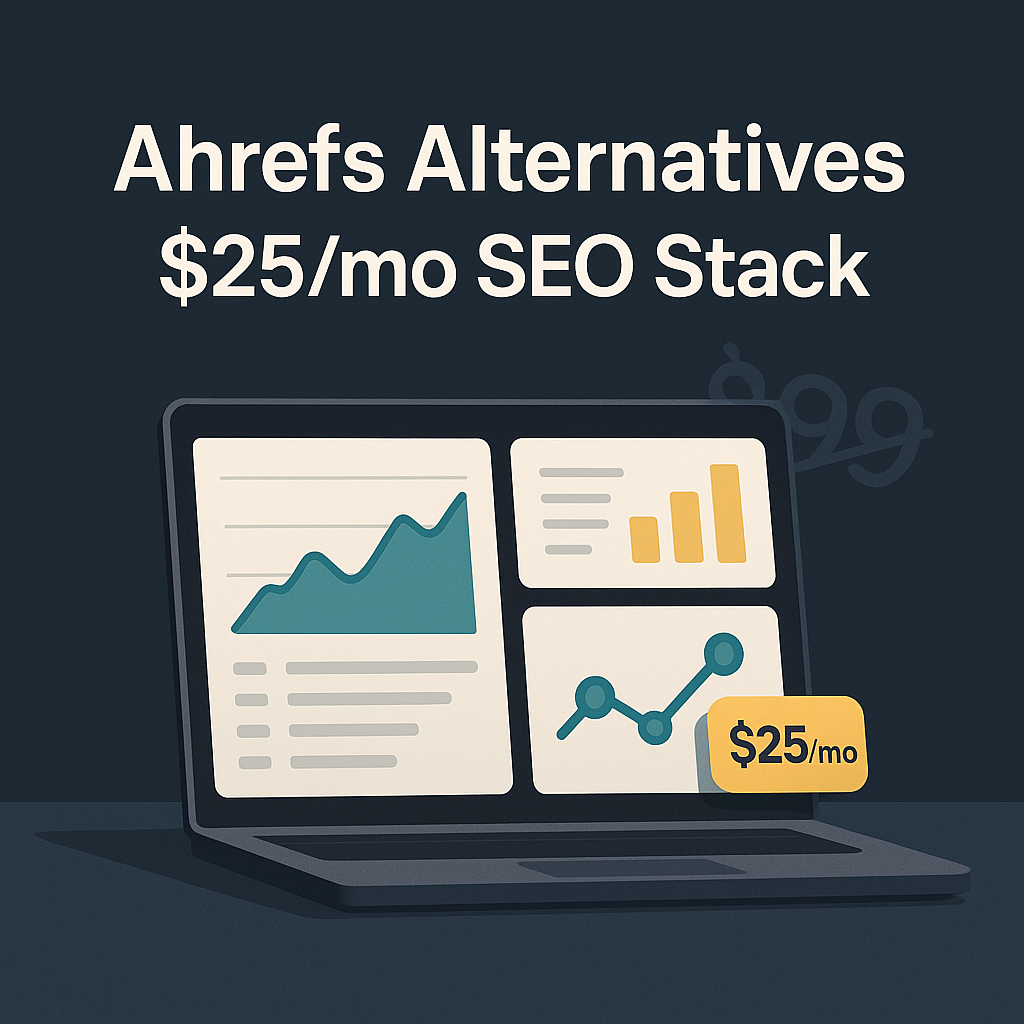
The $25/month SEO stack (what I use)
Here is the stack. Then I will break down exactly how I use it, what it replaces from Ahrefs, and where it is weaker.
My core setup:
- Ubersuggest (keyword research + basic competitor research)
- Mangools SERPWatcher or Nightwatch (rank tracking)
- Screaming Frog (technical SEO audits, occasional)
- Google Search Console (free, non negotiable)
- Keyword Surfer or Detailed SEO Extension (free quick checks)
This is not a “perfect substitute” for Ahrefs but rather a realistic one.
If you’re considering alternatives to Ahrefs, you might find this comparison between Labrika and Ahrefs insightful as it uncovers the strengths and weaknesses of both tools.
And if you are a little more link heavy, I will show you a cheap backlink add on option too.
1. Ubersuggest (my cheap Ahrefs replacement for keyword research)
Ubersuggest is the tool people love to hate. And I get it. For years, it was kind of… noisy. Sometimes off. Sometimes too simple.
But right now, for the price, it is one of the easiest ways to get:
- Keyword ideas
- Keyword difficulty estimates
- Content ideas
- Basic domain overview
- Top pages for a competitor
- Some backlink data (not Ahrefs level, but usable)
It is basically “Ahrefs Lite”, with fewer knobs.
How I use it
I do three things in Ubersuggest:
A. Find low competition keywords
- I start with a seed keyword
- Filter by SEO difficulty and volume
- I look for intent that matches what I can actually write and rank for
B. Pull competitor content ideas
- Plug in a competitor domain
- Sort pages by estimated traffic
- Pick topics that clearly match their traffic wins
- Then I go to Google and manually sanity check the SERP (this part matters)
C. Build a keyword list for a content cluster
- I grab variations and question keywords
- Export them
- Then I group them manually in a spreadsheet, or sometimes with an AI helper
Where it is weaker than Ahrefs
- Backlink data is not as deep or as fresh
- Keyword difficulty is more “directional”
- You will still want to look at the SERP yourself
Still. For what I need 90 percent of the time, it does the job.
Cost
Ubersuggest pricing changes sometimes, but it is typically much cheaper than Ahrefs and often has aggressive deals. If you see a lifetime deal and you actually use it, it can be one of the few SEO tools where lifetime pricing makes sense.
Image: Ubersuggest keyword overview screenshot

2. SERPWatcher (Mangools) for rank tracking that does not annoy me
Rank tracking is one of those boring things that becomes important when you stop doing it.
Ahrefs rank tracking is fine. But you do not need Ahrefs to track rankings.
I like SERPWatcher because it is simple and it does not turn rank tracking into a second job.
What I track
- Primary keyword for each page
- A few secondary keywords (only if they matter)
- Sometimes a “branded” group, just to watch trendlines
And I track them weekly more than daily. Daily tracking is fun, but it can also mess with your head. Google wiggles. You do not need to watch every wiggle.
What I actually look at
- Overall visibility trend
- Pages that are slowly sliding down
- Keywords that are stuck in positions 8 to 15 (those are often quick wins)
Cost
Mangools is usually priced as a bundle. If you only use SERPWatcher, it still might be worth it because you also get KWFinder and a few extra tools. You can keep this part cheap by choosing a lower tier and tracking fewer keywords.
If you want an alternative, Nightwatch is more powerful but usually a bit more expensive. For most small site owners, SERPWatcher is enough.
However, if you’re looking for an SEO tool with a lifetime deal that offers comprehensive features similar to Ubersuggest or Mangools, then Labrika could be an excellent choice.
Image: Rank tracking dashboard vibe

3. Screaming Frog (technical SEO without paying monthly)
Screaming Frog is not sexy. It is also one of the best SEO purchases you will ever make.
And it is the exact kind of tool that makes sense in a budget stack, because you do not need it every day. You need it when you are auditing, cleaning things up, migrating, or trying to find the stupid reason Google is not indexing something.
What I use it for
- Find broken links and 404s
- Check redirects and redirect chains
- Spot duplicate titles and meta descriptions
- Identify thin pages (word count is not perfect, but it is a flag)
- Check canonical tags
- Quickly review internal linking depth
- Export URL lists for content updates
If your site is WordPress, this becomes your “truth finder”. Plugins can hide stuff. Screaming Frog crawls what a bot sees.
Cost
It is a yearly license if you want full features, but even the free version goes a long way for smaller sites. If you can afford the license, it is worth it. If not, run the free crawl and be selective.
Image: Technical audit / crawling concept

4. Google Search Console (the free data people ignore)
If you are not using Search Console every week, you are doing SEO with your eyes closed. Harsh but true.
GSC gives you:
- What you are actually ranking for
- What pages are getting impressions but not clicks
- Indexing problems
- Core Web Vitals and page experience signals
- Manual actions and security issues
And the best part is that it is your data. Not modeled. Not estimated.
My weekly routine in GSC
I open the Performance report and filter last 28 days vs previous 28 days. Then I look for opportunities and problems:
- Queries with high impressions and low CTR
- Pages that dropped in average position
- New queries appearing (these often reveal content expansion opportunities)
Then I do the simplest SEO task that still works in 2026.
I rewrite titles. I adjust intros. I add missing sections. I improve internal links.
A lot of “SEO” is just paying attention.
5. Browser extensions for fast on-page checks (free)
Two free tools I always keep around:
- Detailed SEO Extension (quick on-page SEO checks)
- Keyword Surfer (fast volume estimates inside Google)
These are not deep tools. They are “save me clicks” tools.
What I check when looking at a SERP
I do not want to open a whole suite. I just want the answer. Extensions are perfect for that:
- Title and meta
- Headers
- Canonical
- Word count
- Schema presence
- Indexability hints
For more extensive on-page work, consider using something like ClickRank, a practical AppSumo SEO tool that automates on-page tasks, making your job even easier.
Optional: the cheap backlink checker add on
Backlinks are where Ahrefs still feels like magic. Most cheaper tools are weaker here. That is just reality.
But depending on your strategy, you might not need full link intelligence 24/7.
Here are two budget approaches that actually work:
Option A. Use a light backlink tool occasionally
You can use tools like:
- Majestic (old school, still good for link graphs)
- SEMrush (expensive, but you can do a one month “audit sprint”)
- Linkody or Monitor Backlinks (more monitoring oriented)
The trick is to not subscribe forever. Subscribe when you have a reason.
Option B. Do backlink checks inside Ubersuggest, plus manual verification
For small sites, this is enough:
- Check a competitor’s top linked pages
- Click into the referring domains
- Manually inspect whether those links are real and relevant
- Build your outreach list from that
That sounds slow, but it is honestly how you avoid wasting time on junk link prospects.
What this $25 stack replaces inside Ahrefs (feature by feature)
Let me map it cleanly.
Keyword research
- Ahrefs Keywords Explorer
- Replaced by: Ubersuggest + SERP manual checks
Competitor research
- Ahrefs Site Explorer (top pages, top keywords)
- Replaced by: Ubersuggest domain overview + Google SERP checks
Rank tracking
- Ahrefs Rank Tracker
- Replaced by: SERPWatcher (or Nightwatch)
Technical SEO
- Ahrefs Site Audit
- Replaced by: Screaming Frog + GSC indexing reports
However, if you’re looking for an alternative that combines affordability with robust features, Seodity could be a game-changer. This tool offers comprehensive SEO solutions that can effectively replace several Ahrefs functionalities while being budget-friendly. For more insights into how Seodity stands out as an Ahrefs alternative, consider exploring its detailed review.
Backlinks
- Ahrefs backlink index
- Replaced by: Ubersuggest light data + occasional backlink tool sprint (optional)
So yes, backlinks is the one area that is not a perfect 1 to 1 replacement. But for a lot of creators, that is fine.
If you are actively doing link building every week, you might want to budget a little more than $25. Or do the “one month on, two months off” approach with a bigger tool.
The workflow I actually follow (so you can copy it)
This is my real flow for publishing and growing a post on a WordPress blog.
Step 1. Find a keyword cluster
- Use Ubersuggest to find a main keyword
- Pull 10 to 30 related keywords
- Group them by intent, not by wording
Step 2. Validate the SERP manually
I open Google and check:
- Is it dominated by brands?
- Are results mostly informational or transactional?
- Is the content shallow or deep?
- Are there forums, Reddit, YouTube results?
If Google is ranking thin content, that is usually a good sign. If Google is ranking only government sites and massive brands, I pick a different keyword.
Step 3. Create the outline and write
I do not force AI here, but I will use AI to speed up the annoying parts:
- brainstorm sections I might be missing
- generate FAQ candidates
- propose internal links I should add
If you are into that angle, I review a lot of AI tools for content workflows on ai mc1, and I try to be honest about what is hype vs what actually saves time.
Step 4. Publish, then track
- Add the main keyword to SERPWatcher
- Add 2 to 5 supporting keywords, max
- Submit the URL in GSC for indexing
Step 5. Update based on GSC
After 2 to 4 weeks, I look for:
- queries that are getting impressions
- keywords stuck at position 11 to 20
- pages with CTR under 1 percent
Then I update:
- title and meta
- add missing sections
- improve internal linking
- sometimes add a small table or comparison
That is it. Not glamorous. It works.
Who this stack is for (and who it is not)
This $25/month setup is great if you are:
- A solo blogger
- Running 1 to 3 sites
- Doing content led SEO
- Monetizing with affiliate, ads, or product pages
- Trying to stay profitable early
It is not great if you are:
- A link builder doing heavy outreach every day
- An agency that needs client reporting inside one platform
- Doing large scale competitor backlink gap analysis weekly
- Managing thousands of keywords across dozens of properties
If that is you, you either need Ahrefs, SEMrush, or a more expensive “single suite” tool. Or you need a custom stack that costs more than $25. No shame there.
Other Ahrefs alternatives worth mentioning (quick notes)
I am not using all of these monthly, but I have tested most of them at some point.
Semrush
Powerful, broad, pricey. If you need PPC data, competitive research, and agency style reporting, Semrush can be the better “one tool”.
SE Ranking
One of the better value all in one SEO platforms. Often feels like the best middle ground if you want a suite but cannot justify Ahrefs pricing.
Serpstat
A decent suite that sometimes has good deals. Not always my first pick, but it is usable.
Moz
Still relevant for some things, especially beginner friendly flows. Link data is not what it used to feel like compared to Ahrefs, but Moz is stable.
KeywordTools.io
Good for keyword expansion, especially from autosuggest sources. Can get expensive depending on plan.
If you want me to break down which of these are worth it based on pricing and limits, that is the kind of stuff I post on ai mc1. I care about the “gotchas” more than the feature list.
The simple buying advice (so you do not overpay)
If you are on a tight budget, do this:
- Pick one keyword tool (Ubersuggest is fine)
- Pick one rank tracker (SERPWatcher is fine)
- Use GSC religiously
- Use Screaming Frog when you audit, not every day
- Only pay for heavy backlink tools when you have an actual link project
Also, do not underestimate the “one month of Ahrefs” strategy.
You can subscribe for a month, do a full competitor research sprint, export what you need, then cancel. It is not as fun as having it all the time, but it is financially sane.
Let’s wrap up
If Ahrefs fits your budget, it is still one of the best SEO tools out there. No argument.
But if you are trying to grow a site profitably, especially early on, you do not need to spend like an enterprise team.
My $25-ish stack is basically:
- Ubersuggest for keyword research and basic competitor work
- SERPWatcher for rank tracking
- Screaming Frog for audits
- Google Search Console for real performance data
- A couple free extensions for quick checks
It is not perfect. It is practical. And it keeps you focused on what actually moves traffic.
If you want more tool breakdowns like this, especially around AI powered SEO tools, lifetime deals, and value for money comparisons, that is what I publish on ai mc1 at https://ai.mc1.me.
FAQs (Frequently Asked Questions)
Why is Ahrefs considered expensive, and is it worth the cost?
Ahrefs is expensive primarily because link data is costly to crawl, store, and refresh; maintaining a good user interface requires investment; and many users demand unlimited access all the time. Despite the cost, Ahrefs justifies its price by offering high-quality data and features. However, for small blogs or niche sites, paying for the full suite might be overkill if you only need specific functionalities.
What are some practical alternatives to Ahrefs for budget-conscious SEO users?
Instead of paying for an all-in-one tool like Ahrefs, you can use a combination of smaller tools that specialize in different SEO tasks. A recommended $25/month SEO stack includes: Ubersuggest for keyword research and basic competitor analysis; Mangools SERPWatcher or Nightwatch for rank tracking; Screaming Frog for technical SEO audits; Google Search Console (free) for essential insights; and Keyword Surfer or Detailed SEO Extension (free) for quick checks.
How does Ubersuggest compare to Ahrefs as a keyword research tool?
Ubersuggest acts like ‘Ahrefs Lite’ with fewer advanced options but offers great value at a lower price. It provides keyword ideas, keyword difficulty estimates, content ideas, basic domain overviews, competitor top pages, and some backlink data. While its backlink data isn’t as deep or fresh as Ahrefs’, and keyword difficulty scores are more directional, it’s sufficient for most users’ needs.
What specific SEO tasks do I typically need from a tool like Ahrefs?
Most users commonly require: keyword research for new articles; SERP checks and content planning; basic rank tracking; quick competitor research (top pages and keywords); occasional backlink checks; and technical SEO audits. If you focus on these tasks, you might not need the full Ahrefs suite but rather targeted tools that excel in each area.
How can I effectively use Ubersuggest for keyword research?
Start with a seed keyword in Ubersuggest, filter results by SEO difficulty and search volume to find low competition keywords matching your content intent. You can also analyze competitor domains to identify top-performing pages and traffic-driving topics. Finally, build keyword lists including variations and question-based keywords to create content clusters—grouping related keywords manually or with AI assistance.
Is it possible to save money on SEO tools without sacrificing quality?
Yes! By splitting your SEO needs across specialized tools instead of one expensive all-in-one suite like Ahrefs, you can save significantly—often around $25 per month—while still covering essential functions such as keyword research, rank tracking, technical audits, and backlink checks. This approach encourages intentional work with each tool’s strengths and often leads to better overall results.