
Table of Contents
- 🔥 Why repurposing long-form content matters
- ✂️ Generate clips automatically
- 🛠️ Review and refine clips in the editor
- 🎞️ Add B-roll and reframe for vertical platforms
- 🌐 AI dubbing and translations
- 📆 Social scheduling and collaboration
- 💰 Tiers, limits, and buying on AppSumo
- ✅ Pros, ⚠️ Cons, and verdict
- ❓ Frequently asked questions
- 🧭 Quick workflow to repurpose a long episode into five shorts
- 📌 Final note
🔥 Why repurposing long-form content matters
Short-form clips are no longer optional. YouTube Shorts now earn more revenue per watch hour than long-form content in the US, so extracting high-energy moments from podcasts, tutorials, and webinars is a direct path to extra views and revenue.
Reap is built specifically to make that extraction fast and repeatable. It automates clip generation, adds captions, reframes content for vertical platforms, dubs into other languages, and even schedules posts. Here’s how it works and when it makes sense to add to your toolkit.
✂️ Generate clips automatically
Paste a YouTube link or upload a raw file, choose your settings, and let Reap create short clips around interesting moments. It supports talking, presentation, and gaming genres so the algorithm is tuned to different framing and focus points.

Key options you can set before clipping:
- Genre (talking, presentation, gaming)
- Language for transcripts and translations
- Aspect ratio (nine by 16 for Shorts) and up to 4K output on higher tiers
- Caption presets or custom caption styles
- Clip length range (30–60 seconds is a common sweet spot; up to 3 minutes supported)
- Topic search — type a keyword and Reap will find relevant transcript moments and create clips around them
🛠️ Review and refine clips in the editor
Reap generates a batch of clips (for example, 19 clips from a 27-minute source). You pick the best ones and polish them in a built-in editor that feels fast and responsive.
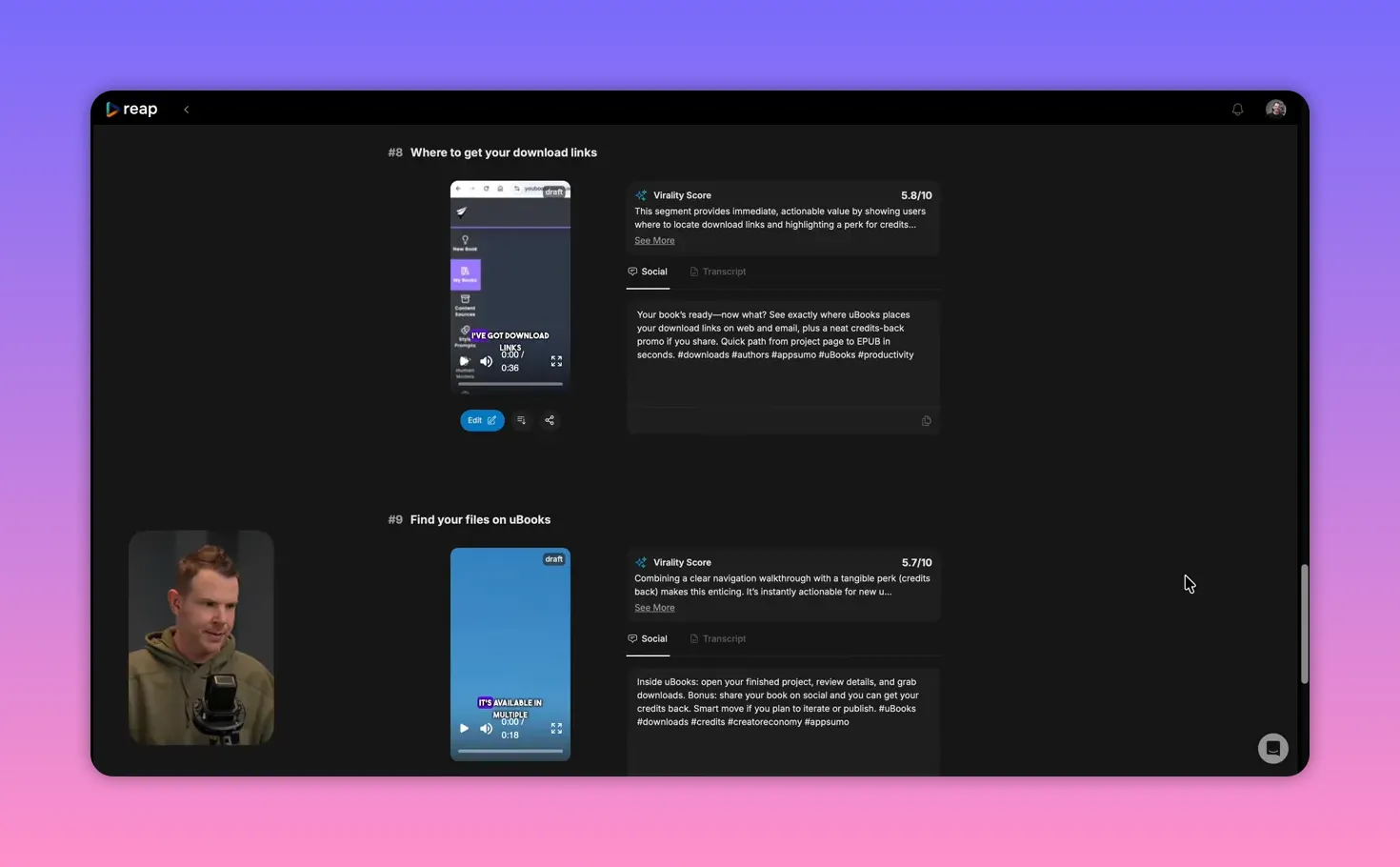
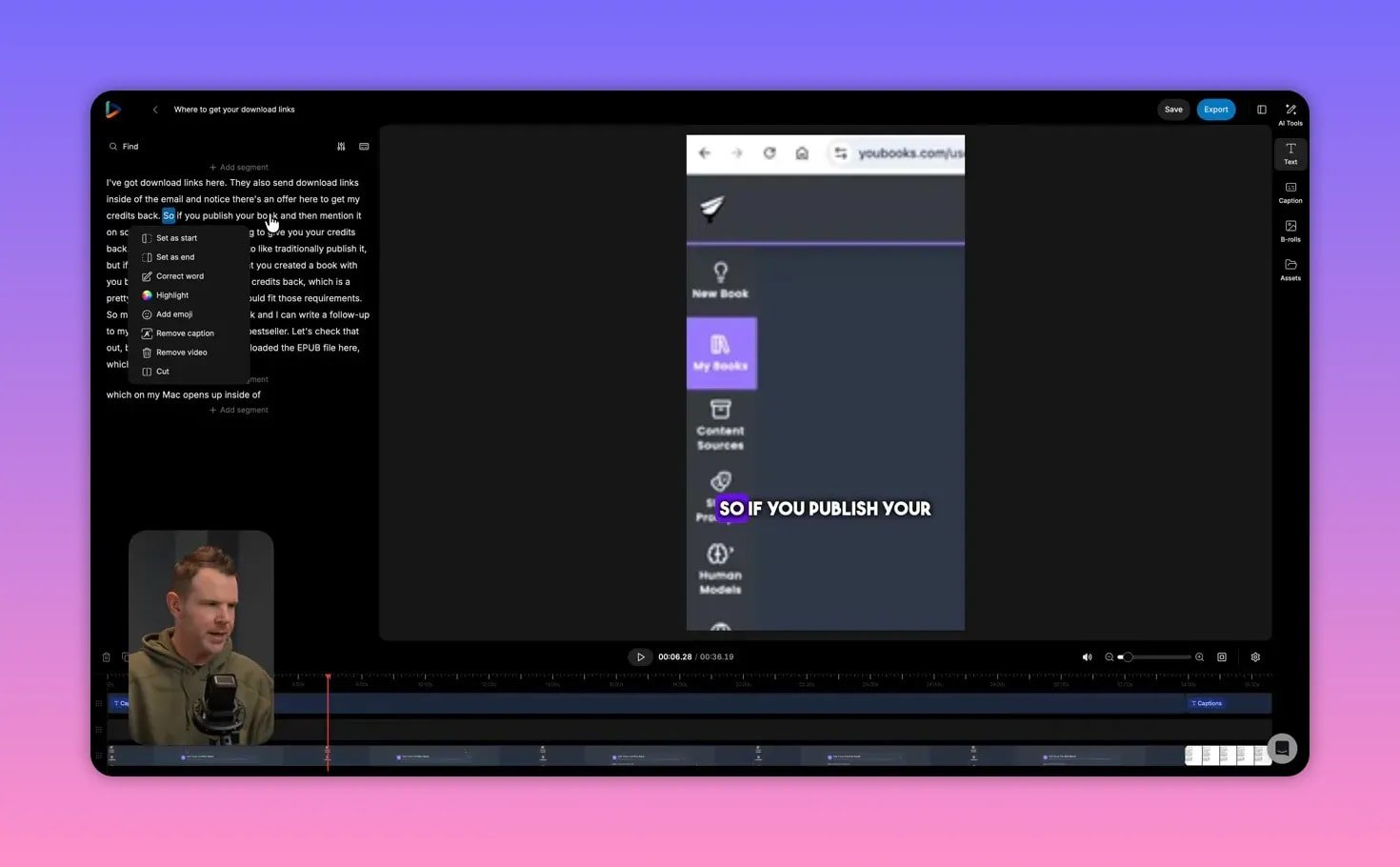
The editor shows a transcript alongside the timeline. Select words to remove mistakes, join segments, or smooth an awkward cut. If a sentence ends abruptly, you can add another segment to finish the thought for better flow.
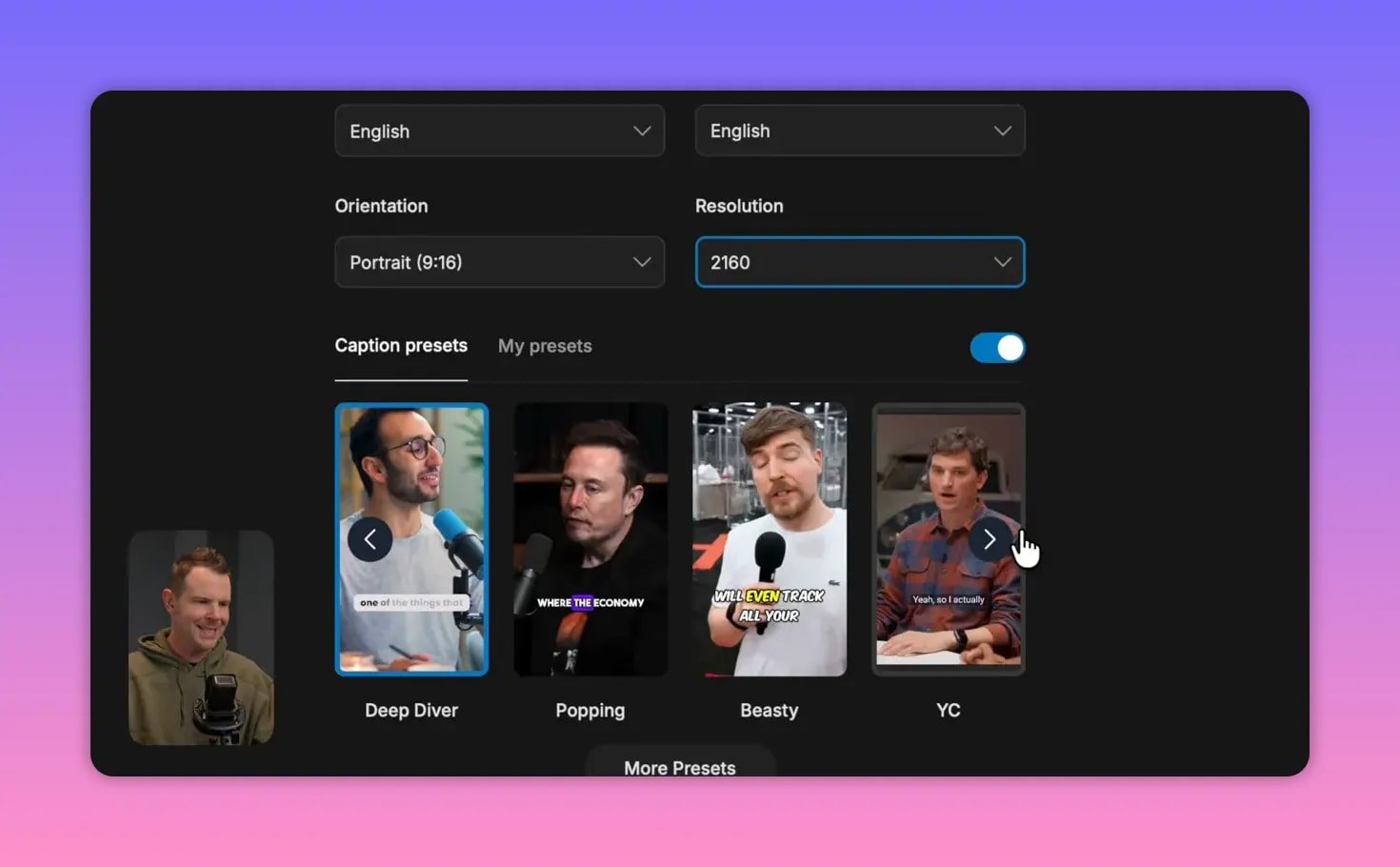
Caption controls are extensive. Choose from several presets or create your own by setting fonts, colors, stroke, shadows, position, and animations. You can also correct individual words in the captions when the auto transcription gets something wrong.
Quick tips for efficient editing:
- Use the topic search to pull clips centered on keywords (product names, episode highlights).
- Edit transcripts directly to remove filler or stutters before exporting.
- Save caption presets so every clip matches your brand instantly.
🎞️ Add B-roll and reframe for vertical platforms
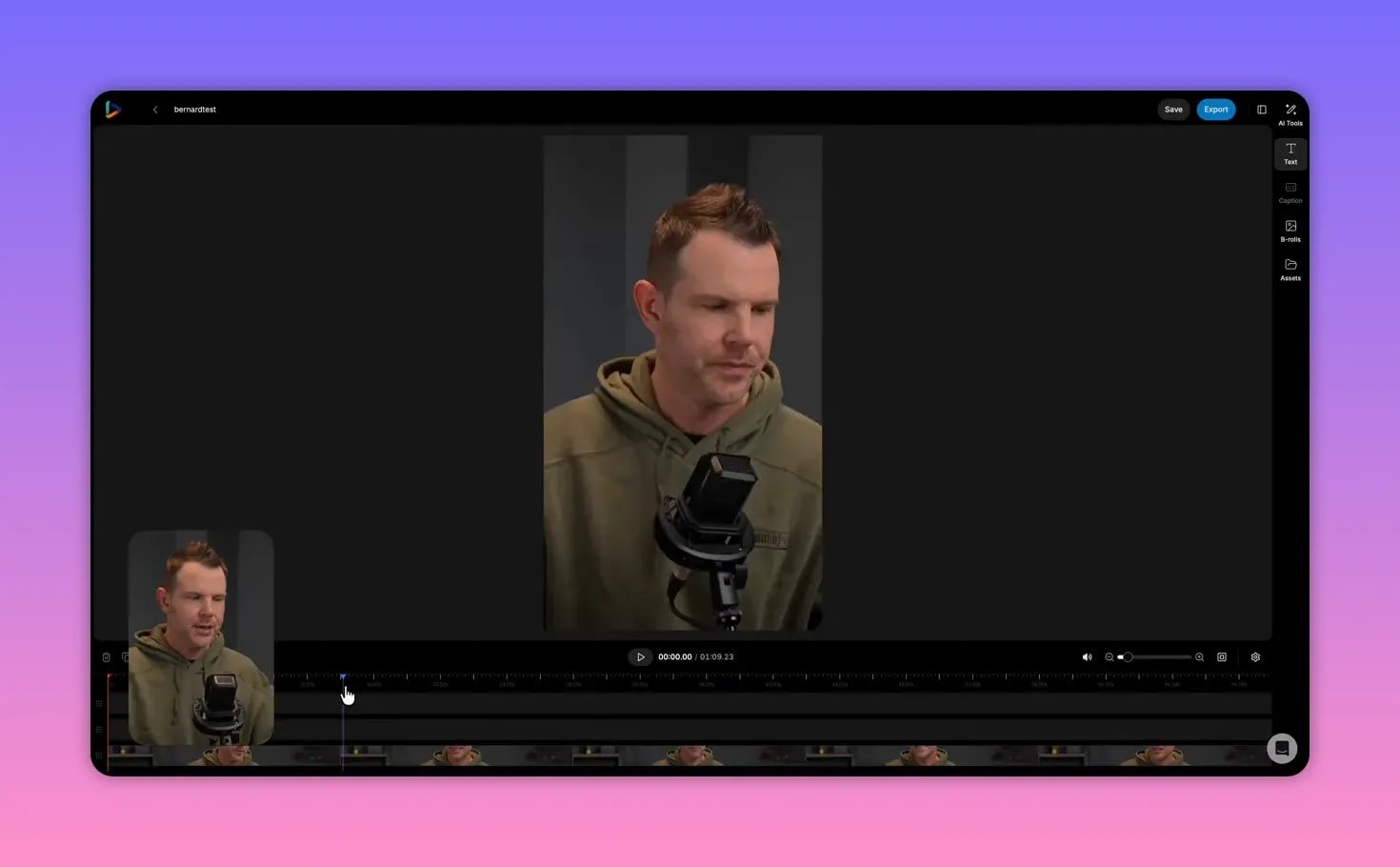
Two people talking or screen recordings can feel flat in Shorts. Reap lets you drop stock media or your own files into the editor as B-roll, plus it includes a robust auto reframe tool to convert 16 by 9 to nine by 16.
Reframing works well for talking-head content: the AI will center on faces and let you adjust the crop manually. It also offers a “fit to fill” trick that blurs and expands the background to avoid awkward black bars.
Practical use cases:
- Add stock B-roll to illustrate abstract points and increase retention.
- Reframe screen recordings to highlight UI areas while keeping captions visible.
- Use the split-and-reframe approach to show different parts of the screen in one short clip.
🌐 AI dubbing and translations
Reap can translate and dub videos into other languages. Drop the source file, select the input and output languages, and generate a dubbed version. This expands reach without re-recording.
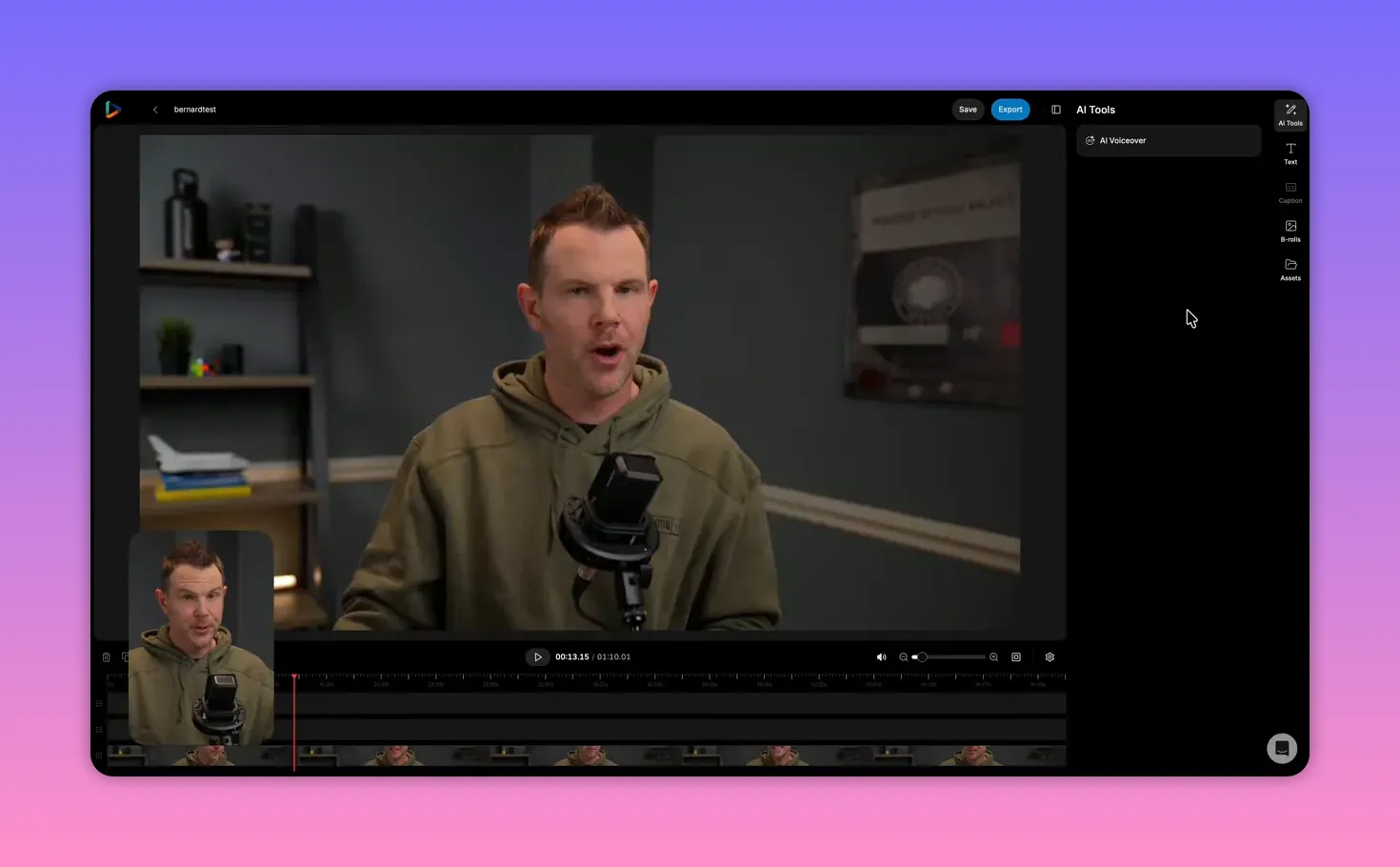
Current limitations to be aware of:
- No voice cloning yet — translated audio uses a generated voice, not your original voice.
- File-only input — dubbing requires a local file upload rather than a YouTube link.
- Advanced voice options and AI voiceover features may appear but can be unstable while still rolling out.
📆 Social scheduling and collaboration
Reap includes basic scheduling for YouTube, TikTok, and Instagram. Connect accounts, build posts in a calendar, and publish directly from the platform. It is not a full social suite but it covers the essential workflow for publishing clips.
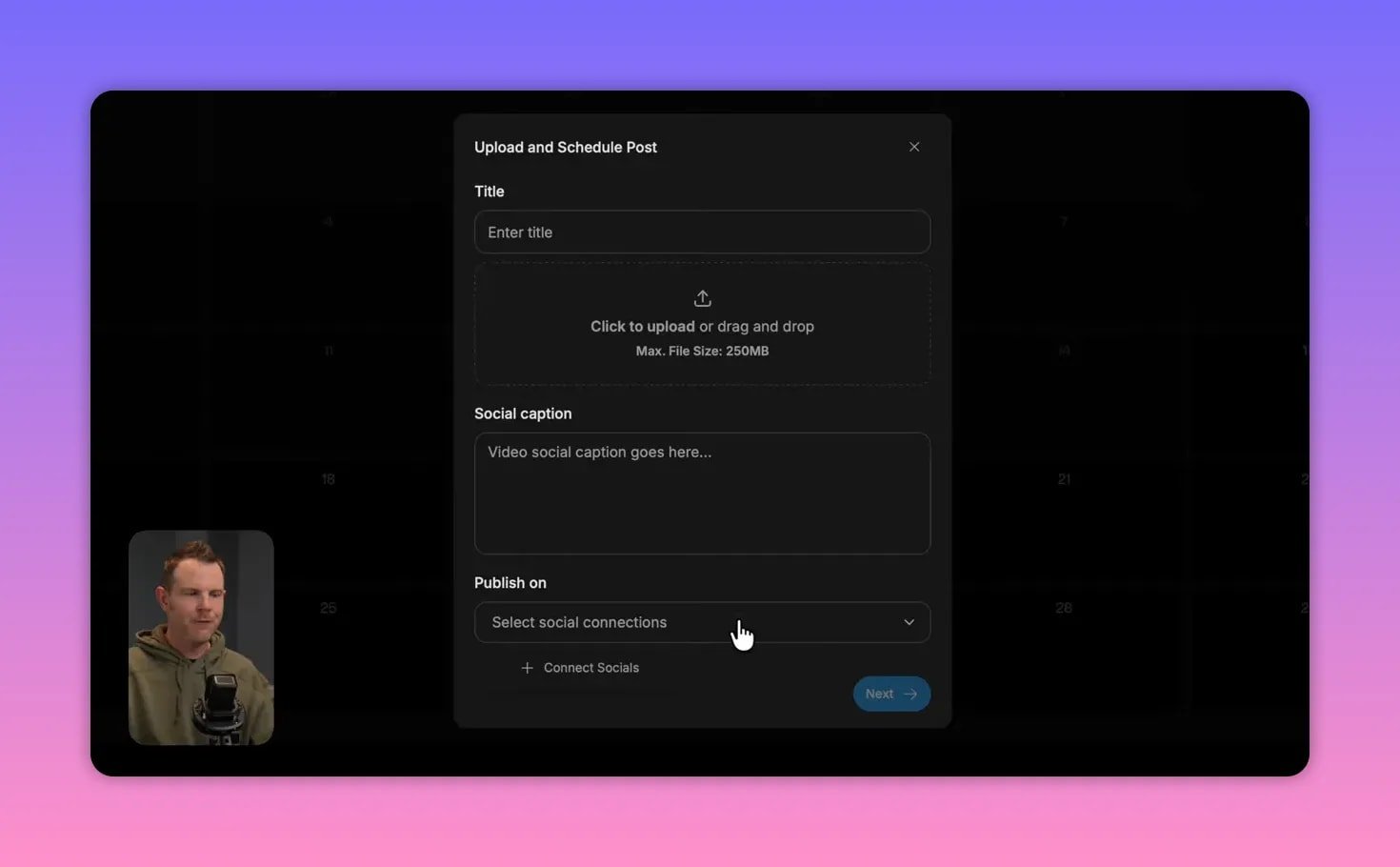
Collaboration is supported on higher tiers: invite team members to edit and share projects. Note that permissions are broad — invited members can edit any project in the workspace, so agencies should plan accordingly.
💰 Tiers, limits, and buying on AppSumo
AppSumo offers multiple tiers for Reap during the Black Friday/limited-time deal season. Higher tiers increase minutes of processing and unlock advanced features like 4K export and noise removal.
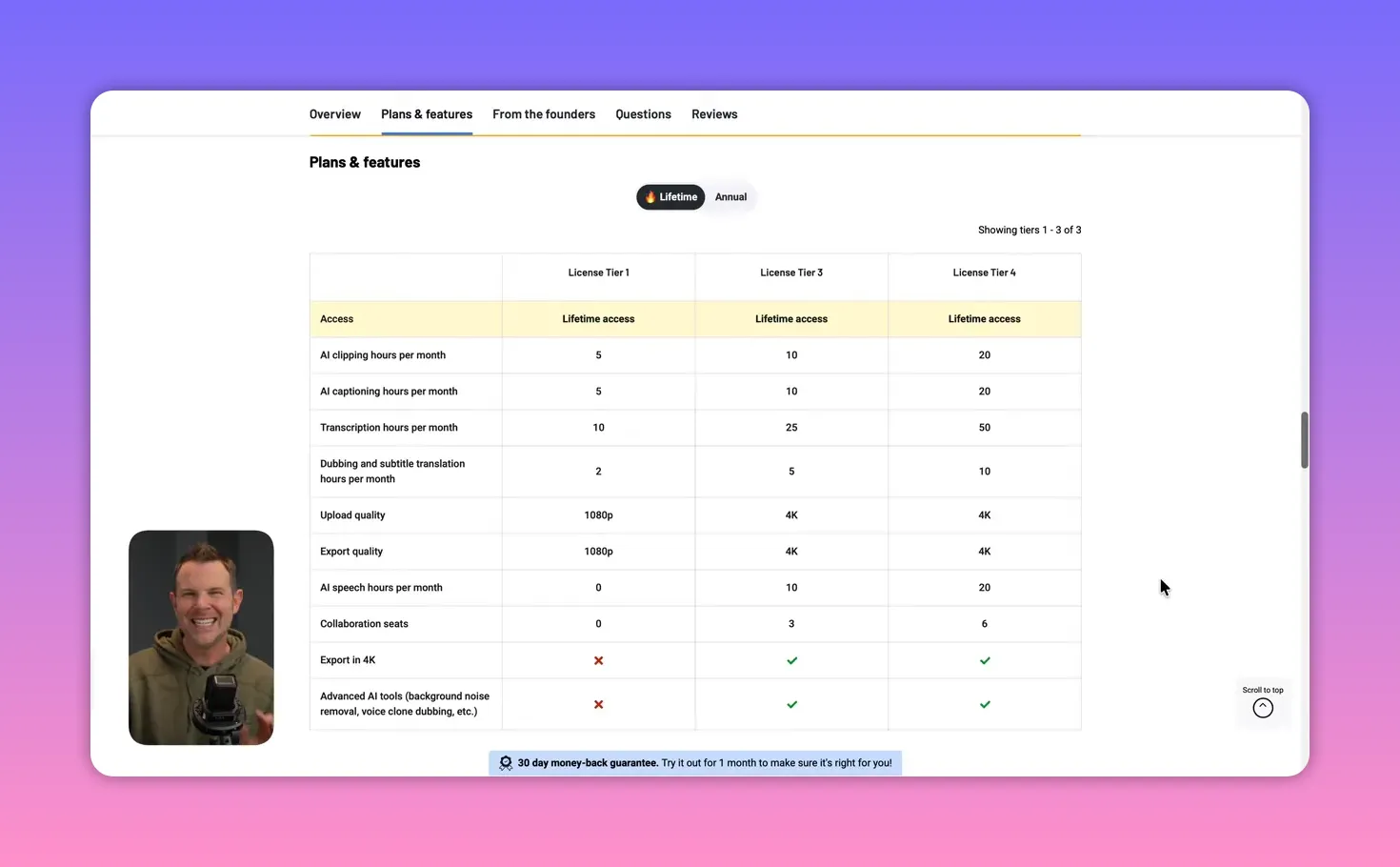
Practical purchasing guidance:
- If you plan to churn out many shorts, consider the higher-minute tiers (tier five equates to roughly 1,800 minutes or 30 hours of clipping).
- Double-check which tier unlocks 4K and advanced AI features before you buy — AppSumo tiers change and some options may be gated above tier one.
- AppSumo pricing often increases after the first drop, so buying early usually yields the best price.
✅ Pros, ⚠️ Cons, and verdict
Pros:
- Fast, snappy cloud editor that feels desktop-grade
- Powerful automatic clipping with topic-based extraction
- Comprehensive caption styling and easy correction
- Auto reframe and B-roll make shorts look polished
- Built-in scheduler for major short-form platforms
Cons:
- Some advanced AI tools are still rolling out or limited to higher tiers
- Dubbing uses synthetic voices without voice cloning for now
- Collaboration permissions are all-or-nothing, which complicates agency use
- Editor works in 1080p; full 4K export depends on plan
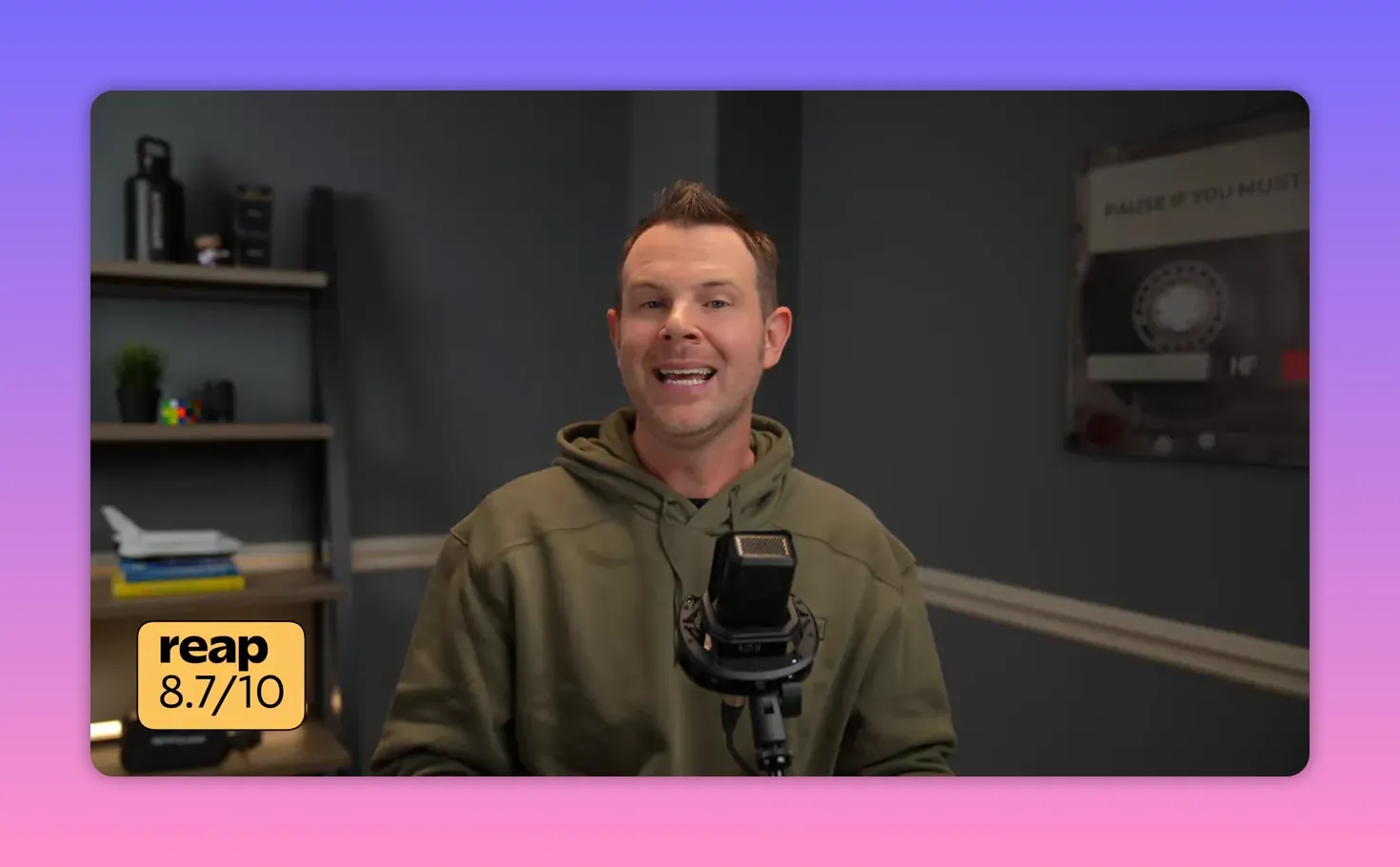
Final score: 8.7 out of 10. Reap is highly recommended for creators and teams that need a fast, reliable way to turn long-form content into engaging shorts.
❓ Frequently asked questions
What does Reap do?
Reap automatically extracts short clips from long-form videos, adds captions, lets you edit and reframe the footage for vertical formats, performs AI dubbing into other languages, and includes a basic social scheduler.
Can Reap export in 4K?
4K export is available but gated to higher tiers. The editor interface itself runs in compressed quality for speed and then renders at the chosen resolution during export.
Does Reap offer voice cloning for dubbing?
Not yet. Dubbing currently uses generated voices. Voice clone dubbing and advanced voiceover options are referenced in the roadmap but may be limited to higher tiers or still in development.
How many minutes of processing do tiers include?
Tiers vary. For example, a top tier can offer around 1,800 minutes (about 30 hours) of video clipping. Check the current AppSumo listing to confirm exact minutes per tier.
Can I schedule directly to TikTok and Instagram?
Yes. Reap supports scheduling to YouTube, TikTok, and Instagram from its content calendar, but it is not a full-featured social management platform.
🧭 Quick workflow to repurpose a long episode into five shorts
- Upload the full episode or paste the YouTube link into Reap.
- Choose genre, language, nine by 16 aspect ratio, and a caption preset.
- Use the topic search to pull 8–10 candidate clips, then select the five strongest moments.
- Polish each clip: fix transcript errors, add B-roll where needed, reframe for vertical, and apply caption presets.
- Export and schedule to platforms using the content calendar.
📌 Final note
If your long-form content is sitting on a shelf, it can become a steady stream of short content and revenue with the right tools. Reap minimizes the repetitive parts of that work, and even though some advanced features are still maturing, it already covers the core workflow very well.