
Table of Contents
- 🔁 What Albato Is and why it matters
- 🧭 A quick look at usage and capabilities
- 🛠️ Building your first automation — a practical example
- 🖥️ Dashboard walkthrough and usability
- 💸 Pricing and the lifetime deal
- ⚖️ Albato vs Zapier and other competitors
- 🚀 Use cases that benefit most from Albato
- ✅ Pros and cons
- ❓ Frequently Asked Questions
- 🧾 Final thoughts
🔁 What Albato Is and why it matters
Albato is a no-code workflow automation platform that connects hundreds of apps and services so you can automate repetitive work without writing code. Think of it as an alternative to Zapier, Make, or Pabbly that focuses on fast intervals, multi-step flows, and direct integrations.
The platform claims wide adoption and solid throughput: thousands of users, millions of monthly operations, and thousands of prebuilt automation scenarios. What that means in practice is a mature backend that can handle real-world volumes for marketing, sales, content, and operations workflows.
🧭 A quick look at usage and capabilities
Albato supports direct integrations for many marketing and productivity tools: Gmail, Slack, YouTube, Notion, Instagram, Shopify, WhatsApp, and many email marketing providers. It also lets you connect applications via API or webhooks when a direct app integration is not available.
Key highlights:
- 1,000+ apps and services available to connect.
- Multi-step workflows with triggers, actions, and conditional logic.
- Fast polling/interval times so automations can run every minute on higher tiers.
- Prebuilt templates to get started quickly.
🛠️ Building your first automation — a practical example
One common automation I set up: capture Facebook ad leads and send them straight to an email marketing list. The flow is straightforward:
- Select Facebook as the trigger and pick the lead ad event.
- Choose your email marketing provider as the action (many providers are supported).
- Map the lead fields to contact fields and activate the automation.
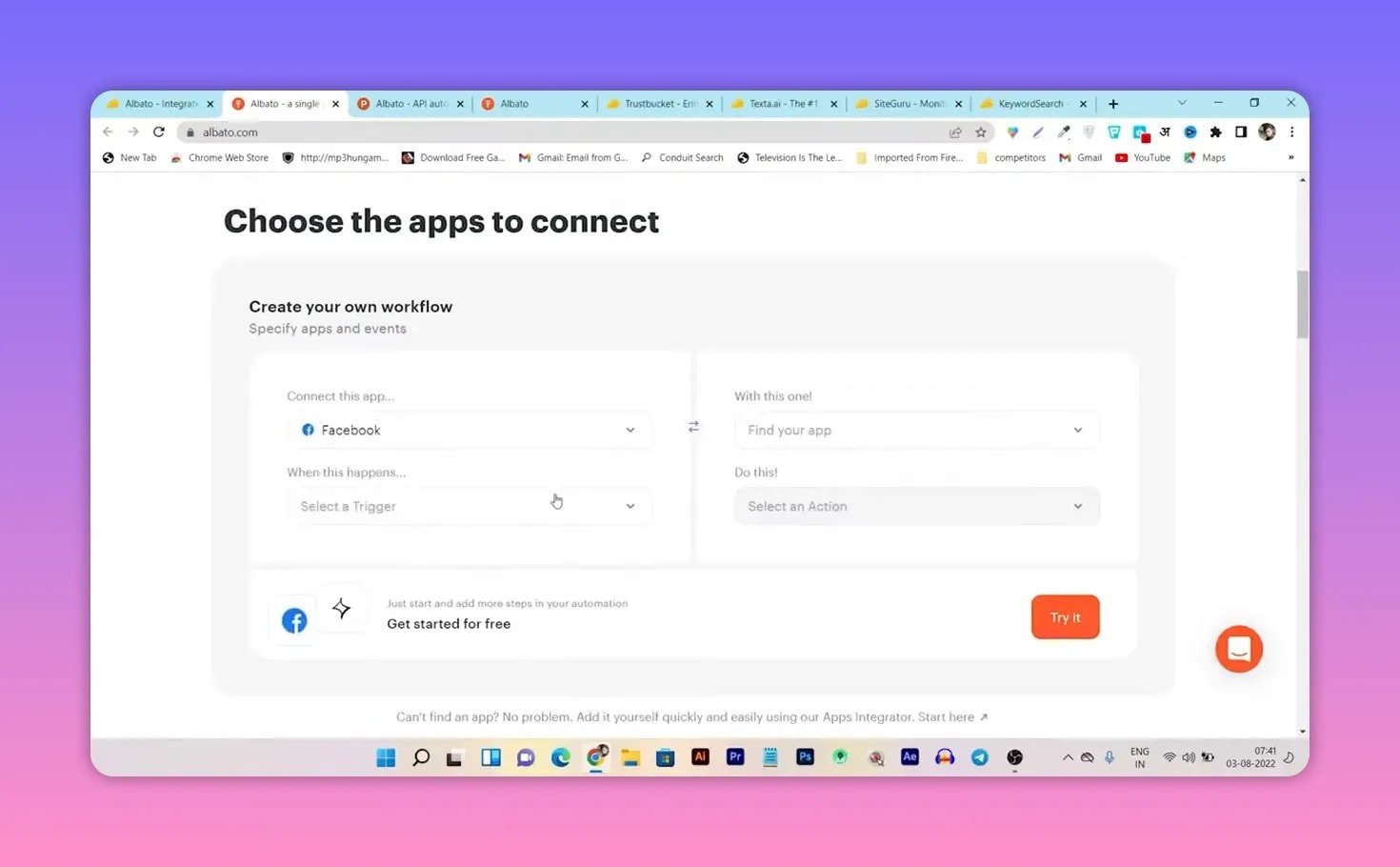
If an app you use isn’t listed, Albato typically supports connecting via API or webhooks, so you can still include it in the workflow. That flexibility matters when you manage niche tools or custom apps.
🖥️ Dashboard walkthrough and usability
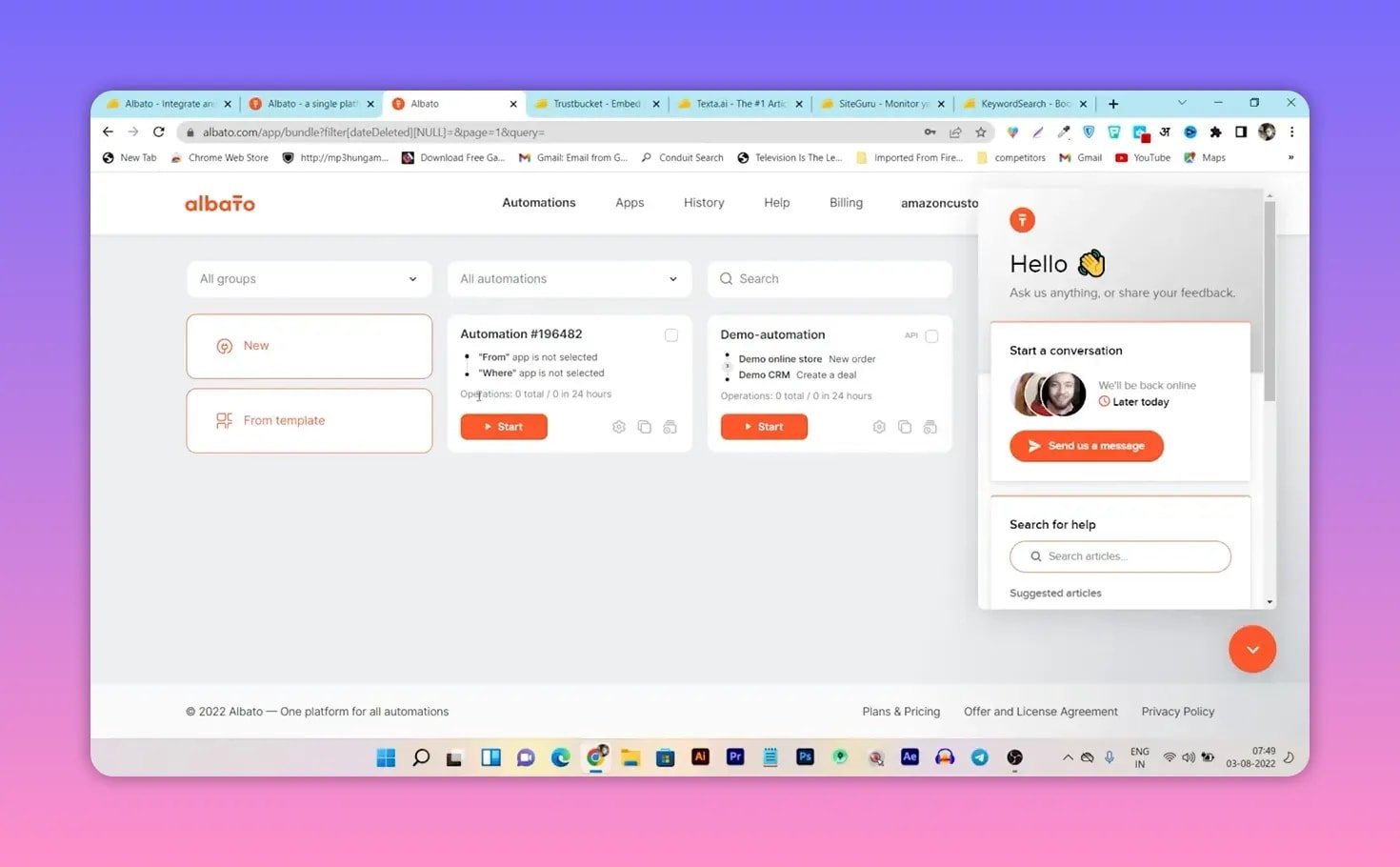
The dashboard is clean and approachable. From the main screen you can:
- Create a new automation or pick from templates.
- Browse available apps and connectors.
- Check execution history and troubleshoot failed runs.
- Use filters to find automations by status: enabled, started, deleted, or blocked.

Creating an automation is guided: pick the trigger, connect the account, choose the action, map fields, and turn it on. If you hit a snag there is a built-in live chat support option for quick help.
💸 Pricing and the lifetime deal
Albato often appears with an AppSumo lifetime deal which can be compelling if you want a one-time purchase instead of recurring fees. Plans typically vary by monthly operation limits and minimum polling intervals. A recommended middle tier gives you tens of thousands of operations per month and 1-minute intervals for automation — useful for real-time lead handling and near-instant workflows.
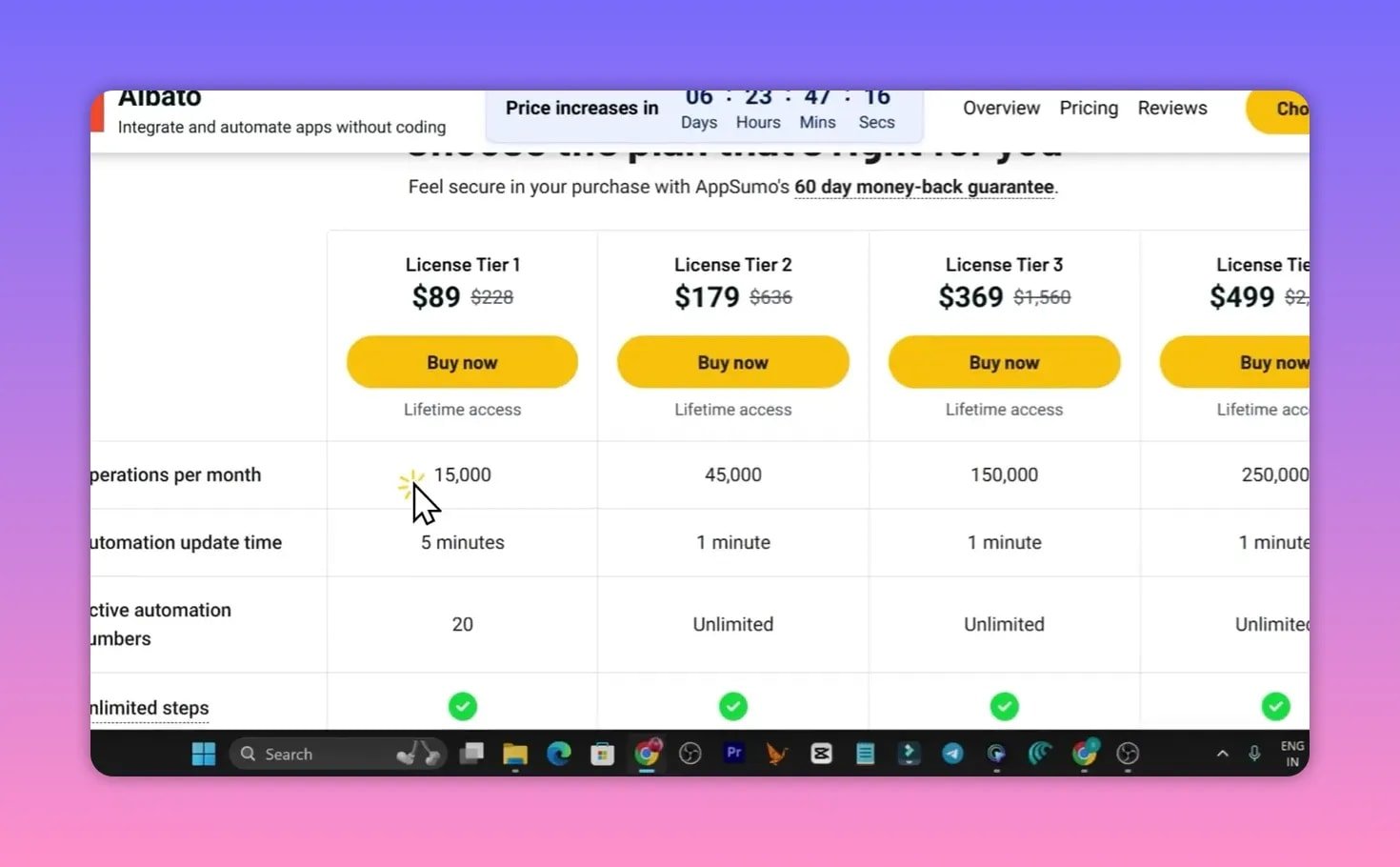
Keep in mind these promotional prices can be time-limited, and standard pricing may apply after the deal window closes.
⚖️ Albato vs Zapier and other competitors
When comparing Albato to Zapier, Make, or Pabbly, consider these differences:
- Intervals: Albato offers low intervals on certain tiers (1 minute), which is helpful for near-real-time automations.
- Pricing model: Lifetime deals can drastically reduce long-term costs versus recurring subscriptions.
- Integrations: Albato covers a wide range of apps and supports API/webhook fallbacks for niche tools.
- User experience: Intuitive dashboard with templates and live chat support makes onboarding easier.
If you need advanced transformation logic, branching, or extremely complex multi-step flows, evaluate how each platform handles data transforms and conditional paths. For many creators, agencies, and small businesses Albato provides a competitive mix of price and performance.
🚀 Use cases that benefit most from Albato
Albato fits well for:
- Content creators automating cross-posting and notifications.
- Agencies syncing leads from ad platforms into client CRMs and email lists.
- SaaS founders automating onboarding emails, user provisioning, and alerts.
- Freelancers reducing manual tasks across project tools and invoicing systems.
The platform scales from simple two-step automations to more elaborate workflows that combine several apps and conditional logic.
✅ Pros and cons
Pros
- Affordable lifetime deal options when available.
- Fast polling intervals on applicable plans.
- Wide integration coverage plus API/webhook support.
- Friendly dashboard and live chat support.
Cons
- Some niche apps may require custom API setup.
- Promotional pricing windows can be short-lived.
- Advanced users should verify complex conditional logic features before committing.
❓ Frequently Asked Questions
Is Albato a good alternative to Zapier?
Yes. Albato is a solid alternative for many users, especially if you want lower polling intervals or a lifetime pricing option. Compare specific integrations and advanced workflow features to ensure it fits your exact requirements.
What apps can I connect with Albato?
Albato supports hundreds of apps across marketing, sales, productivity, and ecommerce. If a direct app is missing you can usually connect via API or webhooks.
How fast do automations run?
That depends on your plan. Higher tiers offer intervals as low as 1 minute, which is suitable for near-real-time automations like lead handling.
Does Albato provide templates?
Yes. There are prebuilt automation templates to help you get started quickly. Templates cover common flows such as posting new content to social media, sending leads to CRMs, and onboarding sequences.
Can I test automations for free?
Albato provides a free “create your own workflow” section and trial options depending on promotions. Check the current offers to see available free features or trial limits.
🧾 Final thoughts
Albato is worth evaluating if you need a no-code automation platform with strong integration coverage, fast intervals, and attractive pricing options through lifetime deals. It combines ease of use with the flexibility to handle both common and custom integrations.
If your workflows require near-instant syncs, many direct integrations, and the option to avoid monthly fees via a lifetime purchase, Albato deserves a spot on your shortlist.