
Table of Contents
- 🔎 Why descriptive alt text matters
- 🧰 What AltText.ai does and why it’s useful
- 💸 AppSumo lifetime plans and credits
- ⚙️ Three ways to use AltText.ai
- 🛠 Setup highlights and practical tips
- 🔍 Example: Update alt text inside a post
- ✅ Final verdict
- ❓Frequently Asked Questions
🔎 Why descriptive alt text matters
Alt text is more than a checkbox for accessibility. It helps screen readers communicate image content to users with visual impairments and gives search engines contextual signals about your pages. Properly written alt text can improve organic visibility for image search and support on-page SEO when it incorporates relevant keywords.
🧰 What AltText.ai does and why it’s useful
AltText.ai uses AI to automatically generate descriptive, SEO-friendly alt text for images. It’s designed to save time while ensuring accessibility compliance and improved search relevance. Instead of manually writing alt text for hundreds or thousands of images, you get automated suggestions that are ready to paste into your CMS or applied automatically via integrations.
Key benefits
- Speed — Generate alt text in seconds instead of minutes per image.
- SEO-friendly — Insert target keywords to tailor alt text for search relevance.
- Accessibility — Create meaningful descriptions for screen readers.
- Integrations — Works with WordPress, Shopify, WooCommerce, and via a Chrome extension or HTML code snippet.
- Language support — Supports 130+ languages, useful for multi-lingual sites.
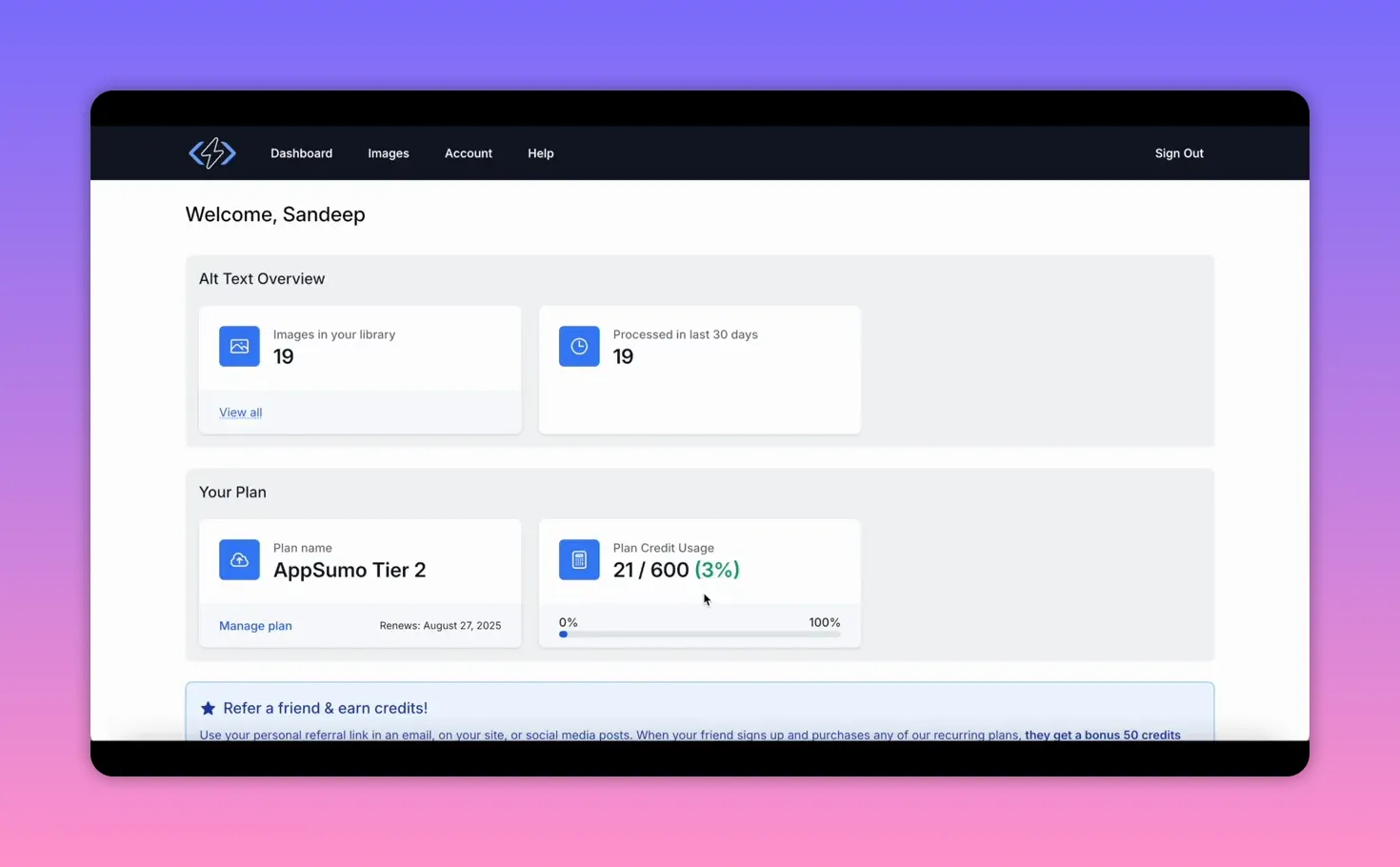
💸 AppSumo lifetime plans and credits
AppSumo has offered AltText.ai lifetime deals with tiered plans. Each plan gives you a monthly allowance of image credits. Typical tiers are:
- Basic — ~150 image credits/month (good for single blogs or small sites)
- Mid — ~600 image credits/month (better for visual-heavy sites)
- Pro — ~2,000 image credits/month (for ecommerce and large publishers)
All plans include the same features; the difference is only the number of monthly image credits. If you manage multiple sites or a visual-heavy store, choose a higher-tier plan. For a single blog, the basic tier is usually enough.
⚙️ Three ways to use AltText.ai
1. Manual upload for single images 📤
Upload an image to the AltText.ai dashboard, set any advanced options, and get an alt text suggestion in seconds. You can enter up to six SEO keyword phrases, add negative keywords to exclude terms, and (for ecommerce) provide product name, brand, and color to make descriptions more precise.
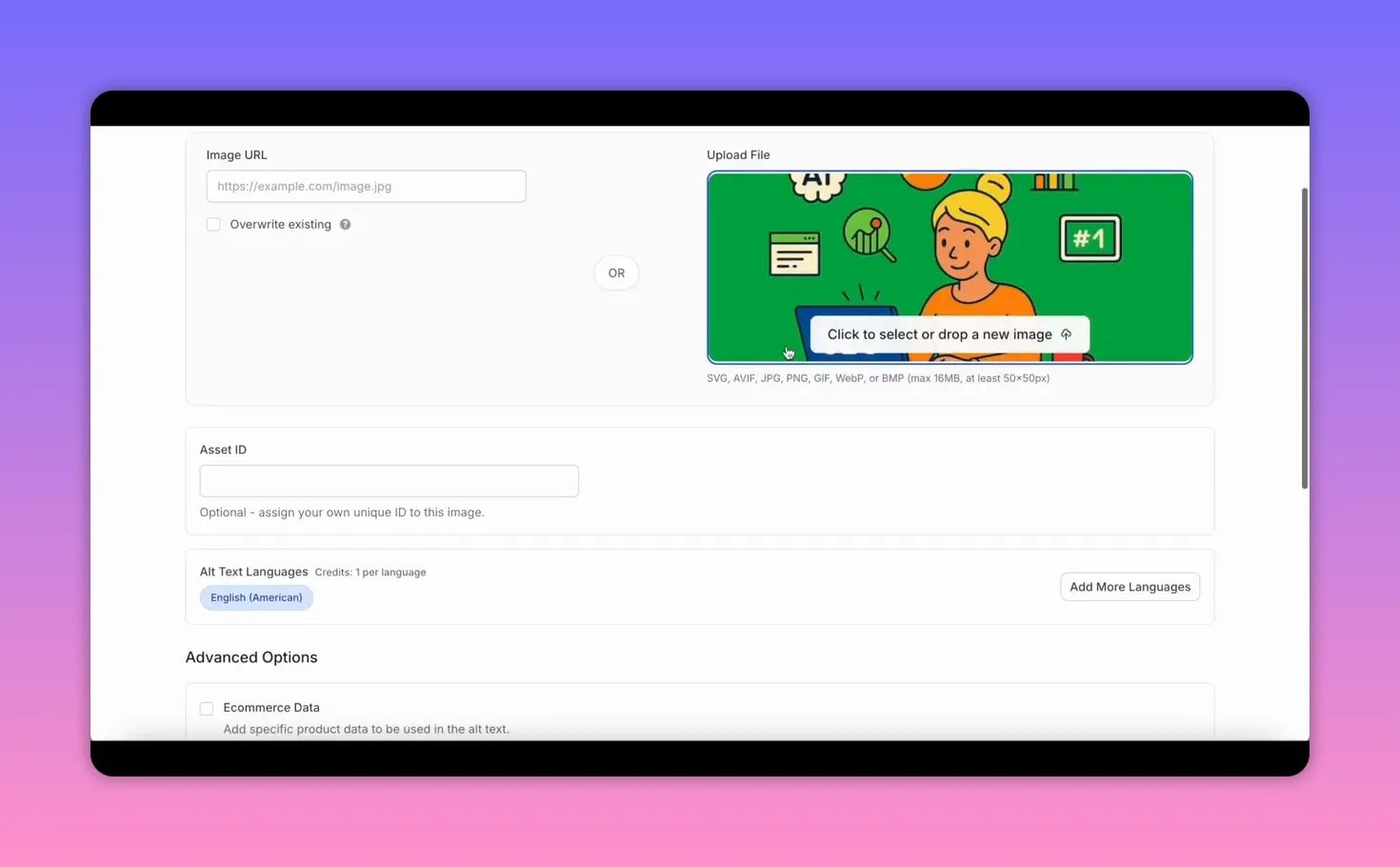
There’s also an option to input a custom ChatGPT prompt, but the default AI output is already quite descriptive. Copy the generated alt text and paste it into your CMS’s alt field.
2. Chrome extension for on-page edits 🧩
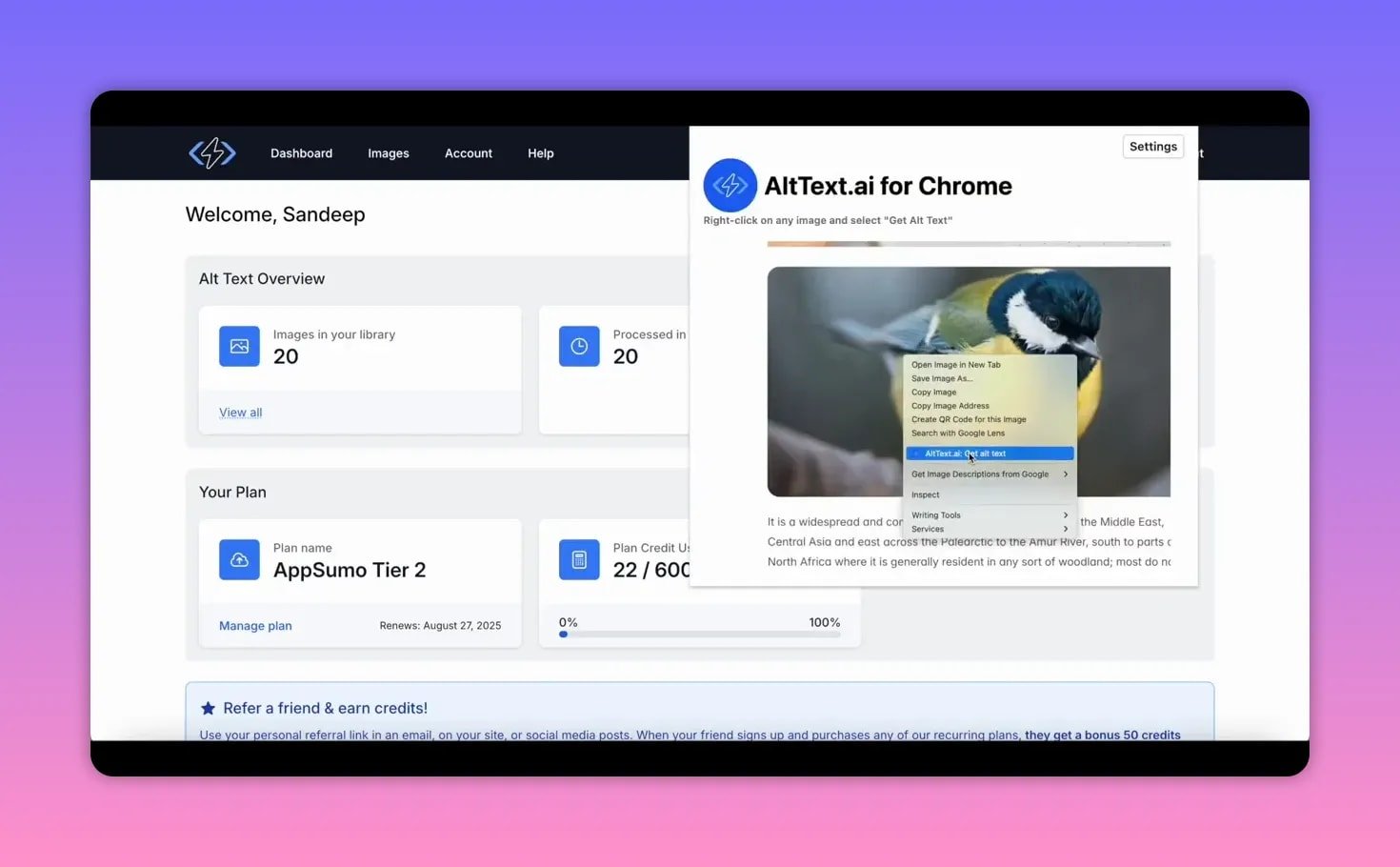
Install the Chrome extension, generate an API key from your AltText.ai account, and paste that key into the extension. Then right click any image on a page and select the generate alt text option. The tool returns a suggested alt text you can copy and paste directly into your CMS or HTML.
3. WordPress plugin for automation and bulk edits ⚡
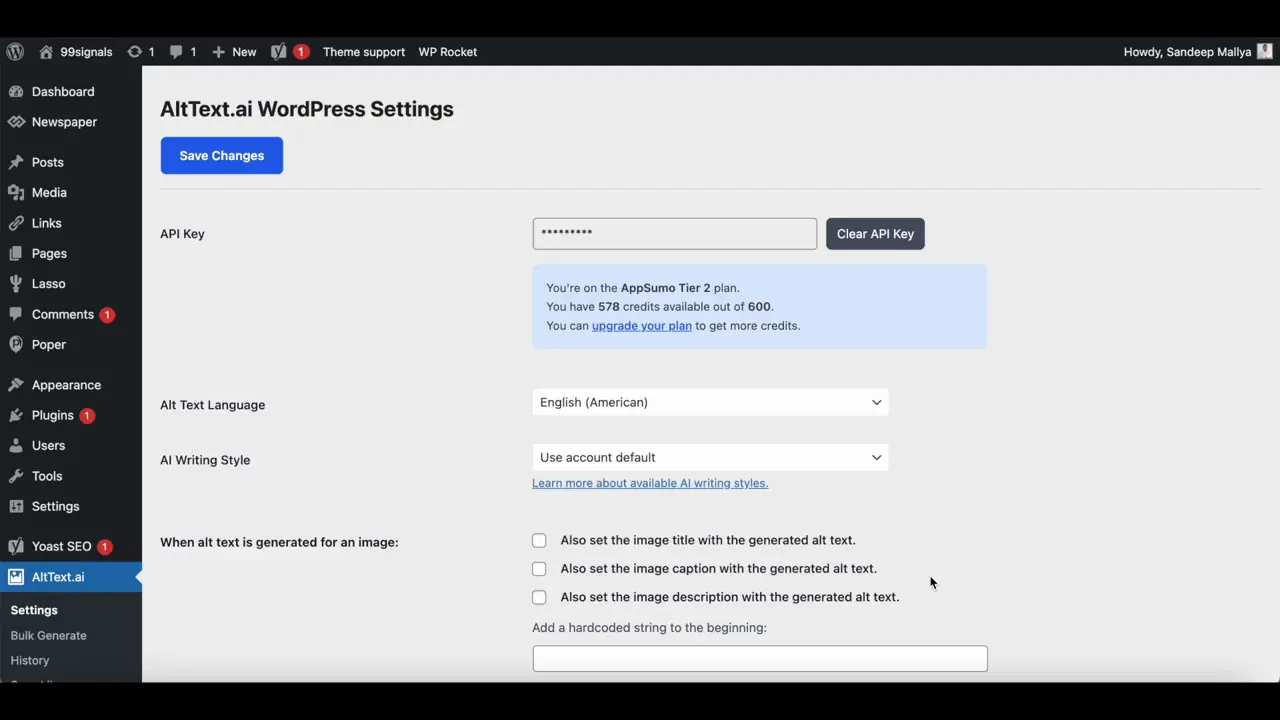
The WordPress plugin is the most convenient option for WP sites. After installing it and adding an API key, you can:
- Automatically generate alt text on image upload
- Set the generated alt text as the image title, caption, or description
- Integrate with SEO plugins (Yoast, Rank Math, All-in-One SEO) so AltText.ai can use focus keyphrases for image alt text
If you have an existing media library, use the Bulk Generate tool to process images that are missing alt text or attached to posts. Be cautious about the overwrite option: if you overwrite existing alt text across thousands of images, you can burn through credits very quickly.

🛠 Setup highlights and practical tips
- API keys — Generate separate API keys to track credit usage across integrations (for example, one for the Chrome extension and one for WordPress).
- Keyword control — Add target keywords or enable the plugin to pull focus keywords from Yoast/Rank Math so outputs align with your SEO strategy.
- Negative keywords — Use these when you want to avoid specific terms in the description.
- Selective bulk generation — Only process images attached to posts to avoid wasting credits on unused media files.
- Overwrite caution — For older sites with large media libraries, avoid mass overwriting; prioritize important pages and posts instead.
🔍 Example: Update alt text inside a post
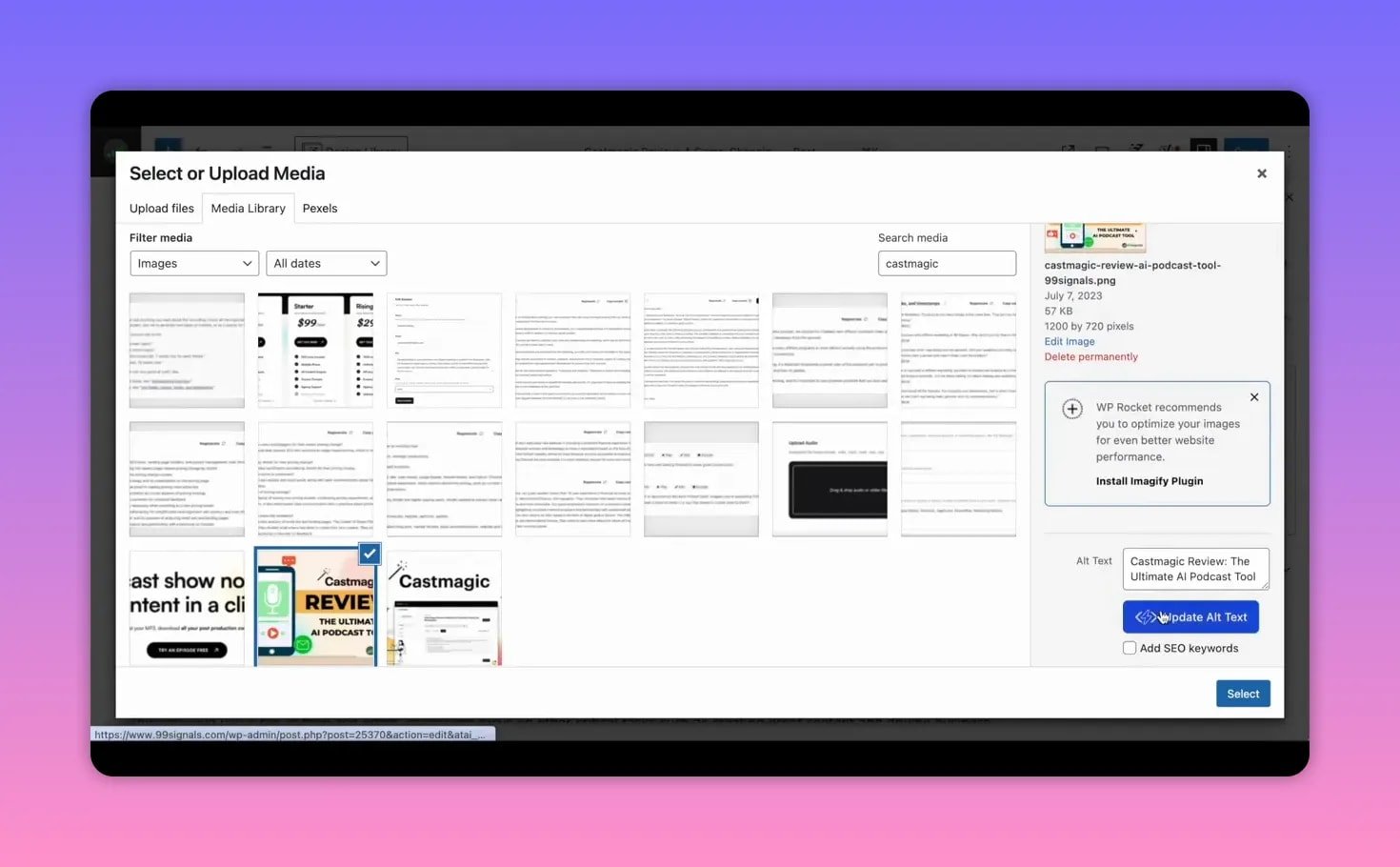
To update a single image in WordPress, open the post, select the image in the media modal, and click the Update Alt Text button. The plugin generates an alt text suggestion (using focus keywords if configured). Review and save if you’re happy with the result.
✅ Final verdict
AltText.ai is a time-saver for anyone who manages many images and wants consistent, SEO-optimized alt text without manual effort. The tool’s strengths are its integrations, keyword control, and bulk-generation capabilities. The main constraint is monthly image credits, so choose a plan that matches your site’s volume and be careful when overwriting existing alt text.
Recommended for: bloggers, marketers, ecommerce store owners, and agencies that need to scale image optimization while staying accessibility compliant.
❓Frequently Asked Questions
What is AltText.ai?
A tool that uses AI to generate descriptive, SEO-friendly image alt text to improve accessibility and search relevance.
How do I use AltText.ai with WordPress?
Install the AltText.ai WordPress plugin, add your API key, choose whether to auto-generate on upload, and optionally enable focus-keyword integration with Yoast, Rank Math, or All-in-One SEO.
Can AltText.ai handle bulk image libraries?
Yes. The bulk generate feature can process many images at once, but avoid overwriting existing alt text for very large libraries unless you want to consume credits rapidly.
Does AltText.ai support ecommerce platforms?
Yes. It supports platforms like Shopify and WooCommerce and lets you add product-specific details such as brand, product name, and color to enhance alt text accuracy.
How many languages does it support?
AltText.ai supports over 130 languages, making it suitable for multilingual sites.
What are image credits and why do they matter?
Image credits are the monthly units that determine how many images AltText.ai will process for you. Plans differ only by credit allowance; features are consistent across tiers.
Is there a lifetime deal and where can I get it?
AltText.ai has been offered as a lifetime deal on AppSumo. Pricing and availability change, so check AppSumo for current offers and plan details.