
Table of Contents
- 🧭 What Bestever is and why it matters
- ⚙️ Key features at a glance
- 🔎 Competitive analysis — fast strategic takeaways
- 📊 Data & reporting — ask the AI for direction
- 🎨 Create ads with the composer — image flow
- 🎬 Video creation — storyboard to export
- 🏷️ Brand, personas, and targeting
- 💡 Inspirations library — sparks, not rules
- 🔮 Roadmap and where Bestever shines
- 🛠️ Practical tips and quick workflow
- 📌 Bottom line
- ❓ FAQ
🧭 What Bestever is and why it matters
Bestever is an AI-first toolkit built for media buyers and marketers who want to create, analyze, and scale ad creatives quickly. It combines competitor intelligence, campaign-level reporting, and generative creative tools (images and video) into one workflow so teams can move from insight to launch without bouncing between five different apps.
The AppSumo lifetime deal starts inexpensive and makes the platform accessible, but the features you need depend on the tier you choose. The main gating point is video creation — lower tiers block video generation, so pick the tier that matches how many videos you want to test every month.
⚙️ Key features at a glance
- Competitor analysis that surfaces creatives, campaign types, and audience targeting at a glance.
- Performance reporting with AI-generated insights, action items, and sharable client-facing reports.
- Creative composer for images and short videos that uses brand assets, style references, and AI-generated storyboards.
- Actors and voices you can customize for video ads and have speak scripted copy.
- Inspirations library that pulls existing ads across platforms for creative reference.
🔎 Competitive analysis — fast strategic takeaways
The competitor view quickly shows what rivals are doing: the campaign objectives they favor, the audiences they target, and whether they rely on video, infographics, or UGC. That high-level view is useful for spotting strategic patterns — for example, a competitor running mostly lead-gen video across Facebook, Instagram, Messenger, and the Audience Network.
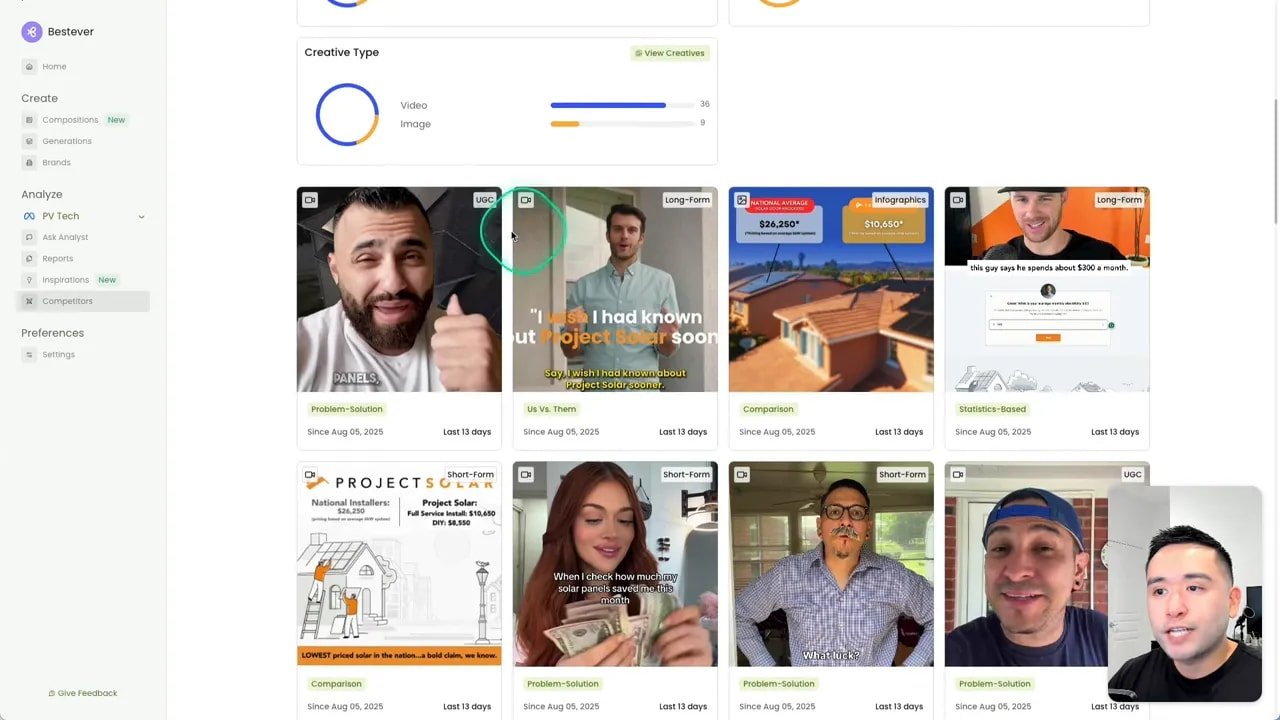
The platform tags creatives (video, infographic, UGC) so you can rapidly scan creative mix and volume. A slide-out advertising strategy summary pulls three messaging themes and recommends action items you can run with immediately — messaging counters, pricing tool ideas, and creative tests to mirror and differentiate from the competitor.
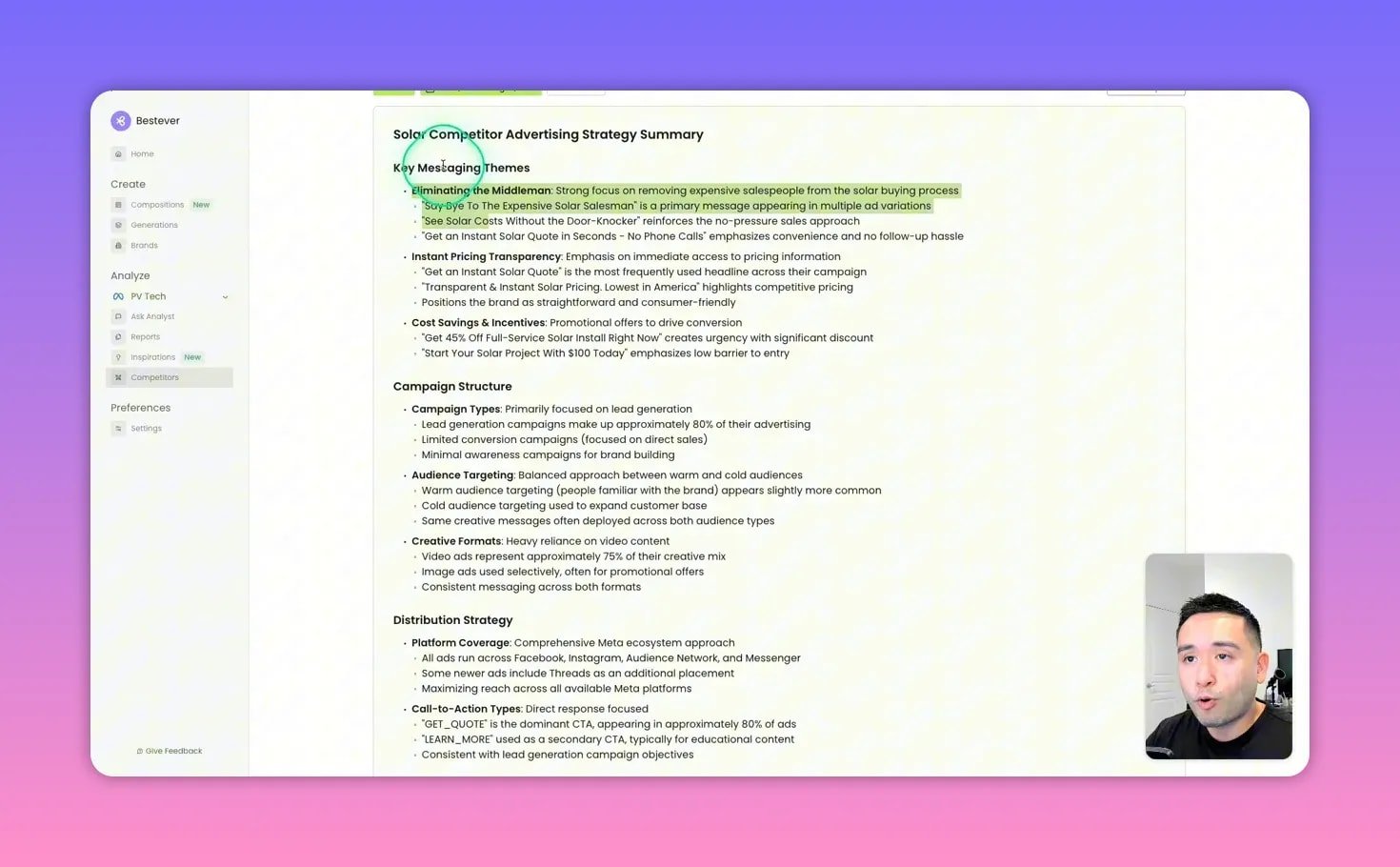
One important limitation: the competitor panel focuses on visual assets and does not consistently display the ad headline, body text, CTA, or landing page URL in the same place the Meta Ad Library does. Use Bestever for creative inspiration and strategy, then cross-check specific copy or destination links in the ad library when necessary.
📊 Data & reporting — ask the AI for direction
Connect your Meta Ads or LinkedIn account and Bestever will analyze campaign data to create ready-to-share reports. The AI data analyst answers queries like which ad had the highest CTR and then summarizes key findings and recommended next steps. That output includes things you can test right away — new CTAs, ideas for more creatives that address current concerns, and even format-specific hooks that worked.
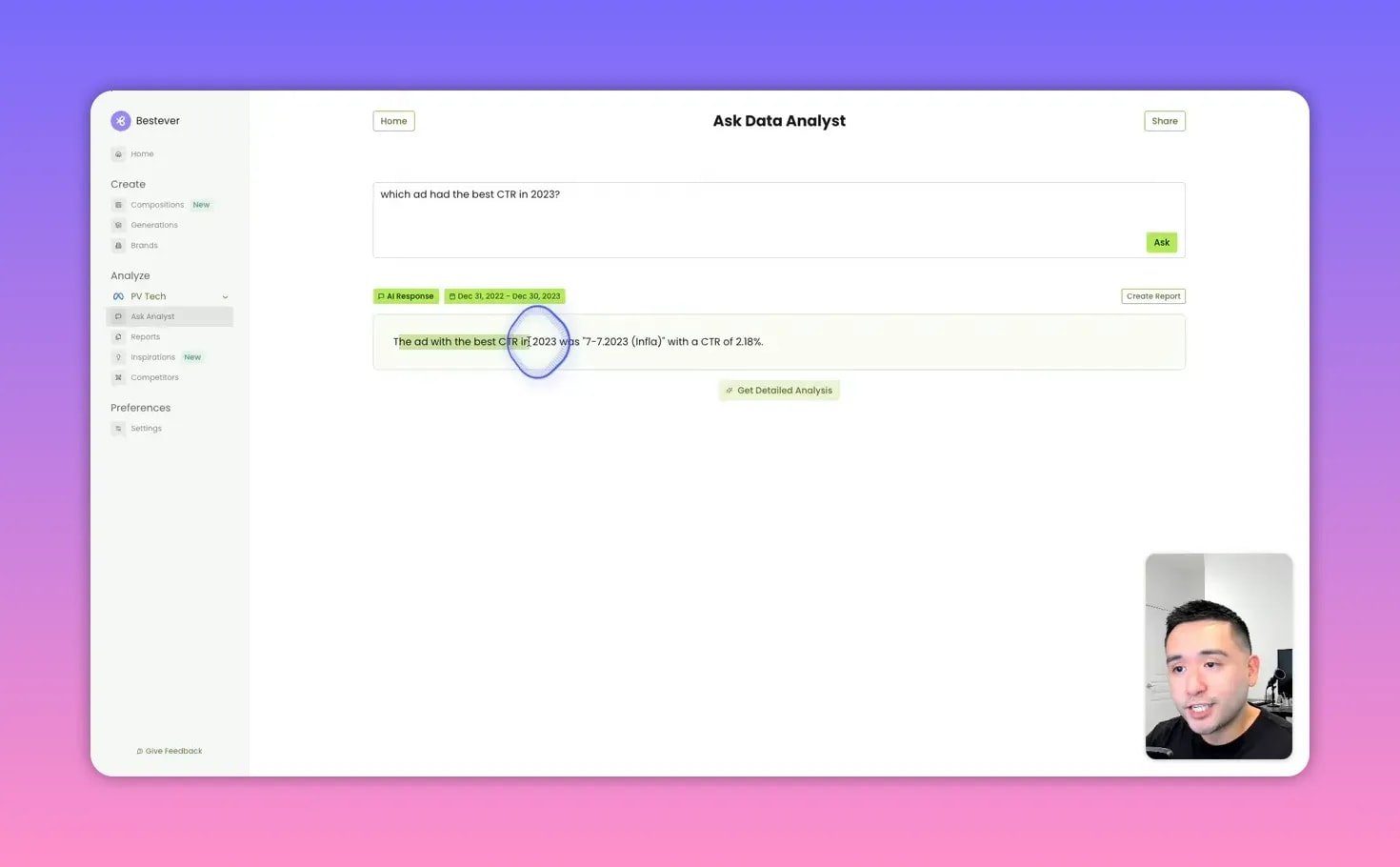
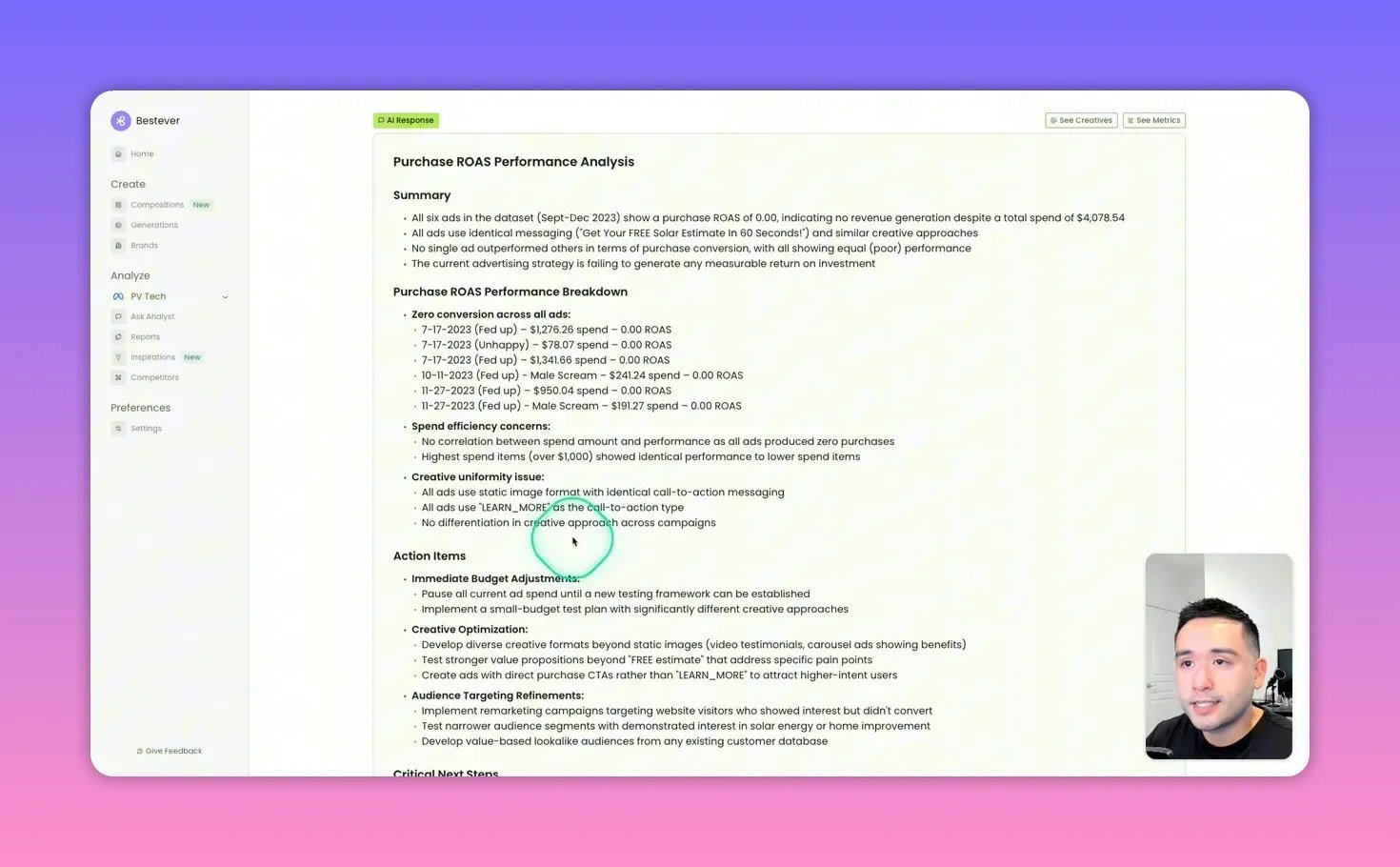
Prebuilt report types include top performing creatives, top of funnel, bottom of funnel, attention hooks, and purchase ROAS breakdowns. These are particularly useful when you present monthly performance to clients because the AI drafts the narrative and action items for you.
🎨 Create ads with the composer — image flow
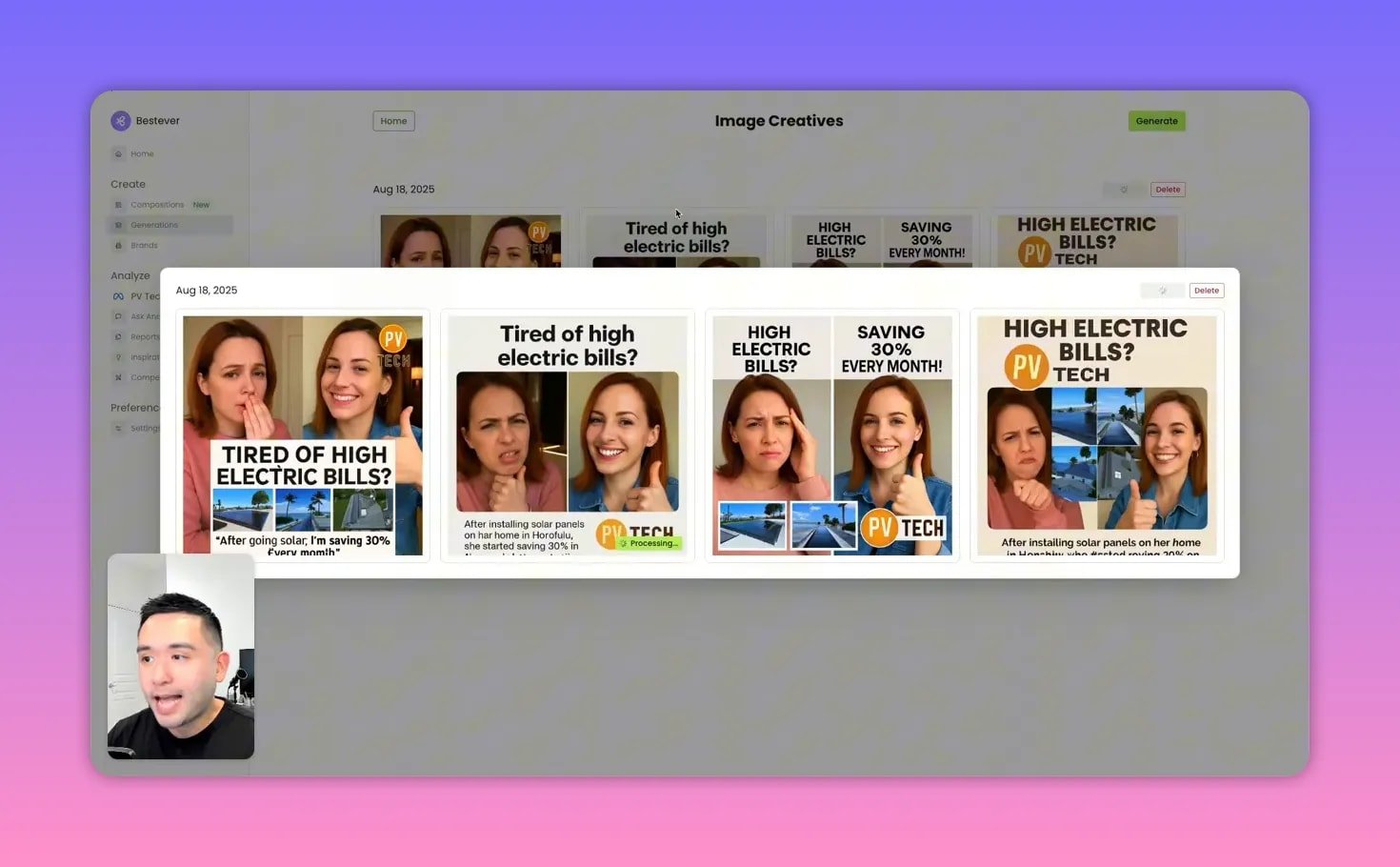
The composer uses “compositions” — bundles of style references, brand assets, audience personas, and report insights — to generate multiple image ad options. Upload a reference creative or pick one from Inspirations, choose an audience persona, add logos and images, set aspect ratio, then generate.
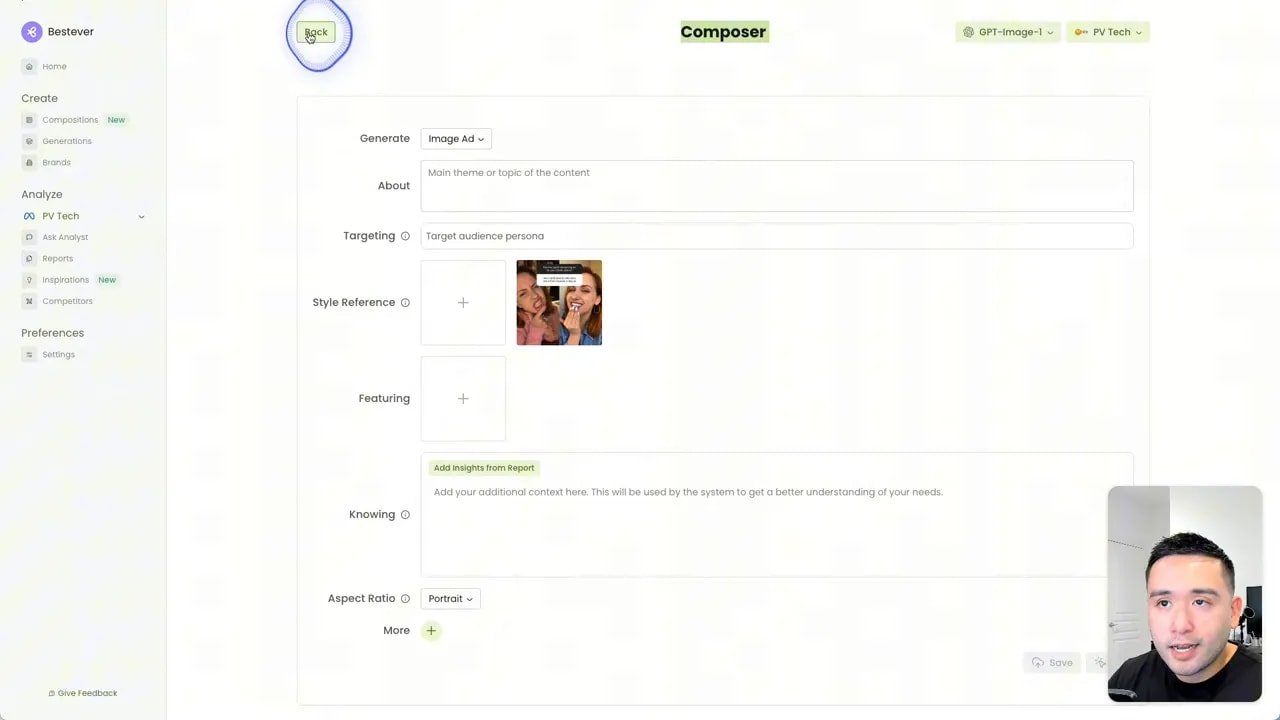
The built-in editor feels like a mini Canva: you can move text boxes, change fonts, adjust colors, and reposition elements. Backgrounds are single-image layers so you cannot arbitrarily move every visual element, but text and overlays are flexible enough for fast iteration.
🎬 Video creation — storyboard to export
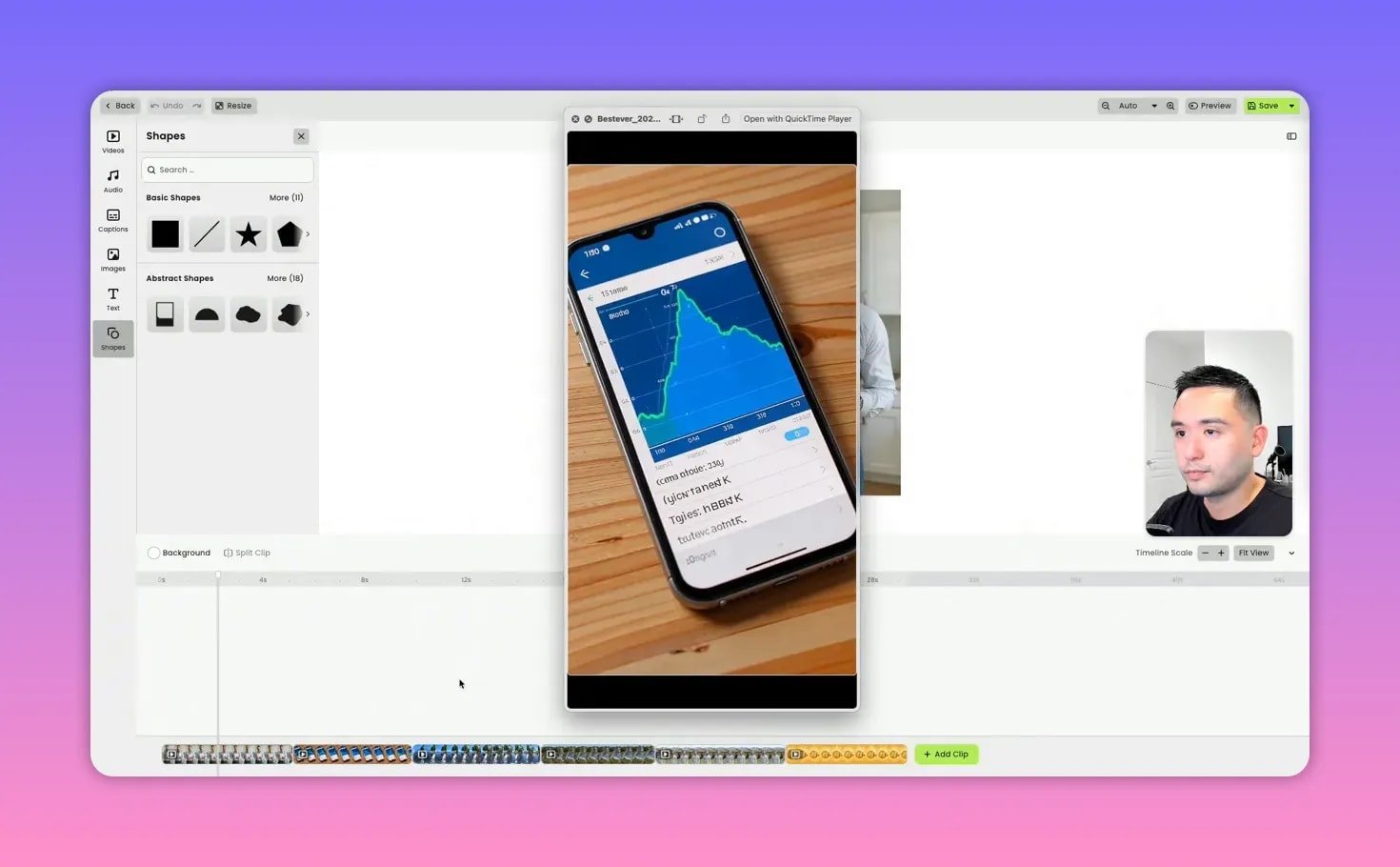
Video generation follows the same composition process but adds duration and actor selection. Generate AI concepts or write your own concept, then pick an actor (you can describe age, characteristics, and voice). The system creates a storyboard of scenes with scripts, motion, and asset usage.
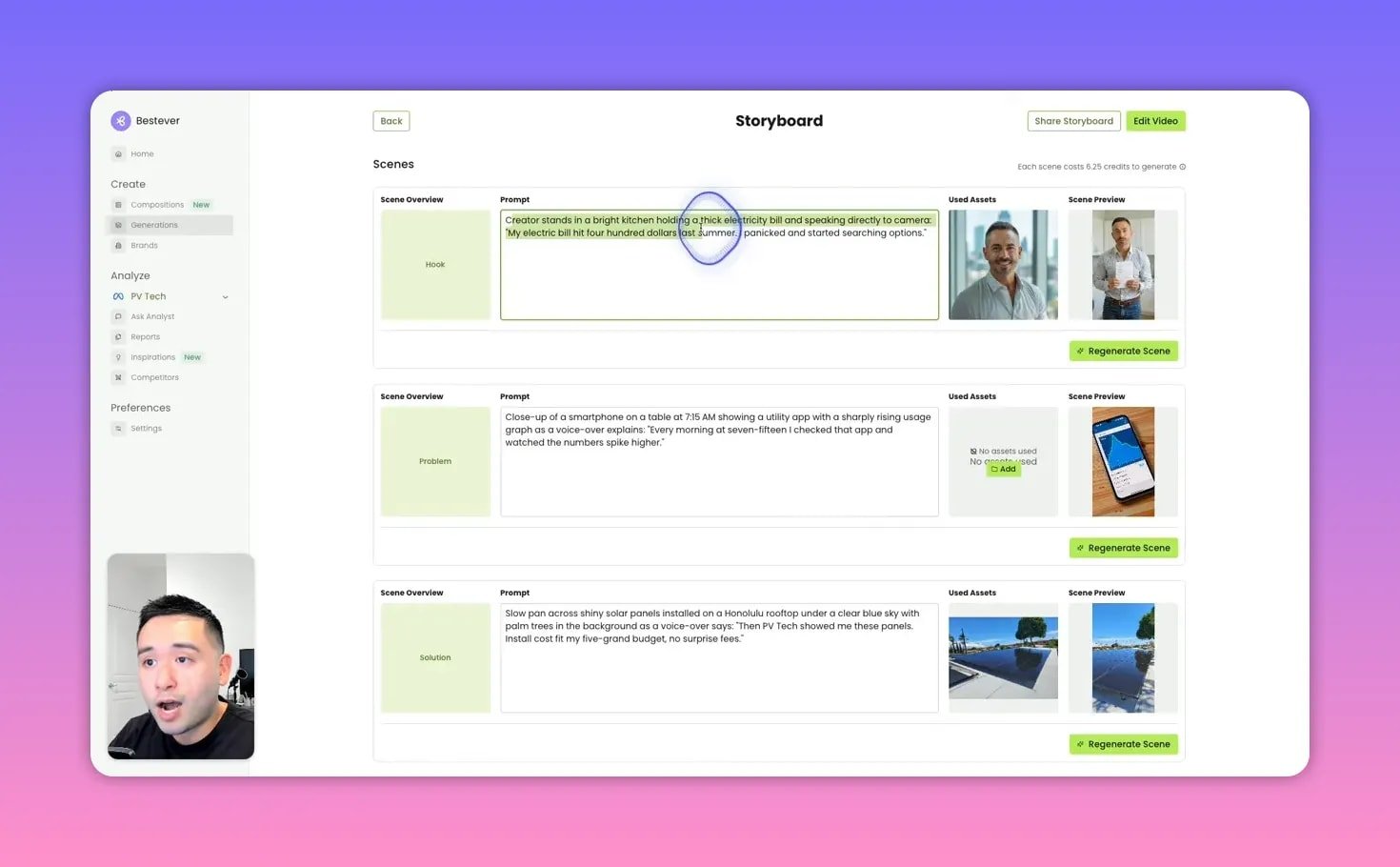
Generated videos are capped at 30 seconds for now, but longer lengths are on the roadmap. The AI often expands and animates static images into panning scenes that feel cinematic, and it writes the script for each scene so you can edit or refine the dialog, hooks, and CTA before export.
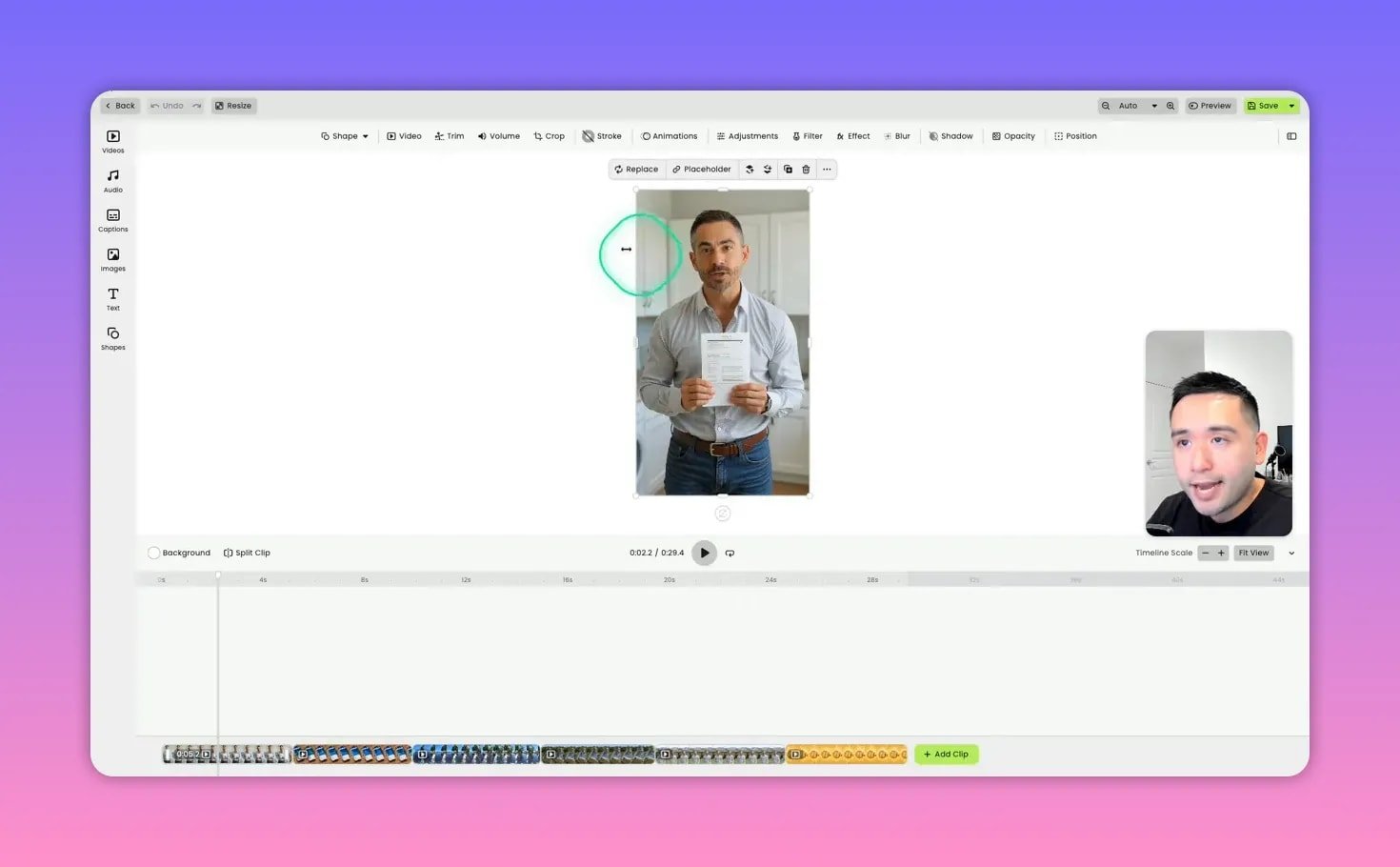
A few practical notes: the actor-driven footage and some stock clips show telltale AI artifacts (odd text, nonstandard language on props). The call to action scenes may need human polishing. Still, the generated story arc, motion, and pacing make these a very strong first draft that can be fine-tuned quickly.
🏷️ Brand, personas, and targeting
Add your brand URL and Bestever will crawl the site to auto-populate logo, colors, and a brand description. It will also auto-create audience personas from the brand and site context — cost-conscious homeowner, eco-friendly family, tech-savvy professional, and so on.
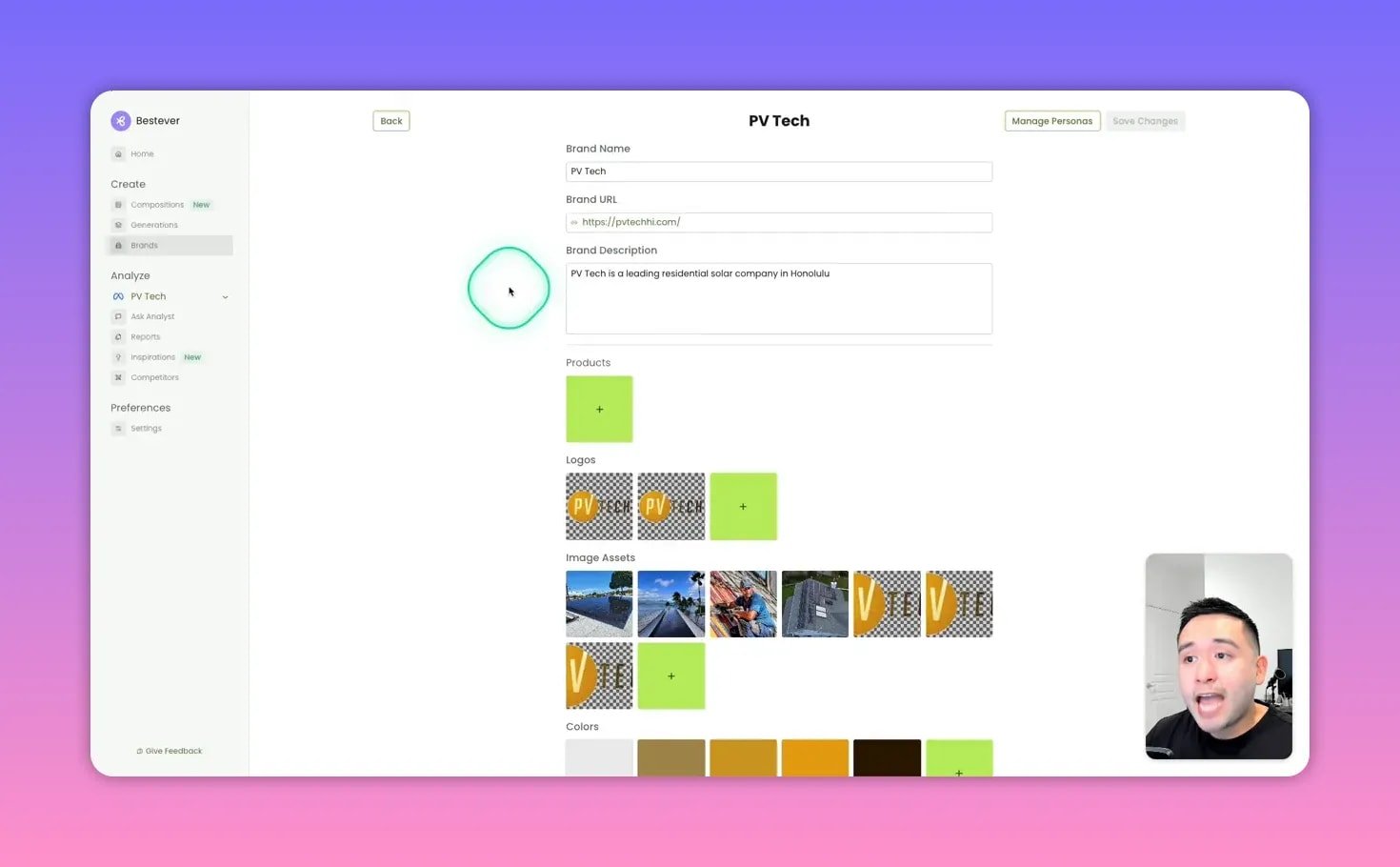
Those personas can be attached to compositions so the generated creative uses language and imagery tailored to the targeted audience. This speeds up localized or persona-based testing without starting from a blank slate.
💡 Inspirations library — sparks, not rules
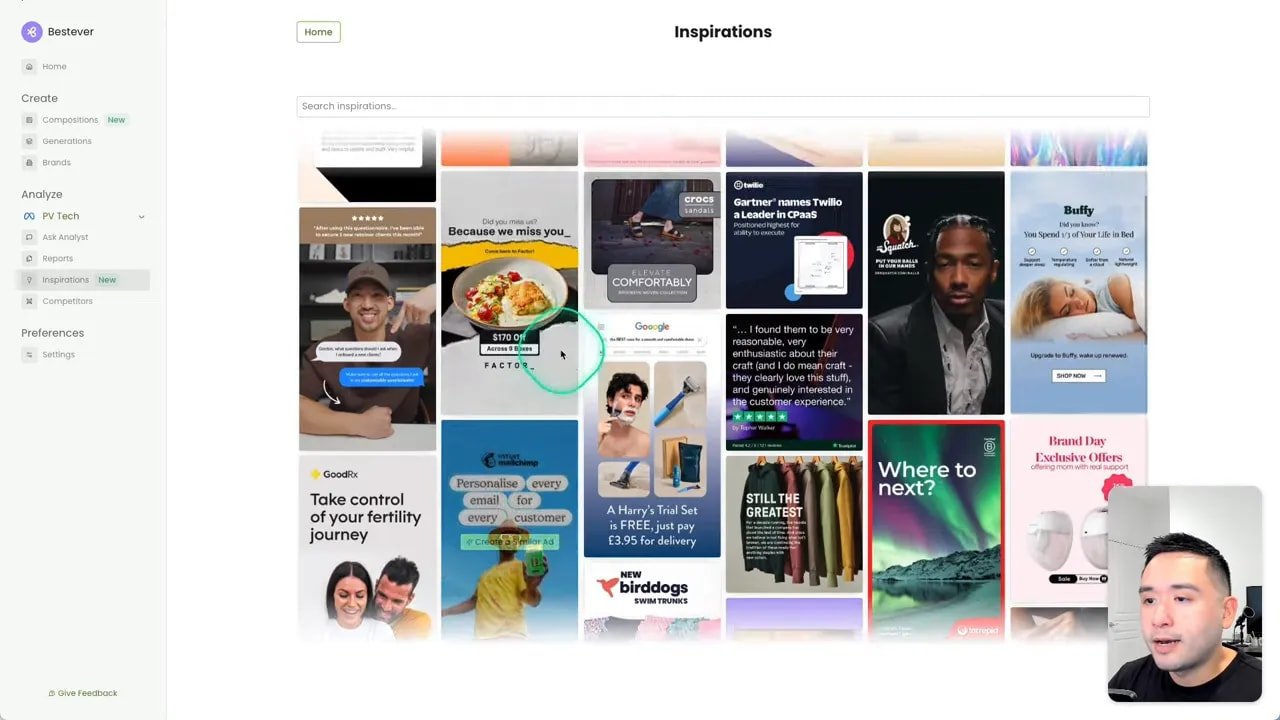
Inspirations search pulls ads from established advertisers across the Meta ecosystem. The results skew toward large companies with big budgets, so think of Inspirations as design and structure cues rather than direct blueprints for local or small-business campaigns. Use these for format ideas — before and after, testimonial, or product-demo styles — and adapt messaging for conversion-focused goals.
🔮 Roadmap and where Bestever shines
Upcoming improvements on the roadmap include longer video support, higher-quality video output, bulk product video generation for e-commerce SKUs, automated workflows, and a larger suite of variants to drive large-scale testing. This positions Bestever as a tool built for volume testing — if you plan to run hundreds of creative variants, the automation is valuable.
Bestever makes the most sense when you have a testing budget and scale:
- Ideal for: advertisers spending several thousand dollars a month who need to test many creative variants and automate reporting.
- Less ideal for: advertisers under a low monthly budget who cannot meaningfully test dozens of creatives. For smaller budgets, Bestever still works as an organic-content generator or inspiration tool.
🛠️ Practical tips and quick workflow
- Connect Meta or LinkedIn and let Bestever crawl accounts for reporting insights.
- Add your brand and let the app extract logos, colors, and audience personas.
- Run competitive analysis to gather three strategic messaging threads and creative formats to test.
- Create compositions with style references and report insights, then generate image or video creatives.
- Refine scripts, tighten CTAs, and polish the final scene before exporting for Meta or LinkedIn.
- Use the AI analyst to create client-ready reports and recommended next steps after the first test run.
📌 Bottom line
Bestever is a powerful productivity multiplier for teams that need to produce and iterate on many paid ads. The combination of competitor intelligence, AI-driven reporting, and quick creative generation makes it a compelling solution for agencies and in-house teams with a testing mindset. Expect to refine AI-generated copy and CTA scenes, but the platform gives you quick, actionable outputs and client-ready reporting that cut hours out of the campaign process.
❓ FAQ
What ad platforms does Bestever integrate with?
Bestever plans integrations with Facebook, Instagram, Google Ads, LinkedIn, and Twitter ads. At the time of review, Meta Ads and LinkedIn were the available connections for data analysis and ad account linking.
Does the AppSumo tiering affect features like video creation?
Yes. Lower AppSumo tiers may restrict video generation. The most affordable tier can limit or block video creation, while higher tiers increase monthly credits for generating more videos and variants.
Is Bestever better for e-commerce or lead generation?
It works for both, but the reporting fits e-commerce especially well when conversions include monetary values because ROAS calculations are meaningful. For lead gen clients, the creative, persona, and reporting features are still valuable, but ROAS metrics will show as zero unless conversion values are set.
How long can AI-generated videos be?
Currently videos can be up to 30 seconds. The team indicated that longer clips will be supported soon, along with improved editing tools and higher fidelity output.
Can I see competitor ad copy and CTA text inside Bestever?
The competitor view focuses on creatives and high-level strategy. It may not reliably show full ad text, headlines, or destination URLs. Use Bestever for creative strategy and then verify exact copy or links in native ad libraries if needed.