I used to think content briefs were… kinda extra.
Like, if I know the topic, I’ll just write the thing. Or I’ll toss a few bullets in a doc and call it a “brief.” And then I’d wonder why the draft came back weird. Too fluffy. Too technical. Randomly salesy. Or it ranked for nothing because the intent was off.
Now it’s 2026 and honestly, it got worse before it got better.
Because AI can write fast. Everyone knows that. But “fast” just means you can publish the wrong thing at scale. Faster.
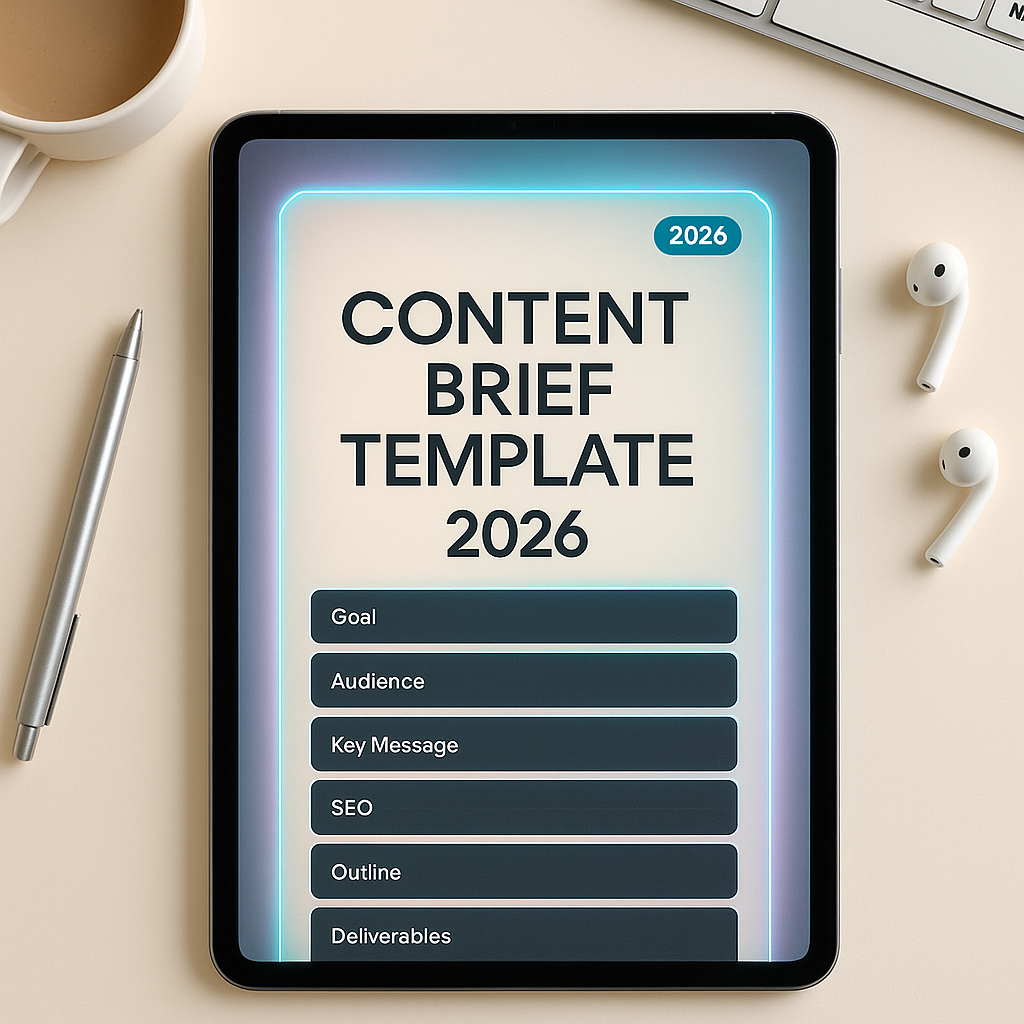
So I started treating the brief like the real product. The article is just the output. And after a lot of trial and error, I ended up with one content brief template that covers basically everything I publish.
This is particularly beneficial for sites like mine, which focus on reviews, comparisons, and “best AI tools” lists among others. For instance, I’ve found that using a content brief template significantly improves my content quality and relevance.
If you want it, steal it. Copy it into Notion or Google Docs. Use it with writers. Use it with ChatGPT. Use it with Claude or even your own brain at 1 a.m. It still works.
Why most briefs fail now (even “good” ones)
A lot of briefs are still built for 2019 content teams.
They focus on word count, target keywords, and “include these headings.” That’s fine. It’s not nothing.
But in 2026, content fails for different reasons:
- Search intent is mixed and messy. People ask ChatGPT first, then Google, then YouTube, then Reddit. They land on your post with half an answer already in their head.
- Readers are allergic to filler – AI made it worse. They can smell generic paragraphs instantly.
- Tools change weekly – Pricing updates and feature renaming happen frequently in the tech world.
- Affiliate content has a trust problem – Even if you’re honest, people assume you’re not.
To tackle these challenges, my brief template is built around one core idea: You are not writing an article; you are resolving a decision.
This shift in perspective has proven invaluable when creating content that truly resonates with readers and ranks well on search engines – something I’ve successfully achieved with my SEOPital review.
Moreover, understanding how to maximize content potential is crucial in this fast-paced digital landscape, as highlighted in my recent piece about Streann Studio’s lifetime deal.
In addition to these insights, it’s important to recognize that much of the direct traffic attributed to GA4 is actually activity from other sources like social media or email marketing rather than organic search results.
Lastly, while crafting content aimed at high-net-worth individuals or exploring themes similar to those in shows
The template (copy and paste)
Before the template, one small note.
If you’re working with a writer, give them this brief and make them fill it out before they draft. If you’re writing yourself, fill it out anyway. It takes 12 to 20 minutes and saves hours of rewriting.
Also. If you’re using AI to draft, paste the completed brief into your prompt. It’s the difference between “generic blog post” and “actually helpful.”
Here we go.
1) One sentence outcome (the “decision”)
By the end of this piece, the reader will be able to:
Write the decision in plain English.
Examples:
- “Decide whether Tool X is worth buying on lifetime deal, or skip it.”
- “Pick the best AI video tool for faceless YouTube under $30/month.”
- “Know exactly how to use Feature Y without breaking their workflow.”
If you can’t write this sentence, you don’t have a topic yet. You have a vibe.
2) Reader snapshot (who is this for, really?)
Primary reader:
- Role: (creator, marketer, founder, agency, student, etc.)
- Skill level: (beginner, intermediate, power user)
- Budget sensitivity: (cheap, value-driven, premium)
- Tools they already use: (list 3 to 5 common ones)
- What they’re scared of: (wasting money, getting locked in, learning curve, hidden limits)
Secondary reader:
Who else might land here and what would they need?
This matters because your tone changes depending on whether you’re talking to a solo creator vs a marketing manager with approvals.
3) Search intent map (yes, even if you hate SEO)
Main query:
Intent type: informational / commercial / transactional / comparison
What they already know when they arrive: (assume they watched 1 video and skimmed 2 reddit threads)
What they actually want: (usually reassurance + constraints)
This is where understanding the search intent becomes crucial.
Fast answers to include near top (bullets):
- Price range
- Who it’s for
- Biggest limitation
- Best alternative if it’s not a fit
This is the part that makes your content feel “immediately useful.”
4) The credibility plan (how we’ll prove we’re not guessing)
Choose 2 to 4 of these and commit.
- We tested the tool (include version/date)
- Screenshots of dashboard/pricing
- Specific workflow example
- Comparison table with real limits
- Refund policy or trial notes
- Known complaints (Reddit/G2) summarized fairly
- What we would buy if it were our money
This is also where you decide what images you need.
Image note: If you can’t show the tool, show the numbers. If you can’t show numbers, show process.
5) Product facts (must verify, no assumptions)
This section is boring on purpose.
- Tool name + URL:
- Pricing tiers:
- Free plan limits (if any):
- Trial length:
- Refund policy:
- Lifetime deal? (where, what tier, what’s included, what’s excluded)
- Key features (3 to 7 max):
- Integrations:
- Export formats / ownership:
- Support channels:
- Update frequency / roadmap (if public):
If you’re writing for ai mc1, this is the heart of the post. This is the part readers come back to.
6) The honest verdict frame (no vague conclusions)
Pick the exact angle. One only.
- Worth it if…
- Not worth it if…
- Best for…
- Avoid if…
- Buy the deal now because…
- Wait because…
Then write your conclusion sentence now, before drafting.
Example:
“If you need fast short form repurposing and you don’t care about deep brand voice control, it’s worth it. If you need consistent long form SEO content, skip and use X.”
If your verdict is “it depends,” fine, but you still need decision branches.
7) Differentiators (the 3 things that actually matter)
Write the 3 differentiators that separate this tool or approach from others.
Not features. Differentiators.
Bad:
- “AI writing”
- “Templates”
- “Chrome extension”
Good:
- “Only one that keeps brand voice consistent across 10+ writers without heavy prompting like SuperCopy AI”
- “Lifetime deal includes API credits, which most competitors exclude”
- “Exports clean SRT + burned-in captions in one click, no extra editor”
8) Competitor set (direct + indirect)
List:
- 3 direct competitors
- 2 indirect alternatives (manual workflow, hiring, using ChatGPT, etc.)
For each competitor, write one sentence: why someone would pick it instead.
This prevents biased writing and makes your comparisons sharper.
9) Outline (with intent per section)
This is my default structure for tool reviews and “worth it” posts:
- Hook: the real problem + what this post will solve
- Quick verdict box (for skimmers)
- What the tool is (in one paragraph)
- What it does well (use cases)
- Limits and gotchas (the trust builder)
- Pricing breakdown (with math, not vibes)
- Alternatives (who should choose what)
- Setup / quick start (optional, but powerful)
- Final recommendation + CTA
Under each heading, add 2 bullets: what the reader is thinking and what we’ll answer.
10) Required assets (images, tables, embeds)
List exactly what you need to collect.
Examples:
- Screenshot: pricing page (date visible)
- Screenshot: workspace/dashboard
- Screenshot: output example
- Table: tier limits
- GIF: one workflow (optional)
- Embed: YouTube demo (optional)
11) Internal links and CTA plan (soft, not spammy)
Internal links to include: 3 to 6 links to relevant posts on your site.
For ai mc1, I usually link to:
- a “best tools” roundup in the category
- a competing tool review
- a pricing/value explainer post
CTA style: pick one
- “If you want more deals like this, browse ai.mc1.me”
- “I keep these comparisons updated here”
- “Here are 3 alternatives I’ve tested”
Make it feel like a helpful next step, not a sales push.
12) The AI prompt (optional, but I use it constantly)
Once the brief is filled, I paste this:
You are my writing assistant. Draft a blog post using the brief below.
Requirements: conversational tone, short paragraphs, no fluff, no generic claims.
Use concrete details from the brief only. If a detail is missing, write “NEEDS VERIFICATION” instead of guessing.
Include a quick verdict box near the top. Add a comparison table if competitors are provided.
End with a clear recommendation and a subtle CTA.
Brief: [PASTE THE FILLED BRIEF]
That one line, “NEEDS VERIFICATION,” saves you from accidental hallucinations. And yes, I learned that the hard way.
What this looks like in a real post (mini example)
Let’s say you’re writing: “Is [Tool X] worth it on lifetime deal?”
You fill the brief, and you end up with a post that naturally includes:
- A verdict early, because the reader is impatient.
- Specific limits, because lifetime deals are full of traps.
- Alternatives, because sometimes the best advice is “skip.”
That’s the kind of post that gets bookmarked. The kind that actually converts too, because the reader trusts you.
Insert images the right way (not just for decoration)
If you’re publishing on WordPress, images do two jobs:
- They prove you touched the tool.
- They break up the pace so readers don’t bounce.
Here are the images I include most often, and where:
Image 1: the tool dashboard (early)
Place it after “What it is” or “What it does well.”
Image 2: pricing/tier limits (in pricing section)
This is the one that gets shared. Seriously.
Image 3: output example (before verdict)
Show the result. Captions, blog draft, voice clone, whatever the tool makes.
If you don’t have screenshots yet, leave placeholders in the draft so you don’t “forget later” and publish without proof.
Also remember to consider specific design guidelines when inserting images to ensure they are optimally placed and sized for your audience’s viewing experience.
The part people skip (and shouldn’t): gotchas
I used to bury limitations because I thought it would hurt conversions.
In reality, it increased them.
Because when you say “here’s what sucks,” the reader relaxes. They stop guarding their wallet. They start listening again.
So in every brief I force myself to answer:
- What will annoy a real user in week two?
- What does the pricing page not spell out clearly?
- What happens when you hit limits?
- Is support responsive?
- Is export clean or messy?
- Does it replace anything, or does it add another tool to manage?
That section alone is why a site like ai mc1 works. People come for the deal, but they stay for the warnings.
My personal rule for 2026 content
If the brief doesn’t include limits, pricing math, and alternatives, it’s not ready.
It’s just a draft-shaped idea.
So yeah, this is the only content brief template I need in 2026.
Not because it’s fancy. It’s kind of repetitive, honestly.
But it forces clarity. And clarity is the whole game now.
Copy this template (and a small next step)
If you want, copy the template into your doc system and run it on your next post. Even one.
And if you’re building a stack of AI tools and trying to figure out what’s actually worth paying for, that’s basically what I do every week on ai mc1. You can browse the latest comparisons, pricing breakdowns, and “worth it or skip” posts here:
https://ai.mc1.me
For those seeking to boost their content game with over 50 templates, consider exploring WriteSeed. If you’re in need of an AI content writer, WordHero is also a great option to consider.
Content Brief Template (clean copy block)
Paste this into your doc:
1) One sentence outcome (the decision)
By the end of this piece, the reader will be able to:
2) Reader snapshot
Primary reader:
- Role:
- Skill level:
- Budget sensitivity:
- Tools they already use:
- What they’re scared of:
Secondary reader:
3) Search intent map
Main query: Intent type: What they already know: What they actually want:
Fast answers to include near top:
- Price range
- Who it’s for
- Biggest limitation
- Best alternative
4) Credibility plan
We will prove this with (pick 2 to 4):
- Tested the tool (version/date)
- Screenshots of dashboard/pricing
- Workflow example
- Comparison table with real limits
- Refund/trial notes
- Known complaints summarized
- What we’d buy ourselves
5) Product facts (verify)
- Tool name + URL:
- Pricing tiers:
- Free plan limits:
- Trial length:
- Refund policy:
- Lifetime deal details:
- Key features:
- Integrations:
- Export formats:
- Support:
- Update frequency/roadmap:
6) Honest verdict frame
Pick one angle:
- Worth it if…
- Not worth it if…
- Best for…
- Avoid if…
- Buy now because…
- Wait because…
Conclusion sentence (write it now):
7) Differentiators (3)
8) Competitor set
Direct competitors (3):
- Competitor A: why choose it
- Competitor B: why choose it
- Competitor C: why choose it
Indirect alternatives (2):
- Alternative 1: why choose it
- Alternative 2: why choose it
9) Outline + intent per section
Headings + bullets for reader question + answer:
10) Required assets
- Screenshot list:
- Table list:
- Embeds:
11) Internal links + CTA plan
Internal links: CTA style:
12) AI prompt (optional)
[Paste your prompt here]
FAQs (Frequently Asked Questions)
Why did my content drafts come back too fluffy, too technical, or randomly salesy?
Without a detailed content brief, drafts often miss the mark on tone and intent. Simply knowing the topic or tossing a few bullets into a doc isn’t enough. A comprehensive brief ensures clarity on what the article should achieve, preventing issues like fluffiness, overly technical language, or unwanted salesiness.
Why do most content briefs fail in 2026 despite being ‘good’?
Many briefs still follow outdated models focusing on word count and keywords. However, in 2026, content fails due to mixed search intent, readers’ allergy to filler (exacerbated by AI), rapidly changing tools and pricing, and trust issues with affiliate content. Modern briefs must address these challenges by focusing on resolving reader decisions rather than just hitting SEO metrics.
What is the core idea behind the effective content brief template mentioned?
The core idea is to treat the brief as the real product and view the article as an output that resolves a decision for the reader. This shift ensures content is focused on helping readers make informed choices, improving relevance, trustworthiness, and ranking potential.
How can I use the provided content brief template effectively?
Fill out the brief before drafting any article—whether you’re working with writers or writing yourself. It takes about 12 to 20 minutes but saves hours of rewriting. When using AI tools like ChatGPT or Claude, paste the completed brief into your prompt to move from generic posts to actually helpful content.
What key elements should be included in a modern content brief?
A modern brief includes: 1) One sentence outcome stating the reader’s decision; 2) Reader snapshot detailing primary and secondary audience roles, skill levels, budgets, fears; 3) Search intent map outlining main query, intent type, prior knowledge, what they want including fast answers; 4) Credibility plan to build trust and authority.
How does understanding search intent improve my content’s performance?
Understanding search intent helps tailor your content to what readers truly want—often reassurance plus constraints—rather than just keywords. It accounts for users arriving with partial information from sources like ChatGPT or Reddit. Including fast answers near the top boosts immediate usefulness and engagement.