FlexClip is a strong AI online video editor in 2026. This platform makes video creation easy for everyone. It works well for beginners and experts. Many users like its simple design and many templates. This helps them make great videos.
Here’s what you can expect from FlexClip:
A design that is friendly for beginners.
Templates that help new creators start making content.
Advanced features that experts use for high-quality editing.
Does FlexClip really help both beginners and experienced creators? Let’s find out!
Key Takeaways
FlexClip is easy to use. This makes it great for both beginners and experts. Its simple design helps anyone start making videos fast.
The platform has a large library of templates and stock media. This helps users improve their videos without needing special skills.
AI tools make editing easier. Users can create videos ready to share in just a few clicks. This saves time and effort.
FlexClip has different pricing plans. There is even a free version. This makes it easy for individuals and small businesses to make professional videos.
With helpful resources like tutorials and a help center, users can quickly learn how to use FlexClip’s features for their video projects.
What is FlexClip?
FlexClip is a new AI online video editor. It helps everyone make videos easily. Whether you are a beginner or an expert, this platform makes editing simple. Its easy-to-use design lets you find features quickly. You can create amazing videos fast.
AI Online Video Editor
FlexClip is different from other video editing software. It has strong AI features that help you edit. For example, you can make share-ready videos with just a few clicks. The AI finds your clips and photos, picks highlights, and adds effects. This means you spend less time editing and more time sharing. Here are some important AI features:
Feature Description Auto create a share-ready video with FlexClip AI video editor. AI recognizes the clips and photos, extracts highlights, and matches them with effects. AI automatically generates text that matches your theme and media. Generate a script or type your script, and turn it into a video with AI resources. Easily turn your PPT or PDF documents into videos with added narrations. Produce royalty-free music tracks and sound effects in seconds.
Target Audience
FlexClip is for many different users. It is great for beginners and small businesses that want to make professional videos without much money. Marketers, teachers, and content creators like it too. They enjoy how easy it is to use and the large library of templates and stock resources. This helps you make high-quality videos quickly, whether for ads, lessons, or social media posts.
In 2026, FlexClip is still a top choice for many groups, including:
Content creators and influencers who need fun social media posts.
Small business owners who want to make marketing videos without hiring help.
Educators who create teaching videos and presentations.
With FlexClip, you can easily turn your ideas into exciting videos!
Key Features of FlexClip
FlexClip is special in the busy world of video editing software because of its great features. Let’s look at what makes this platform popular with users.
User-Friendly Interface
One of the first things you’ll see about FlexClip is its user-friendly interface. The clean, drag-and-drop design helps anyone start making videos right away. You don’t have to be a tech expert to use the platform. Here are some reasons why users like it:
A beginner found FlexClip very easy to use. They loved the beautiful templates that make video creation simple.
Another user, who had never edited before, made a professional-looking video in minutes. They praised how easy the interface is.
This simple layout lets you focus on being creative instead of getting stuck in tricky menus.
Editing Tools
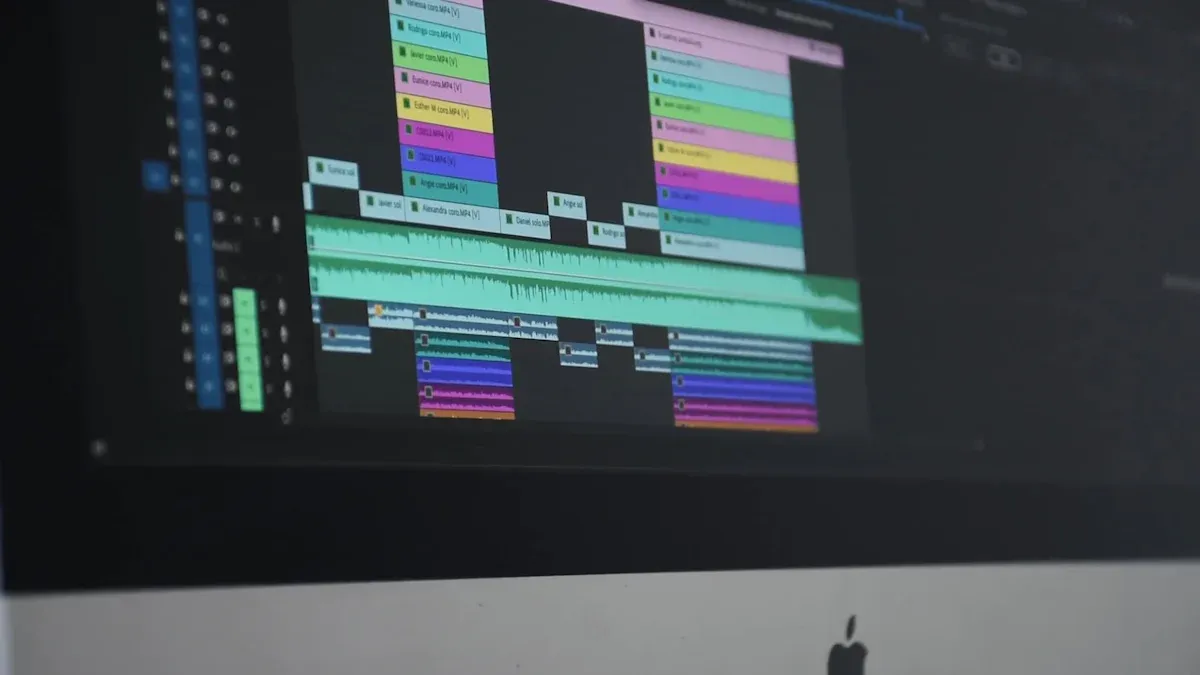
FlexClip has many editing features for both beginners and skilled editors. You can do basic tasks like trimming, splitting, and merging clips with just a few clicks. Here’s a quick look at what you can do:
Basic Editing Functions: Trim, split, and merge your video clips easily.
AI Features: Use tools like the AI Video Generator and AI Text-to-Speech to improve your projects.
Text Overlays and Transitions: Add text overlays and smooth transitions to make your videos stand out.
While FlexClip is easy to use, it does have some limits compared to other software. For example, it doesn’t have multi-track editing, which is common in more advanced programs like Adobe Premiere Pro. Still, its simplicity makes it a good choice for quick projects.
Stock Media Library
FlexClip’s large stock media library is another great feature. You’ll find many resources to improve your videos. Here’s what’s included:
Asset Type Description Stock Photos High-quality pictures and background images for video creation. Stock Video Footages Lots of royalty-free video clips and dynamic backgrounds for different projects. Stock Music Tracks Unlimited music, sound effects, and loops sorted by genre and mood.
With millions of assets available, you can easily find the right visuals and audio for your content. This library saves you time and effort, letting you focus on sharing your message.
Usability for Beginners
When you start using FlexClip, it’s really easy to begin. This video editing tool is made for beginners, so you won’t feel lost. The learning process is simple, letting you make great videos even if you have never edited before.
Learning Curve
FlexClip makes video creation simple with three steps: add media, customize, and export your video. This easy way means you can focus on being creative instead of dealing with hard features. Many users say FlexClip is a simple but strong video maker. You can handle your video marketing easily, making it a top pick for new editors.
Tip: Check out the templates available. They can help you get started and spark ideas for your projects!
Support Resources
FlexClip also has many support resources to help you. If you have questions or need help, you can find answers quickly. Here’s a quick look at the resources you can use:
Resource Name Description FlexClip Learning Center Tutorials, problem-solving posts, and creative video ideas. Help Center A full help section for different questions. Tutorials Step-by-step guides to start using FlexClip. Video Tutorials A playlist of video tutorials on YouTube.
With these resources ready for you, you can learn how to use the platform fast. FlexClip makes sure you have what you need to create great videos, making it perfect for beginners.
Pricing Plans for FlexClip
FlexClip has different pricing plans to meet your needs. Whether you are new or want advanced features, there is a plan for you. Let’s look at the differences between the free and paid versions.
Free vs. Paid Versions
FlexClip has a free version that lets you try basic features. If you want more options, you can pick from several paid plans. Here’s a quick look at what each plan includes:
Feature Free Basic Plus Business 0 $9.99/$5.99 $19.99/$9.99 $29.99/$19.99 Export Resolution 480p 720p 1080p 1080p Stock Video in a New Project 1 1 5 Unlimited Saved Projects Online 12 Unlimited Unlimited Unlimited File Export Length 1m Max 3m Max 10m Max 30m Max Cloud Storage 0 10 GB 30 GB 100 GB Footage Hosting Space 1/account 50 GB 100 GB 1TB Reseller Rights No No Yes Yes
With the free version, you can start making videos right away, but it has some limits. If you want to export in HD or use more stock videos, think about upgrading to a paid plan.
Value for Money
FlexClip’s prices are good, especially for what you get. The paid plans give you great value, especially if you need to make high-quality videos often. You can export your projects in HD, access a bigger stock media library, and create longer videos.
For small businesses or content creators who want to make engaging videos for sites like YouTube, getting a paid plan can really improve your video editing experience. With FlexClip, you have a strong online video maker that is easy to use and has professional features.
FlexClip vs. Alternatives
When you want an online video editor, you may ask how FlexClip compares to others. In 2026, many platforms have similar features. It’s important to know your choices. Let’s look at how FlexClip matches up with some popular options.
FlexClip vs. InVideo
InVideo is another AI video creation tool that many people enjoy. Like FlexClip, it has an easy-to-use design and a large library of templates. However, InVideo stands out because it has many customization choices. You can change almost everything in your video, which is great for making something special.
FlexClip: Focuses on being simple and fast, perfect for quick projects.
InVideo: Provides more advanced editing tools for deeper customization.
If you are a beginner, FlexClip might be the better pick. But if you want to explore more in video editing, InVideo could be a good option.
FlexClip vs. WeVideo
WeVideo is another strong choice in online video editing. This cloud-based editor is known for its teamwork features, making it great for group projects. You can easily share your work and edit together in real-time.
FlexClip: Excels at giving a simple editing experience with AI tools.
WeVideo: Has strong collaboration features, which can help teams a lot.
If you often work with others, WeVideo might be better for you. But if you like to work alone, FlexClip’s ease and speed can help you make videos quickly.
In conclusion, FlexClip is a simple video editing tool in 2026. It has many features for both new and skilled creators. Here are the main points to think about:
Pros:
Large library of stock videos and music
Quick video rendering
Quality templates
Cons:
Limits in the free version
Slow export speeds
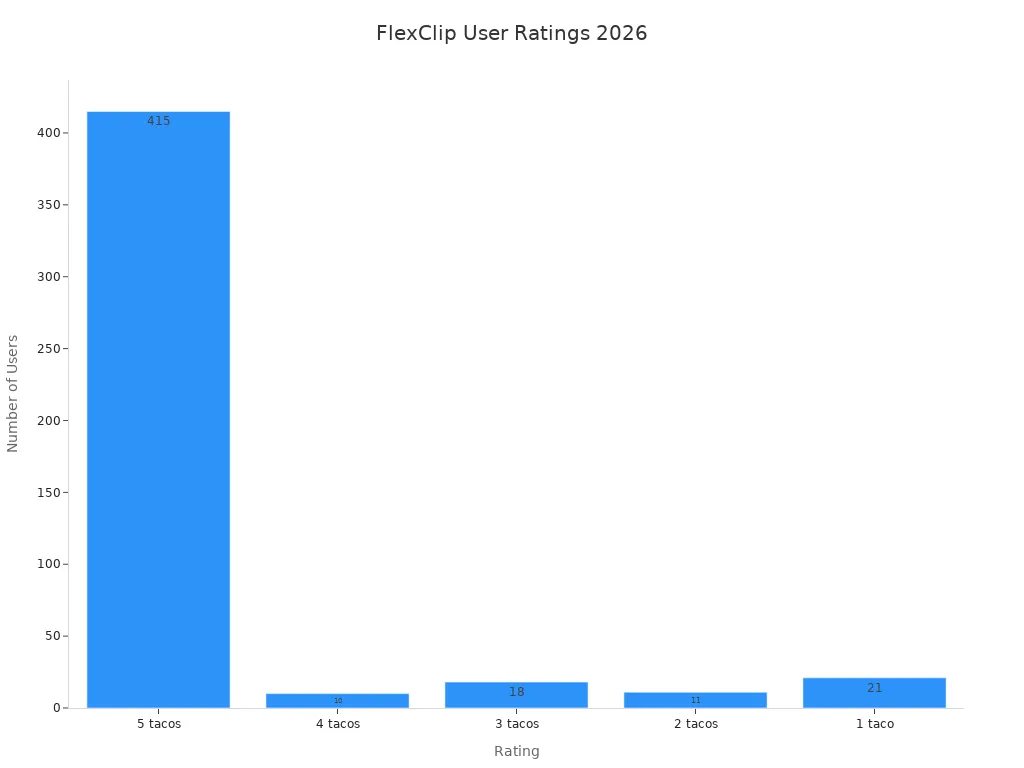
Overall, with a user satisfaction score of 4.6 out of 5 tacos, FlexClip is a good choice for anyone wanting to make fun videos. If you want an easy editing experience, FlexClip is worth a try!
FAQ
What types of videos can I create with FlexClip?
You can make many kinds of videos. This includes ads, educational videos, social media clips, and personal projects. FlexClip has templates for different themes and industries. This makes it easy for you to start.
Is FlexClip suitable for team projects?
Yes! FlexClip works well for teams. Its cloud features let you work with others easily. You can share projects, edit together in real-time, and make video creation smoother.
Can I use FlexClip on my mobile device?
FlexClip is mainly a web platform. You can use it on any device with internet access. However, it might not have a special mobile app yet.
How do I access customer support?
You can get customer support from the FlexClip Help Center. It has tutorials, FAQs, and a community forum. You can also email them for specific questions.
Are there any limitations in the free version?
Yes, the free version has some limits. It has lower export quality and fewer stock media options. If you upgrade to a paid plan, you can unlock more features and better quality exports.