
Table of Contents
- 🚀 What Forento is and who it’s for
- 🧾 Pricing, AppSumo lifetime deal, and the commission model
- 🖥️ The public website builder: what to expect
- 🎓 The Academy backend: structure and content types
- 📹 Video, text, and quizzes: how lessons behave
- 🔐 Memberships and access control
- 💬 Community features, gamification, and sessions
- 💳 Payments, discount codes, and referrals
- ✉️ Email automation and integrations
- ⚠️ Key limitations and quirks to watch for
- ✅ A practical setup checklist for launching on Forento
- 🔎 When Forento is a great fit and when to consider alternatives
- 💡 Practical tips and best practices from real use
- 🧭 Final recommendations
- ❓ Frequently asked questions
🚀 What Forento is and who it’s for
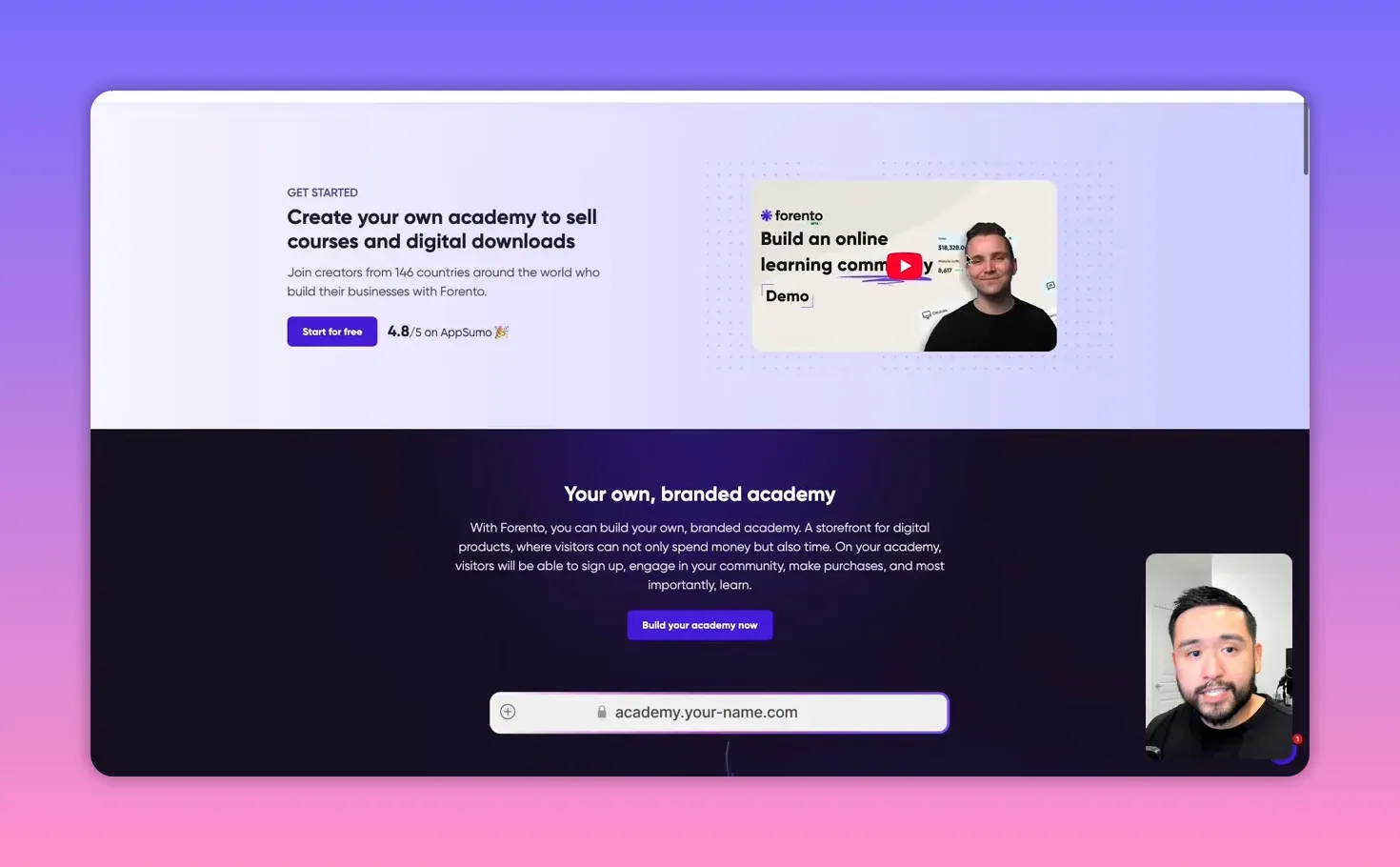
Forento is an all-in-one academy builder that combines a public website, a private course backend, membership management, and a community in a single platform. If you want a unified place to sell courses, host videos, manage members, and run community features without stitching together multiple tools, Forento promises to deliver most of that in one dashboard.
My approach when testing Forento was practical: set up a simple public site, create a course, add membership tiers, and test the member experience. The platform has promising features and a few rough edges. The goal below is to show what works, what’s quirky, and how to make it useful for your educational business.
🧾 Pricing, AppSumo lifetime deal, and the commission model
Forento is currently (at the time of this article) available as a lifetime deal on AppSumo. That makes it worth a close look because lifetime deals can drastically reduce your recurring overhead when starting an online course business.
Here is how the AppSumo pricing and commission structure works in practice:
- Plans tied to codes — The AppSumo purchase grants you “codes.” Depending on how many codes you buy, you’re mapped to either Forento’s Basic or Startup plan on their site.
- Commission rate varies with codes — Forento takes a platform commission on sales, and that rate drops as you get more codes. By default the commission can be up to 10 percent. Buy three or four codes and you can reduce it to 5 percent. Higher code counts can reduce it further (down to about 2 percent in examples given).
- Monthly add-ons — AppSumo also offers no-commission and Scale add-ons that can be purchased monthly at a discounted rate for AppSumo customers. The Scale plan on Forento’s site is significantly more expensive monthly, but AppSumo discounts it.
- Zapier and zero-commission options — These are packaged either with the Scale add-on or the $19 no-commission add-on. If you rely on Zapier or want to eliminate commissions, budget for these extras.
Bottom line: Forento offers flexibility—lifetime access with varying commission rates or monthly add-ons to remove commissions and add integrations. Do the math based on expected sales volume. If you plan to sell a lot, the no-commission add-on or Scale plan may pay for itself quickly.
🖥️ The public website builder: what to expect
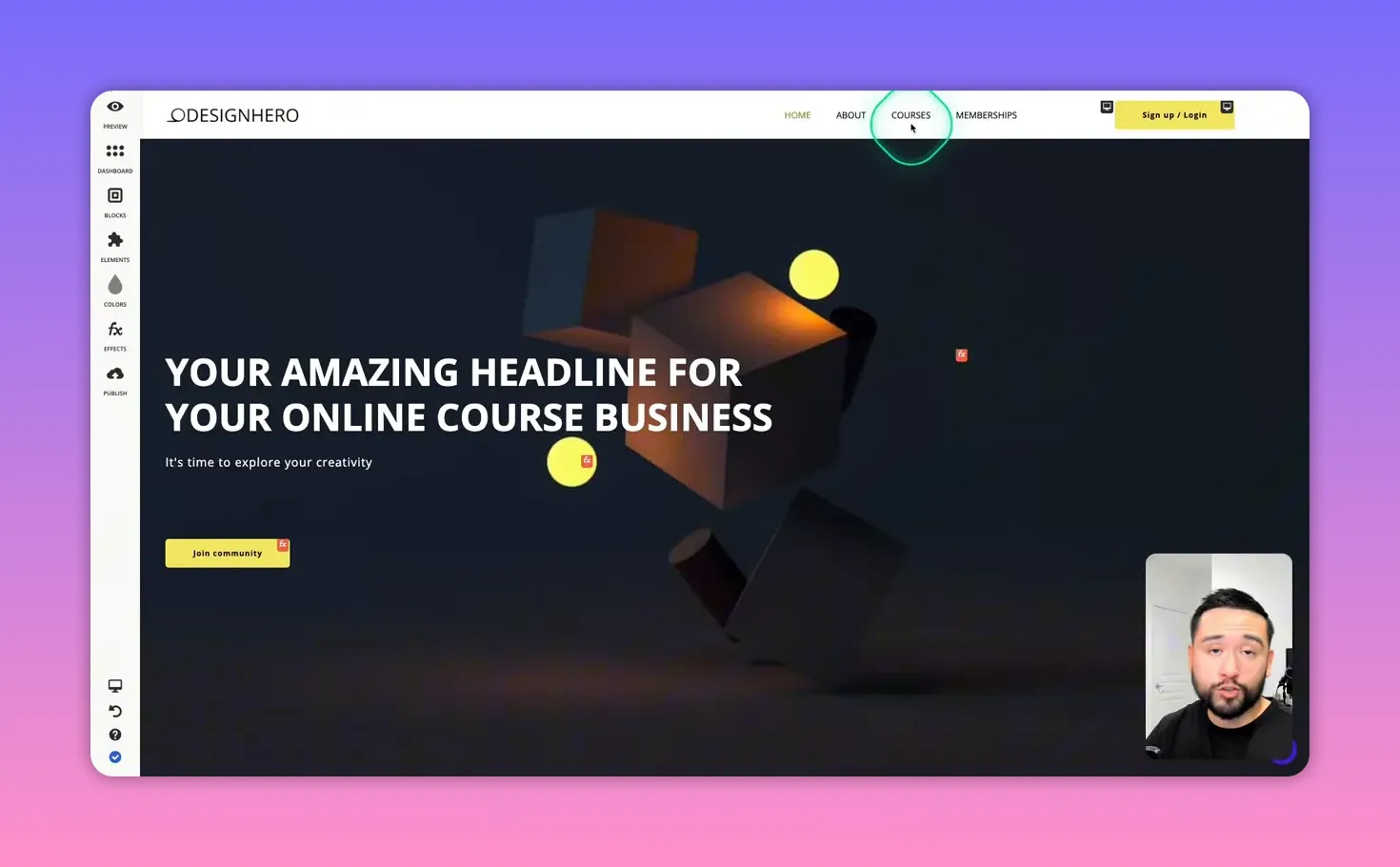
The website builder is the public-facing side. It supports standard site pages: home, about, courses, blog, contact forms, and custom pages. It uses a drag-and-drop block system with headers, image blocks, sliders, logos, and e-commerce elements to display courses.
Strengths of the website builder:
- Simple drag-and-drop model makes it approachable for non-designers.
- Video backgrounds and scheduled visibility for banners are handy for limited-time promotions like Black Friday.
- Supports custom HTML blocks so you can paste third-party widgets or tracking scripts.
- Payment gateways include Stripe and PayPal, which are the essentials for most creators.
What needs improvement:
- Design options are functional but basic. Expect to spend time tweaking spacing and alignment if you care about polish.
- Some layout defaults (left-aligned course items, narrow image crops) may require additional effort to make the site look modern.
🎓 The Academy backend: structure and content types
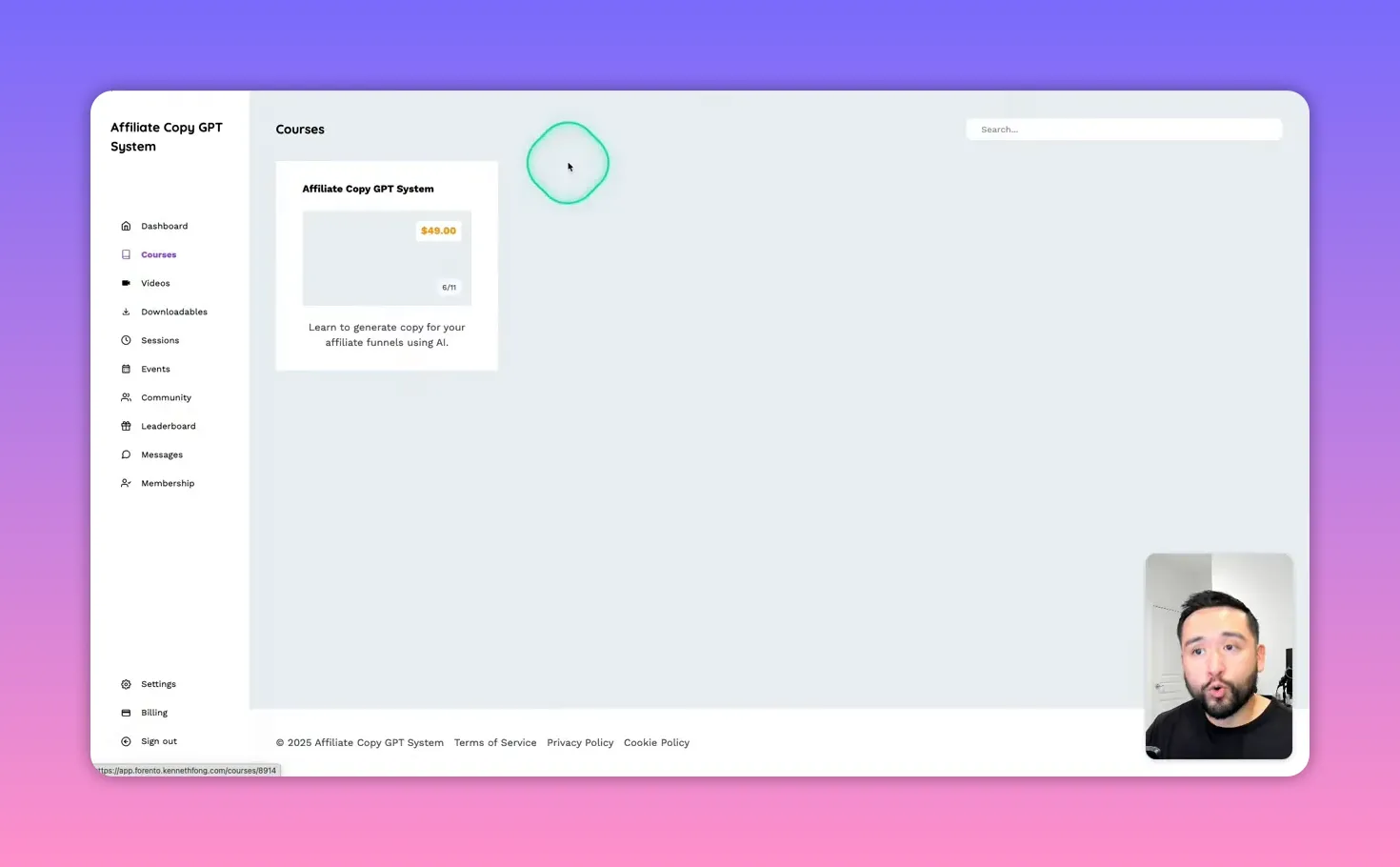
The Academy is the private side where students sign in and consume content. Forento organizes learning content using three nested concepts: courses, chapters (modules), and pages (lessons).
Terminology is important here because Forento’s labels differ slightly from what many creators expect:
- Course — The top-level product, which can be free, paid a la carte, or part of a membership.
- Chapters — Best thought of as modules. These group related lesson pages together.
- Pages — Individual lesson items inside a chapter. Pages are where you add videos, text, attachments, quizzes, or input fields.
The platform supports a variety of content types per page:
- Video uploads and embeds (YouTube, Vimeo, Loom, or direct file upload)
- Audio files
- Rich text pages
- Quiz questions with multiple choice
- Input fields for learner reflection or assignments
- Attachments such as PDFs or PNGs
📹 Video, text, and quizzes: how lessons behave
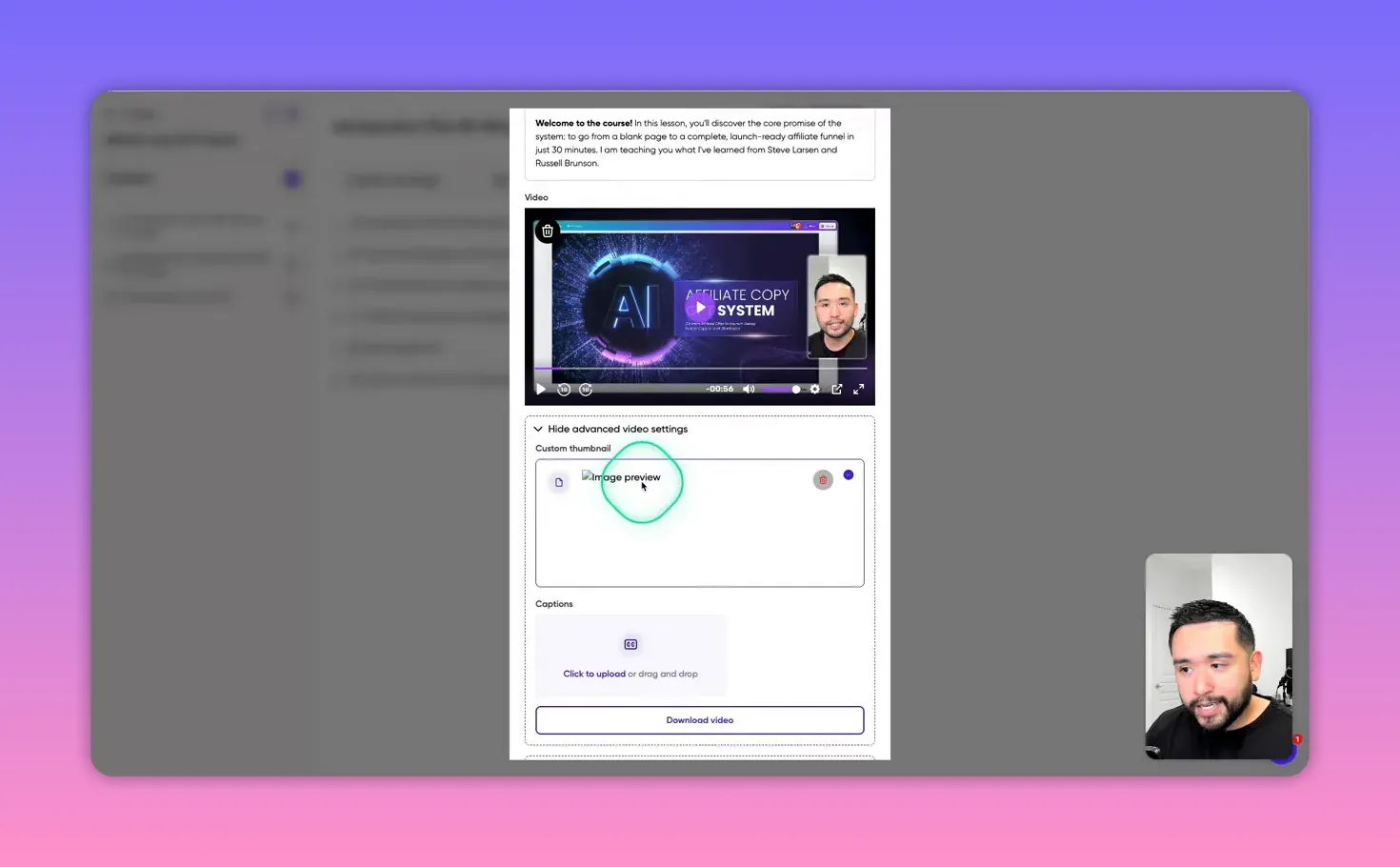
Forento hosts video content directly and supports custom thumbnails and captions. This keeps the student experience straightforward because everything is inside one system. The lesson player and page layout are clean and simple.
Quizzes and inputs add interactivity. Quiz answers are captured and can be reviewed later under an exam or analytics area. Input fields are useful for prompting students to commit to actions, like scheduling time to work on a lesson.
Some practical notes based on hands-on testing:
- Images used as banners on lesson pages are cropped to a narrow, fixed dimension. If you rely on custom thumbnails or course artwork, plan to test and likely crop images so they display well.
- Quiz feedback is minimal. Wrong answers will display an incorrect message, but right answers do not always provide an explicit confirmation message to the user. This may confuse learners expecting instant validation and feedback.
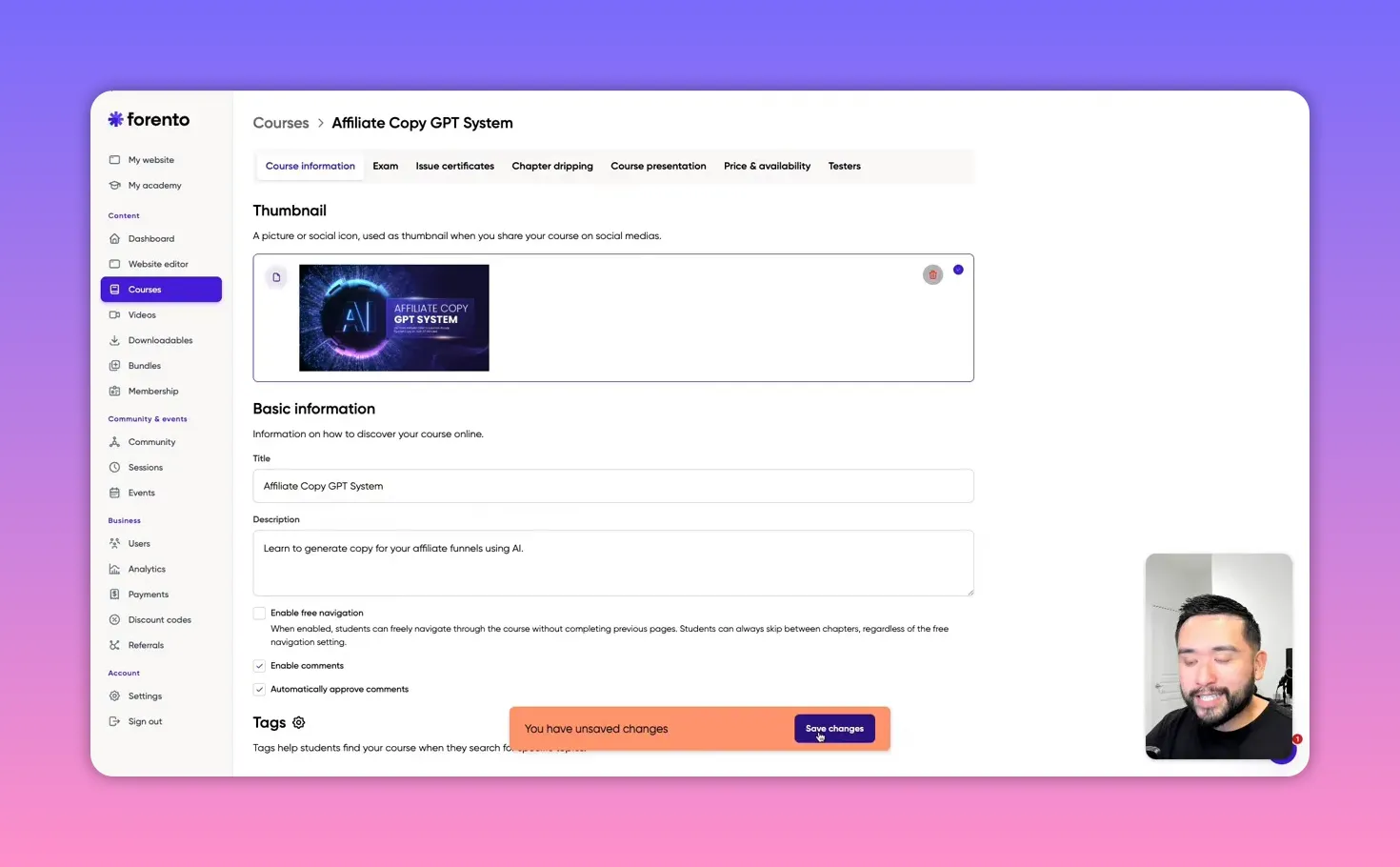
- Saving changes occasionally shows a false unsaved state or behaves sluggishly. This seems like a minor bug but is worth keeping in mind when editing content.
🔐 Memberships and access control
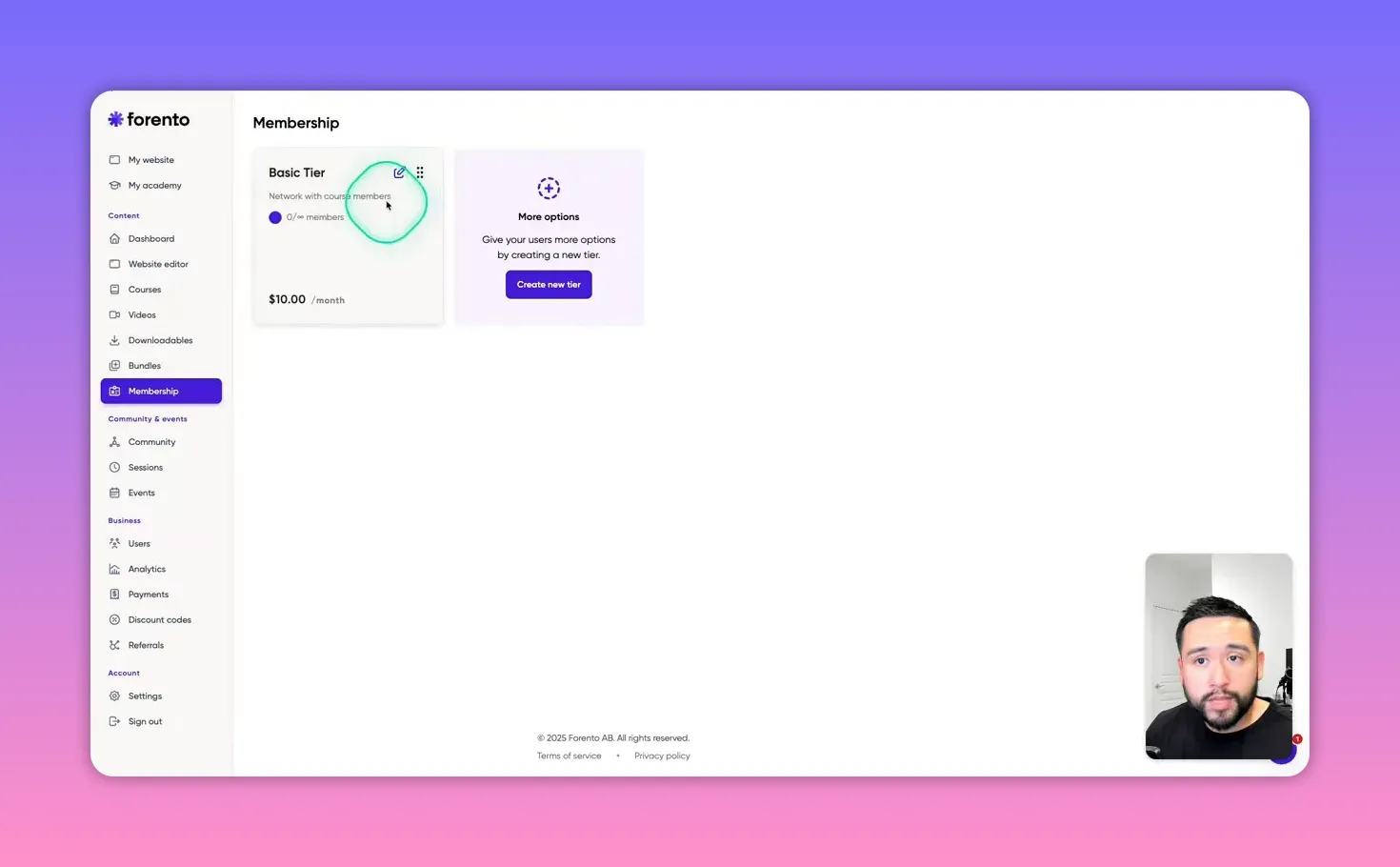
Memberships are a strong part of Forento’s value proposition. You can create multiple tiers and control which content each tier unlocks. Typical membership configurations include:
- Free tier — grants access to downloadables or public-facing content while reserving core courses for paying members.
- Basic paid tier — unlocks a portion of content and select a la carte videos.
- Premium tier — unlocks everything, including courses, events, and sessions.
Access control is flexible. You can make a course available only to a specific membership tier or keep it a la carte. A useful feature is the tester option, which lets you add users manually to preview the course experience without paying. This is very handy for beta testers, pilot students, or reviewers.
💬 Community features, gamification, and sessions
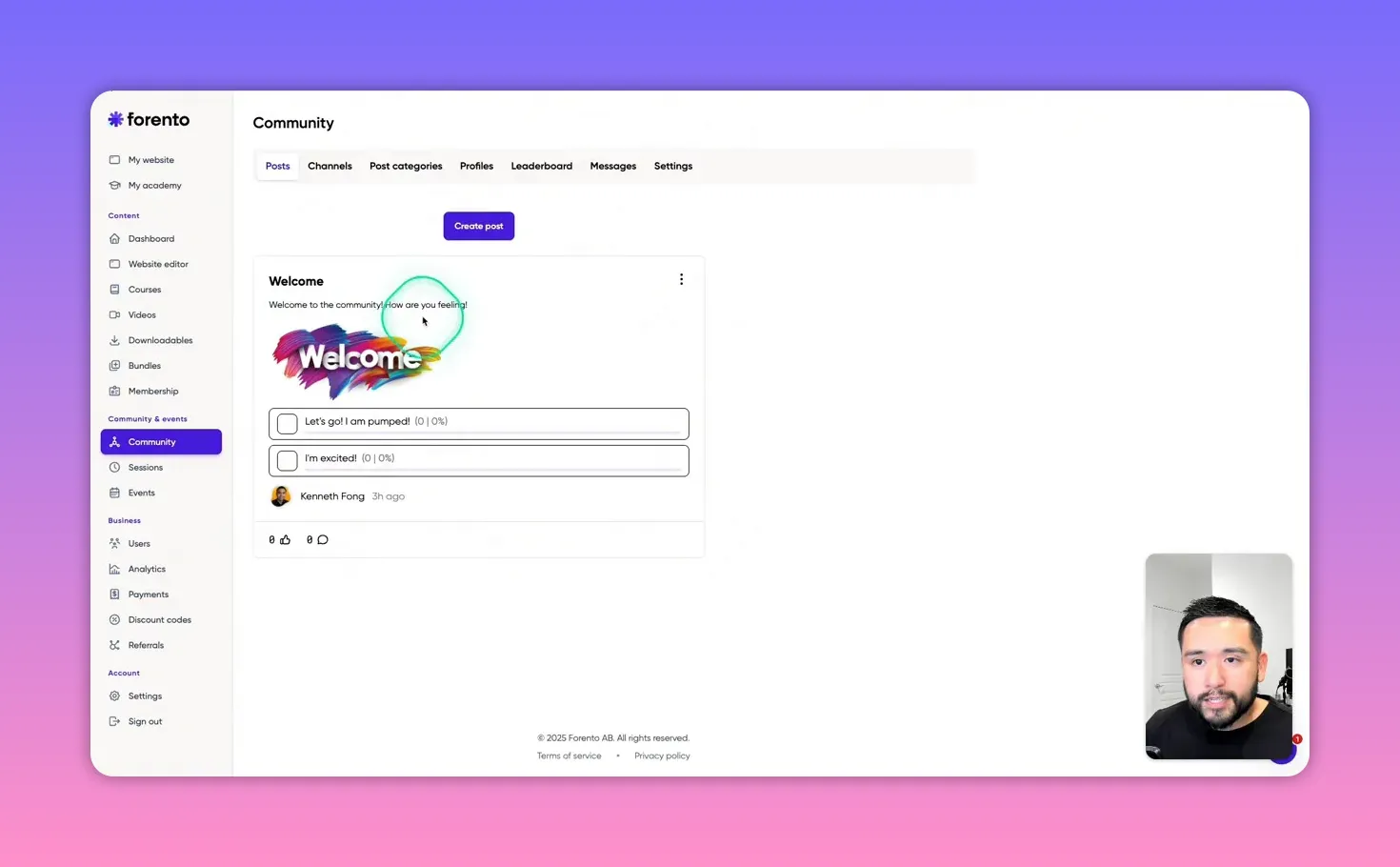
Forento includes a community module with posts, channels, polls, and attachments. There is also a leaderboard and a points system for gamification. This encourages engagement by rewarding participation and creating categories for different types of activity.
Sessions and events expand your offering beyond static content. Use sessions for one-on-one coaching or small group appointments by adding instructions or a Calendly link. Events are date-and-time based and can include a Zoom link for live calls.
Community strengths:
- Built-in posts and polls enable basic member interaction without a separate forum tool.
- Leaderboards and labels let you gamify participation and incentivize engagement.
- Sessions integrated with booking links create a more full-featured coaching experience.
Areas to improve:
- Community is fairly bare-bones compared to tools built specifically for forums or social groups.
- Expect to rely on email and other integrations for advanced community workflows.
💳 Payments, discount codes, and referrals
Payments integrate with both PayPal and Stripe. Connecting PayPal was straightforward in testing. For many creators this covers the payment basics.
Discount and coupon features are usable but constrained in a couple of ways:
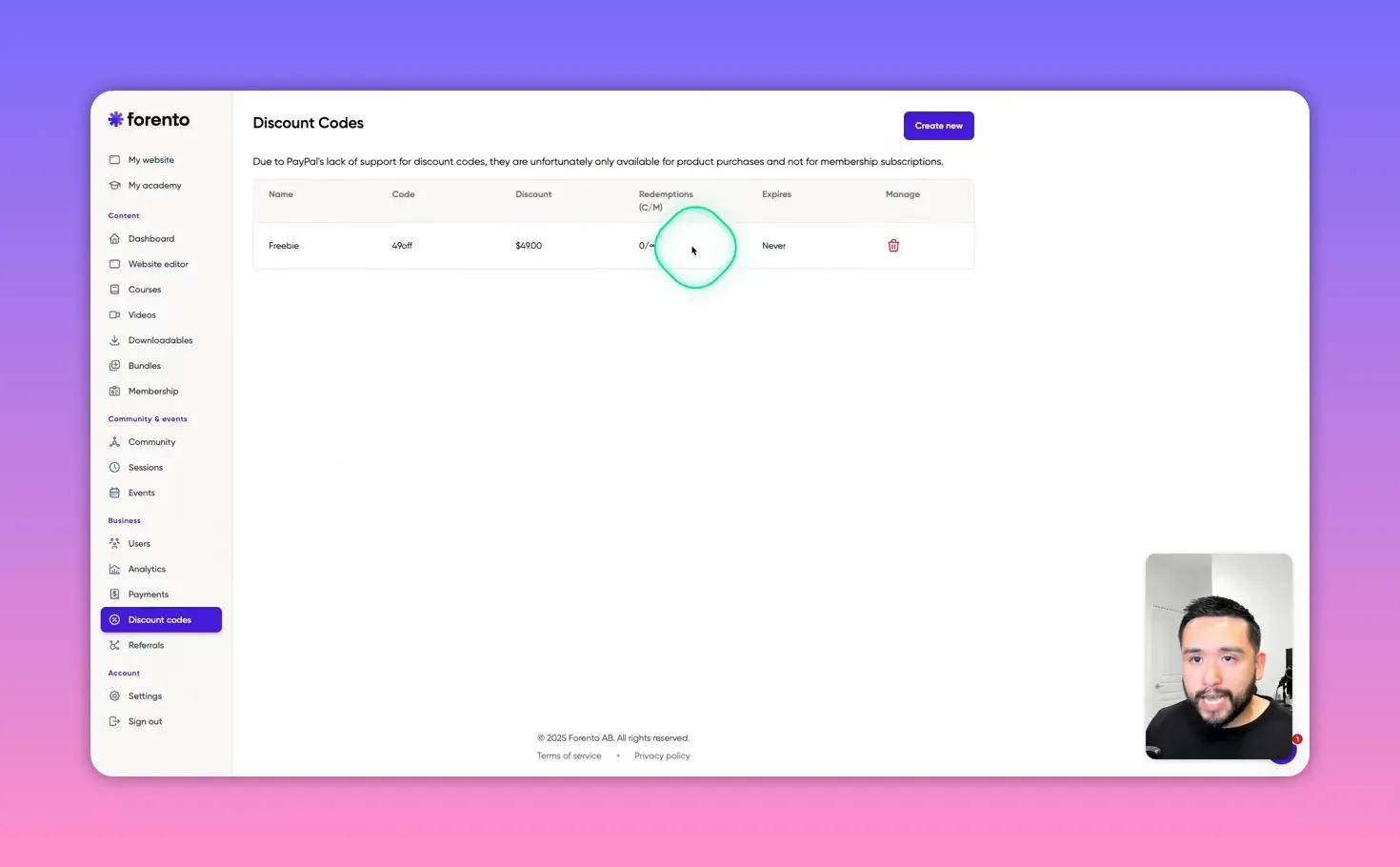
- Percentage discounts must be between 1 and 99 percent. A 100 percent discount is not allowed, which prevents creating a free promo via percentage. However, you can create a full-price off coupon with a dollar amount equal to the item price to achieve a free promotion.
- Coupons can be limited by redemption count and timeframe, which works well for holiday promotions like Black Friday.
Referral functionality is an affiliate program for Forento itself, not a student-facing affiliate program for course creators. In other words, you can refer users to Forento and earn commissions, but the platform does not offer an out-of-the-box affiliate system where your students can sell your course and earn commissions automatically. If you want student affiliates, you will need to use a third-party tool or wait for a future feature.
✉️ Email automation and integrations
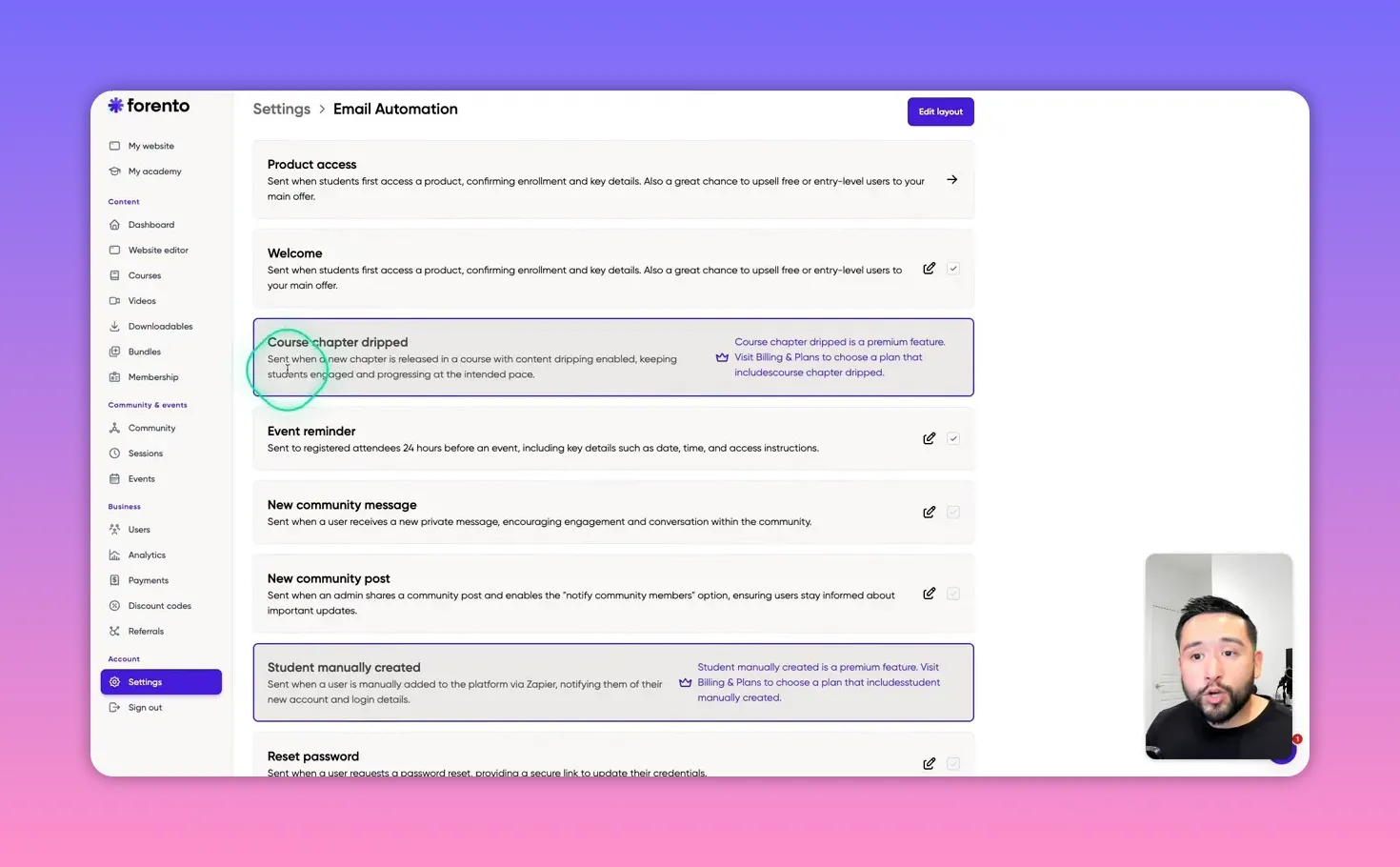
Forento includes basic email automation templates that trigger for common events, such as account creation, purchases, and welcome messages. The built-in templates are functional but visually basic.
If you care about branded, polished emails, you will need to bring your own HTML or MJML. The platform allows custom HTML in some email templates, but requires you to craft that code yourself or use an external email tool integrated via Zapier or another bridge.
On integrations:
- Zapier access is gated behind the Scale add-on or a paid plan. If you rely on automation and external CRMs, plan for this cost.
- Custom HTML blocks on the website let you add third-party widgets or tracking scripts easily.
⚠️ Key limitations and quirks to watch for
Forento is promising, but be aware of a few platform specifics before committing:
- Terminology differences — Chapters are modules and pages are lessons. Expect a small learning curve if you are used to “section” and “lesson” labels in other platforms.
- Minor UI bugs — Occasionally edits show unsaved states or content gets added even after you click cancel. Always double-check that a deleted item is fully removed.
- Image cropping — Page banner images are cropped to a narrow format. Prepare art accordingly.
- No student affiliate program — Built-in referrals are for Forento’s affiliate program, not your own product affiliates.
- No certificates or chapter drip in the AppSumo deal — These features are reserved for paid plans or Scale add-on tiers.
- Email design limitations — Built-in email templates are basic; you will need HTML or an external service for beautiful transactional emails.
- Limited bundling for AppSumo participants — Bundles are locked behind higher tiers in some deals.
✅ A practical setup checklist for launching on Forento
Use this checklist to get a basic academy running quickly while avoiding common pitfalls.
- Choose your AppSumo code count and calculate realistic commission costs based on expected sales volume.
- Decide whether you need Zapier and the no-commission option. Purchase the Scale add-on if automation is essential.
- Set up payments: connect PayPal and/or Stripe and run a test transaction.
- Design your public site with clear course pages and a simple homepage that highlights the main offer.
- Create your first course: define modules as chapters and lessons as pages, then upload video files or embed externally hosted videos.
- Add attachments and downloads where needed. Test how images and thumbnails crop and adjust artwork accordingly.
- Configure access control: set up membership tiers, decide which content is a la carte, and test the student view as both a visitor and signed-in user.
- Set up a test student (use the tester feature) and run through course consumption, quizzes, and downloads.
- Create discount codes with redemption limits for promotions. If you need a free trial, use a dollar-off coupon equal to the item price until percentage 100 is supported.
- Set up community channels, leaderboards, and a sample poll to encourage early participation.
- Prepare email templates. If you want branded emails, build HTML or integrate an external email tool via Zapier or direct integration if available.
- Schedule your first community event or coaching session and attach your Zoom or Calendly link to test the flow.
- Monitor analytics: visits, sales, and quiz results. Use these early metrics to iterate on course content and marketing.
🔎 When Forento is a great fit and when to consider alternatives
Forento makes sense if:
- You want a single tool to run a small to medium-sized academy without maintaining multiple systems.
- You value integrated memberships, course hosting, community features, and basic analytics in one place.
- You buy the AppSumo lifetime deal and plan to keep costs low while testing your audience and offers.
Consider other platforms if:
- You need a mature affiliate system for student-driven sales out of the box. Platforms like ThriveCart or Post Affiliate Pro plus an LMS may fit better.
- You require advanced community features (reactions, rich threaded discussions, or native mobile apps). Circle or Discourse might be better choices.
- You need enterprise-grade email templates and deliverability without building HTML yourself. Dedicated platforms like ConvertKit, Mailchimp, or ActiveCampaign integrated via Zapier may be better.
Competitors worth evaluating:
- Skillplate — Very similar in feature set, so a side-by-side comparison is worthwhile if you’re choosing between lifetime deals.
- Kajabi — More polished and feature-rich on the course and email side, but more expensive monthly.
- Teachable and Thinkific — Mature course features and student experience with different pricing models and integrations.
💡 Practical tips and best practices from real use
These tactics help maximize Forento’s strengths and hide or work around its limitations.
- Prepare image crops ahead of time. Design lesson thumbnails using the narrow banner dimensions so images always look intentional.
- Use dollar-off coupons for 100 percent promos. Since percentage coupons cannot be 100 percent, configure free promotions using a dollar discount equal to the price.
- Write simple but clear course presentation text. The course page layout is intentionally minimal; the headline and a concise benefit-led description will help conversions.
- Use the tester feature to add beta students and gather feedback before a public launch.
- Keep community expectations realistic. The built-in community is best for smaller cohorts and simple engagement, not large, active forums with advanced moderation needs.
- Plan for email branding. If you want well-designed transactional emails, prepare HTML templates or connect an external ESP with Zapier or direct integration when available.
- Monitor the commission math. If your volume increases, upgrade to a plan or add-on that reduces platform commission to protect margins.
“I really see the potential in this tool, but there are a few quirks you need to be aware of.”
🧭 Final recommendations
Forento is a solid, affordable all-in-one option for creators building courses, memberships, and small communities. It is especially compelling if you are buying a lifetime AppSumo deal and want to avoid monthly platform fees early on.
Use Forento if you want:
- An integrated solution that reduces tool sprawl.
- Simple course hosting with membership tiers and basic community features.
- To experiment with selling courses without large recurring costs.
Plan to complement Forento with external tools if you need:
- Beautiful email templates and advanced automation.
- A student-facing affiliate program.
- Highly customizable community features or large-scale cohort management.
Long-term, Forento can serve as the central hub for your educational business. Expect to spend some time on design tweaks and workflow automation to make the experience polished. If you prioritize speed-to-launch and an all-in-one setup, it’s worth testing with an initial course and membership cohort.
❓ Frequently asked questions
Does Forento include a website builder and course hosting in one platform?
Yes. Forento provides a public-facing website builder plus a private Academy backend where you host courses, videos, memberships, and a community. The site and academy are managed from one dashboard.
Can I accept payments on Forento?
Yes. Forento supports Stripe and PayPal. You can sell courses a la carte, create memberships, and accept payments directly. Test your chosen gateway before going live.
Is there a student affiliate program so my students can sell my courses?
Not in the included features for AppSumo deal users. Forento has an affiliate/referral program, but it is for referring users to Forento itself, not for your students to earn commissions selling your content. You will need a third-party affiliate solution if you want student affiliates.
Can I create drip content and certificates with the lifetime deal?
No, drip chapters and certificates are features reserved for paid plans or higher tiers. The AppSumo lifetime deal typically does not include these features, so you would need to upgrade to the Scale plan or an equivalent add-on to access them.
Are email automations included?
Basic email automations are included, such as welcome emails and purchase notifications. However, built-in templates are basic design-wise. If you want branded, visually rich emails, you should use custom HTML templates or connect an external email service via Zapier or other integrations.
Can I run live events and coaching sessions?
Yes. Forento supports sessions and events. Sessions are useful for one-on-one coaching (you can include Calendly or other booking links). Events are scheduled items with date, time, and optional video call links like Zoom.
How do discount codes work?
You can create percentage discounts between 1 and 99 percent or set up dollar-value discounts. If you need to make an item free, use a dollar discount equal to the item price since 100 percent percentage coupons are not allowed. You can limit usage counts and set redemption windows for promotions.
Is Zapier available for AppSumo lifetime plan users?
Zapier access is typically bundled with higher-tier plans or the Scale add-on. If you rely on Zapier for automations and third-party integrations, plan to buy the add-on or subscribe to the necessary paid plan.
How polished is the community feature?
The community module is functional and includes posts, polls, categories, leaderboards, and messages. It’s suitable for small cohorts and basic engagement, but it is not as feature-rich as dedicated community platforms like Circle or Discourse.
What are the main quirks to be aware of?
Expect small UI bugs (e.g., occasional unsaved-change notifications), strict image crop behavior for lesson banners, limited coupon percentage options, and the lack of a built-in student affiliate program. Also, certificates and drip content are not available on the entry-level AppSumo deal.
This article was created from the video Forento Review: Your “Business-in-a-Box” for Courses & Memberships? with the help of AI.