
Table of Contents
- 📍 What Geoleads does and why it matters
- 🖥️ Dashboard: search, filter, and control credits
- 🔎 How scraping works (step-by-step)
- ✅ Email verification and contact enrichment
- ✉️ AI email writer — personalized outreach at scale
- 📤 Exporting leads and integrations
- 💸 Pricing: the lifetime deal and what you get
- 🎯 Use cases and best practices
- 🔧 Limitations and things to watch
- 📚 Final thoughts
- ❓FAQ
📍 What Geoleads does and why it matters
Geoleads is a focused lead generation tool that scrapes local business data from Google Maps and packages it into ready-to-use prospect lists. Pick a business category, add a city or geo coordinates, and get back business names, phone numbers, LinkedIn URLs, Google Maps links, and checked email addresses.
The biggest win is speed. Instead of searching listings one by one, you build targeted lists in minutes and export them into CRMs or email platforms. Geoleads also includes an AI email writer that drafts personalized outreach for each contact, cutting the time between research and outreach.
🖥️ Dashboard: search, filter, and control credits
The dashboard is straightforward. Choose a business type, pick a search method (location name or geo coordinates), and set filters such as country, city, state, or postal code. There’s a max-leads control so you can limit how many records the tool pulls in a single job.
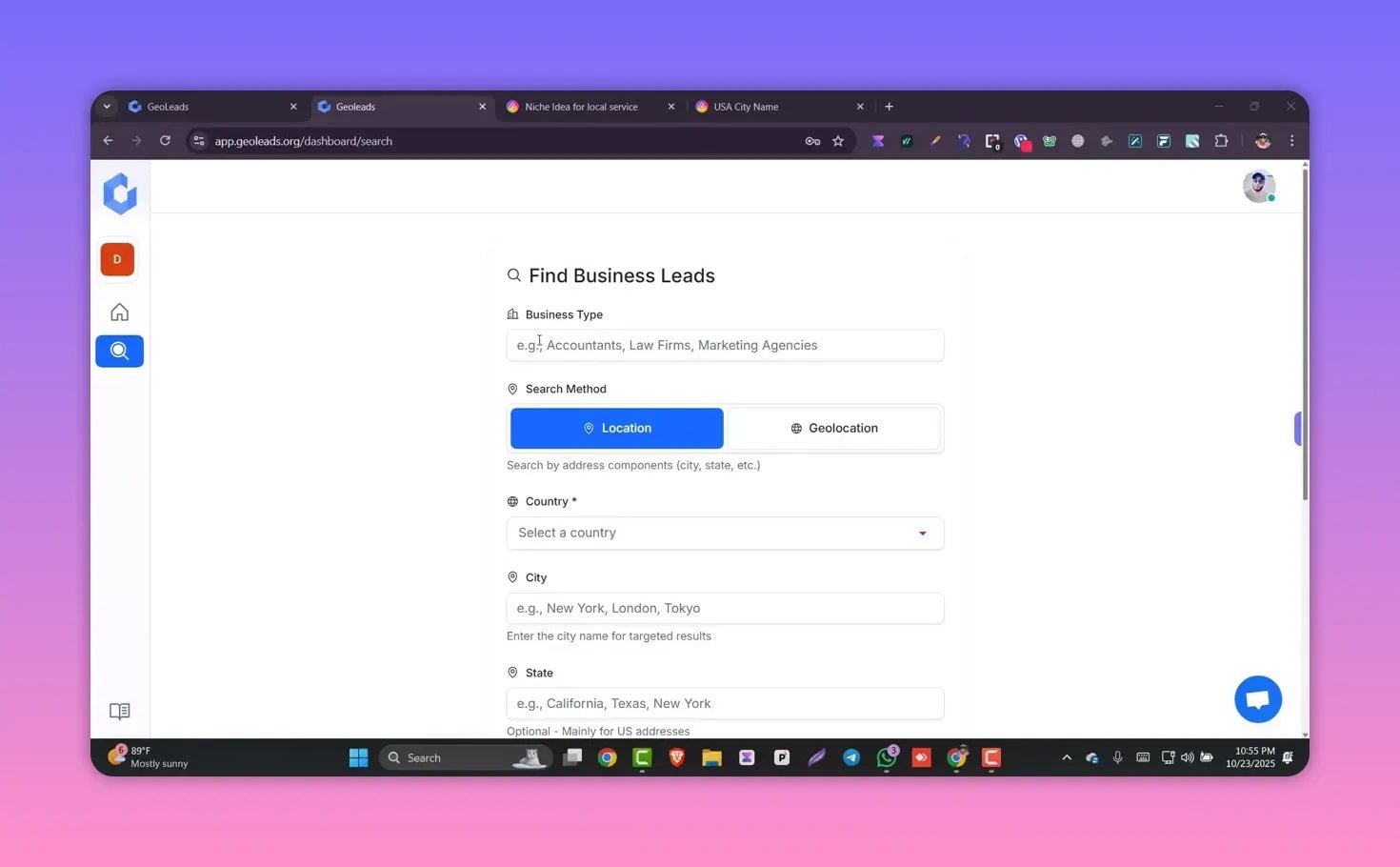
Geoleads connects to Google Maps in real time, so results are fresh. The tool also shows an estimate of how many credits a search will consume before you confirm the scrape.
🔎 How scraping works (step-by-step)
A typical scraping flow looks like this:
- Enter a business category — for example, plumbing service or roofing contractor.
- Choose location — city name, state, country, or a postal code. Geo coordinates are available for precision searches.
- Set max leads — limit how many records you want returned.
- Confirm — review estimated credits and run the job.
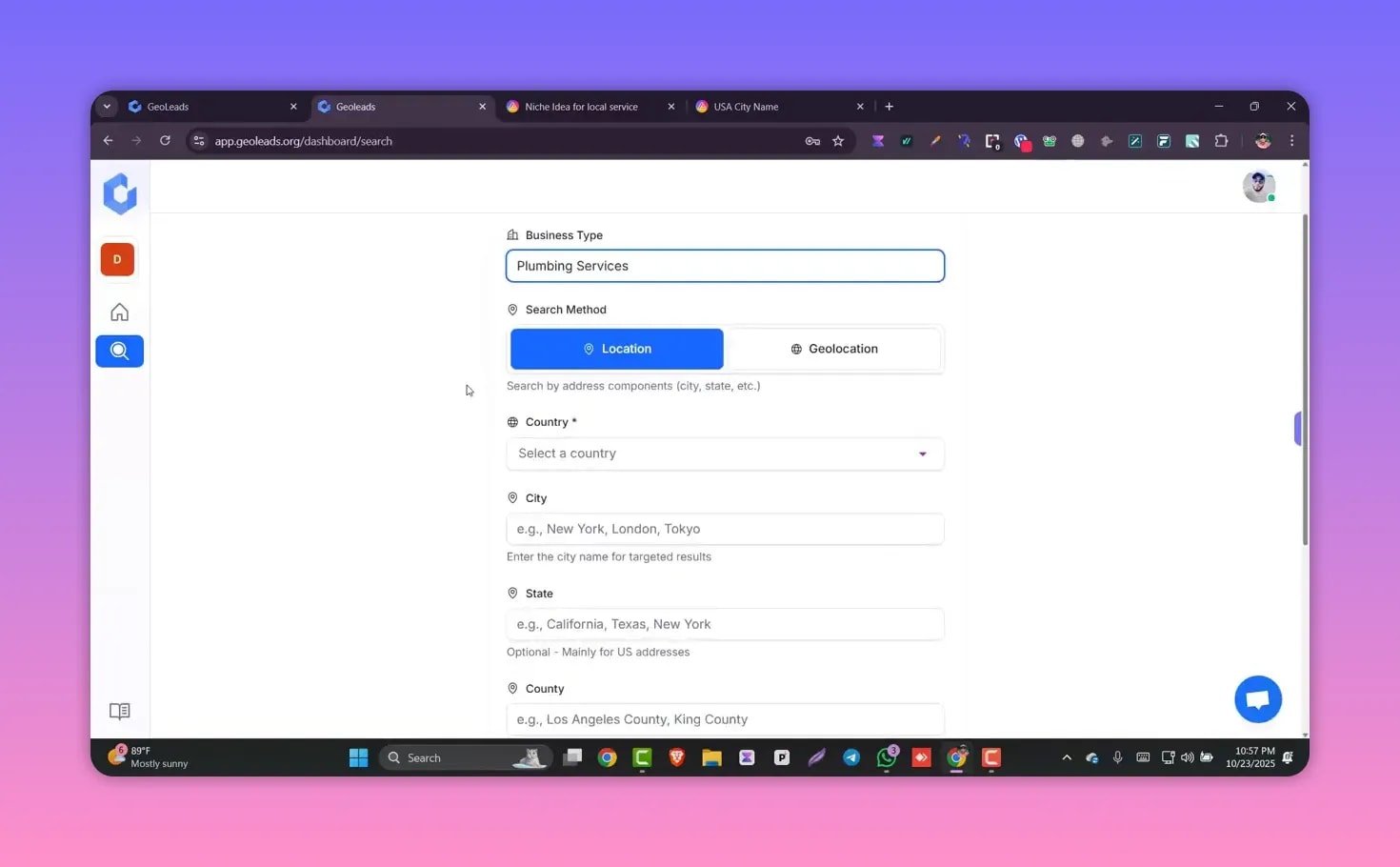
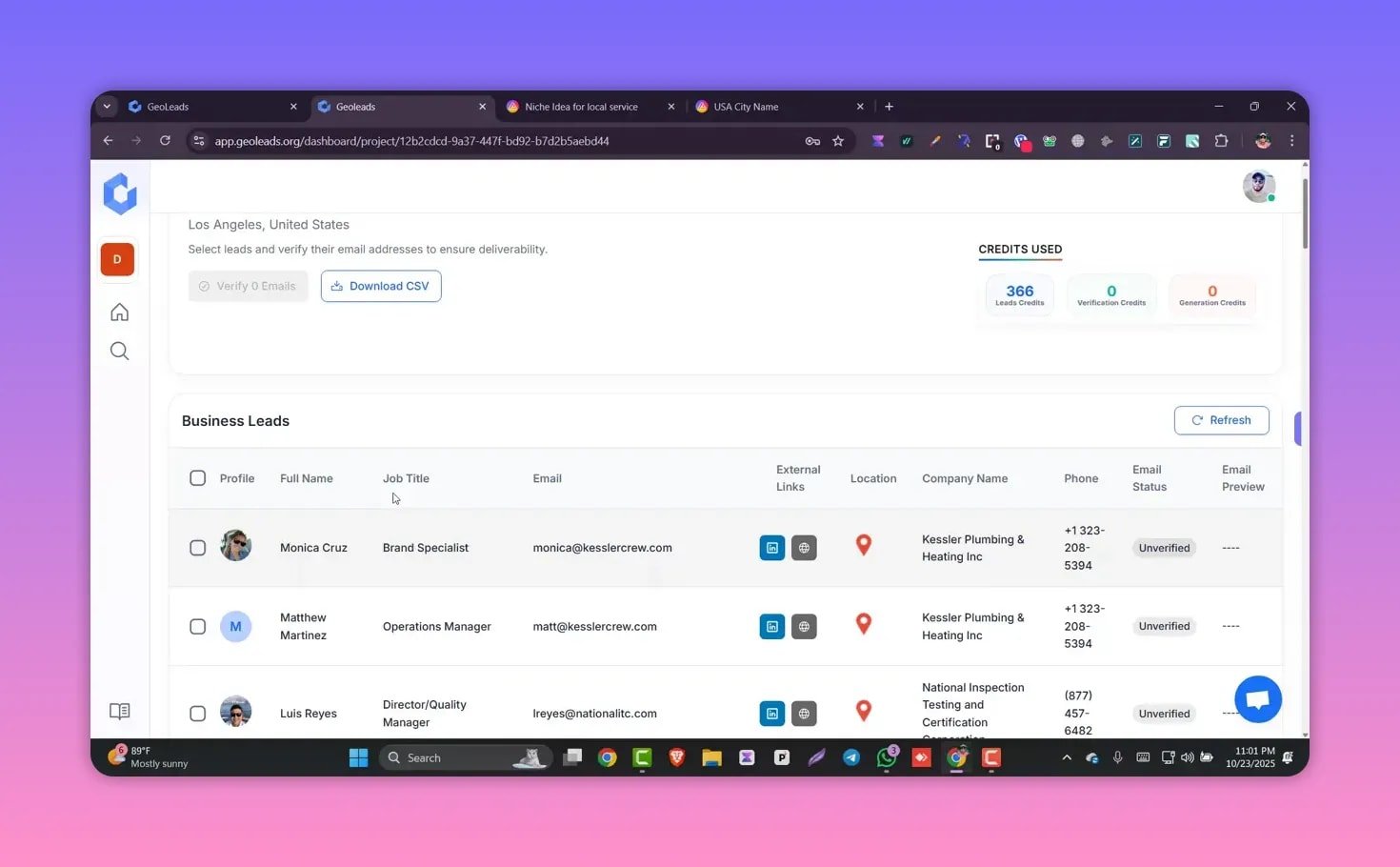
Typical jobs finish in under a minute for moderate result sizes. The returned list is formatted into rows with profile photos (when available), contact names, email status, phone numbers, website links, and the Google Maps entry.
✅ Email verification and contact enrichment
Scraped emails may start as unverified. Geoleads includes built-in verification so you can mark records as valid, risky, or invalid before exporting. Verifying in bulk is a one-click action from the dashboard.
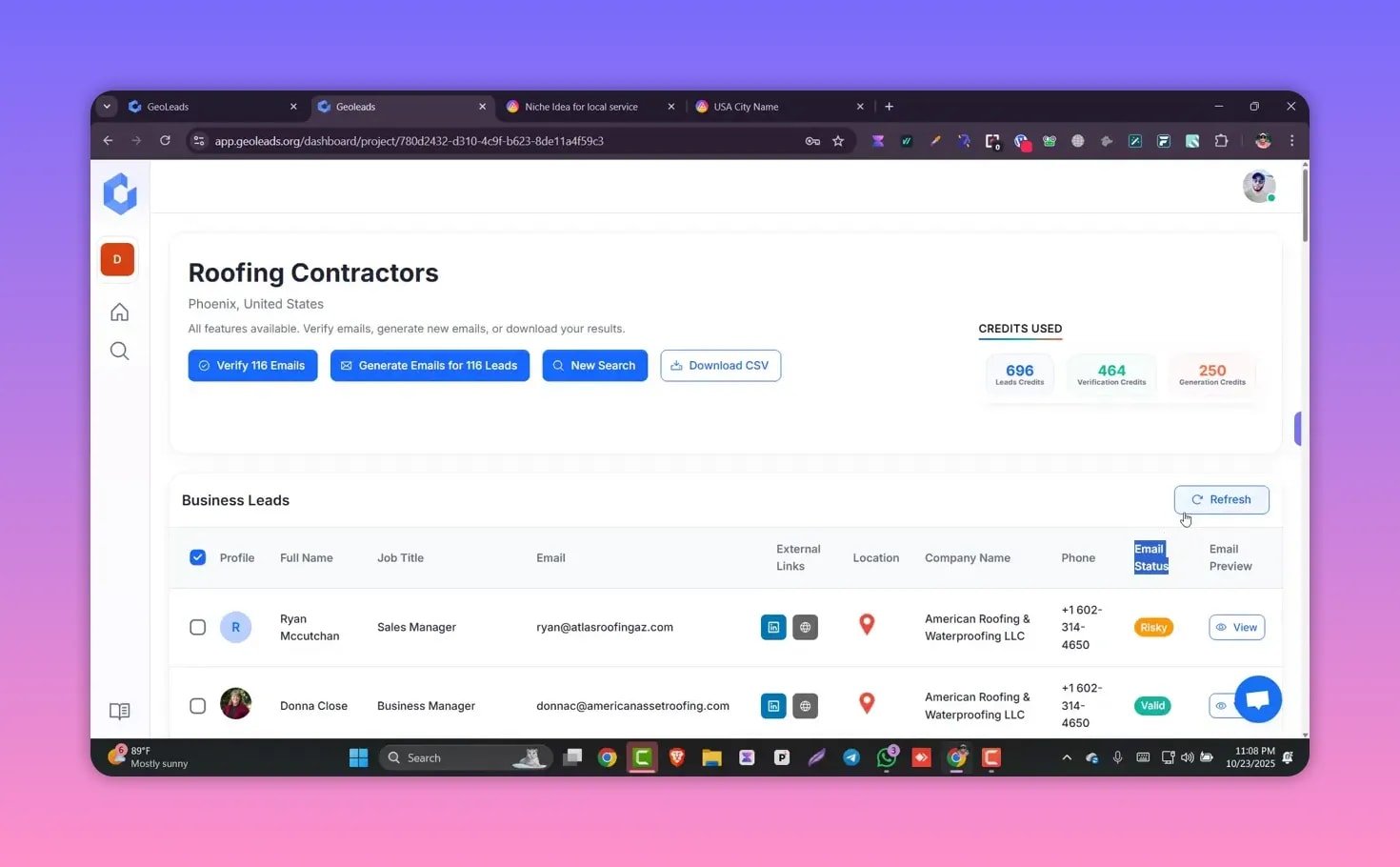
Phone numbers, LinkedIn profile links, and website URLs are included where available, which makes multi-channel outreach simple: email, phone or social.
✉️ AI email writer — personalized outreach at scale
After verification, the AI email writer generates personalized email drafts for each lead. It scans the business profile, industry, and location to create a tailored subject line and message.
- Tone: choose professional, formal, or conversational.
- Length: pick a short or longer word count; short is recommended for cold outreach.
- Call to action: select the CTA such as schedule a call, reply, or visit a landing page.
- Optional inputs: target prospect description, pain points, or extra notes for further personalization.
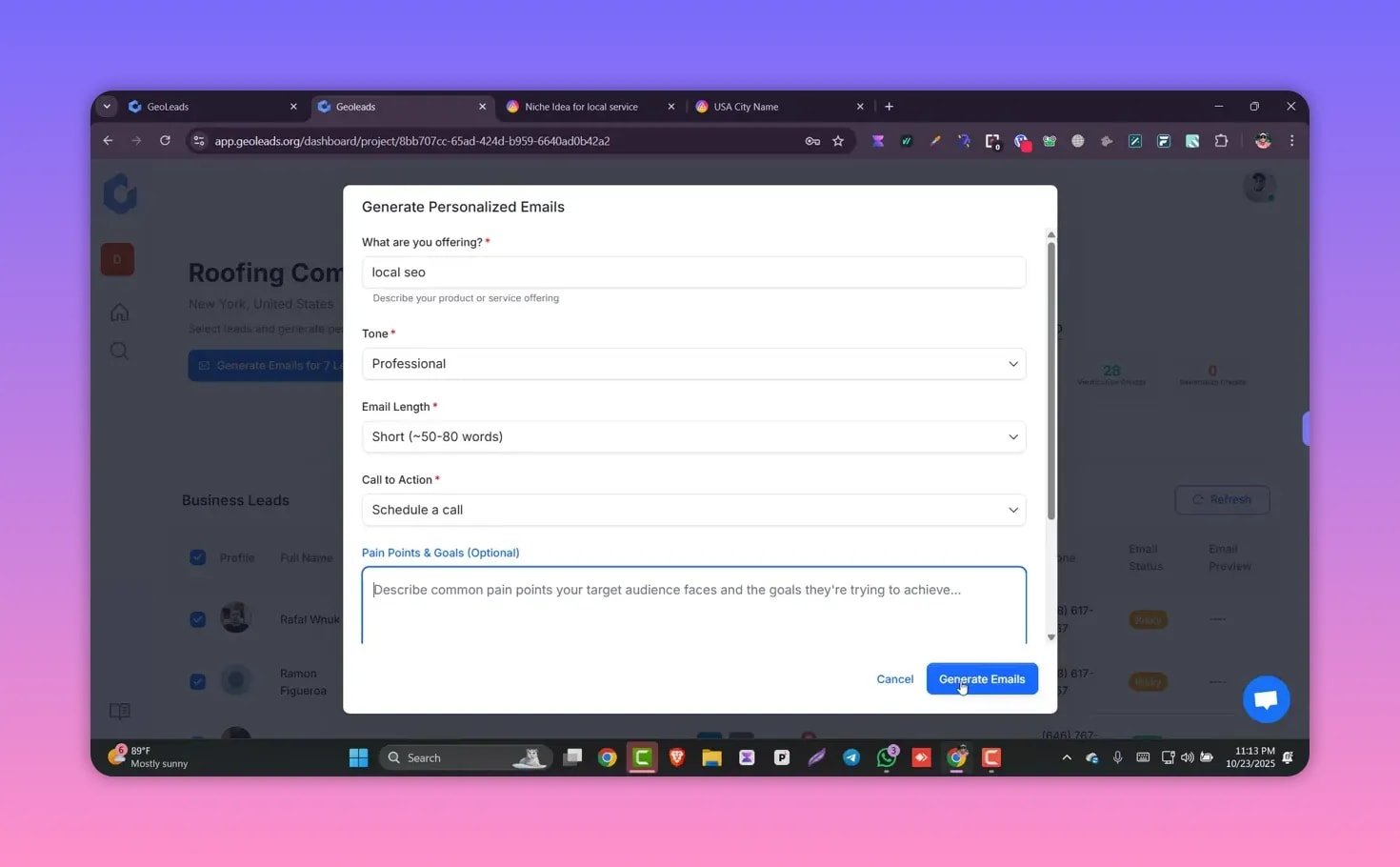
The generated preview is editable and can be copied straight into your email tool or CRM. This removes the need to write each message from scratch while keeping the messages natural and relevant.
📤 Exporting leads and integrations
Export is a one-click CSV download that includes all key fields: business name, phone number, checked email, address, website, and Google Maps link. The CSV can be imported into HubSpot, Salesforce, Mailchimp, or any other CRM or email marketing platform.
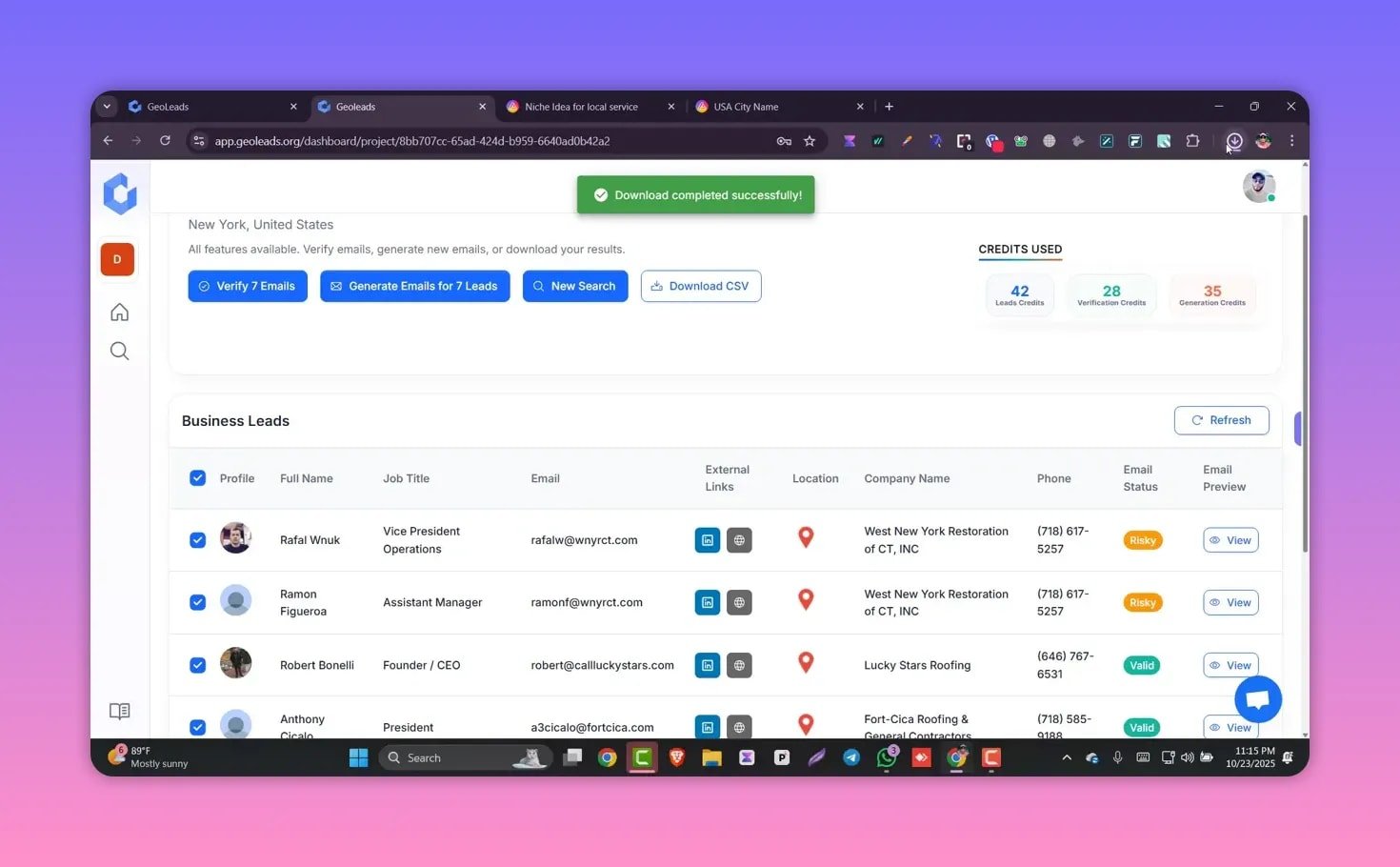
Organized data means no manual copy-and-paste or formatting. Use the CSV to run cold email campaigns, create SMS lists, or enrich existing contact records.
💸 Pricing: the lifetime deal and what you get
There is a public monthly plan on the main site, but an exclusive lifetime deal is often offered through private channels. The featured lifetime offer is a one-time payment of $67, with a limited number of spots (50). The promotion also mentions a bonus stack valued at $3,497.
Keep in mind that lifetime deals often come with predefined credit limits and feature tiers, so check how many credits per month or total are included and whether additional credits are available for purchase.
🎯 Use cases and best practices
- Local agencies — rapidly build prospect lists for SEO, web design, or local advertising campaigns.
- Sales reps — target niche verticals and cities for door-to-door or outbound campaigns.
- Franchise owners — identify potential partners, suppliers, or complementary businesses in a service area.
- Event promotion — find venues, vendors, and local businesses to invite or sponsor.
Best practices: verify emails before sending, keep outreach short and personalized, and use the AI writer as a starting point rather than a final template.
🔧 Limitations and things to watch
- Scraped data quality depends on Google Maps entries and public profiles. Some records may lack emails or phone numbers.
- Email verification reduces bounce risk but is not perfect. Clean lists and staged sending improve deliverability.
- Check credit usage and limits before running very large scrapes to avoid running out of credits mid-job.
- Respect local spam laws and cold outreach regulations when emailing or texting prospects.
📚 Final thoughts
Geoleads combines Google Maps scraping, verification, and AI-written outreach into a compact workflow that saves hours of manual prospecting. It is particularly useful for anyone running local outreach campaigns or scaling outbound sales to many neighborhoods or cities.
If you often need targeted local leads and want a one-stop tool for scraping, verifying, drafting, and exporting, this is worth testing—especially while lifetime deal options and bonus stacks are available.
❓FAQ
How accurate are the emails returned by Geoleads?
Accuracy varies. Geoleads provides a verification step that labels emails as verified, risky, or invalid. Verified results are generally reliable, but no verification system is 100 percent accurate. Test sample batches before launching large campaigns.
How do credits and limits work?
Each search consumes credits based on the number of leads requested and the depth of enrichment. The dashboard shows an estimated credit cost before confirming a job. Lifetime deal tiers typically include a fixed credit allowance; check the deal details for exact limits.
Can I export leads to my CRM?
Yes. Exports are CSV files that include all key fields and can be imported into HubSpot, Salesforce, Mailchimp, and most CRMs and email tools without extra formatting.
Does the tool support multi-channel outreach?
Yes. In addition to emails, the tool returns phone numbers and social profile links, enabling combined email, SMS, and LinkedIn outreach strategies.
What makes the AI email writer useful?
The AI drafts personalized subject lines and short email bodies by reading the business profile, location, and industry. This speeds up outreach and increases relevance, but it is best to review and tweak messages for tone and specificity.