
Table of Contents
- 🔍 What Sendr does and who it’s for
- 🧭 The Sendr workflow — fast overview
- 🧰 Step-by-step: Scrape, enrich, and email
- ✍️ AI-generated outreach that actually personalizes
- 🌐 Personalized landing pages and dynamic media
- 🎥 Recording and “magic” features — what to expect
- 🔌 Integrations and Chrome extension
- ✅ Pros and ❌ Cons
- 💡 Practical tips to get the most from Sendr
- 🧾 Pricing and plan considerations
- 🎯 Final verdict
- ❓ Frequently asked questions
- 🔁 Quick checklist before running a Sendr campaign
🔍 What Sendr does and who it’s for
Sendr is built for sales and marketing pros who want to book more meetings, warm up cold leads, and send highly personalized outreach at scale. At its core Sendr combines LinkedIn scraping, data enrichment, AI copy generation, and dynamic personalized landing pages (with video and audio) to make outreach feel bespoke — without manually editing each message.
🧭 The Sendr workflow — fast overview
The typical Sendr flow looks like this:
- Import leads — upload CSVs, scrape data from Apollo, or pull people who reacted or commented on any public LinkedIn post.
- Enrich and clean data using the Data Studio: pull LinkedIn profile details, company domains, job titles, personality signals, and more.
- Find and verify emails directly from the enriched table.
- Generate AI-powered outreach — personalized cold emails or subject lines that use table variables like first name, company, and profile summary.
- Build personalized landing pages that embed a short video, calendar, company logo, and a dynamic GIF you can include in email outreach.
- Automate using workflows or connect with Zapier, HubSpot, or other systems via API/webhooks and Chrome extension for quick links.
🧰 Step-by-step: Scrape, enrich, and email
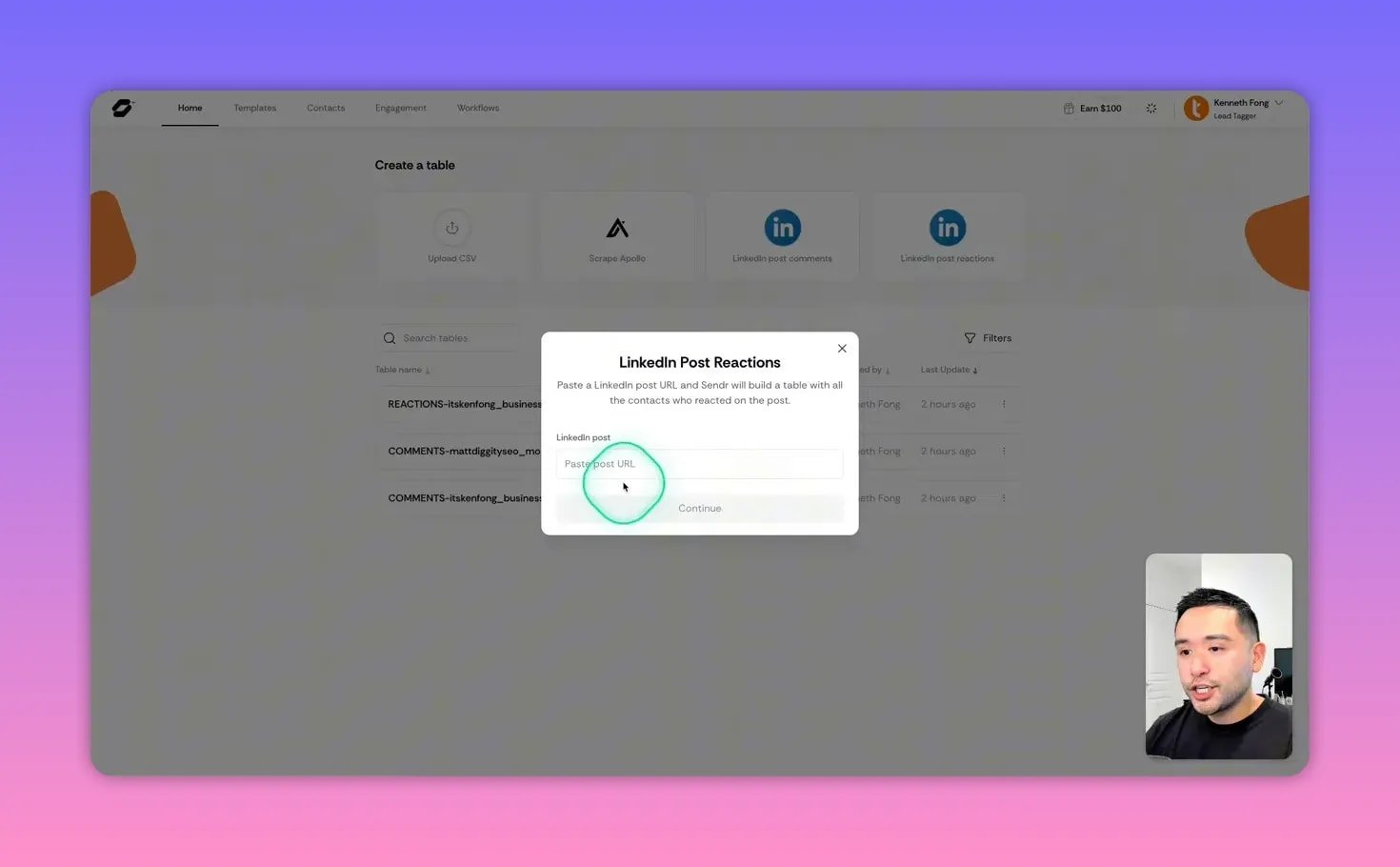
Start by scraping engagement data from any LinkedIn post to capture people who have already interacted with relevant content. That gives you a warm, targeted list instead of a cold contact dump.
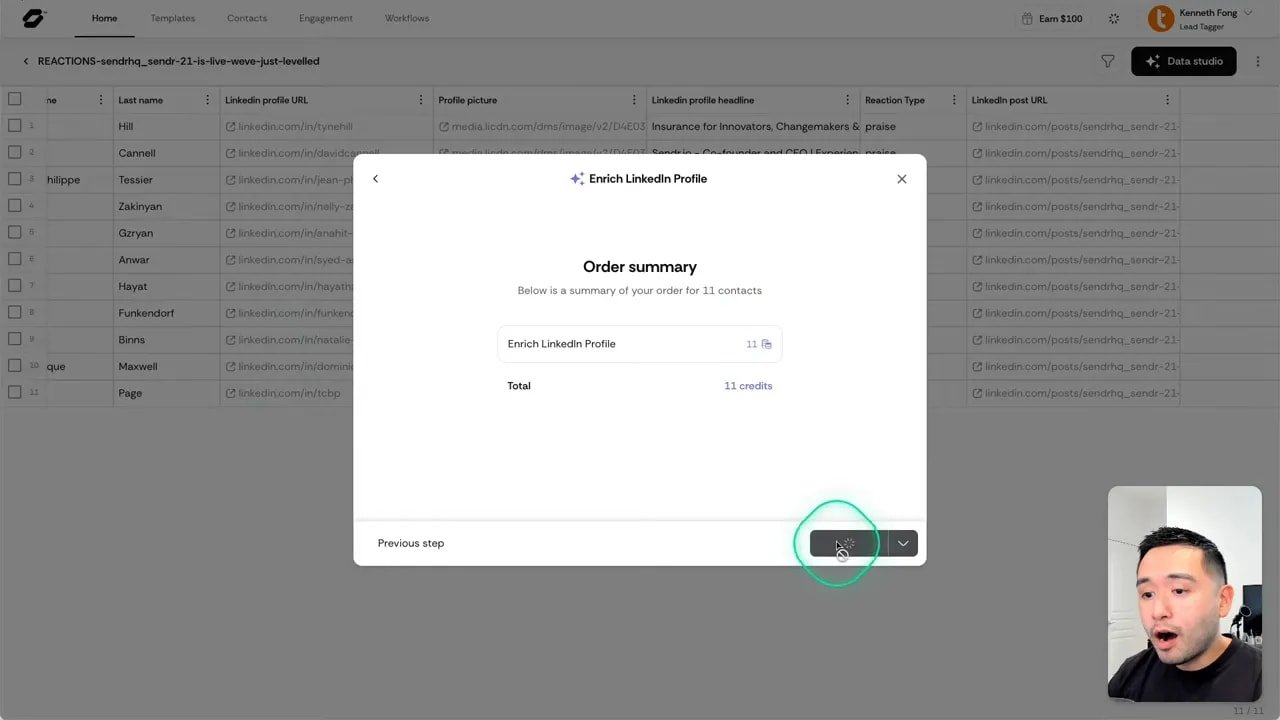
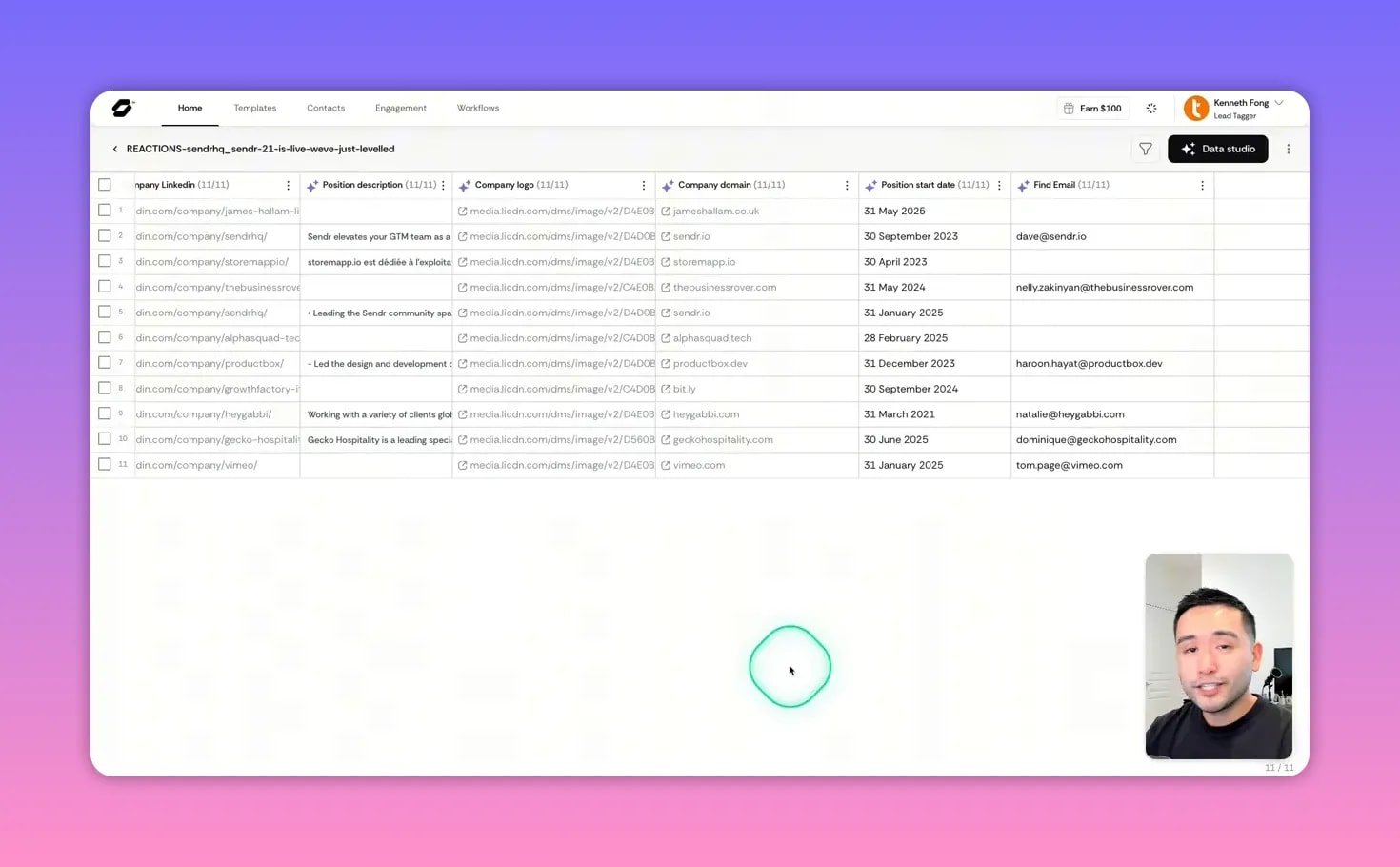
With the table created you can run Data Studio enrichments to pull full LinkedIn profile summaries, job titles, company domains, location, industry, and more. This enrichment is very useful for making outreach feel personal and specific.
Once you have company domains and names, use the built-in email finder and verifier so you only keep clean, verified addresses. Small tip: remove rows you don’t have email for before running other Data Studio operations to save credits.
✍️ AI-generated outreach that actually personalizes
Sendr can generate personalized cold email copy for each contact using variables from the table (first name, company, profile summary). The AI produces subject lines and short emails tailored to each prospect’s role and company — useful when you need many bespoke messages quickly.

Example outputs are concise subject lines like “Unlock your online potential with tailored SEO strategies” and short intros referencing the recipient’s work or company. This reduces copy fatigue while keeping personalization high.
🌐 Personalized landing pages and dynamic media
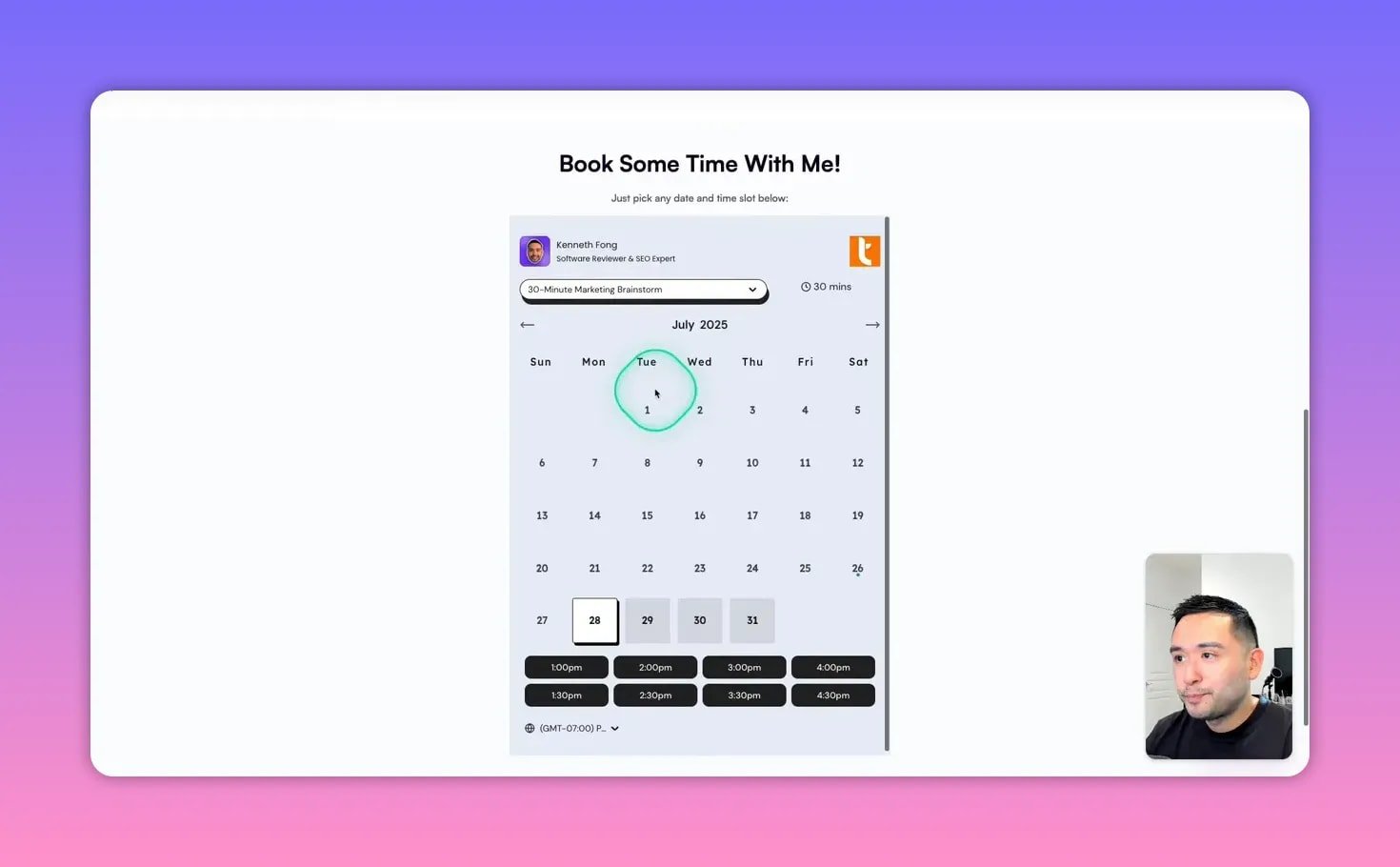
Templates in Sendr are mini landing pages you can personalize per prospect. Add navigation, header, dynamic logos, embedded videos, a calendar, testimonials, and a footer — all variables can be populated from your contact table.
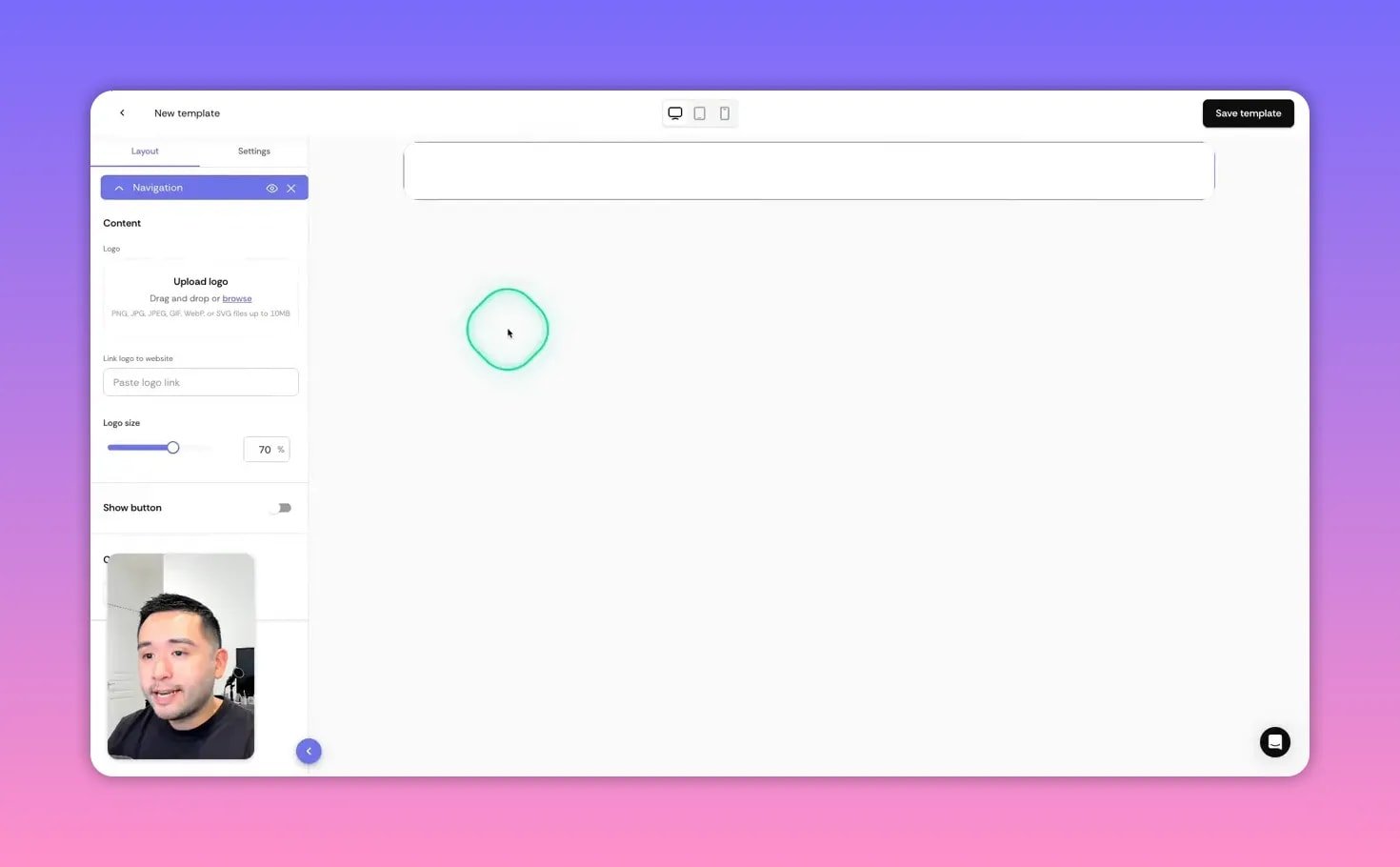
Key advantages:
- Dynamic logos to show the prospect’s company mark on the page.
- Embedded calendar (example: Lunacal) so recipients can book immediately.
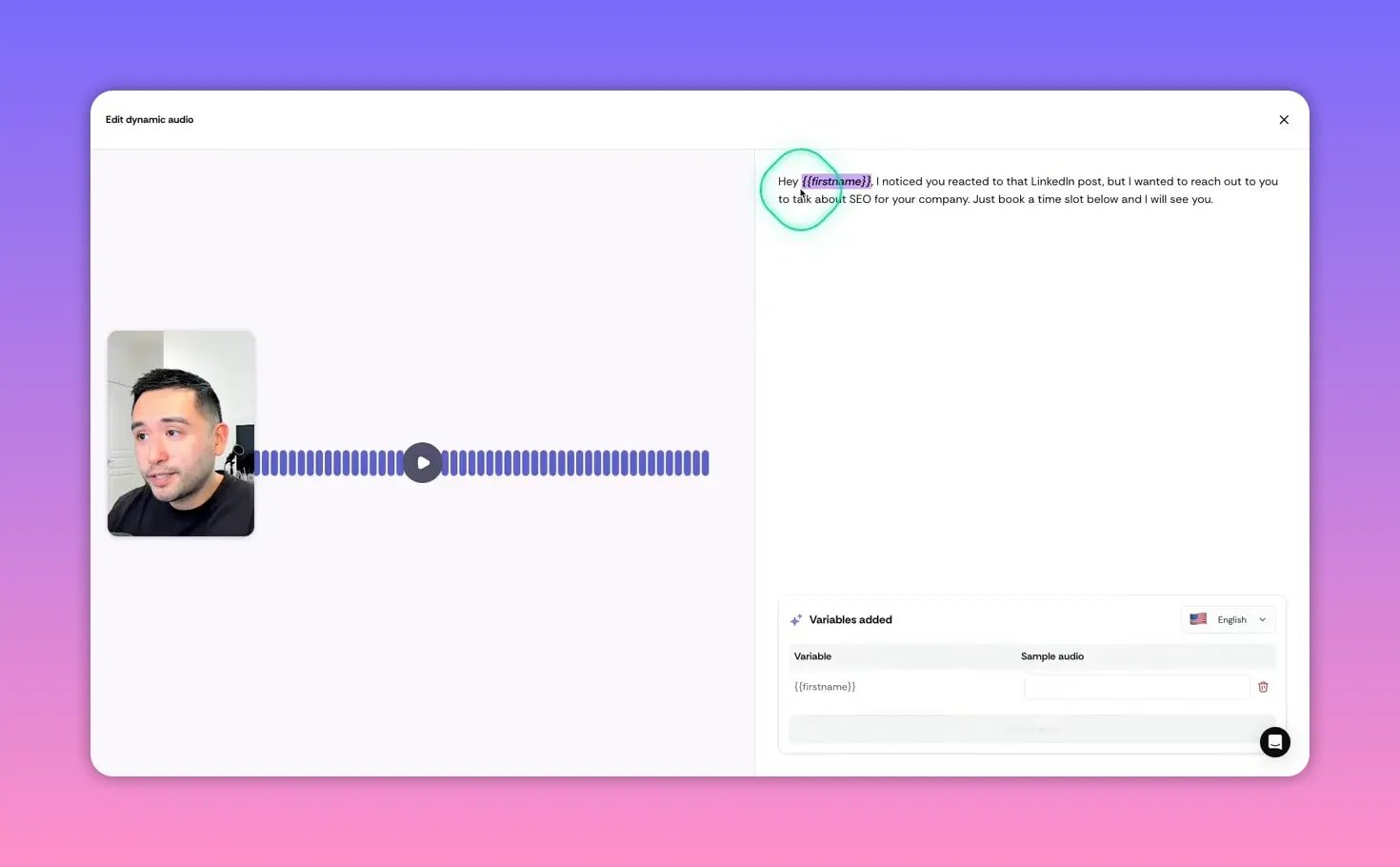
- Personalized video and audio that speaks the prospect’s name using TTS and embeds as a GIF for easy email insertion.
🎥 Recording and “magic” features — what to expect
You can record video or audio directly inside Sendr, and enable “magic” features like dynamic audio (where the AI speaks the prospect’s name) and dynamic backgrounds. These are designed to make each landing page feel custom without manual video editing.
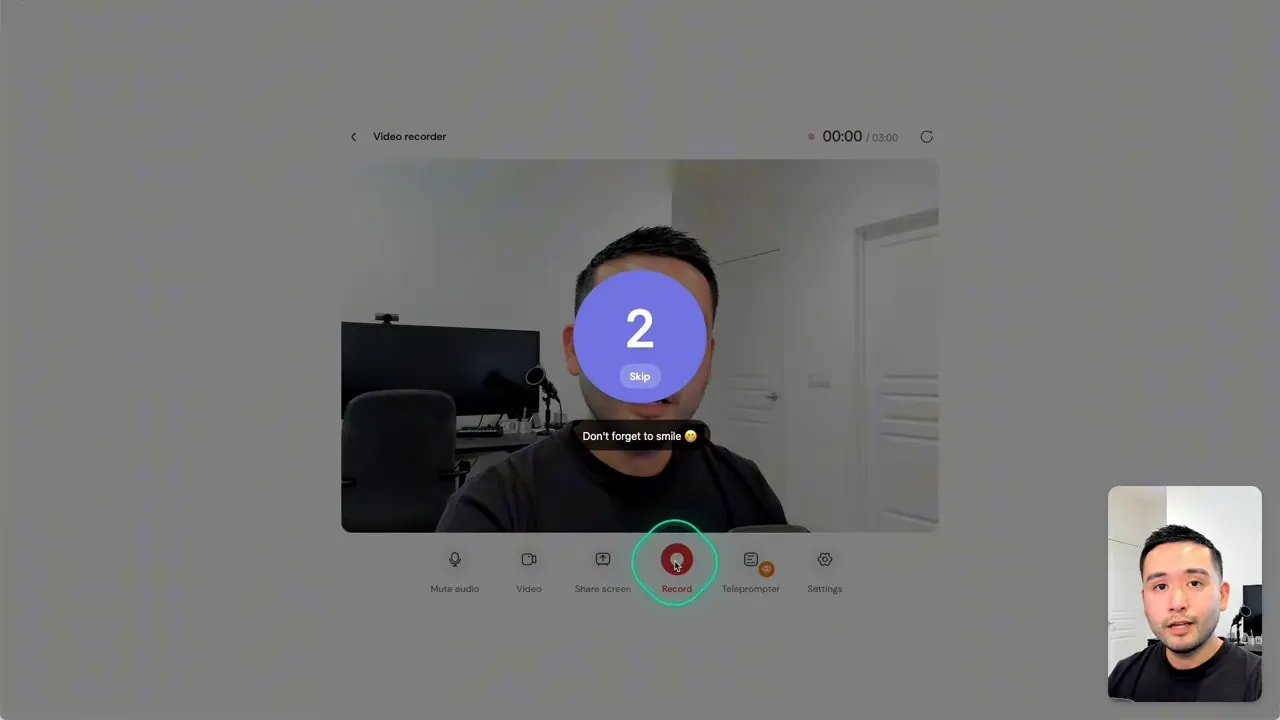
Real-world notes: the recording and magic features are powerful, but currently imperfect. Expect occasional issues like premature trimming, lip-sync mismatches, or face overlay glitches. When recording, leave a couple of seconds of silence at the end so the clip doesn’t cut off.
🔌 Integrations and Chrome extension
Sendr offers API keys, webhooks, and a Chrome extension that lets you generate and share personalized landing pages from anywhere on the web. The extension can auto-fill variables like first name and company and quickly generate a shareable link or GIF to paste into an email.
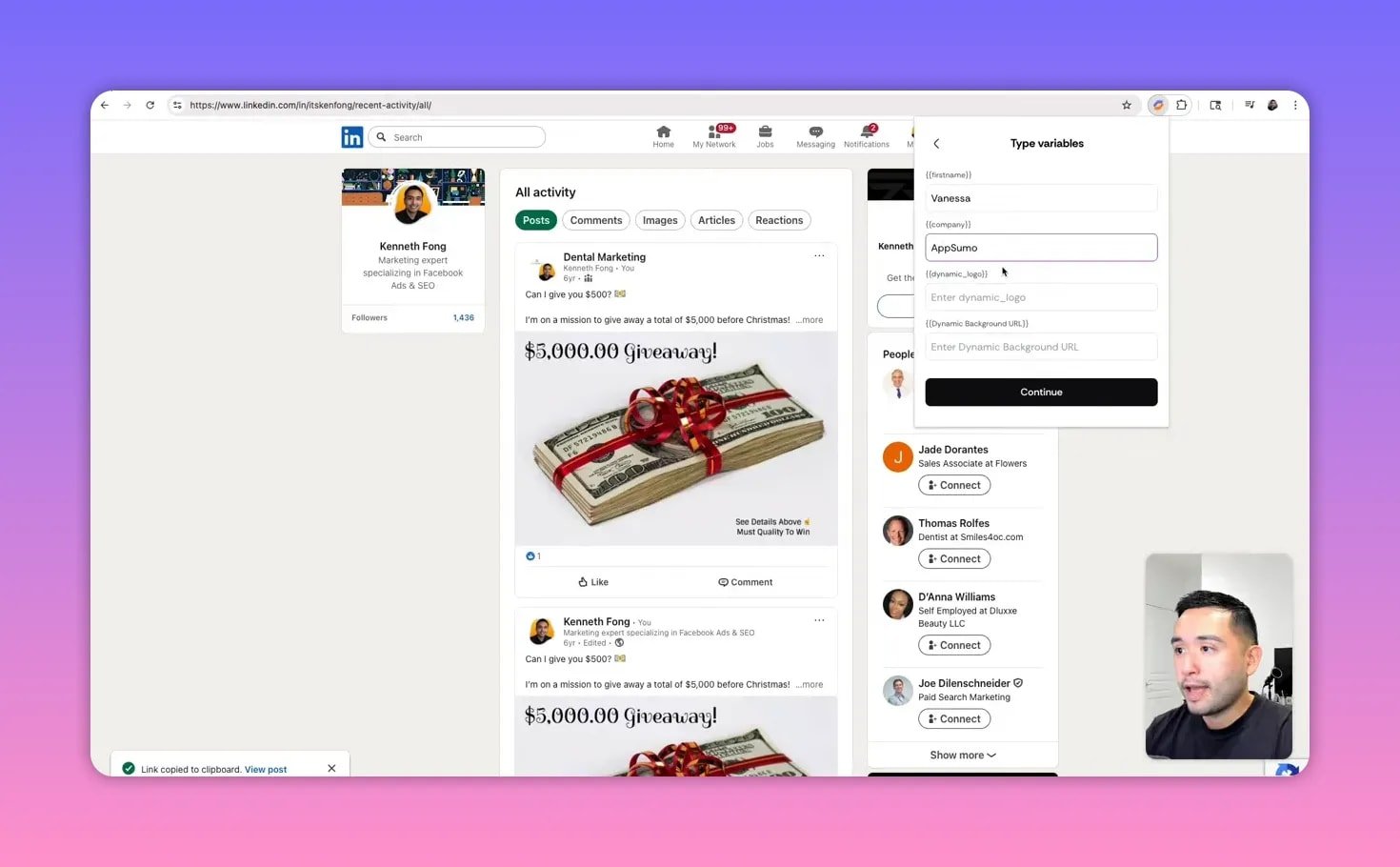
Note: some features in the extension may be limited depending on permissions or product bugs, so test the flow you plan to use before running a full campaign.
✅ Pros and ❌ Cons
Pros
- Eye-catching templates that look like professional landing pages.
- Powerful Data Studio for enrichment, cleanup, and personalization at scale.
- Easy personalization with dynamic logos, video/audio, and calendar embedding.
- Lifetime deal availability via AppSumo makes it an attractive buy for agencies and freelancers.
Cons
- Buggy UI in places: recording issues, template renaming problems, and occasional save errors.
- Video/audio quirks — lip-sync or face overlay can misbehave; TTS voice can sound obviously AI-generated.
- Limited built-in workflows — you’ll often need Zapier for advanced automation.
- Credit usage — features consume credits; optimize your tables to avoid waste.
💡 Practical tips to get the most from Sendr
- Remove contacts without emails from your table before running heavy Data Studio operations to conserve credits.
- When recording video, pause for 2–4 seconds at the end to avoid clipped endings.
- Test the dynamic audio on a few contacts to confirm the TTS voice and volume before sending at scale.
- Choose the correct Sendr tier if you need custom domains, API keys, or higher monthly credits.
- Use the Chrome extension for quick one-off personalized links, but validate dynamic logo/background behavior for your template first.
🧾 Pricing and plan considerations
Sendr has tiered licensing. If you require custom domains and API access, pick the higher tier (Tier 3 in the lifetime deal structure). Monthly credit allocation varies by tier, so calculate how many enrichment, email-finding, and personalized page credits you’ll use per campaign.
🎯 Final verdict
Sendr is a compelling tool for anyone who wants to combine data-driven targeting with highly personalized, media-rich outreach. The Data Studio and template personalization are distinctive features that let you scale personalization in ways most outreach tools do not.
Expect growing pains: some features are buggy and the magic media functions need refinement. Still, for agencies, freelancers, and sales teams that want better response rates and are comfortable working around a few rough edges, Sendr is worth considering — especially when a lifetime deal is available.
❓ Frequently asked questions
What can Sendr scrape from LinkedIn posts?
Sendr can scrape people who commented on or reacted to any public LinkedIn post. The table includes first/last names, LinkedIn URL, profile headline, reaction type, profile photo, and a link back to the post.
How does the Data Studio enrichment work?
Data Studio runs enrichment tasks on table columns and can pull profile summaries, job titles, employment type, location, company name, company domain, skills, and more. It can also search Google, infer DISC personality types, and run email-finding and verification.
How are credits consumed and how can I save them?
Each enrichment, scrape, email find, or personalization operation consumes credits per row. Remove rows without emails or irrelevant contacts before running heavy tasks and only run the operations you need to minimize credit usage.
Can I include a calendar and accept paid bookings?
Yes. Sendr supports calendar embeds like Lunacal. You can embed paid booking events so prospects can pay when booking a consultation directly from the personalized page.
Are there automation options or native workflows?
Sendr includes a few native workflows and supports Zapier integrations. For advanced automations, API keys, and webhooks are available, but some workflow scenarios require Zapier.
Which Sendr plan do I need for custom domains and API access?
Custom domains, API access, and higher credit allowances are typically available on higher-tier licenses. If you plan to use these features, choose the tier that explicitly includes them.
🔁 Quick checklist before running a Sendr campaign
- Pick the right Sendr tier for your credit needs and API features.
- Scrape a small test list from LinkedIn post reactions in your niche.
- Run Data Studio enrichments selectively and find/verify emails.
- Generate a few AI-personalized emails and review the output.
- Build and test a personalized landing page with calendar and video, then send a test email with the GIF link.
- Iterate based on engagement and scale once everything works reliably.
Sendr is one of the most interesting personalization-first outreach tools right now. If you care about standing out in crowded inboxes and are willing to iterate, it can be a real force multiplier for outreach.