
Table of Contents
- ✨ Why Dreamlit AI feels different
- 💸 Pricing and what you get
- 🔧 First steps: projects, database connection, and setup
- 🎨 Brand kit: consistent, quick setup
- 🤖 Workflows powered by an AI agent
- 📣 Broadcasts: one-off announcements and testing
- ✅ What works well
- ⚠️ Caveats and where to be cautious
- 🏁 Final verdict
- 🧭 Practical use cases and tips
- 🛠️ Quick checklist to get started
- ❓ Frequently Asked Questions
- 🔗 Final note
✨ Why Dreamlit AI feels different
Dreamlit AI is an email-first platform built for SaaS teams. It combines vibe coding style AI prompts with email workflows so you can create welcome sequences, follow-ups, and one-off broadcasts by chatting with an AI agent rather than wiring complex automation rules.
What stood out to me was how focused the product is. Instead of being another generic AI marketing tool, Dreamlit targets a real pain point: reliable, integrated email workflows for apps built on platforms like Supabase and Stripe.
💸 Pricing and what you get
Dreamlit launched on AppSumo with three lifetime tiers. The main items to watch are monthly notification quotas, bonus credits, DNS setup assistance, and AI agent limits.
- Tier 1 — $79: 8,000 notifications per month plus bonus credits and basic features.
- Tier 2 — $219: 20,000 notifications per month plus larger bonus credits.
- Tier 3 — $419: 32,000 notifications per month, more bonus credits, automated DNS setup (two domains), and higher AI limits plus white-labeling options.
A note: the platform includes a default sending domain you can use for initial tests but it only supports roughly 100 sends. For any real volume you will want to configure your own domain and proper email setup.
🔧 First steps: projects, database connection, and setup
The UI is straightforward. You create a project, pick notification channels (email or Slack), and connect a database. Dreamlit expects a row-based trigger system, so apps that insert rows into a Supabase table on actions like signups or purchases plug in cleanly.
The onboarding wizard walks you through connecting Supabase and takes roughly 10 minutes. It’s slightly technical—expect to create a Supabase project and configure a few tables—but once connected, your app events can trigger email flows automatically.
🎨 Brand kit: consistent, quick setup
Dreamlit includes a brand kit editor where you pick tone of voice, upload logos, choose colors and typography. I created a LearnWire brand kit, set button colors to match the logo, selected Poppins as the font, and saved a clean template that the AI will use when drafting emails.
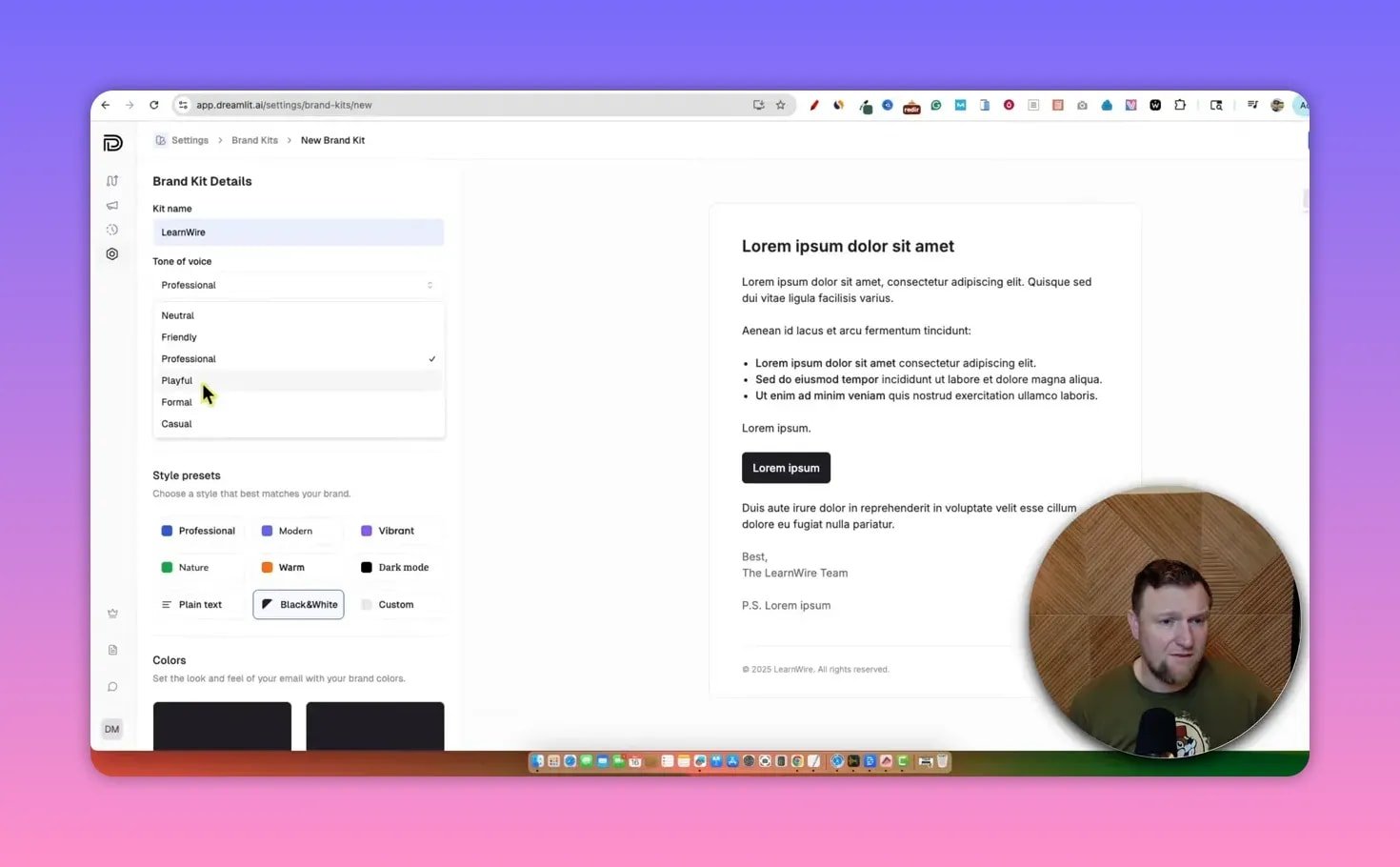
The brand kit makes it easy to keep broadcasts and automated emails consistent without manual edits every time.
🤖 Workflows powered by an AI agent
The core experience is vibe coding for emails. You describe a trigger and the AI builds a concrete plan of actions for the workflow: database trigger, welcome email content, wait steps, follow-ups and queries to select recipients.
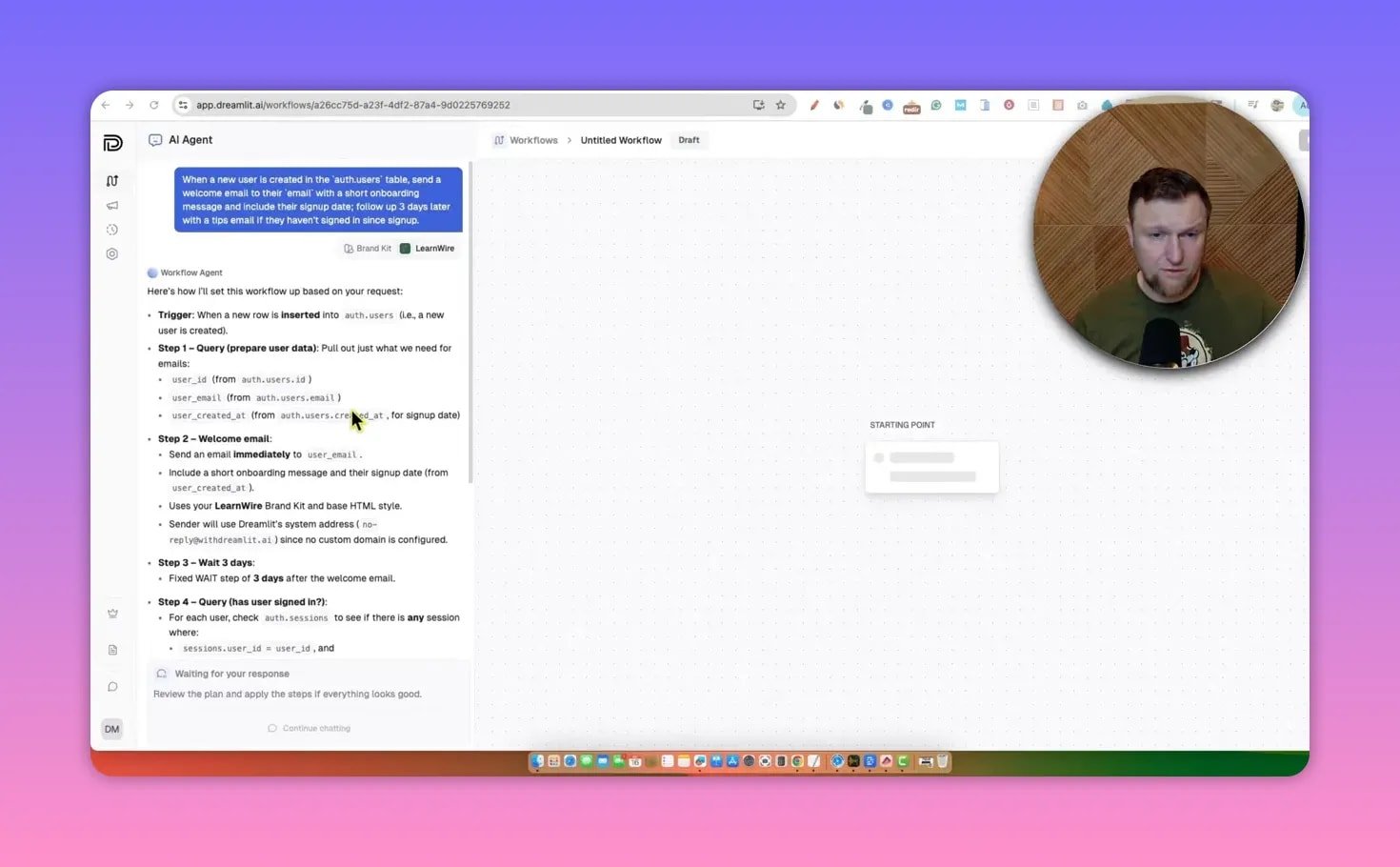
Example: you can ask Dreamlit to send a welcome email when a new user row appears in auth.users, then follow up three days later if the user hasn’t completed onboarding. The agent generates full email copy, previewable content, and the SQL-style query used to load recipients.
A practical behavior to know: the agent will propose steps, but you must review and hit apply to make each step live. The system can show errors while it configures things, and sometimes will retry and fix itself. It feels like a collaborative builder—part AI, part manual confirmation.
📣 Broadcasts: one-off announcements and testing
Broadcasts use the same AI writing flow. Tell Dreamlit the announcement and it drafts a concise professional email, applies your brand kit styling, and sets up the recipient query.
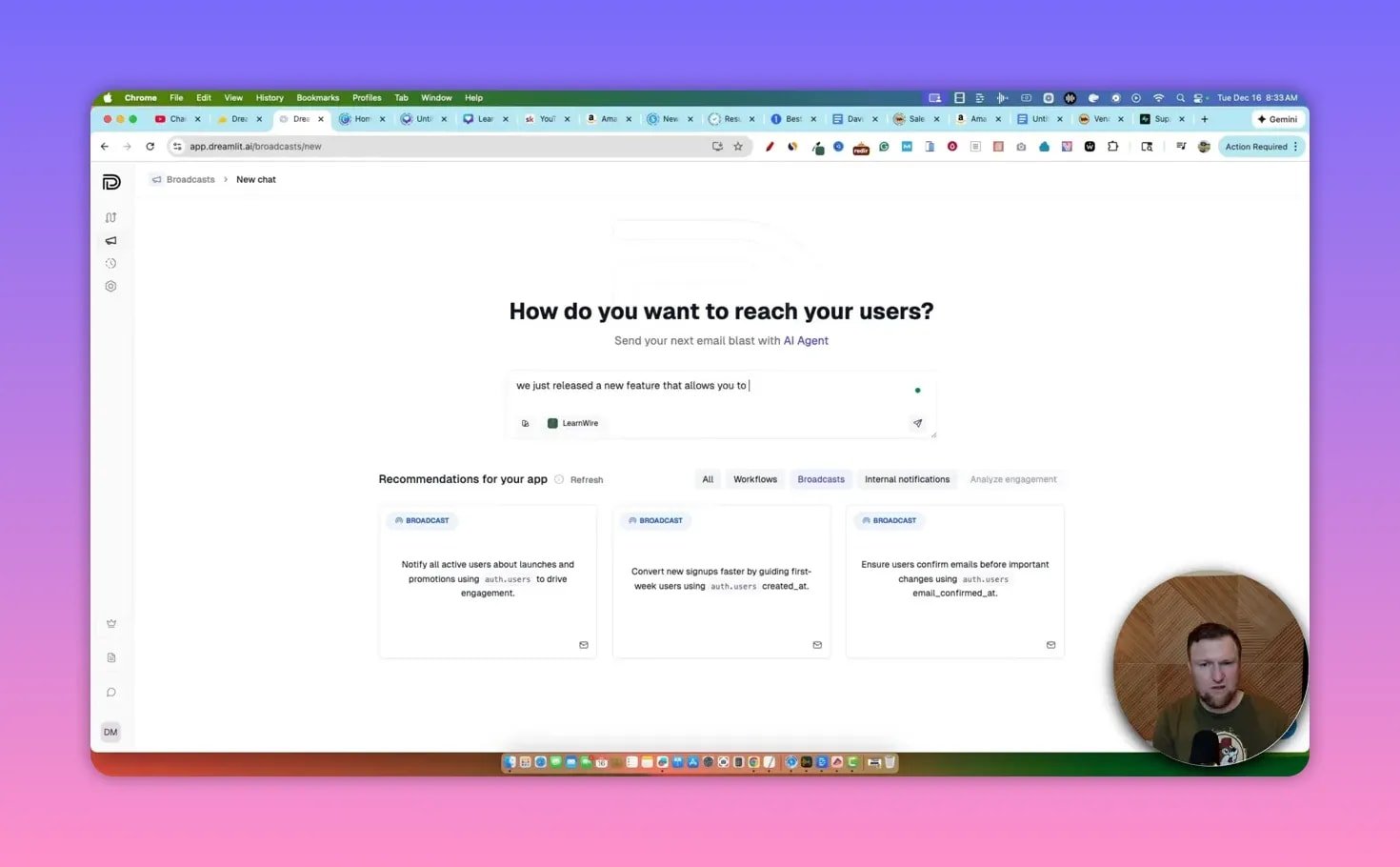
Tests are easy. I drafted a feature announcement, previewed mobile rendering, and sent a test that arrived from Dreamlit’s no-reply domain. For production delivery you’ll want to finalize your domain and DNS so links and replies behave as expected.
✅ What works well
- Purpose-built: Focused on SaaS email workflows rather than generic marketing content.
- AI-driven copy and workflow generation: Saves time building sequences and recipient queries.
- Brand kit integration: Ensures consistent styling across automations and broadcasts.
- Database-first approach: Triggers tied to Supabase rows map to typical app events like signups and purchases.
⚠️ Caveats and where to be cautious
- Some steps are technical—Supabase and email DNS configuration require a bit of know-how.
- The AI build process can be slower for broadcasts; a single one-off setup occasionally took several minutes.
- Occasional errors appear while the agent applies steps, but the system tends to recover and retry.
🏁 Final verdict
Dreamlit is a unique tool in the SaaS toolbox. If you’re building an app and want a tighter, AI-assisted way to manage welcome sequences, tier-based campaigns, and product announcements tied to your database, it’s worth testing.
It leans slightly technical at first but delivers strong time savings once your brand kit and database triggers are set. My overall rating landed around 4.2 out of 5 based on uniqueness, usefulness, and a few rough edges in speed and polish.
🧭 Practical use cases and tips
- New user onboarding: Trigger a welcome email, then a 3-day tips follow-up if they haven’t completed onboarding.
- Feature announcements: Broadcast new features to segmented tiers like gold or tier two customers using SQL-style queries.
- Retention campaigns: Identify dormant users in your database and use a reactivation sequence built by the AI.
- Testing: Always send tests from the UI before publishing, and use your own domain for production.
🛠️ Quick checklist to get started
- Create a project and brand kit inside Dreamlit.
- Set up a Supabase project and connect it via the wizard.
- Configure email sending with your own domain and DNS for production volume.
- Use the AI agent to draft a basic welcome workflow, review steps, then apply.
- Send test broadcasts and preview mobile rendering before publishing.
❓ Frequently Asked Questions
What is Dreamlit best used for?
Dreamlit is best for SaaS teams who want database-triggered email workflows and concise broadcast emails generated by an AI agent. It shines for onboarding, tiered announcements, and retention automations tied to Supabase or similar databases.
Do I need to be technical to use Dreamlit?
There is a technical setup step. You will likely need to create or connect a Supabase project and configure DNS for your sending domain. Once set up, the AI-assisted workflow builder simplifies ongoing maintenance.
Can I send high volumes of email from Dreamlit’s default domain?
No. The default sending domain is useful for testing and small volume. For larger or production sends you should configure your own domain and follow Dreamlit’s DNS guidance to avoid limits and deliverability problems.
How fast can I create and send a broadcast?
Drafting with the AI agent can take a few minutes. For occasional weekly or biweekly announcements this is acceptable. If you need instant sends, prepare copy externally and paste into a workflow to speed things up.
Does Dreamlit support team collaboration?
Yes. Projects include team management settings and Dreamlit appears to allow unlimited team members across tiers, which makes collaboration straightforward for product and marketing teams.
🔗 Final note
Dreamlit fills a real gap: making SaaS email flows easier to build and manage by combining AI copywriting with database-aware triggers. If you run a SaaS product and want tighter control over onboarding and product emails, it deserves a spot on your shortlist.