
Table of Contents
- 🔖 Why white label matters for freelancers and agencies
- 🧩 What Nexter actually includes
- ⚙️ How white labeling works (quick walkthrough)
- ⚡ Build an entire site in minutes with page kits
- 🔧 The extension: performance, utilities, and theme builder
- 🧱 Editing with Gutenberg blocks
- 💸 Pricing and license considerations
- ✅ When to use Nexter
- ❗ Limitations and things to watch
- 📚 Frequently asked questions
🔖 Why white label matters for freelancers and agencies
I build and manage WordPress sites for clients, and one of the biggest differences between a solo freelancer and a recognizable agency is branding and client experience. When a client logs into their WordPress dashboard and sees 20 different plugins from 20 different vendors, it communicates a piecemeal setup. When they instead see a small set of plugins and a single theme that carry your agency name, it instantly elevates perceived professionalism.
White labeling lets you present your own WordPress infrastructure to clients. That perception makes it easier to:
- Charge higher rates because you look like an established company.
- Sell maintenance and upsell services tied to your branded plugins and theme.
- Control the client experience by hiding update notices, external links, and vendor branding.
🧩 What Nexter actually includes
Nexter is a three-part WordPress toolkit:
- Free Nexter theme to provide base styling and layout consistency.
- Nexter Blocks — a library of Gutenberg blocks for designing pages (many blocks are free, with pro blocks unlocked on paid tiers).
- Nexter Extension — a feature-rich plugin offering 20+ utilities and toggles for performance, security, admin UI, theme building, and more.
On a fresh WordPress install you only need those pieces to get started. You can replace dozens of single-purpose plugins with this single ecosystem.
⚙️ How white labeling works (quick walkthrough)
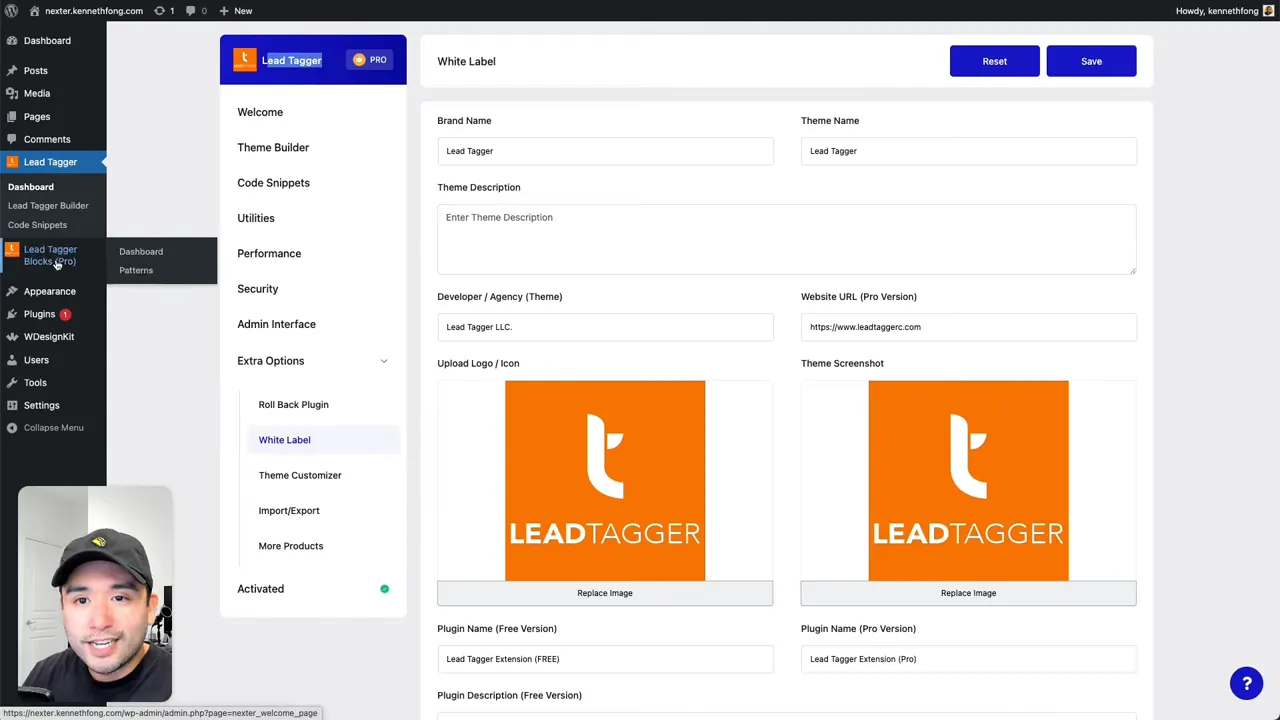
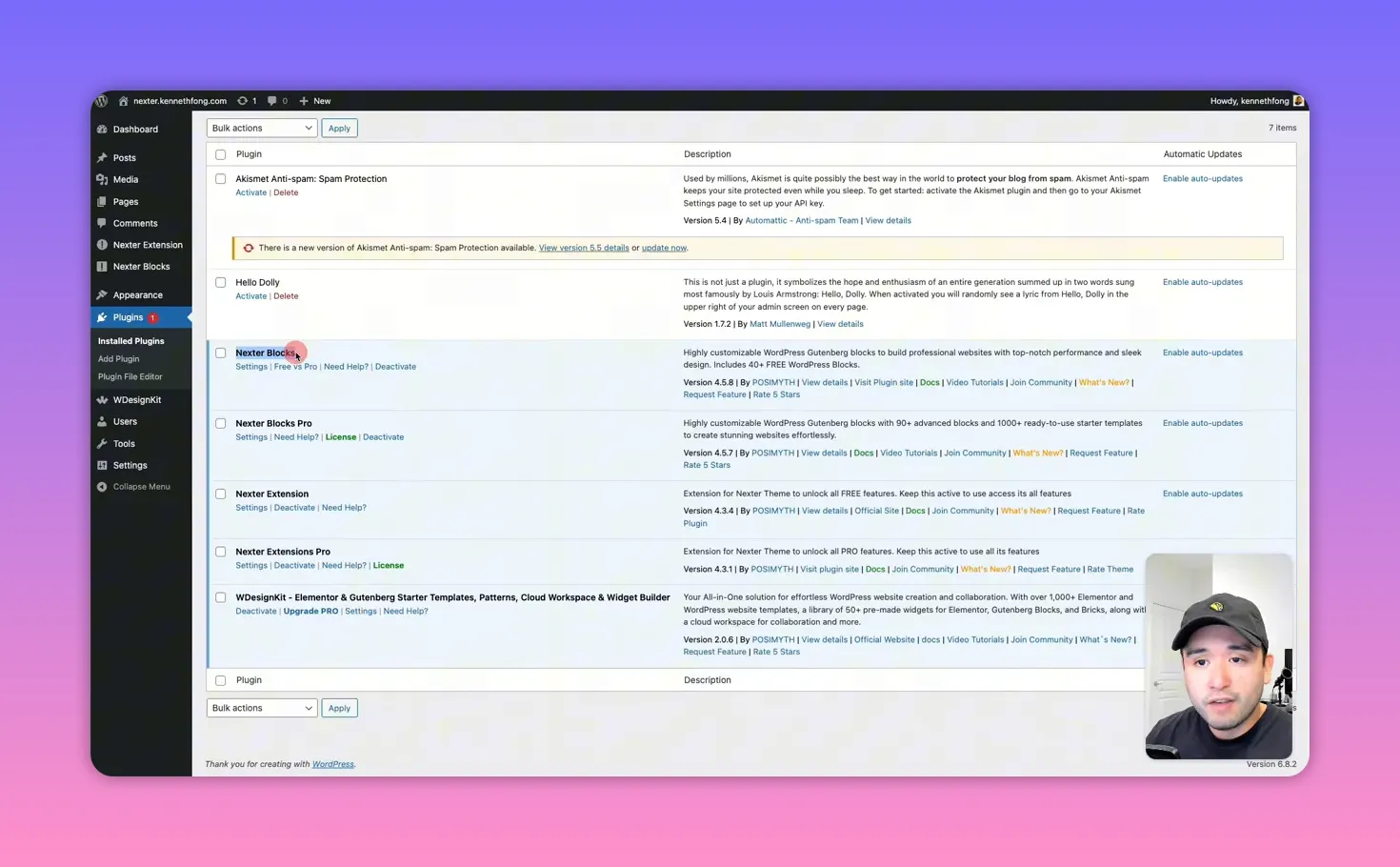
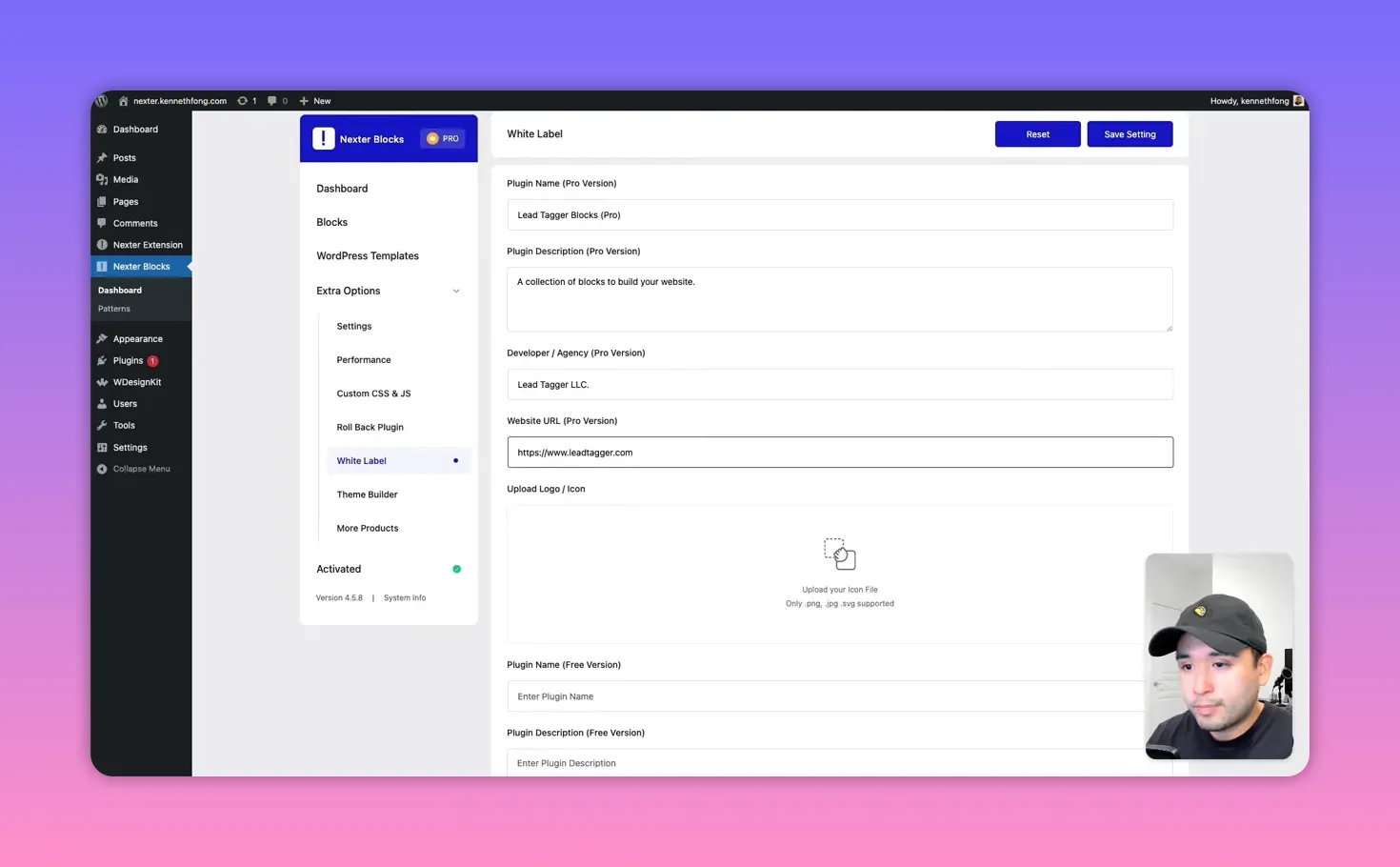
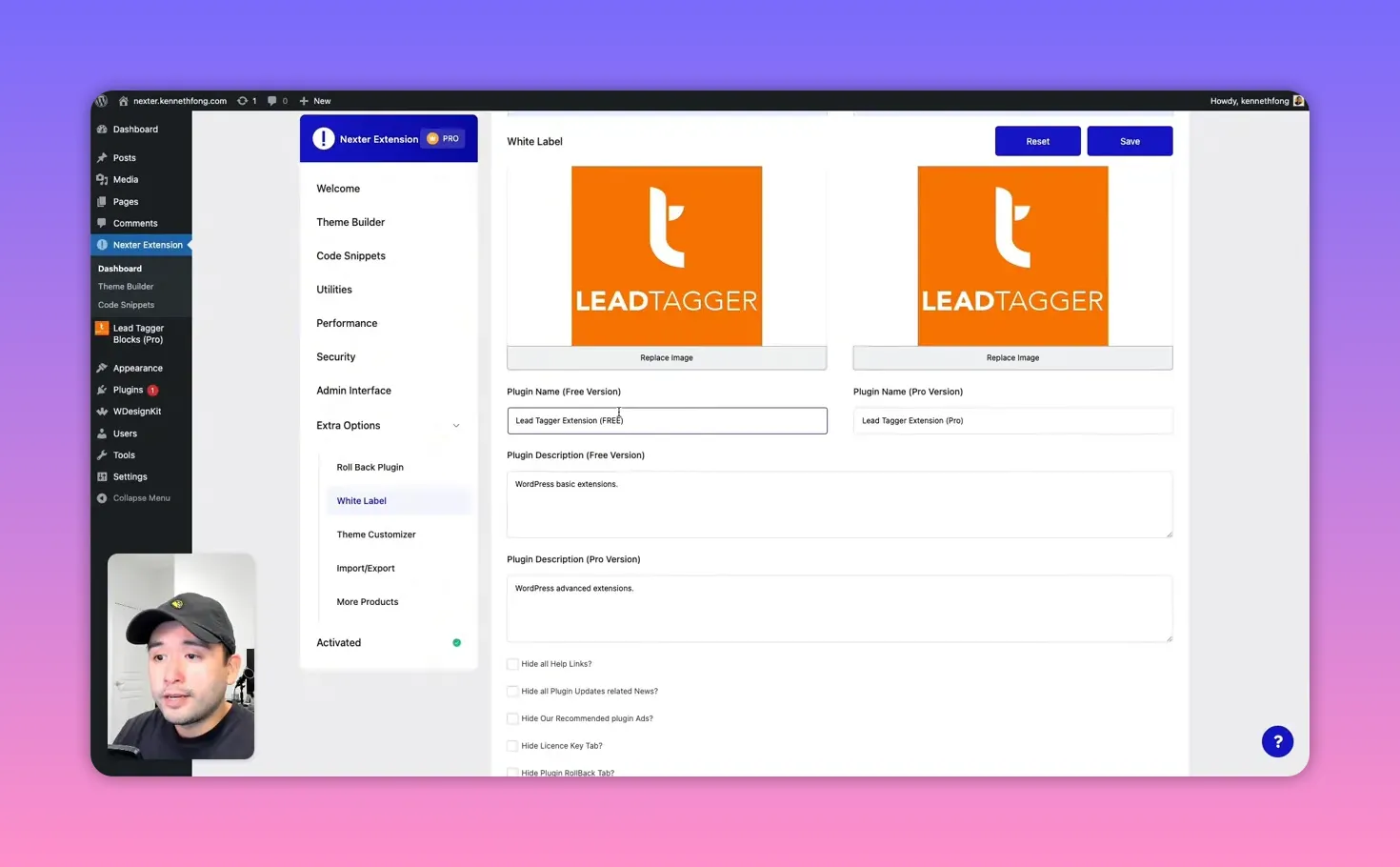
With the right license you can fully white label both the blocks plugin and the extension. You can change the plugin names, descriptions, developer name, website, and logo so everything in the client’s plugin list appears to come from your agency.
Key white label controls let you hide support links, update notifications, the license tab, starter templates, and even the white label toggle itself so clients won’t be able to see or revert the branding.
Once configured, the plugins read like native assets of your agency rather than third-party tools.
⚡ Build an entire site in minutes with page kits
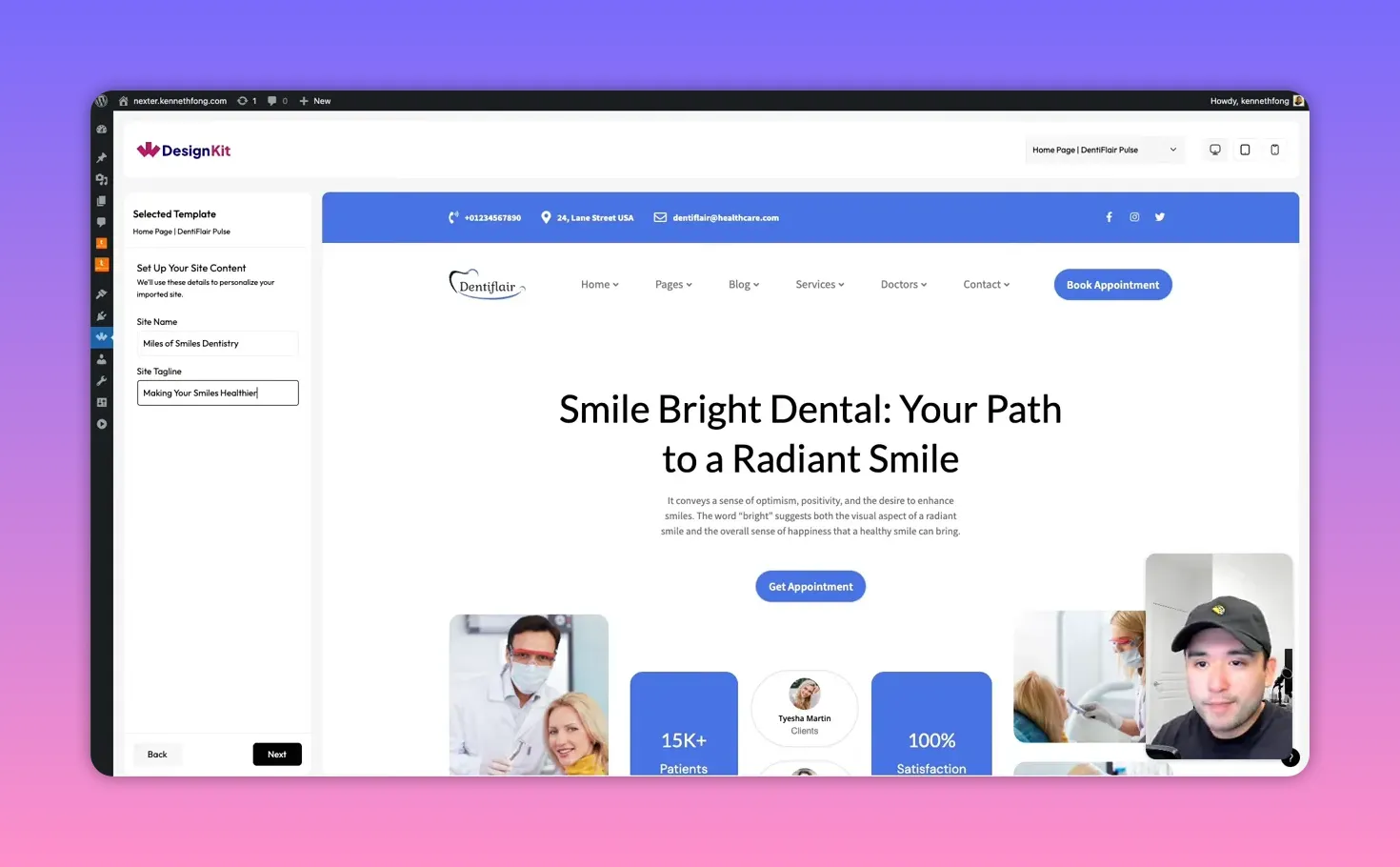
Nexter includes prebuilt page kits that act like website-in-a-box solutions. Page kits can install pages, headers, footers, and even recommended plugins automatically. That makes rapid delivery for local and small businesses extremely fast.
I tested a dentist site by importing a page kit. It installed the homepage, service pages, team section, contact form, and footer in seconds. After import, you simply swap in your content and tweak styles.
🔧 The extension: performance, utilities, and theme builder
The Nexter Extension is where you toggle a lot of site-level features:
- Theme builder to manage header, footer, archive, and author templates.
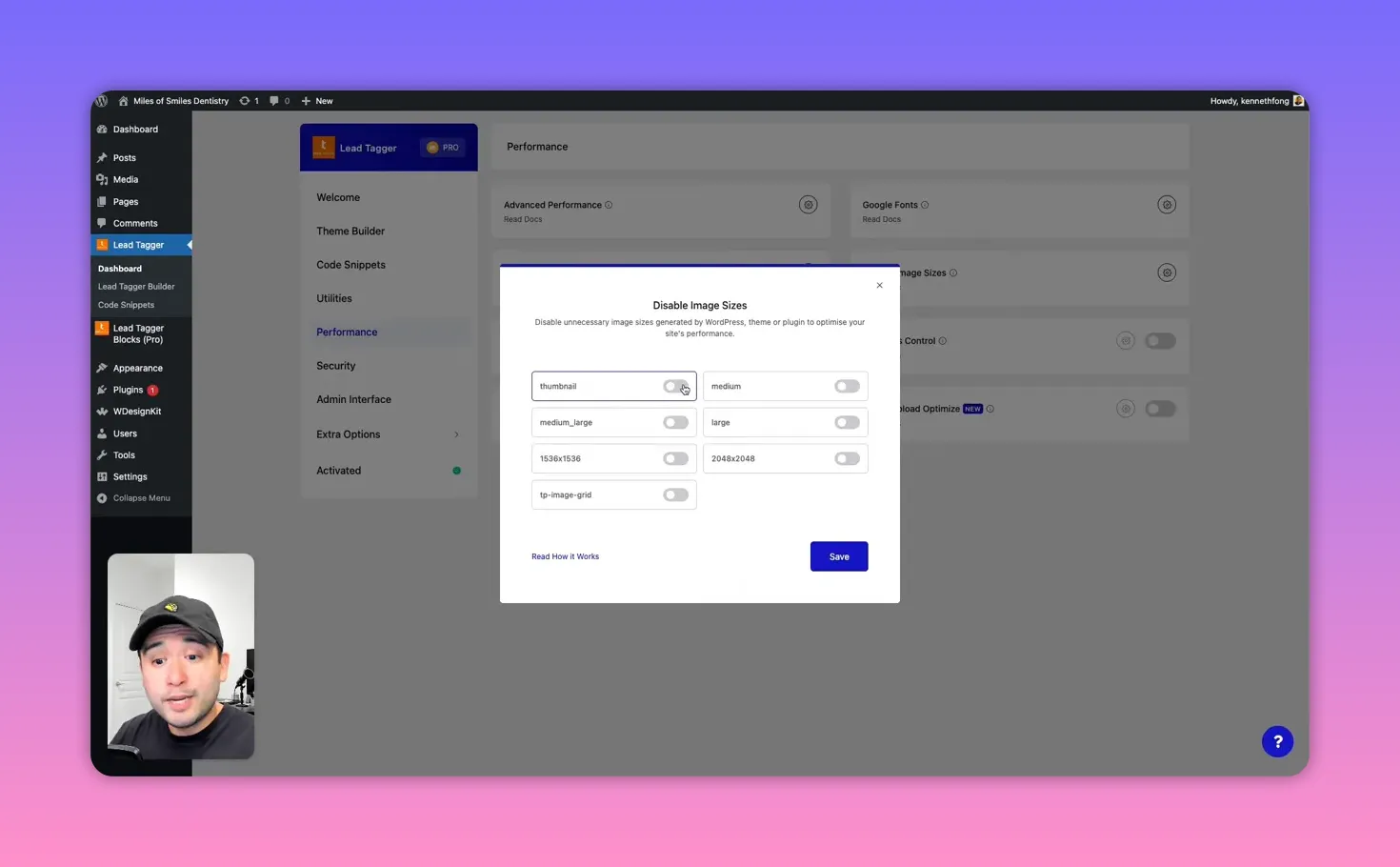
- Performance tools such as disabling unnecessary image sizes and auto-resizing uploads to reduce storage and speed up pages.
- Server-friendly utilities like heartbeat control to lower CPU and debug toggles for development.
- Security features including CAPTCHA, custom login URL, and two-factor authentication.
- Admin UI improvements to clean up the dashboard and control plugin visibility.
These options let you replace many paid plugins and consolidate functionality into one place. For agencies, that reduces ongoing licensing complexity and saves clients money.
🧱 Editing with Gutenberg blocks
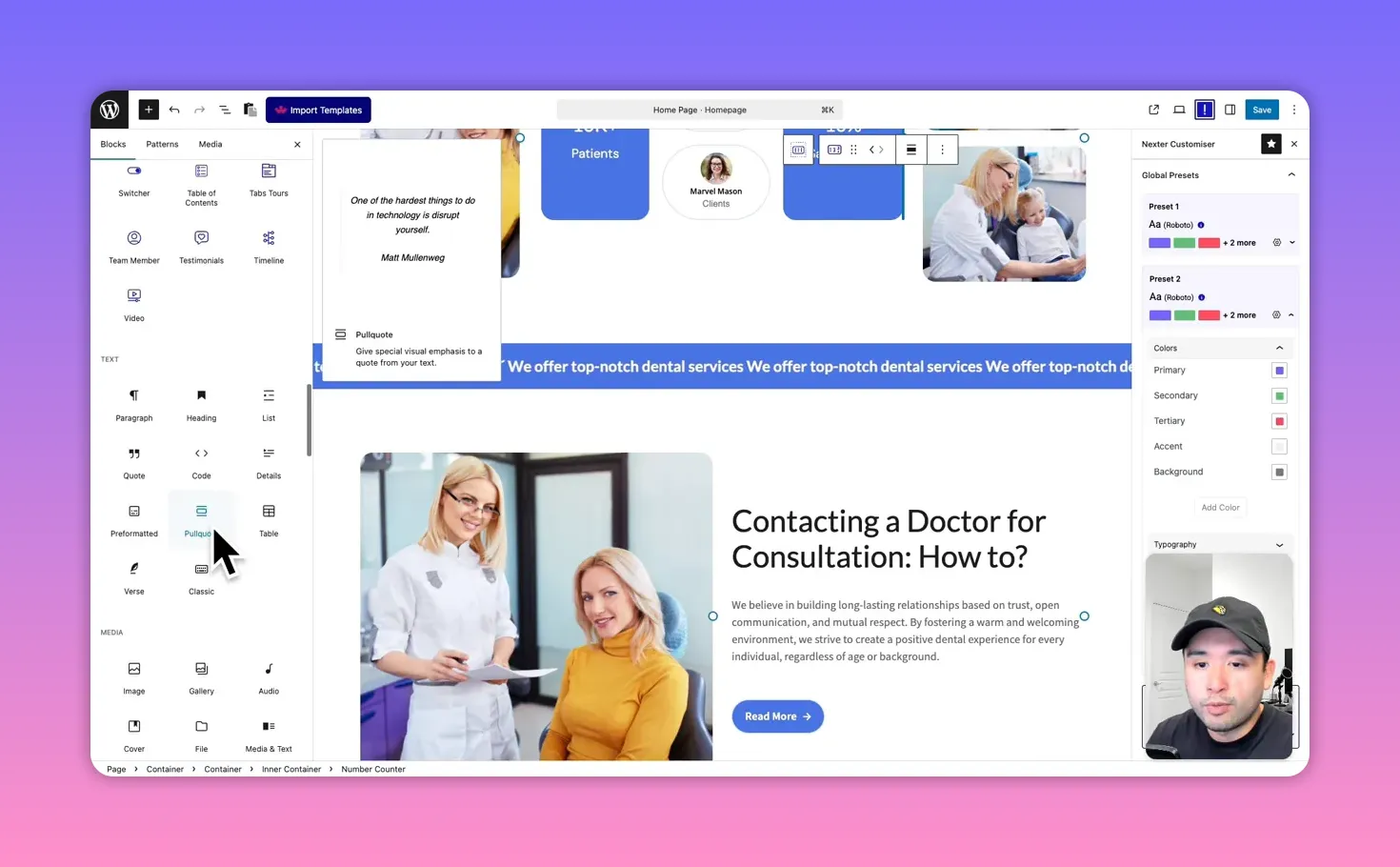
Nexter leans into Gutenberg rather than page builders like Divi or Elementor. That makes pages lighter and faster when compared to heavy visual builders. Nexter adds a rich set of blocks to the Gutenberg inserter, including advanced creative blocks, form builders, navigational builders, and micro-interactions like tooltips and parallax.
Editing is straightforward: click a block, edit the right-hand settings, choose templates, and preview. Animated counters, hover states, and templated components are all handled inside the block interface.
💸 Pricing and license considerations
The AppSumo lifetime deal offers multiple tiers. Tier three unlocks the full white label and theme branding capabilities that agencies will want. Pricing examples mentioned during testing:
- Full white label tier as a lifetime deal (promotional price noted around $189 at time of promotion).
- Single-site license option (e.g., $49 in some tiers).
When you factor in the replacement of many paid plugins and the ability to position yourself as an agency, the cost can be recouped quickly. For example, branding your toolset can justify higher project fees and ongoing maintenance contracts.
✅ When to use Nexter
Use Nexter if you want to:
- Present a more polished, agency-like brand to clients.
- Speed up website delivery with page kits and reusable blocks.
- Reduce the number of third-party plugins and centralize site utilities.
- Offer branded maintenance plans to clients with your own white-labeled tooling.
❗ Limitations and things to watch
Templates are extensive but not exhaustive. You may need to customize templates for niche industries. WooCommerce page kits were not present at the time of testing, so e-commerce setups might require extra work.
Always test imports on a staging site and verify the combination of toggles you enable (especially anything that affects image sizes or site security) before pushing to a client’s live site.
📚 Frequently asked questions
Can I fully white label both the Nexter plugin and the theme?
Yes. With the appropriate license tier you can rename the plugins and theme, replace logos, update descriptions, and hide vendor links so the assets appear as your agency’s own.
Does Nexter replace other single-purpose plugins?
For many sites it can. The extension includes performance, security, and admin utilities that commonly require several plugins. It won’t replace everything in every case, but it significantly reduces dependency on multiple paid plugins.
Is Nexter built on Gutenberg or a page builder?
Nexter is built around Gutenberg. It provides a large library of custom blocks to design pages while keeping the site light and fast compared to some visual builders.
What are page kits and how fast are they?
Page kits are full website kits that install pages, headers, footers, and recommended plugins automatically. They let you create complete websites in minutes and then customize content and styles.
Which license tier do agencies need?
Agencies should consider the tier that unlocks white labeling (the highest tier on the lifetime deal). That tier allows for full branding and administrative controls that are essential for client-facing deployments.
Is this a good choice for freelancers looking to scale?
Yes. White labeling lets freelancers present as small agencies, enabling higher project pricing and recurring maintenance revenue. The time-savings from kits and unified tooling also helps scale delivery.
This article was created from the video Nexter: The Ultimate White Label WordPress Plugin for Agencies with the help of AI.