Table of Contents
- 💸 Why Qolaba? One platform, many AI tools
- 🧾 AppSumo pricing and lifetime tiers
- 🎛️ A first look: dashboard and navigation
- 🤖 Chatbot and model selector
- 🧠 Build agents and add knowledge bases
- 🖼️ Image analysis and generating from images
- 🖋️ Text-to-image: many models and smart prompts
- 🔁 Image-to-image and targeted edits
- 🖌️ Image editing: inpainting and background replacement
- 🎞️ Video generation (beta): short clips from prompts
- 🔈 Speech generator: high-quality voices from 11Labs
- 💳 Credits, usage, and cost control
- 📚 Documentation, roadmap, and support
- ✅ Final verdict
- ❓FAQ
💸 Why Qolaba? One platform, many AI tools
I tested Qolaba because paying for a handful of separate AI subscriptions quickly adds up. Qolaba brings text, image, video, and audio generation together in one workspace and gives you access to multiple third-party models. The core idea is simple: replace scattered tools with a single platform that uses credits instead of monthly per-user subscriptions.
🧾 AppSumo pricing and lifetime tiers
Qolaba is available on AppSumo as a lifetime deal with four tiers. The key differences are monthly credits, team size, workspaces, and features like PII protection and shared resources. Tier 1 starts with 500 monthly credits and single-user access. Higher tiers unlock 1,500, 3,000, and 5,500 monthly credits and expand team members, workspaces, and permissions. Tier 4 listed at the time I checked runs around $449.
Credits can be topped up a la carte, with packages like 2,500 credits for about $25. That makes it easy to scale usage without long-term subscriptions.
🎛️ A first look: dashboard and navigation
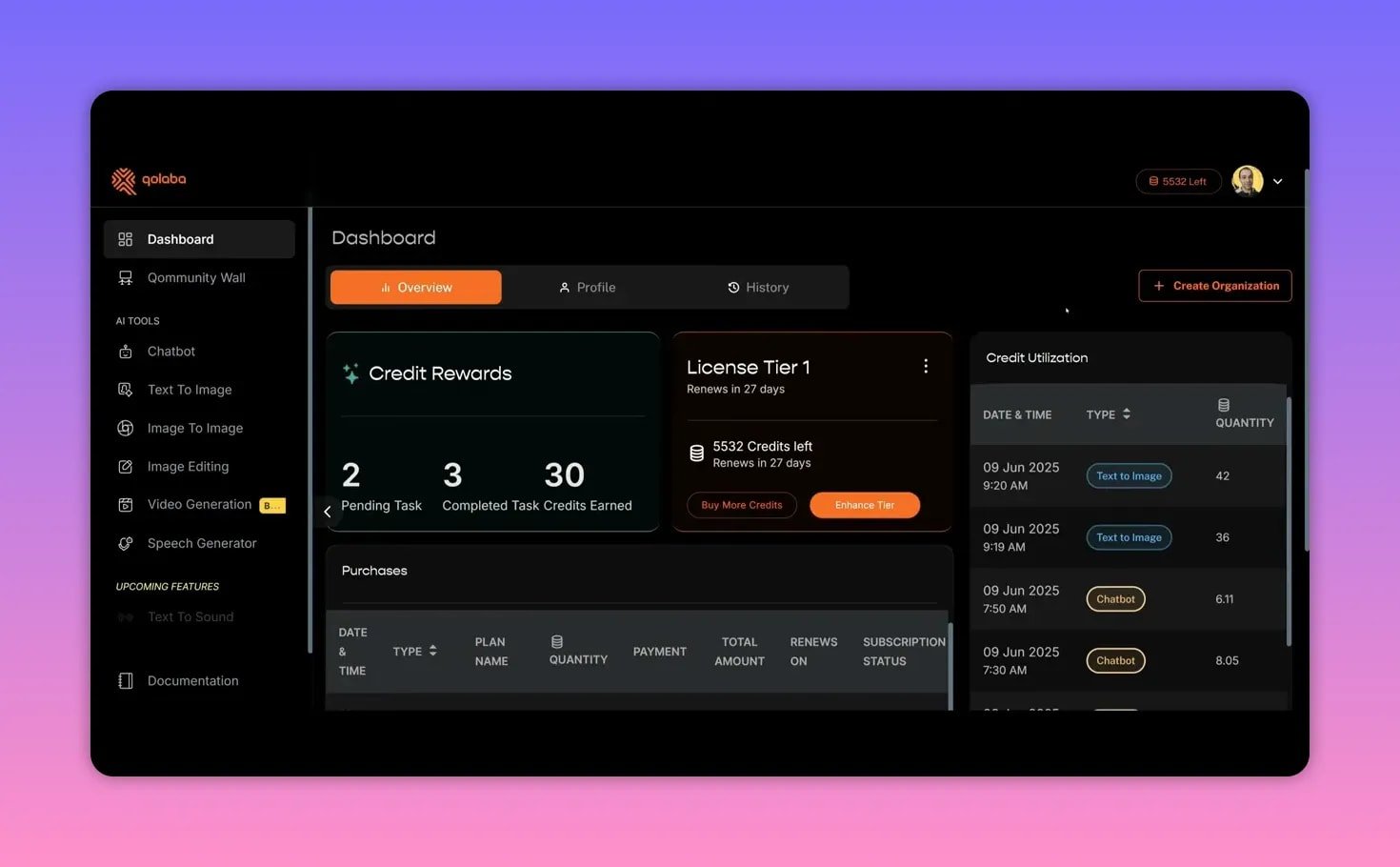
The dashboard feels premium—clean dark UI with orange accents—and everything is within a click or two. A left-hand sidebar presents the AI tools, and the right side shows credit utilization so you always know how much you’ve spent.
You can create organizations, manage team credits, and view a community board of public image uploads for inspiration.
🤖 Chatbot and model selector
Qolaba’s chatbot is powerful because it exposes a wide selection of up-to-date models (GPT 4.1, Claude Opus 4, Gemini 2.5 Flash, Perplexity, and more), plus details that help you choose the right model: context length, supported input types (text or image), and credits per 1,000 words. Hovering an info icon shows model strengths—this small UI decision saves a lot of guesswork when pairing models with tasks.
🧠 Build agents and add knowledge bases
You can create custom agents (they call them agents, I call them personal assistants) and attach knowledge sources. Agents can scrape websites (deep scraping internal links), ingest PDFs, docs, CSVs, or even a folder of files.
Use cases: a SaaS reviewer bot with AppSumo pages loaded, a customer support assistant with product docs, or an internal research agent with private PDFs.
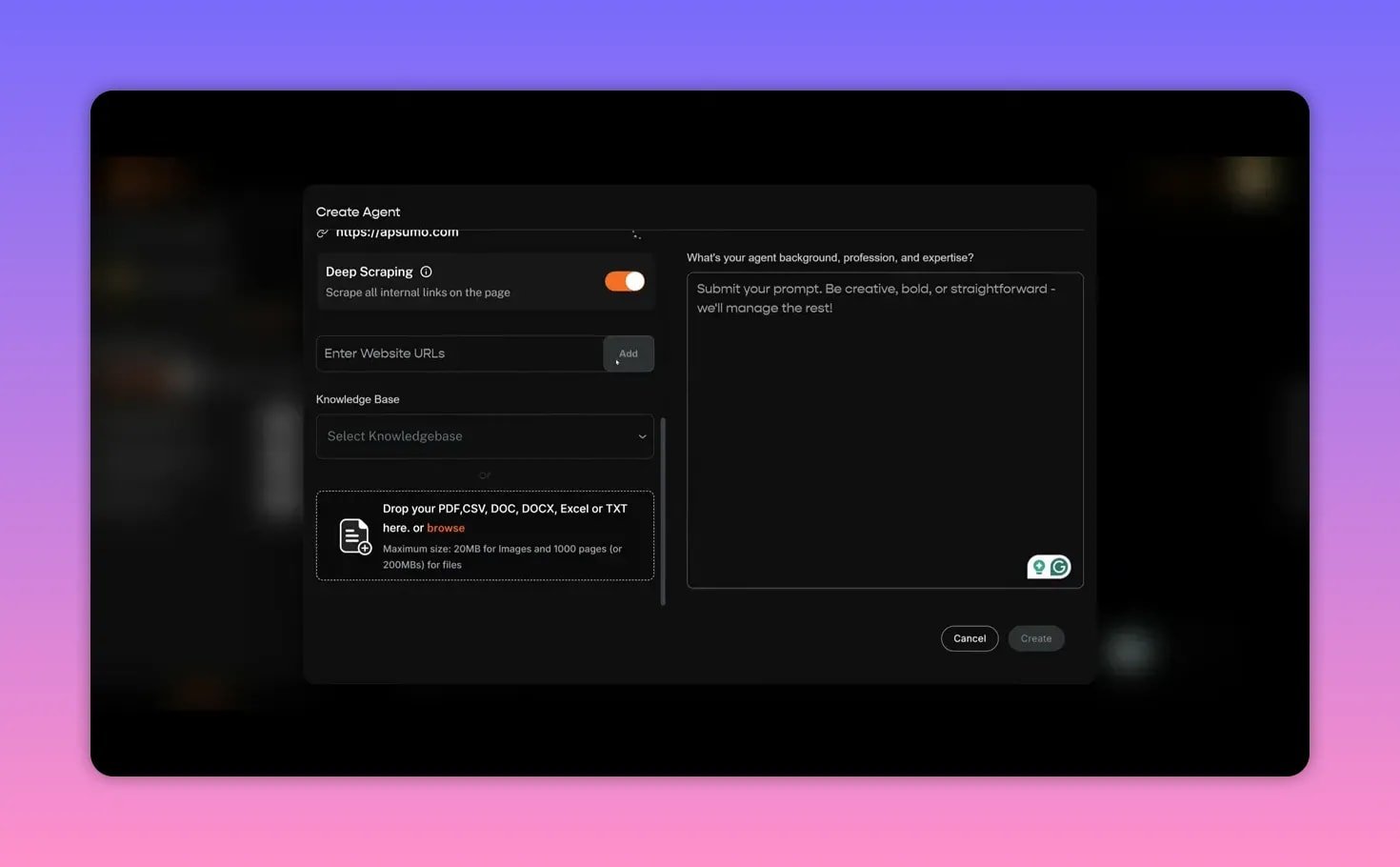
Agent controls include temperature, internet search, image generation, and code execution toggles. Keep in mind some model features are restricted: turning internet access on may switch you to a web-enabled model like Perplexity.
🖼️ Image analysis and generating from images
The chatbot supports image analysis: upload an image and ask what it shows. I uploaded an underwater turtle and the model produced a detailed description, then generated a new image styled like the original. That two-step workflow—vision then generation inside the chat—is very useful for iterative creative work.
🖋️ Text-to-image: many models and smart prompts
Qolaba offers a range of image models—Imaging 4, GPT image, FluxDev, Recraft v3, Ideogram, Stable Diffusion variants, Leonardo Phoenix, and Qolaba’s in-house model. Each model shows its credit cost up front.
There’s a helpful “magic prompt” that expands your prompt into a richer description and keyword fields for lighting, artist style, shot type, and negative prompts. You can generate up to eight variations at once and toggle HD for higher-quality outputs.
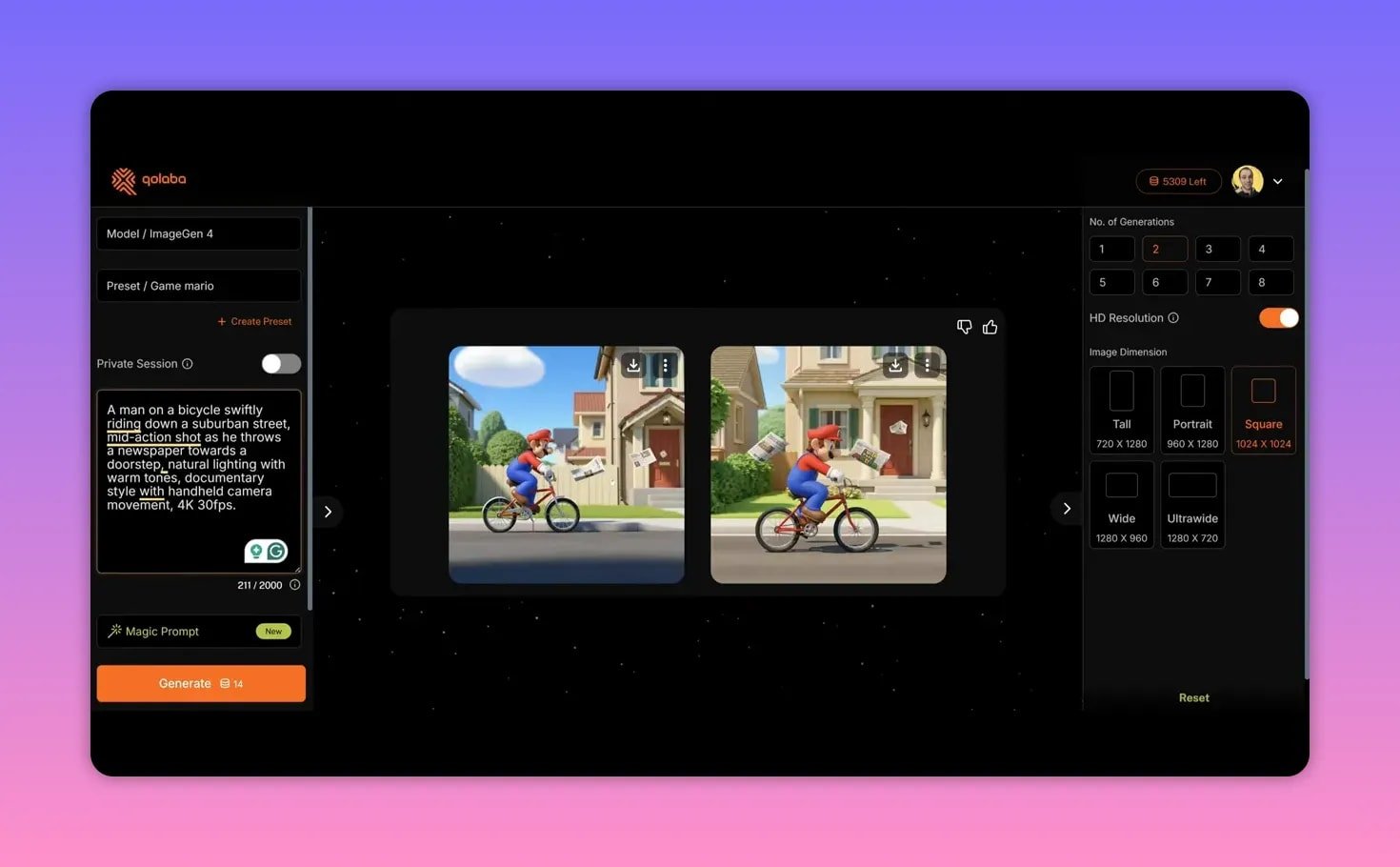
Tip: use GPT image when you need text to render accurately on clothing or signs. Use Recraft or FluxDev if you want stylized or fantasy outputs, but expect to iterate on the prompt.
🔁 Image-to-image and targeted edits
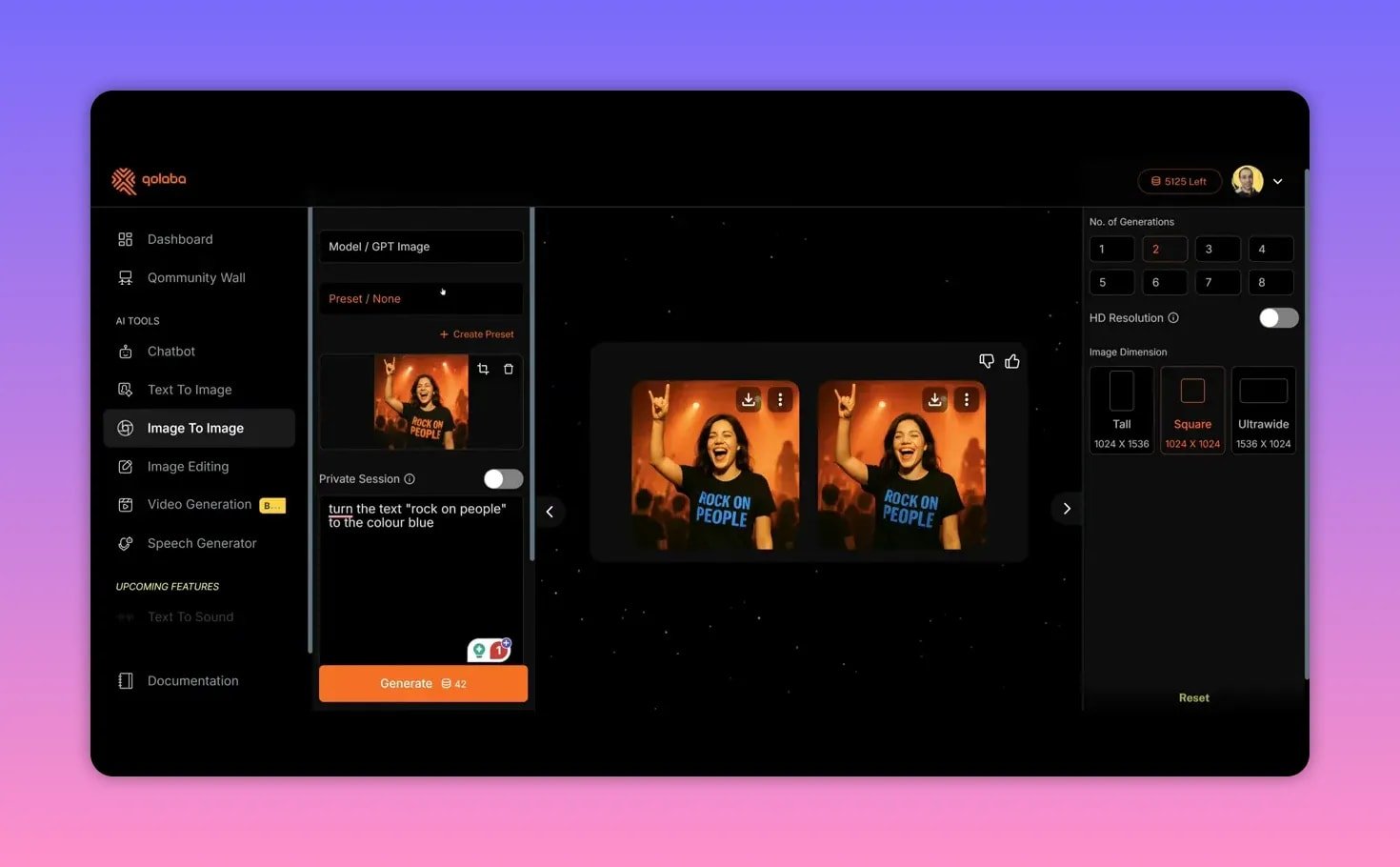
Image-to-image lets you feed a reference image and instruct the model to change specific elements—like turning orange text to blue. Controls include prompt guidance (creative vs strict), quality/steps, and strength (how heavily the original is preserved).
Results vary by model, so switch models if the first attempt doesn’t match your intention.
🖌️ Image editing: inpainting and background replacement
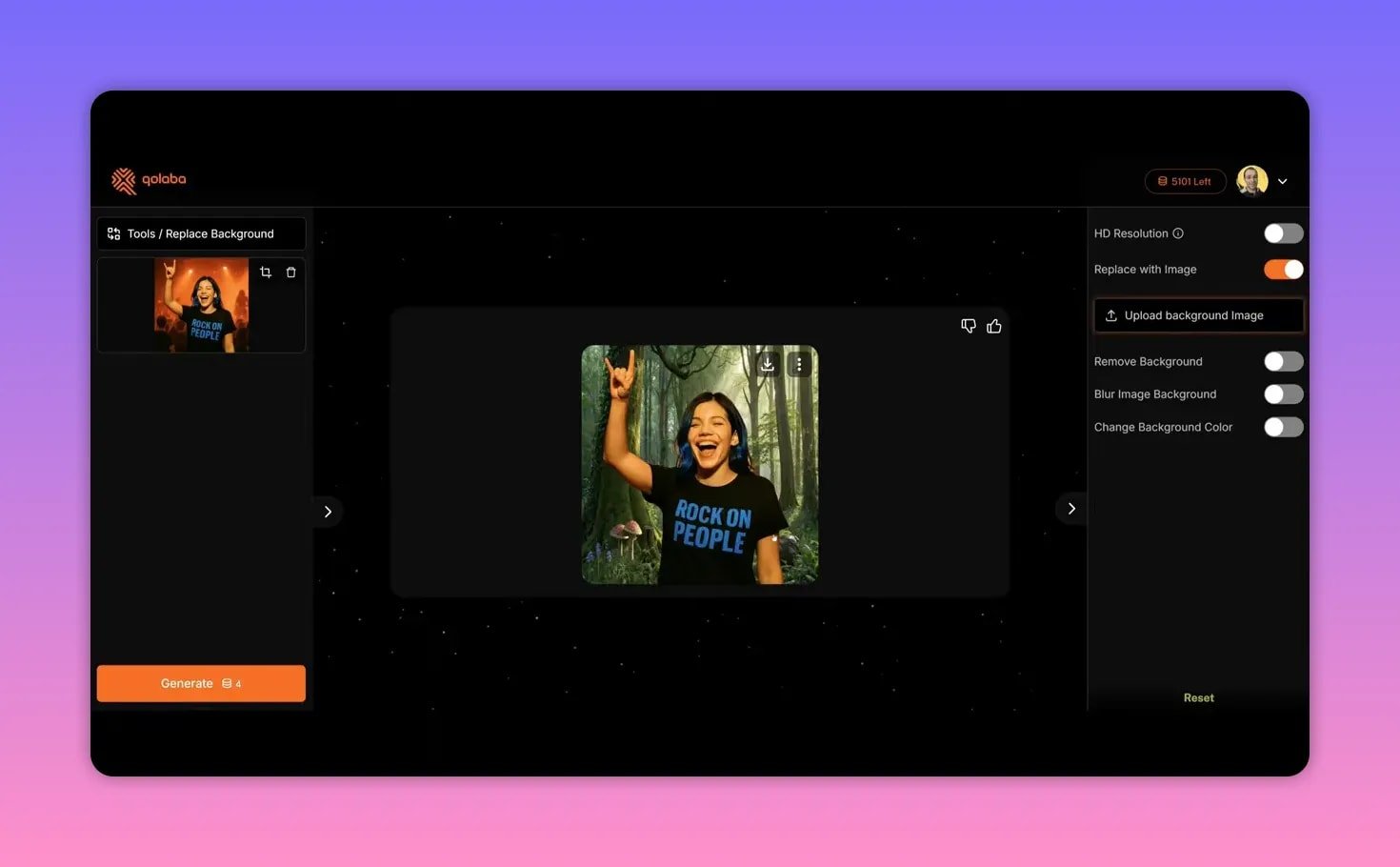
Qolaba includes inpainting, upscale, background remove, and replace background. Inpainting works with a brush tool: erase a portion and describe what you want there (for example, change hair color to blue).
Background removal is fast and accurate, and you can replace backgrounds with uploaded images for compositing. Some fine-tuning may be required for perfect blends, but the results are solid.
🎞️ Video generation (beta): short clips from prompts
Video generation is in beta and supports a few different engines (VEO2, Luma Labs, Kling 2). Each model has limits on duration (typically up to 5–8 seconds in the current builds) and different credit costs.
I tested a shark-jumping prompt across three models: one produced a quick eight-second clip, Luma Labs gave the most realistic looping output, and Kling 2 produced a wilder result but at a much higher credit cost.
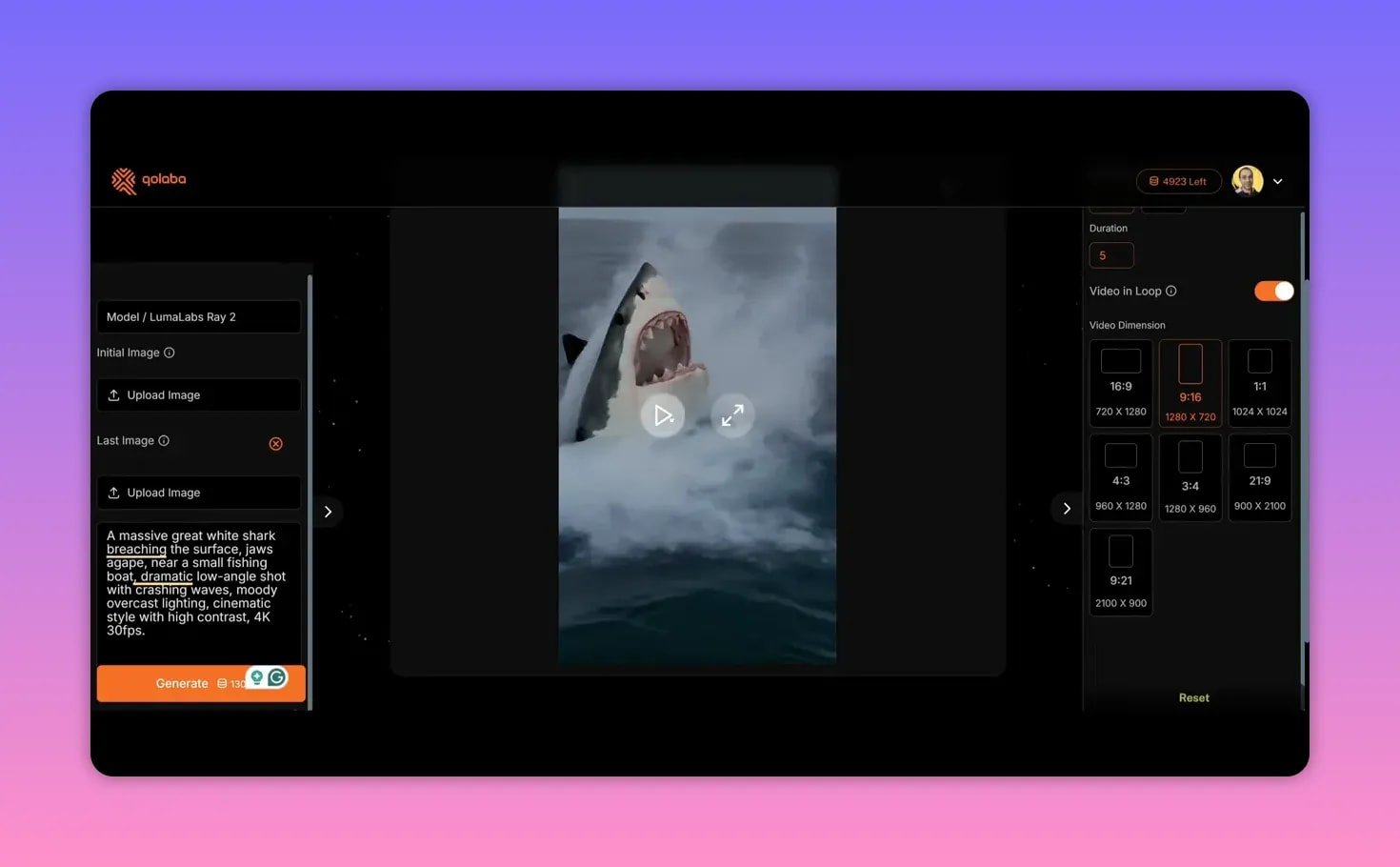
Video generation is already useful for short social loops and concepts, but expect to iterate on prompts and model choices as the tech matures.
🔈 Speech generator: high-quality voices from 11Labs
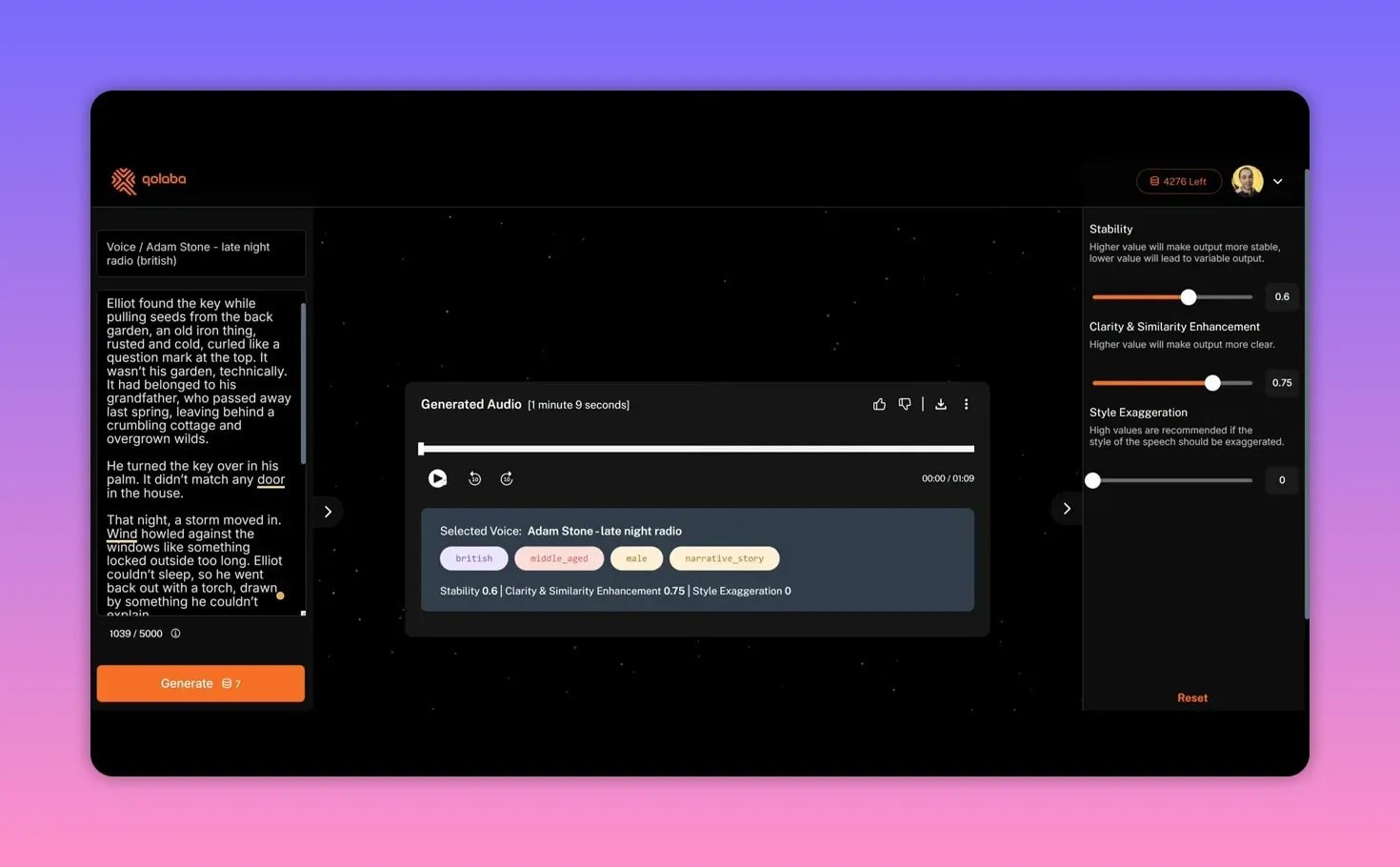
The speech tool plugs into premium voices with filters for voice style, narrative, emotion, and language variants. You can paste up to 5,000 characters and tweak stability, clarity, and start exaggeration for emphasis.
The audio renders quickly and feels natural—great for narration, podcasts, and kids’ stories. Prices are reasonable: a 1,000-character story cost me around seven credits.
💳 Credits, usage, and cost control
Credits are consumed per model and per feature (text generation, images, video, etc.). Models like Gemini 2.5 Flash are extremely cheap per 1,000 words, while premium multimodal models and high-end video engines cost more. If you stay mindful of model choice and quality settings, you can stretch credits a long way. Top-up packs are available without a subscription commitment.
📚 Documentation, roadmap, and support
Good documentation is critical for a newer platform. Qolaba uses GitBook with clear guides and screenshots for each feature. Support is active: the team responds daily, and the co-founder participates in Discord and helps iterate quickly on bugs and feature requests. The public roadmap shows what’s live, what’s in progress, and future items like text-to-sound. That transparency gives confidence in continued development.
✅ Final verdict
Qolaba is a strong contender for anyone who wants to consolidate AI workflows. It may not match every specialized tool out of the gate, but the breadth of functionality, choice of models, and sensible credit system make it a practical alternative to juggling multiple subscriptions. I recommend it for content creators, small agencies, and teams that want flexible, no-subscription access to a wide array of AI capabilities.
❓FAQ
How do credits work and how much do different models cost?
Credits are consumed per operation and vary by model and feature. Text models show a credits-per-1,000-words rate; image and video models list credits per generation. Cheap models like Gemini 2.5 Flash can be around 0.1 credits per 1,000 words, while premium video engines cost significantly more per clip.
Can I use Qolaba with a team and manage permissions?
Yes. Higher AppSumo tiers enable multiple team members, multiple workspaces, managed roles and permissions, shared resources, and PII protection. Tier 1 is single-user only.
What file types can I upload to an agent knowledge base?
You can upload PDFs, CSVs, DOC and DOCX, Excel, and TXT files. Image uploads are supported for image analysis. There are practical size limits—images and file count limits are listed in the interface.
Does Qolaba support web access for live research?
Yes. Models like Perplexity enable internet search and retrieval inside chats. For scraping multiple internal links you must explicitly add the URL to the agent’s resources (deep scraping) rather than just pasting a link into the chat.
Is there a refund policy for the AppSumo lifetime deal?
AppSumo typically includes a 60-day money-back guarantee for lifetime deals. Check the current AppSumo page for Qolaba to confirm the exact refund window.
What are the best use cases for Qolaba?
Content production (images, short videos, voiceovers), rapid prototyping of creative assets, building AI assistants with custom knowledge bases, and small teams wanting to consolidate tools into one workspace.