
Table of Contents
- 📦 Quick take
- 💸 Pricing and value
- 🧭 What the Empire add-on unlocks
- 🧰 Core features tour
- ✅ Pros and ⚠️ Cons
- 🔍 Verdict
- ❓ Frequently asked questions
📦 Quick take
I tested sendfox appsumo again after four years. What started as a bare-bones lifetime tool has matured into a practical, affordable email platform for creators who want simplicity and low ongoing costs. If you need advanced automation and deep e-commerce hooks, this may not replace heavy hitters. If you want a reliable newsletter, RSS-to-email, landing pages, referral campaigns, and WordPress connectivity for a one-time price, sendfox appsumo is worth a hard look.
💸 Pricing and value
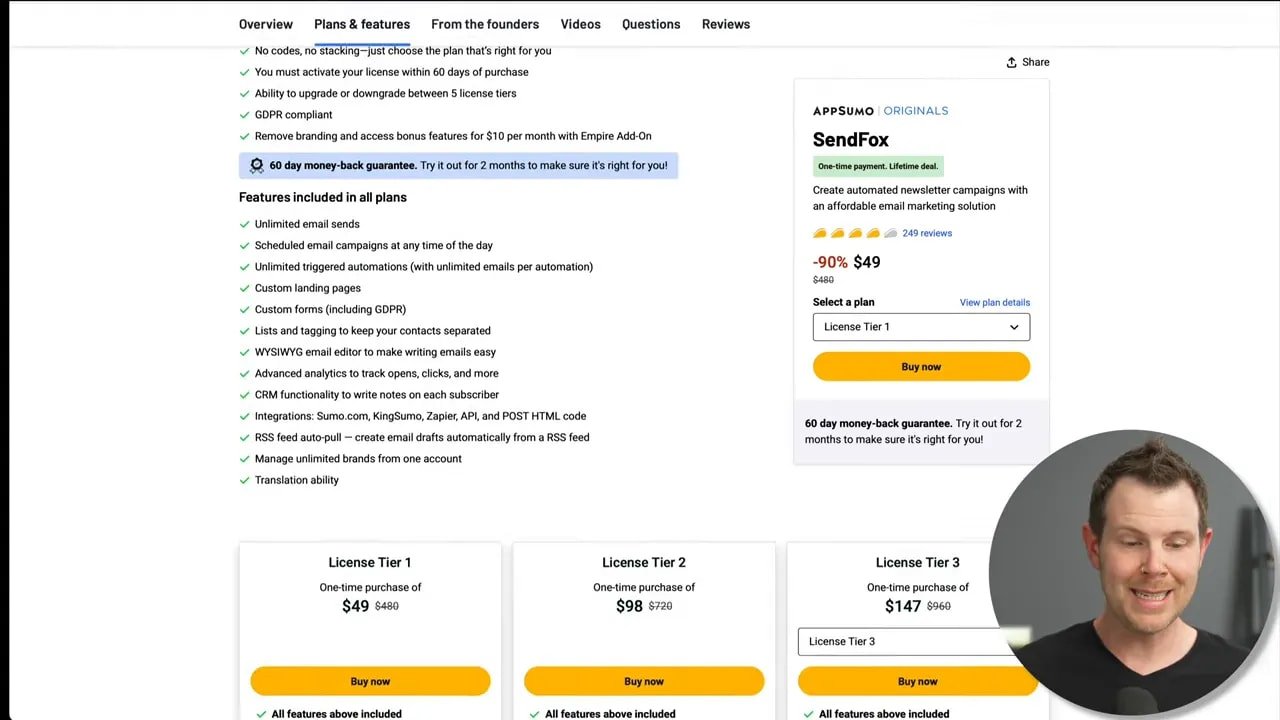
The AppSumo lifetime tiers are straightforward: each tier increases your contact allowance by increments of 5,000. Tier one starts at $49, and tier five tops out at $245 for 25,000 subscribers. What makes this deal interesting is that SendFox remains far cheaper than mainstream ESPs when you factor in long-term costs.
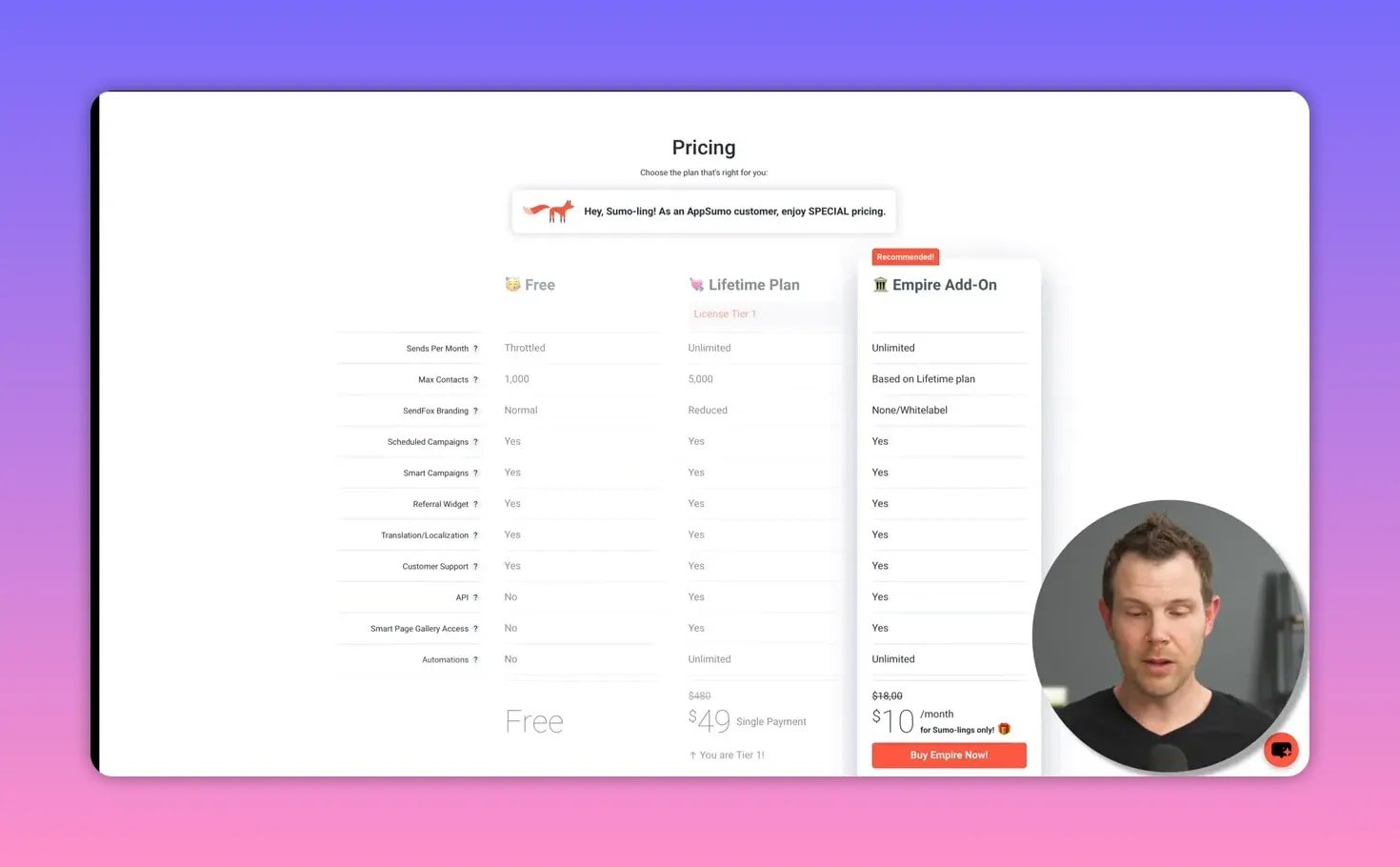
Add the optional monthly Empire add-on for $10 per month and you gain white labeling, improved deliverability, single opt-in ability, and a full HTML editor. Even with that monthly fee, the lifetime deal plus the add-on typically costs far less than comparable monthly ESPs for the same list size. The lifetime approach plus the small monthly add-on is a compelling price-performance story for many creators looking for predictability.
🧭 What the Empire add-on unlocks
- No SendFox branding and basic white labeling (upload your logo).
- Improved deliverability tiers—Empire customers appear to be routed through higher-quality IP pools.
- Single opt-in option instead of mandatory double opt-in on the lifetime plan.
- Full HTML editor for custom-coded emails.
🧰 Core features tour
Dashboard and analytics
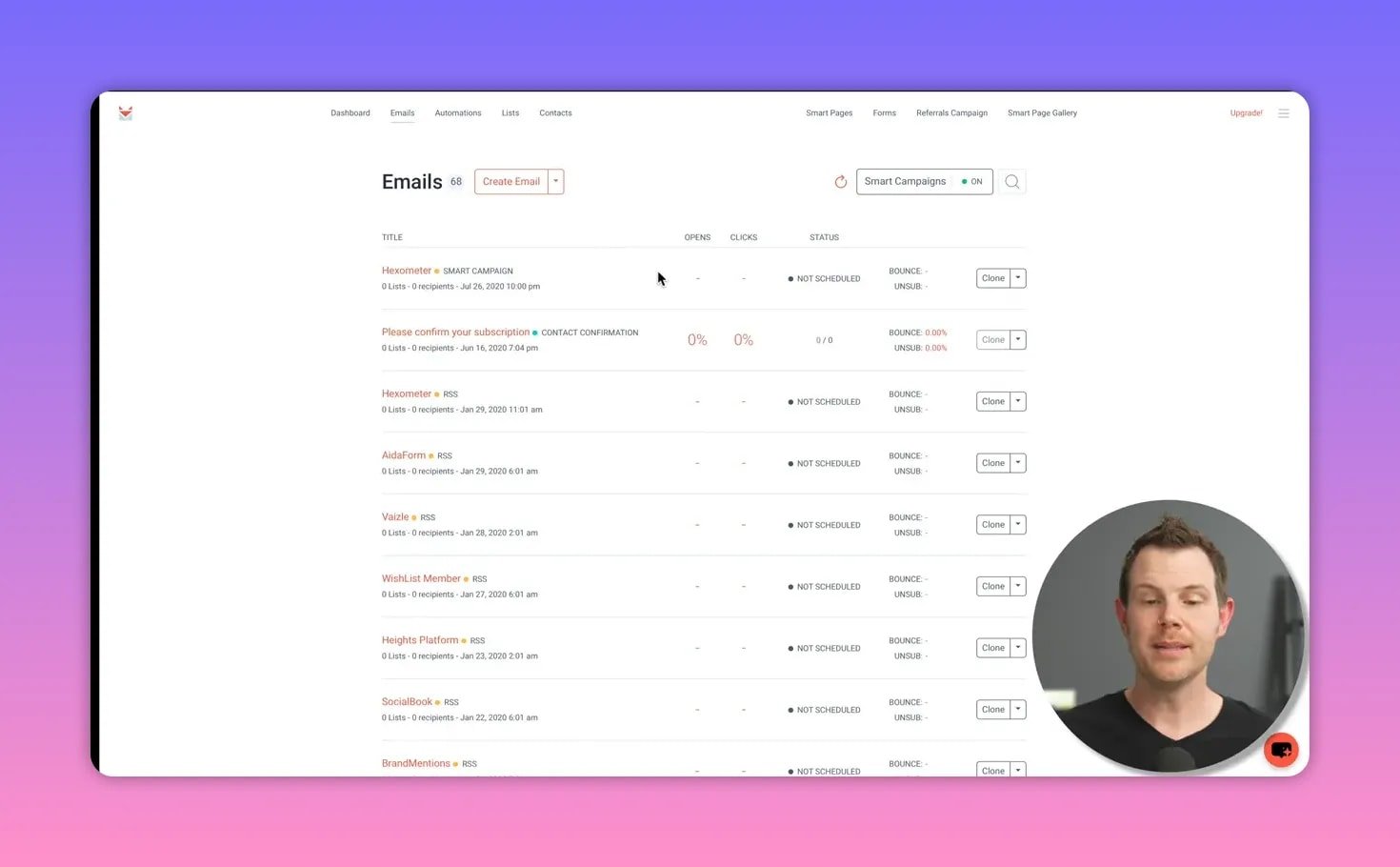
The dashboard is clean and shows contacts and basic sending stats. Nothing flashy, but functional for tracking opens and list growth.
Smart campaigns and RSS-to-email
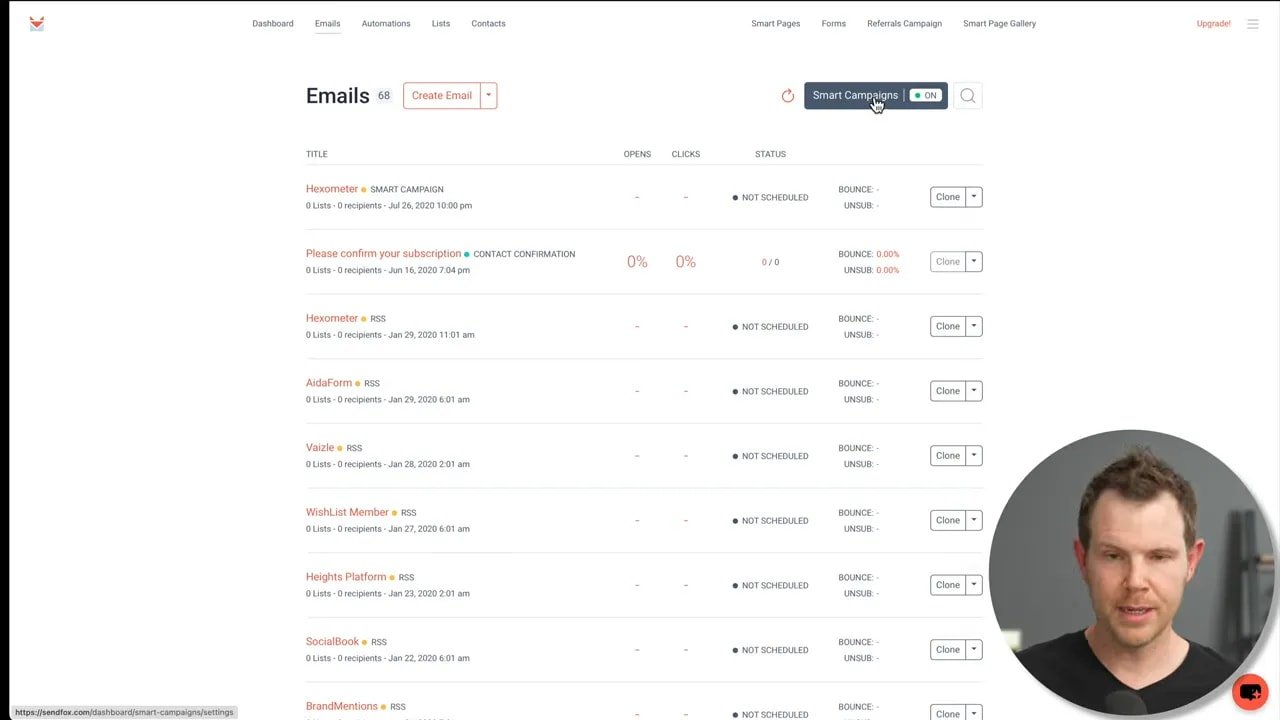
SendFox shines at content-driven emails. The smart campaigns let you connect blogs, podcasts, YouTube channels, or social profiles to auto-draft weekly newsletters or send immediate content updates for each new post. For creators who repurpose content into newsletters, this saves hours.
Email editor and templates
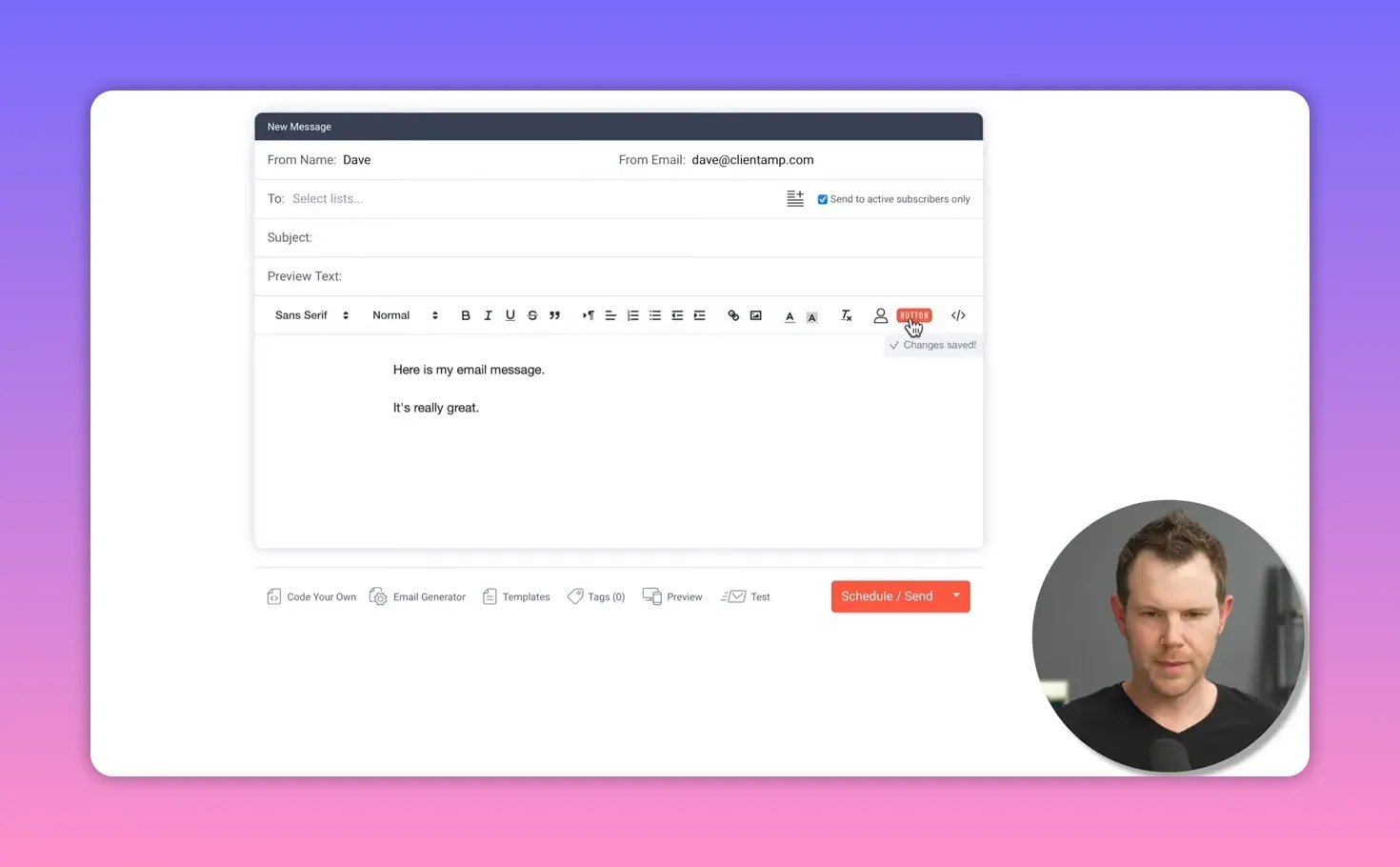
The built-in HTML editor is basic on the lifetime plan and becomes full-featured with Empire. Personalization tokens, images, buttons, preview modes, and a simple template save function are present. The bottom toolbar layout feels unusual, and the editor could use a bit more polish, but it does the job for most newsletter needs.

Domain authentication
You can authenticate your sending domain from Settings to improve deliverability and brand consistency. Send the provided DNS records to your host and you’re good to go.
Lists and contacts
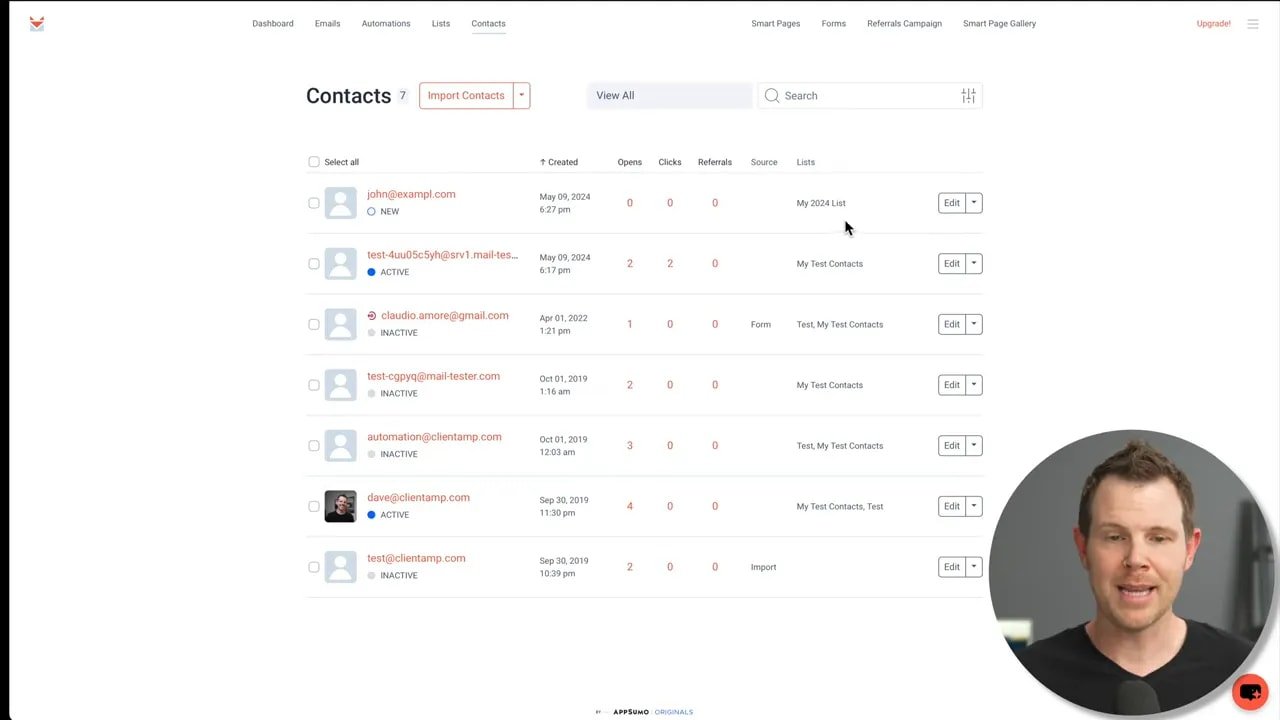
Lists are simple to create and manage. You can import CSVs, pull from MailChimp, or even import personal contacts from Google. The interface is intentionally minimal, which makes common tasks easy but lacks some of the granular segmentation found in larger platforms.
WP Fusion and WordPress integration
SendFox now integrates with WP Fusion, which is a game-changer for WordPress users. WP Fusion bridges SendFox to many WordPress plugins, letting you sync users, tags, and membership status. The integration is basic (a low compatibility grade in WP Fusion terms), but it covers most newsletter and signup automation use cases.
Automations
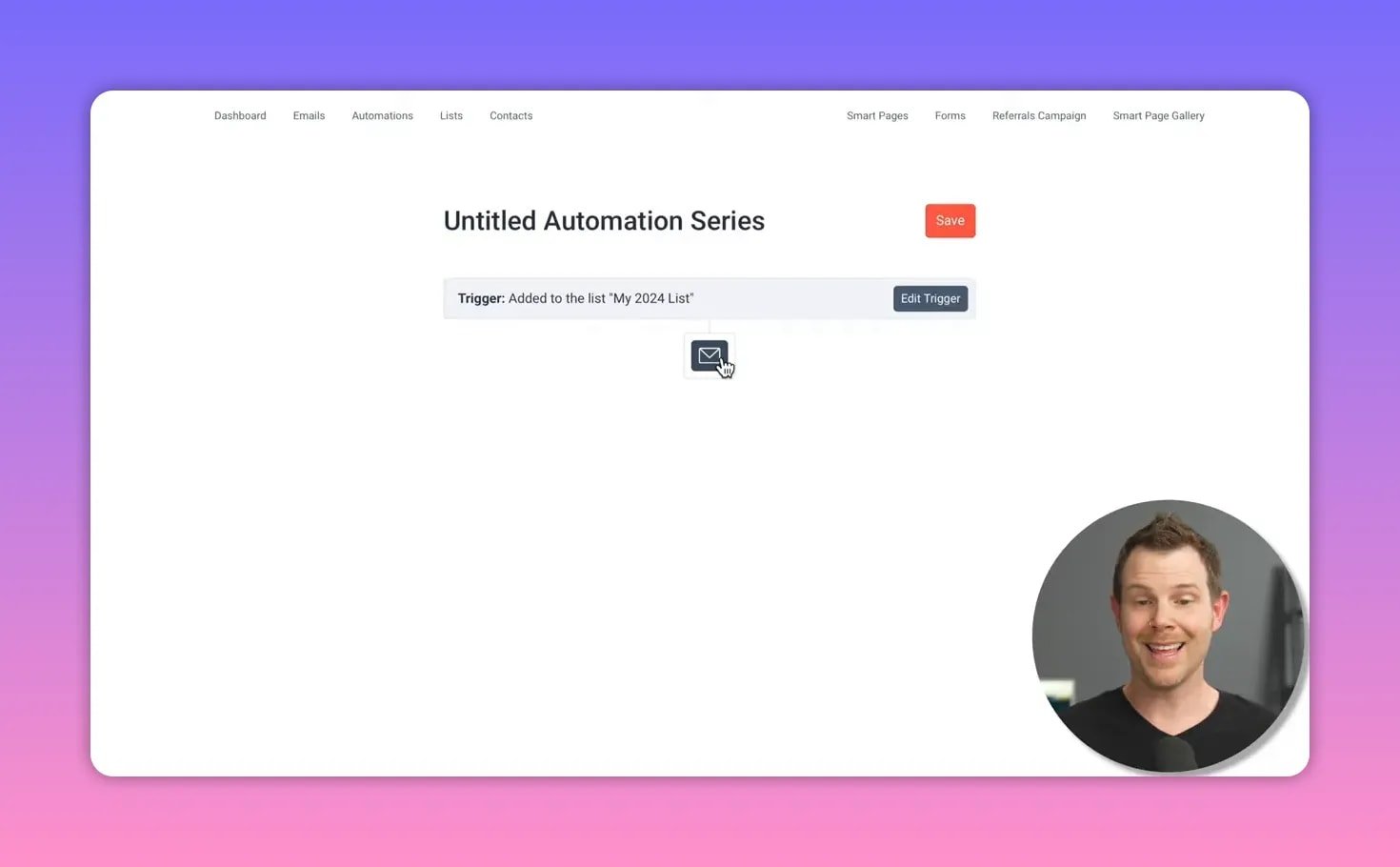
Automations in SendFox cover the standard drip sequences: trigger on list subscription, send emails with delays, and optionally move people between lists based on clicks. They lack advanced conditional logic, event tracking, and complex tagging actions, but they cover what most creators actually use.
Smart pages and forms
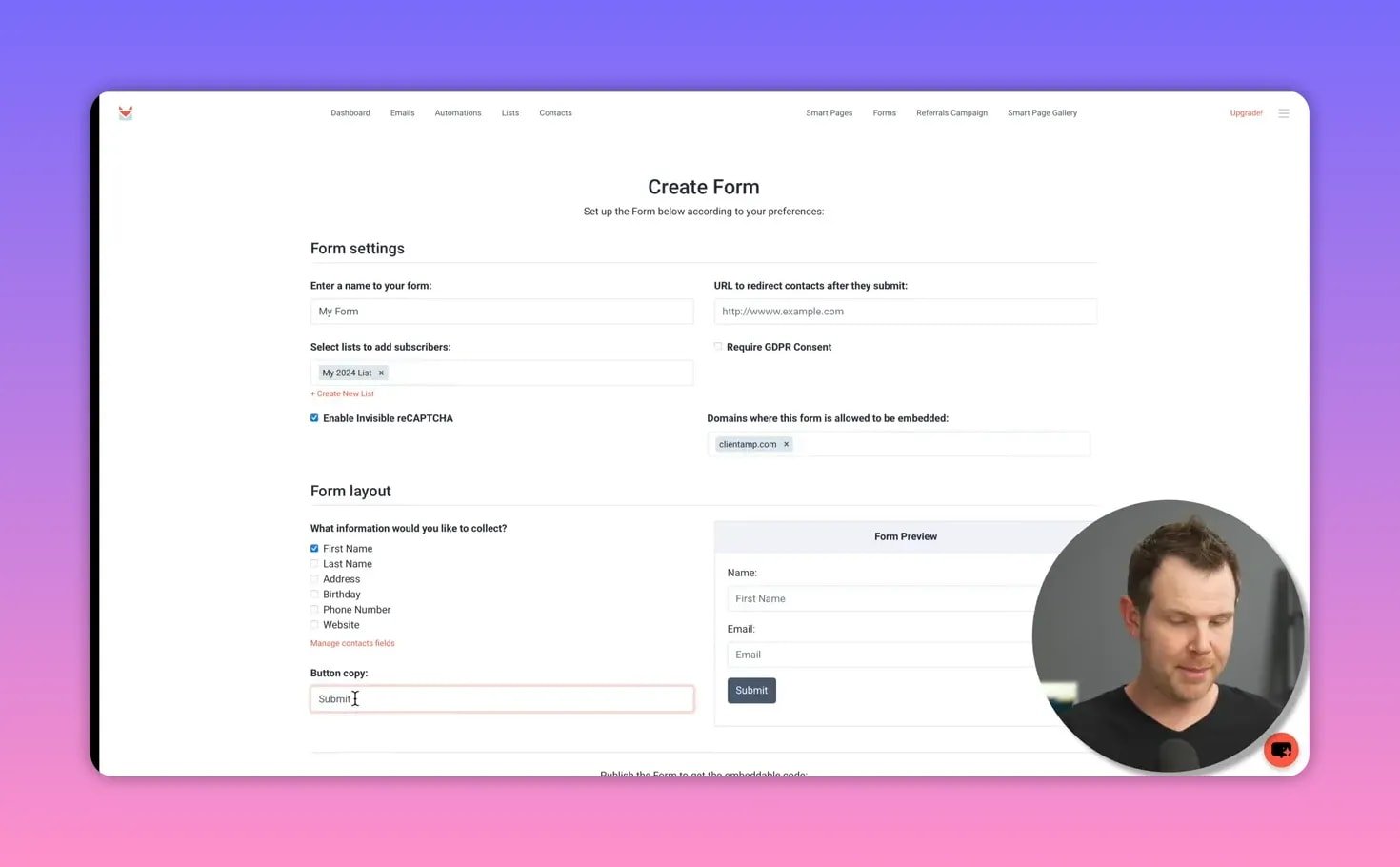
Smart pages are lightweight landing pages that can act as signup pages and content feeds if you don’t have a website. The built-in form builder provides embeddable code so you can place signup forms on existing sites. Page view tracking options let you add pixels for ads and retargeting.
Referral campaigns
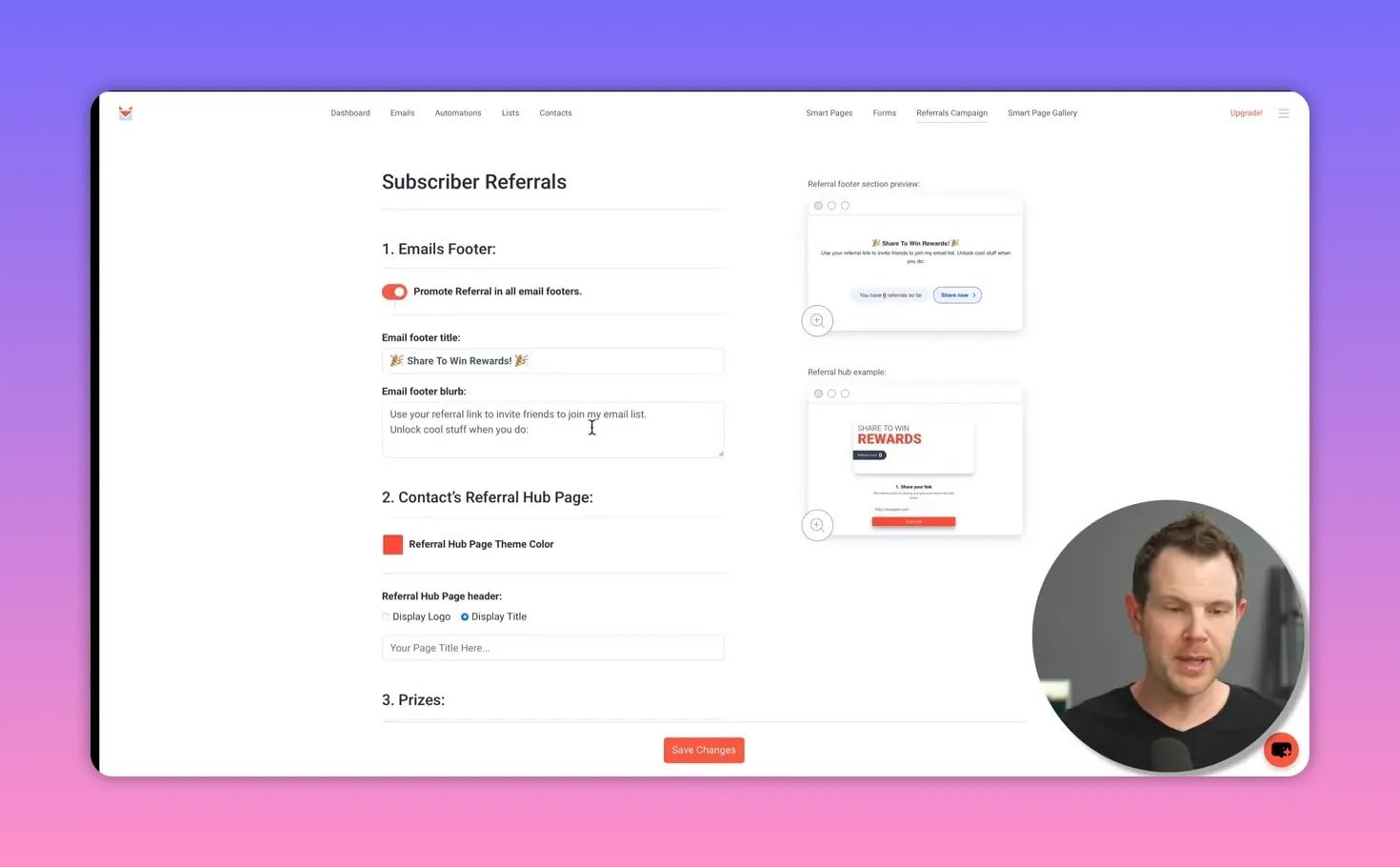
SendFox includes a referral hub and in-email footer widgets so subscribers can share your list for rewards. This channel borrows what made KingSumo popular and integrates it into email signup growth mechanics. It’s simple to set up and useful for list growth without extra tools.
✅ Pros and ⚠️ Cons
- Pros: Extremely cost effective, simple to use, strong RSS and creator-focused features, WP Fusion support, built-in landing pages and referrals.
- Cons: Limited advanced automation, basic WP Fusion compatibility, no deep e-commerce integrations yet (Shopify or WooCommerce), UI could be tidier.
🔍 Verdict
For creators, small businesses, and agencies that want a no-nonsense newsletter tool, sendfox appsumo is a top contender. It’s no surprise it’s still around after four years—AppSumo found a way to keep it viable. If you only need straightforward drip sequences, RSS-driven newsletters, landing pages, and referral growth without a massive monthly bill, this combination of lifetime deal plus the optional Empire add-on is hard to beat.
I give it a strong recommendation for basic-to-intermediate email marketing. If advanced ecommerce triggers and deep behavioral automations are essential, keep evaluating other platforms until SendFox expands their integrations.
❓ Frequently asked questions
What does the AppSumo lifetime deal include for SendFox?
The lifetime deal grants a SendFox account with a contact allowance based on the tier you choose (increments of 5,000). Core features include email sending, RSS-to-email smart campaigns, landing pages, forms, referral campaigns, basic automations, and limited HTML editing. The Empire add-on is a separate monthly upgrade.
Is there a monthly cost with the SendFox AppSumo package?
The AppSumo package is a one-time purchase for lifetime access to the base product. The optional Empire add-on costs about $10 per month and unlocks white labeling, improved deliverability, single opt-in, and the full HTML editor.
How well does SendFox integrate with WordPress?
SendFox integrates with WP Fusion, which connects it to many WordPress plugins. The integration is functional for basic contact syncs and automations but is considered basic rather than feature-complete. It does not yet support advanced WooCommerce or Shopify purchase-level triggers.
Can I use SendFox for e-commerce email campaigns?
SendFox is primarily built for newsletters and creator content. It lacks deep e-commerce integrations and advanced purchase tracking. If you need order-based automation, consider platforms with native Shopify or WooCommerce integrations until SendFox adds those features.
Does SendFox handle deliverability well?
Deliverability is solid and appears tiered by plan. The Empire add-on promises the best deliverability, likely due to improved IP routing. Authenticate your domain and follow best sending practices to maximize inbox placement.