
Table of Contents
- 🔍 What SEO Booster does
- 🔗 Automatic internal linking
- 📈 Keyword reporting and content signals
- 🚫 404 redirection and site health
- 🤖 AI traffic monitoring
- 💸 Pricing and value
- ✅ Who should consider SEO Booster
- ⚠️ Caveats and practical tips
- 🧾 FAQ
- Final thoughts
🔍 What SEO Booster does
SEO Booster is a WordPress plugin that brings Google Search Console data directly into your WordPress dashboard. Instead of toggling between multiple tools, you see impressions, clicks, average position, and CTR in one place. The idea is simple: put live search performance data next to the content editor so you can make smarter on-page changes faster.
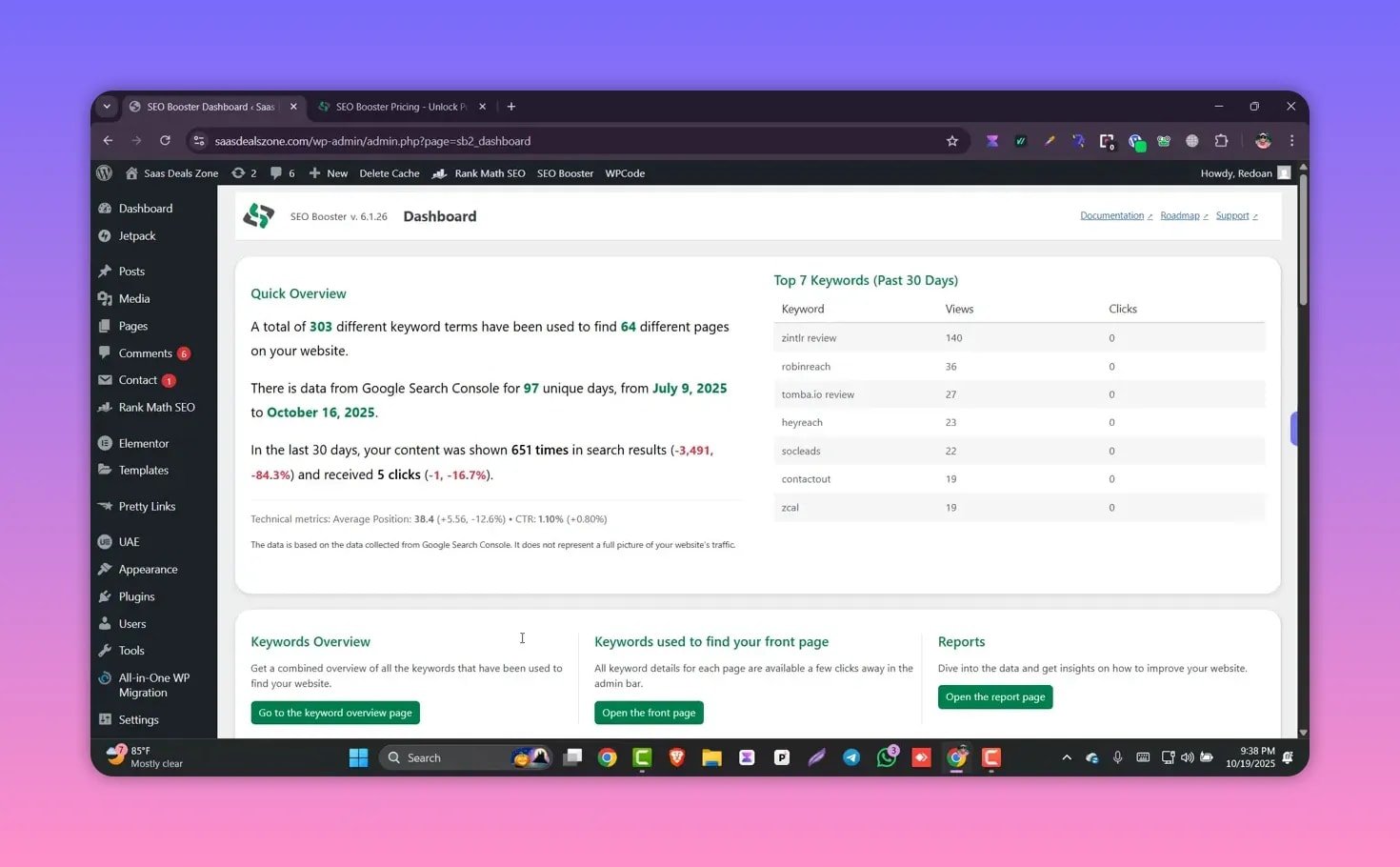
Key benefits of this integration:
- Real-time keyword performance inside WordPress so you can prioritize content edits.
- Daily updates of impressions, clicks, and average position for each query.
- An overview that shows which pages are attracting traffic and which queries are driving that traffic.
🔗 Automatic internal linking
One standout feature is automatic internal linking. Define a keyword and a target page, and the plugin will search your site for that keyword and convert occurrences into internal links. For busy site owners, this creates consistent internal linking without manual edits.
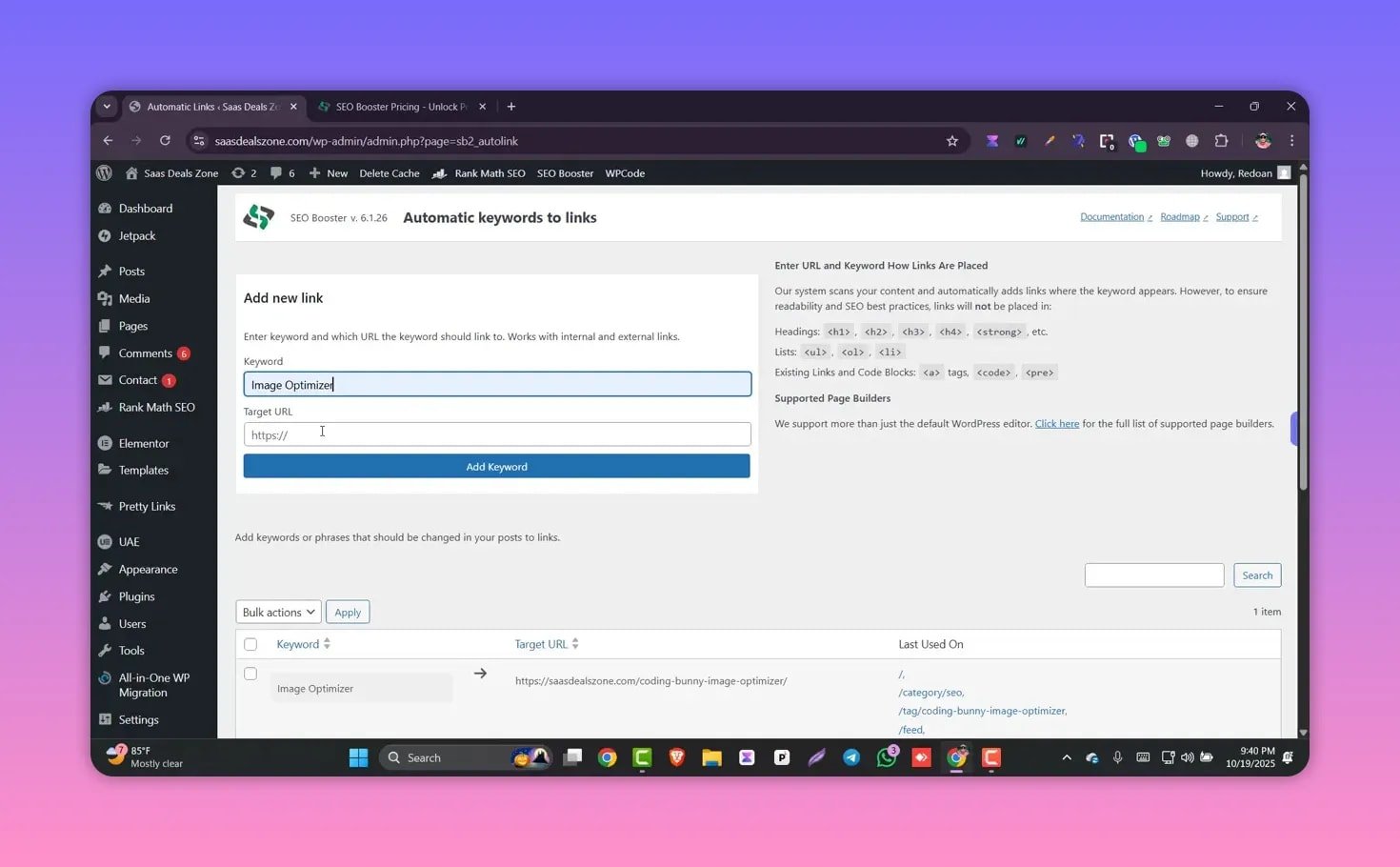
This does two important things for SEO:
- Saves time — one click to create links across many posts and pages.
- Consolidates link equity — you can funnel internal link power to priority pages to improve rankings.
📈 Keyword reporting and content signals
SEO Booster provides detailed keyword reports. You can view top pages, new keywords, long-tail opportunities, keywords that improved or declined, and per-query metrics like clicks and impressions. That makes it easy to spot low-hanging improvements — for example, boosting content that sits on page two of Google.
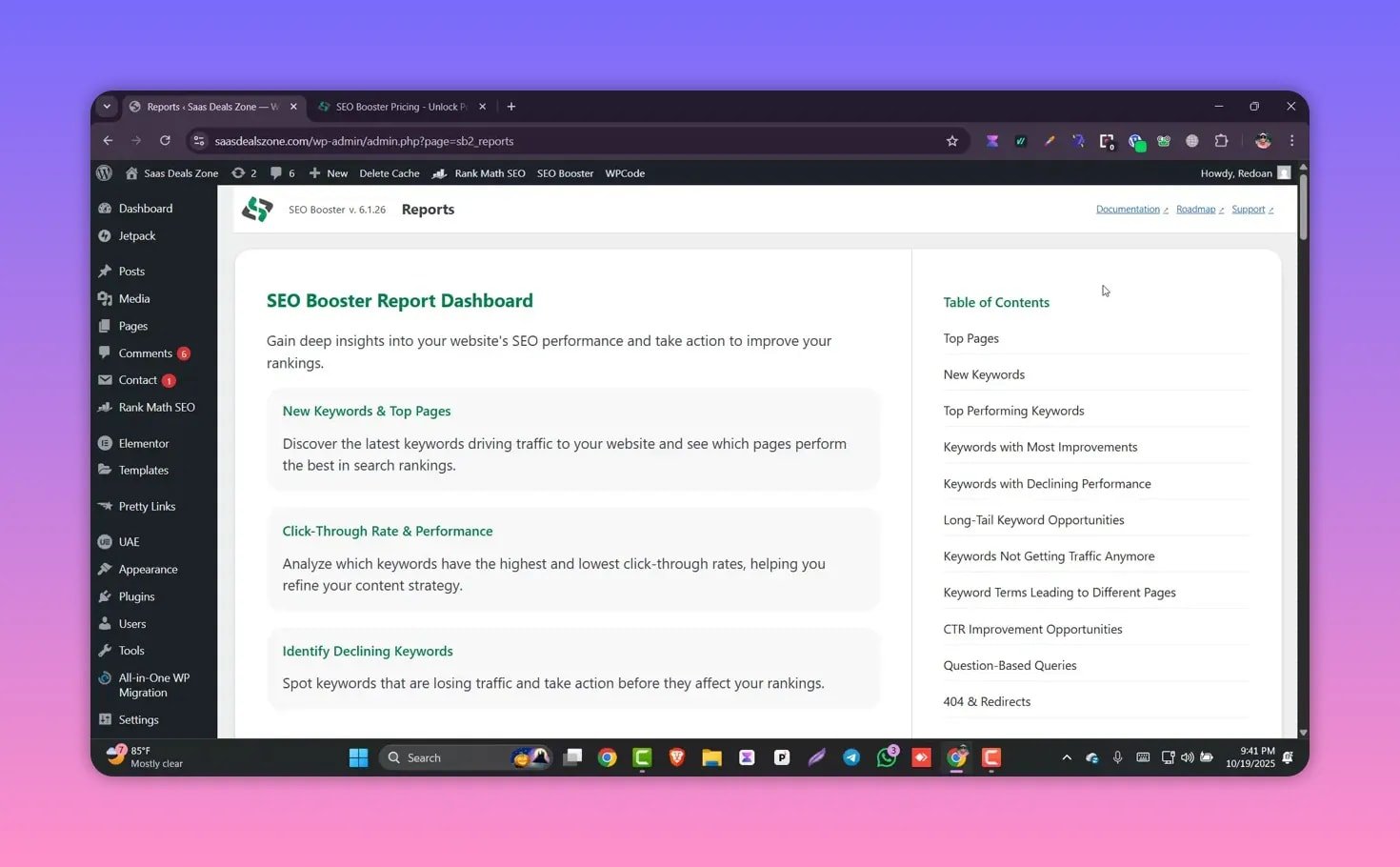
Useful metrics available in the dashboard:
- Top performing keywords and the pages they point to.
- Keyword position and movement so you can spot content slipping or gaining traction.
- CTR and average position per query to prioritize optimization.
🚫 404 redirection and site health
Broken pages hurt rankings and frustrate visitors. SEO Booster scans for 404 errors and lists missing pages so you can fix or redirect them. The plugin offers quick redirect options, including a bulk redirect to the homepage if you choose.
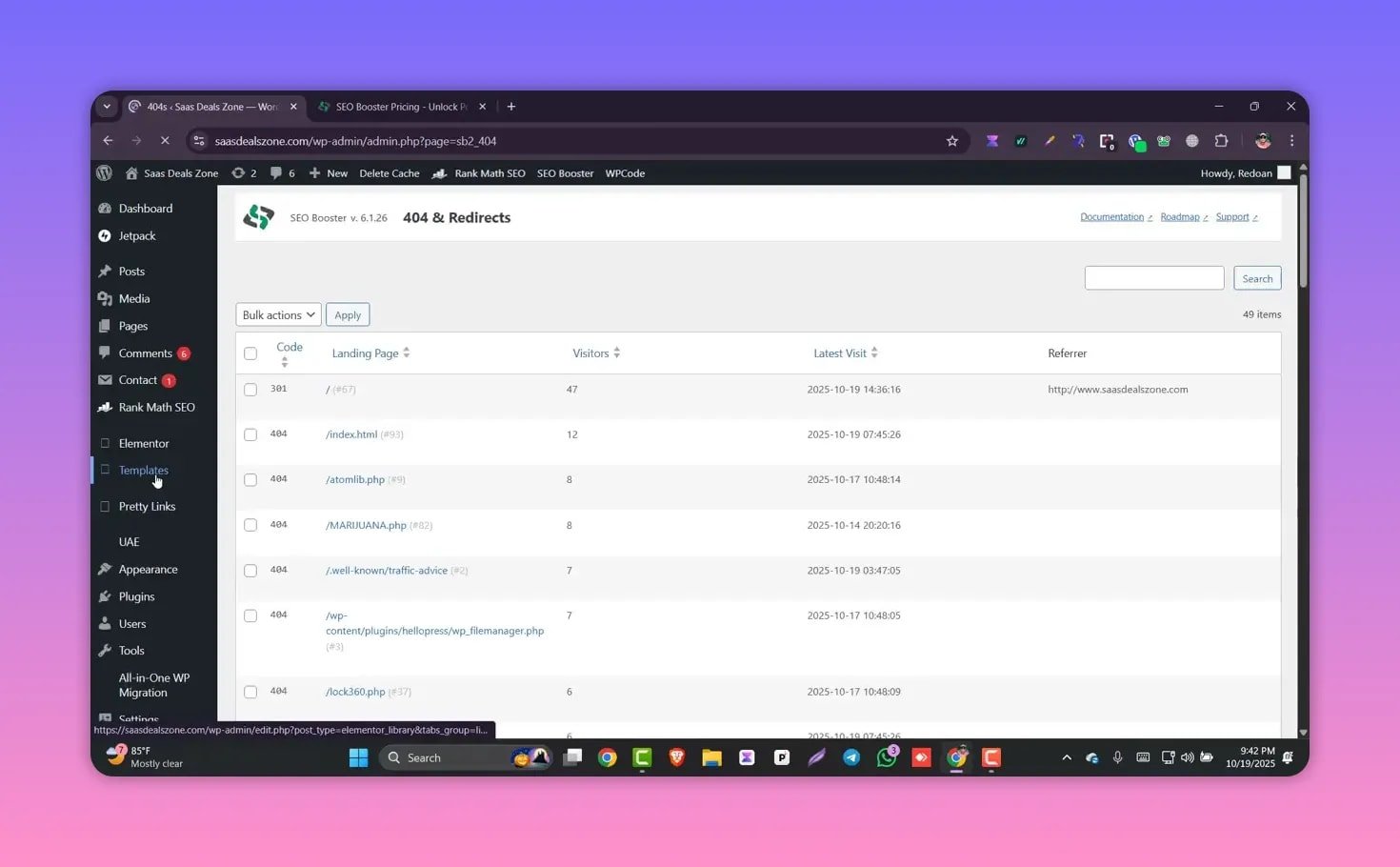
Health checks like this help prevent traffic loss and protect rankings. Still, it’s worth being selective about redirection targets — best practice is to redirect to the most relevant replacement page rather than automatically sending everything to the homepage.
🤖 AI traffic monitoring
SEO Booster also tracks AI traffic, which the plugin calls visits from crawlers such as Googlebot and other bots. The AI traffic view helps you understand how crawl activity is distributed across the site and can highlight pages that receive more bot attention.
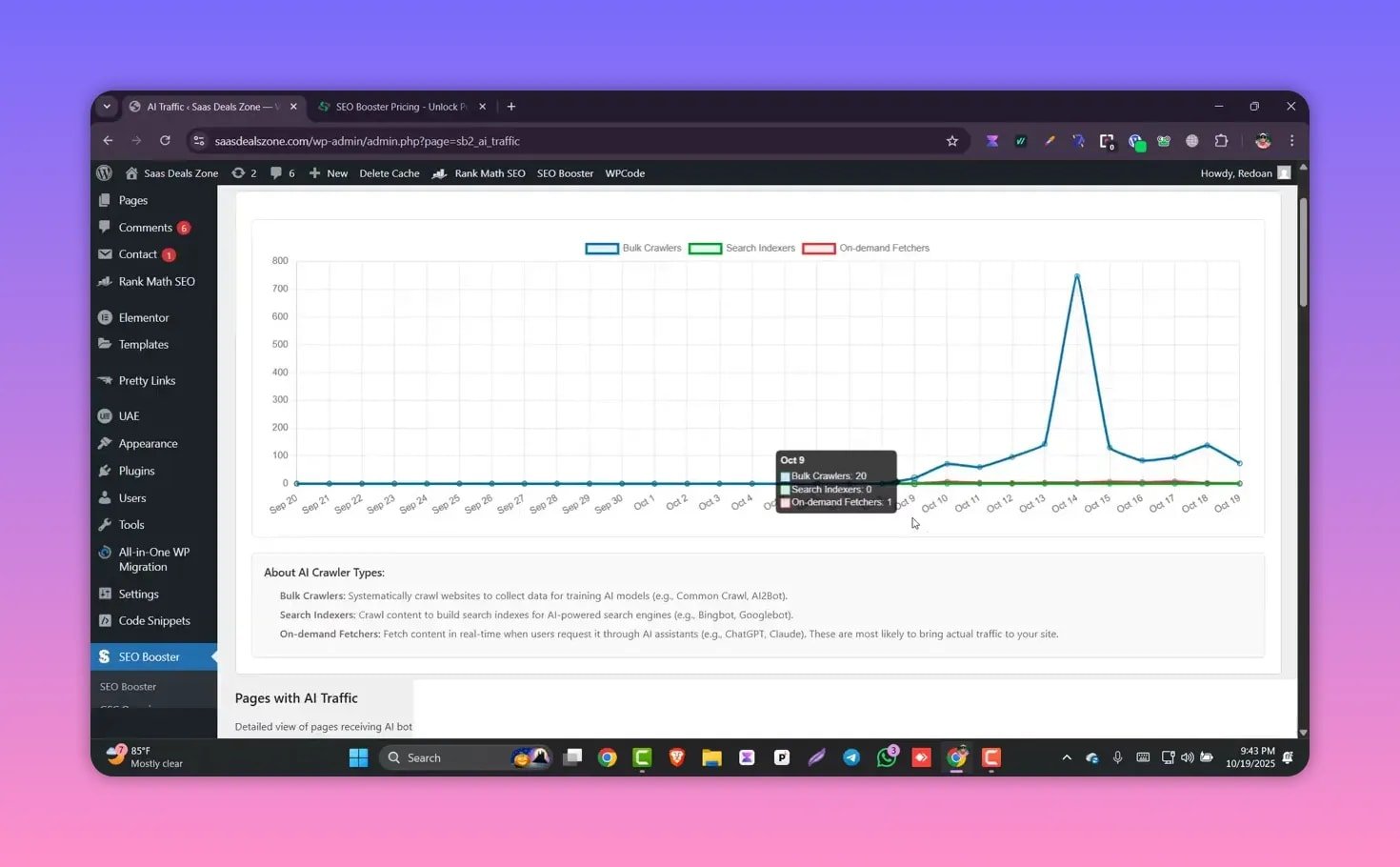
Seeing crawler patterns can guide technical SEO work such as improving crawl budget, fixing indexation issues, and prioritizing critical pages for sitemap and robots adjustments.
💸 Pricing and value
SEO Booster offers a regular subscription option and a limited lifetime deal. Public pricing on the site lists $99 per year, while a lifetime deal option is found on the pricing page and has been offered at a very low one-time price. The plugin comes with a 30-day money-back guarantee.
Consider the value:
- Costs less than an hour of consultant time at many rates.
- Saves manual work on internal linking and monitoring.
- Direct GSC integration reduces the number of separate tools you need.
✅ Who should consider SEO Booster
SEO Booster fits a range of WordPress users:
- Small business owners who want clearer search data without expert-level SEO skills.
- Content teams that need quick internal linking at scale.
- Store owners using WooCommerce who want to monitor keyword performance for product pages.
- Sites using Gutenberg or custom themes — the plugin works across common WordPress setups.
⚠️ Caveats and practical tips
SEO Booster speeds up many SEO tasks, but keep these points in mind:
- Review automatic links after the first run to ensure anchor text and context remain natural.
- Be careful with bulk redirects — always prefer a relevant replacement page over sending users to the homepage.
- Grant only necessary GSC permissions and double-check the integration when you connect accounts.
- Use the keyword report to guide human edits rather than relying solely on automation for content improvement.
🧾 FAQ
How does SEO Booster connect to Google Search Console?
The plugin integrates directly with your Google Search Console account. After activation you grant access and the plugin pulls queries, clicks, impressions, and position data into your WordPress dashboard with daily updates.
Will automatic internal linking create spammy links?
Automatic linking can be very helpful, but it is best used with oversight. Configure your target keywords carefully and review generated links to ensure anchor text and context are appropriate. Limit automation to keywords where natural linking makes sense.
Does it work with WooCommerce and Gutenberg?
Yes. SEO Booster is compatible with popular WordPress themes and plugins, including WooCommerce and the Gutenberg editor, so it can monitor and optimize product pages and block-based content.
What about 404s and redirects — are they automatic?
The plugin detects 404 pages and lists them for action. It offers bulk redirect options, including redirecting to the homepage, but you choose which redirects to apply. Best practice is to map each broken URL to the most relevant live page.
Is there a refund or trial?
The plugin offers a 30-day money-back guarantee, allowing you to test features like GSC integration, internal linking, and 404 handling risk-free.
Final thoughts
SEO Booster condenses several valuable SEO workflows into a single WordPress plugin. The real-time Search Console integration, automatic internal linking, keyword reports, 404 management, and crawler analytics make it a practical choice for site owners who want action-oriented SEO without juggling tools. Use the automation wisely, monitor results, and SEO Booster can remove many repetitive tasks from your optimization process.