
Table of Contents
- 🔎 Quick summary
- 🧭 What SEODITY does best
- 🧰 A quick tour (what I actually tested)
- 💸 Pricing & AppSumo deal
- ✅ Pros
- ⚠️ Cons
- 🎯 Who should consider SEODITY
- 🔧 Tips for getting the most from SEODITY
- 📚 Final verdict
- ❓FAQ
🔎 Quick summary
I signed up for SEODITY’s free trial and spent time poking around every major module. At a glance, SEODITY is a full SEO suite that blends competitor intelligence, keyword research, rank tracking, backlink analysis, and on-site technical audits into one clean interface. It’s promoted as an alternative to Ahrefs and Semrush and, after testing, I can say it’s a compelling option—especially for people who want an AppSumo lifetime deal and a modern UI.
🧭 What SEODITY does best
- Competitor spying: See competitors’ paid ads, landing pages, and newly targeted keywords.
- Keyword research: Large keyword database (hundreds of thousands for broad topics) with KD, search volume, and CPC shown up front.
- On-site technical audit: Automatic on-page checks with warnings, errors, and notices you can act on quickly.
- Backlinks & referring domains: Visual backlink breakdown, dofollow vs nofollow, anchor text, and referring domains.
- Rank tracker & content explorer: Track keywords, see top pages, and compare domains side by side.
🧰 A quick tour (what I actually tested)
I walked through the sign-up, added a project, and then tested SEODITY against a few domains—my own and large competitors. The onboarding doesn’t require a credit card for the short trial, which makes getting started easy.
Adding a project and starting analysis
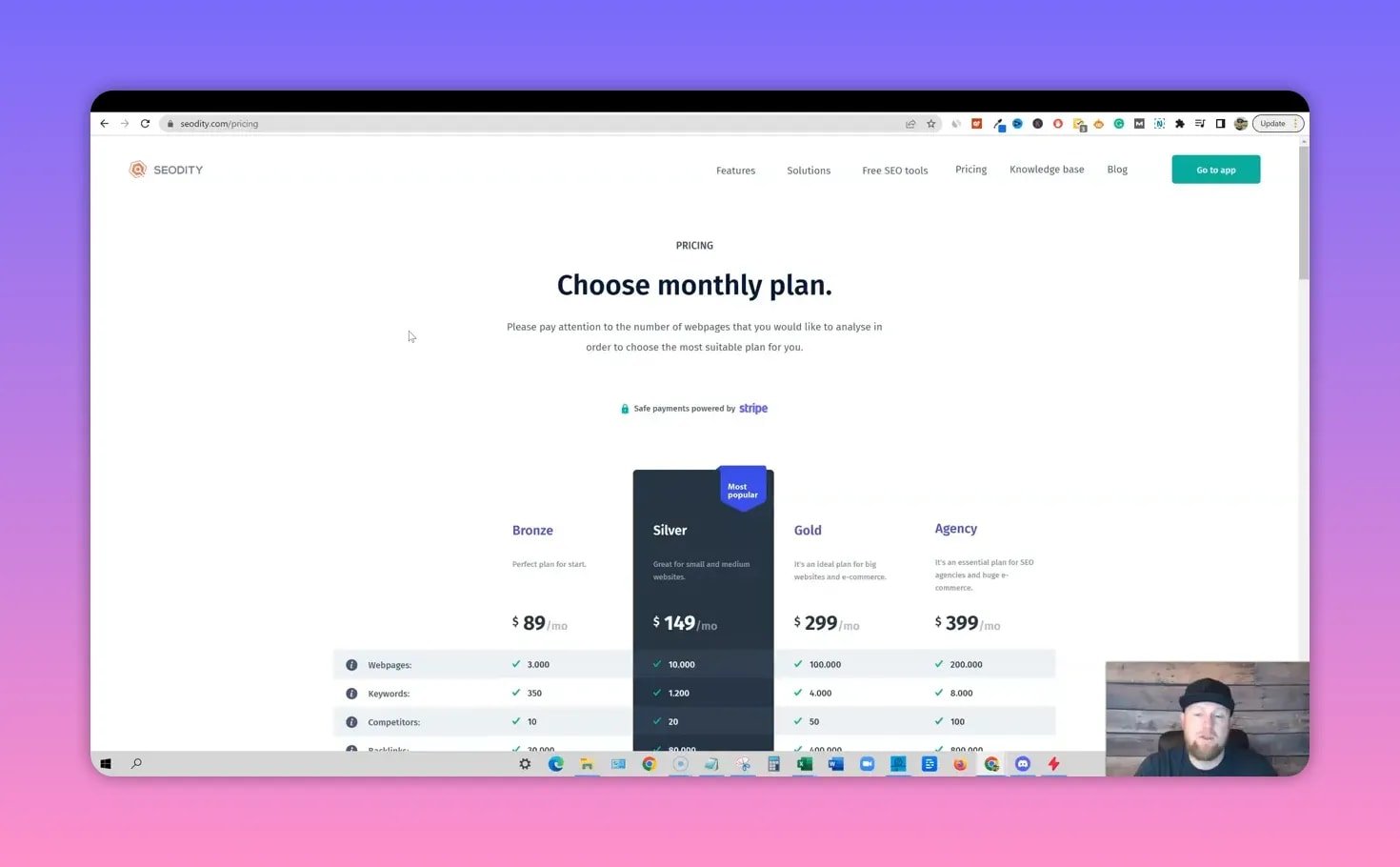
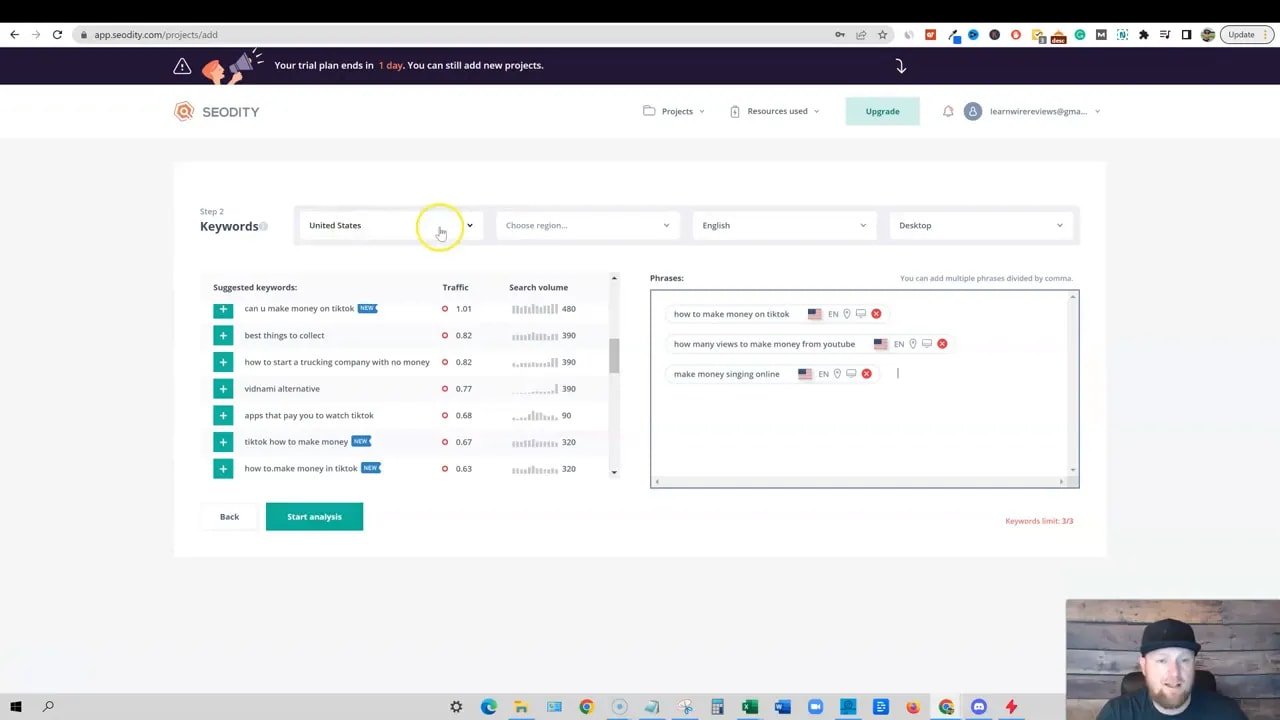
Adding a domain is straightforward. You can limit the crawl to specific pages, use whitelists or blacklists, and choose regional options when tracking keywords. The project setup gave me immediate keyword suggestions for my site and identified newly-ranking terms I’d missed.
Dashboard & domain overview
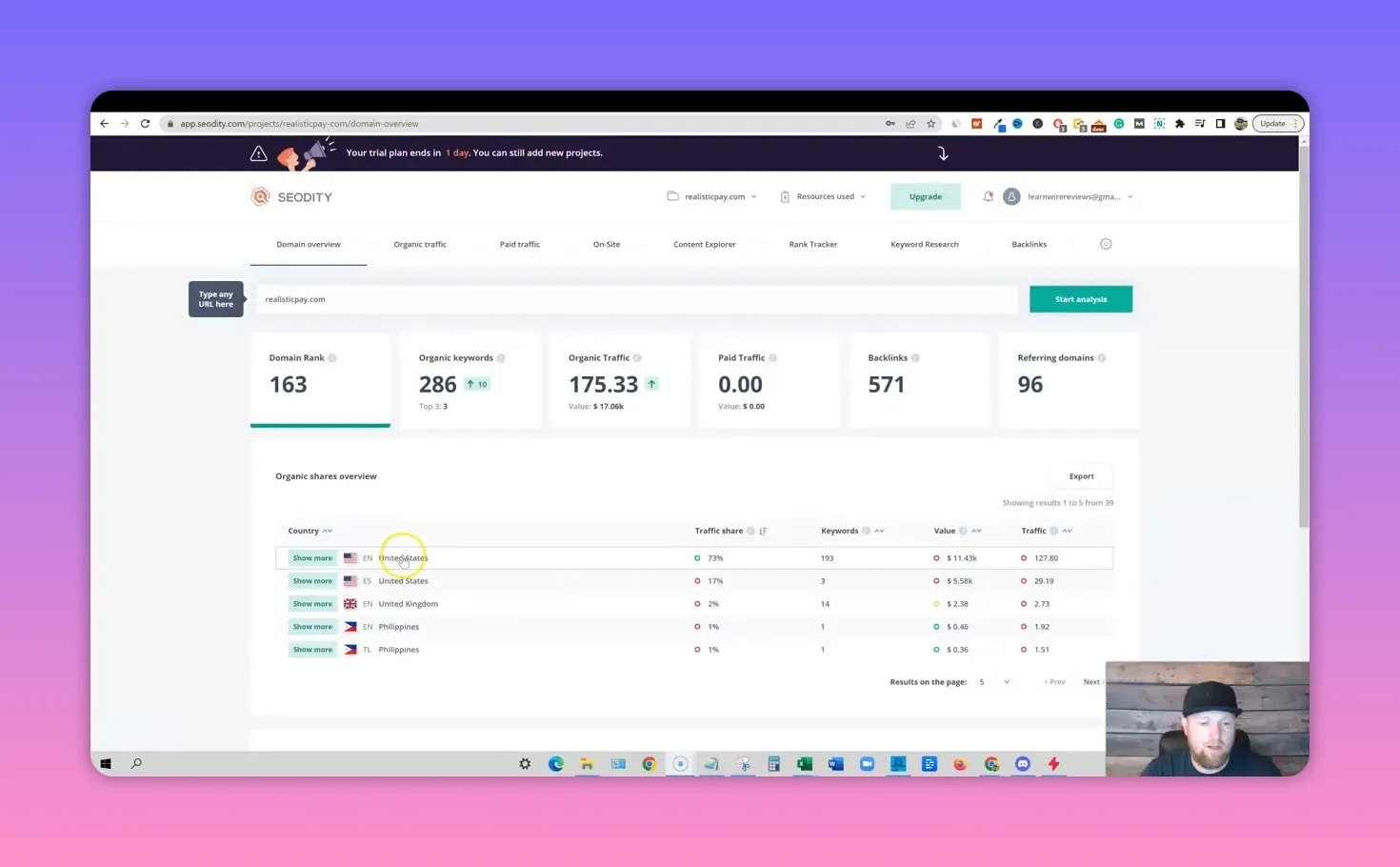
The dashboard is crisp and fast. You get top keywords by country, organic keyword counts, an internal domain rank metric, and traffic estimates. The domain rank uses SEODITY’s own scale (not Moz DA), so expect a different number range and learn the scale over time.
Competitor ad spying — a highlight
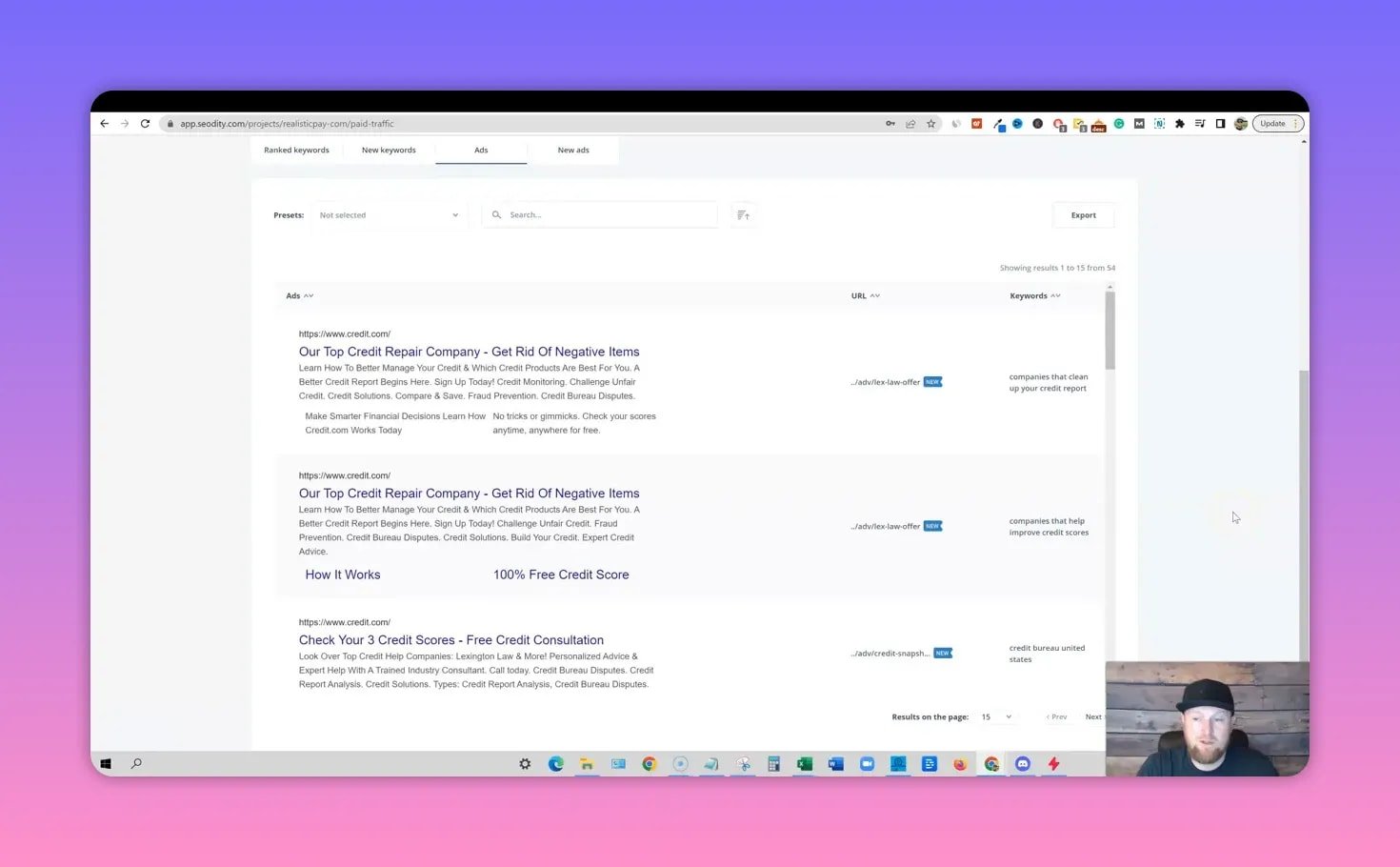
One of the most useful features is the paid traffic module. Enter a competitor domain and you can:
- See active paid ads and landing pages
- Track when new ads go live
- Extract the keywords they are targeting with paid campaigns
For marketers and affiliate sellers, being able to inspect an advertiser’s creative and landing pages is invaluable for reverse-engineering funnels and testing opportunities.
On-site technical audit
SEODITY runs an on-page audit and lists warnings, errors, and notices. It flags things like low word counts and displays a keyword cloud to help you see your content focus at a glance.
Backlinks and anchor analysis
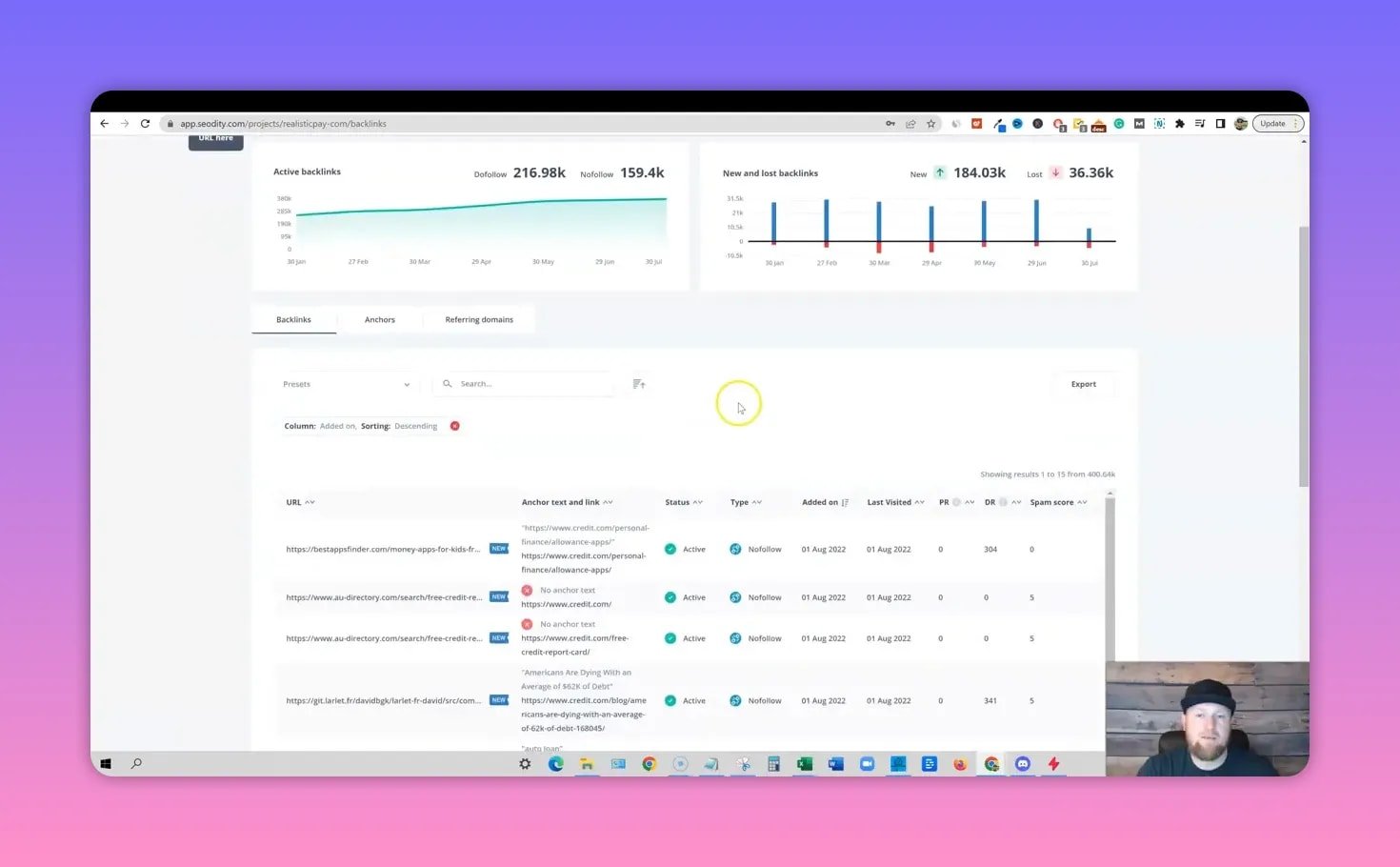
The backlinks module presents referring domains, anchor text distribution, and dofollow vs nofollow counts in a clean visual layout. It’s easy to drill in and see the data that matters.
Keyword research database
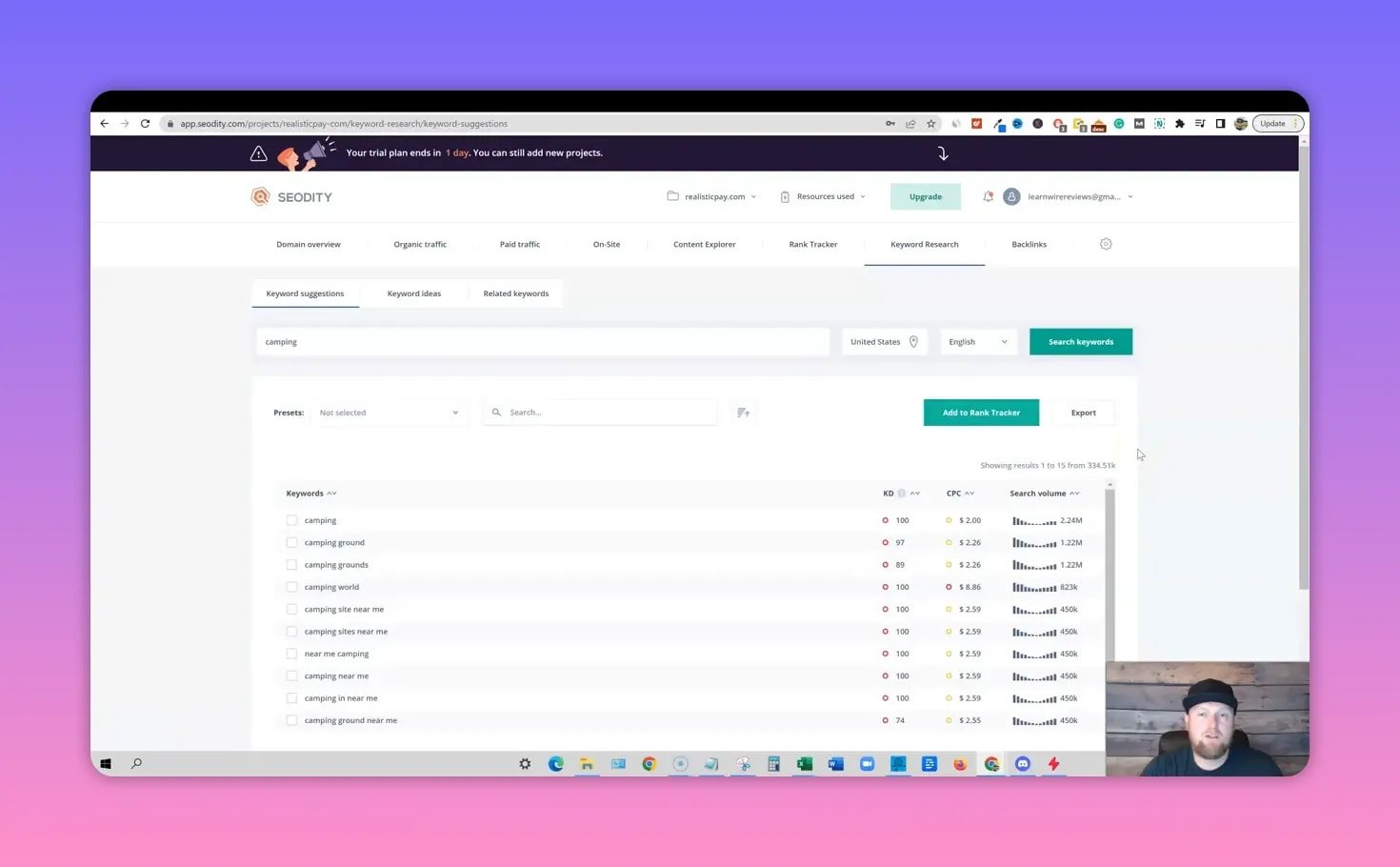
Keyword suggestions, keyword ideas, and related keywords are separated into sensible categories. I tested broad queries like “camping” and saw a large database (SEODITY returned ~334,000 related entries for that search during my test). Each keyword shows KD, search volume, and CPC right in the results, and you can add phrases directly to the rank tracker or export them for content briefs.
💸 Pricing & AppSumo deal
SEODITY is available as a lifetime deal on AppSumo with tiered licenses. If purchased outside the LTD, monthly plans start around $89 for the basic tier and rise from there. The AppSumo lifetime access is attractive because it often includes:
- Unlimited projects and domains
- 25,000 web pages analyzed
- 20,000 backlinks in the plan limits
- 300 keywords (clarify whether this is monthly searches or tracked phrases)
- On-demand on-site analysis quotas per month
The exact allotments (how many keywords you can track, how many pages you can analyze each month) vary by tier, so check the current deal details before buying.
✅ Pros
- Modern, fast, and clean UI that makes large datasets digestible
- Strong competitor intelligence with paid ad spying and landing page visibility
- Comprehensive feature set—rank tracking, keyword research, backlinks, audits, content explorer
- Generous trial without a credit card required
- Large keyword database for broad topics
⚠️ Cons
- Domain rank uses a proprietary scale rather than familiar DA/DR numbers; there’s a learning curve to interpret it
- Some reports appear limited on trial tiers (only a handful of keywords visible for big domains)
- Documentation and feature limits per plan could use clearer labeling (e.g., what exactly “300 keywords” means)
🎯 Who should consider SEODITY
- Small agencies and freelancers who need an all-in-one toolkit without Ahrefs or Semrush pricing
- Affiliate marketers who depend on competitor ad intelligence and landing page research
- Site owners who want a single platform for audits, backlinks, and content research
- Anyone buying AppSumo LTDs and looking for a modern SEO suite with lifetime access
🔧 Tips for getting the most from SEODITY
- Start with competitor spying: Use the paid ads view to capture landing pages and ad copy. It’s the fastest way to uncover high-converting offers.
- Use the on-site audit: Fix high-priority errors first, then address warnings like low word count or missing schema.
- Build content briefs from Content Explorer: Export keyword lists from top-performing competitor pages and include them in new posts.
- Learn the domain rank scale: Compare a handful of known domains to map their SEODITY score to familiar metrics like Moz DA or Ahrefs DR.
📚 Final verdict
SEODITY nails the core job: it’s an all-in-one SEO suite with excellent competitor intelligence and a modern UI. If you want a credible Ahrefs alternative—especially one available as a lifetime deal—it’s worth serious consideration. The proprietary domain score and trial limits are minor caveats when balanced against the value of the feature set and the clean presentation.
I gave it a strong recommendation and plan to keep using it for competitor research and keyword discovery.
❓FAQ
Does SEODITY require a credit card for the trial?
No. SEODITY’s short trial did not require a credit card during my signup, which makes testing the tool quick and low friction.
How does SEODITY compare to Ahrefs and Semrush?
Feature-wise, SEODITY covers the essentials: keyword research, rank tracking, backlinks, on-site audit, and competitor ad intelligence—similar to Ahrefs and Semrush. The biggest differences are pricing and metric presentation. SEODITY uses its own domain rank scale, so expect to translate scores rather than read familiar DA/DR values.
Can I see competitors’ paid ads and landing pages?
Yes. SEODITY shows active paid ads, the pages they point to, and newly launched ads—useful for reverse-engineering campaigns and finding affiliate or product opportunities.
Is the keyword database large enough for serious research?
Yes. For broad topics I tested, the database returned hundreds of thousands of entries. It may not always match every tool’s total volume, but it is large and practical for content planning and keyword discovery.
Which plan should I pick?
For most solo SEOs and small agencies, the entry lifetime tier is a sensible start—especially on AppSumo. If you need heavy daily queries, more tracked keywords, or extra on-demand analyses, consider higher tiers. Always confirm the exact limits (tracked keywords, pages analyzed, backlink rows) before purchasing.