Table of Contents
- 🔎 Quick summary
- 💸 Pricing and credits explained
- 🧭 Keyword research and clustering — a core strength
- ✍️ Content creation: customization and workflow
- ⚠️ Integrations and UX issues I encountered
- 🧪 Real tests: two articles, very different outcomes
- 📈 Optimization and SER score
- 🖼️ Image generation and tables
- ✅ What SEOpital does well
- 🚧 Where SEOpital still needs work
- ⚖️ Final verdict
- 📌 Practical tips if you try SEOpital
- ❓FAQ
- 🛠️ Final thoughts
🔎 Quick summary
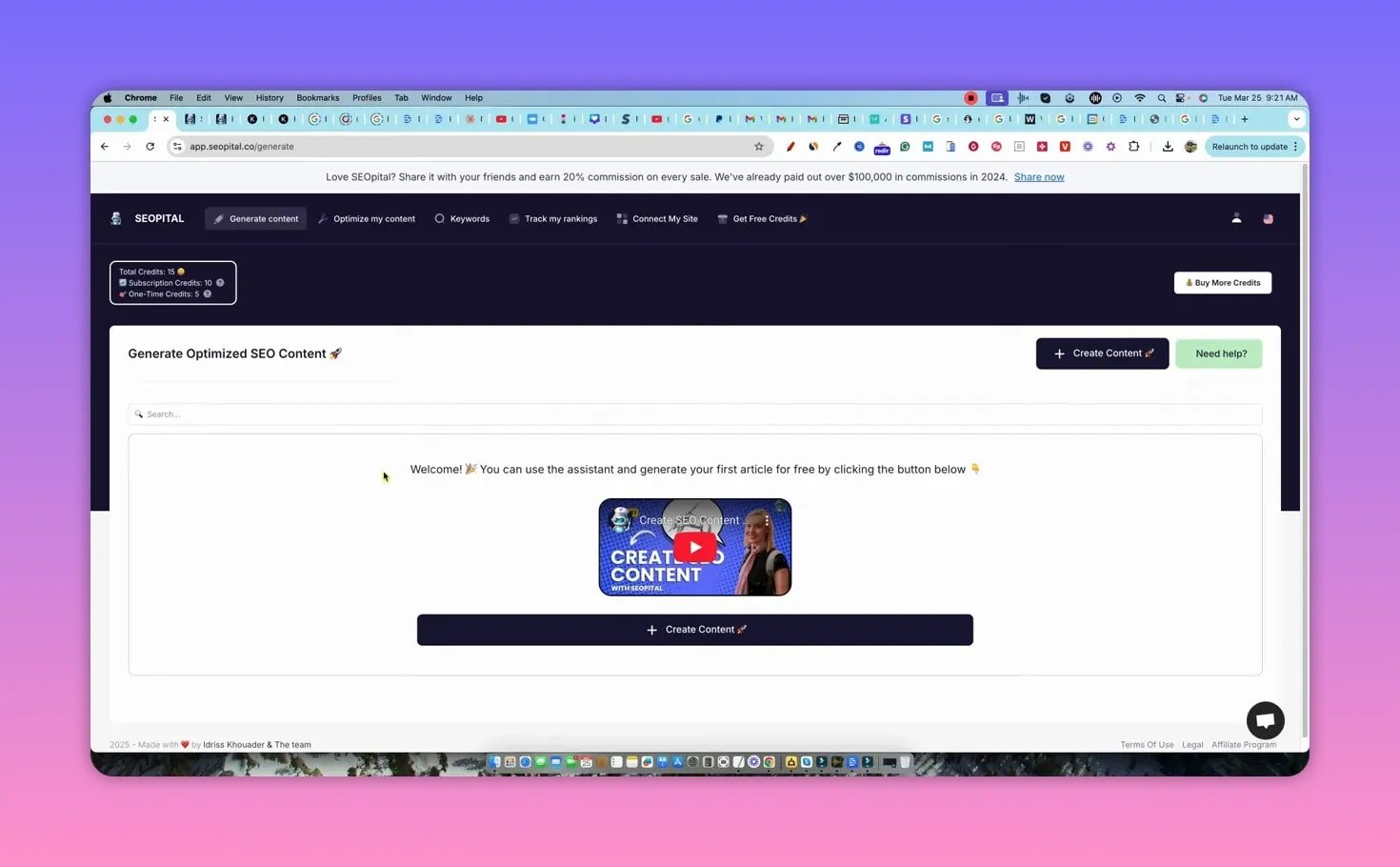
SEOpital is an AI writer built around ranking-focused workflows: keyword research and clustering, outline generation from top-10 pages, image generation, FAQ creation, and a content optimizer that compares your draft to competitors. It sits at the higher end of per-article cost and uses a credits model. After hands-on testing, my final score is 3.6 / 5. The tool shows real promise but still has bugs and UX issues to iron out.
💸 Pricing and credits explained
SEOpital uses subscription tiers and credit packs. The main points to know:
- Entry tier: around $49/month (limited credits — roughly 10 articles worth if each article costs 2 credits).
- Higher tier: around $99/month for more credits and additional domains.
- Credit packs: pay-as-you-go bundles are available — roughly $4.90 per credit in some packs, translating to about $9–10 per article if one article consumes two credits.
- Some article options (FAQ, images, optimizations) may consume extra credits; the UI does not always make that transparent.
If you expect to publish multiple long, optimized pieces per month, the subscription is the better value. For occasional use, credit packs are an option — but check whether unused credits roll over.
🧭 Keyword research and clustering — a core strength
The built-in keyword research pulls large lists (I pulled 600+ keywords for a topic) and can cluster them by search intent. Clustering groups related keywords into potential article targets so you can prioritize pages and avoid cannibalization.
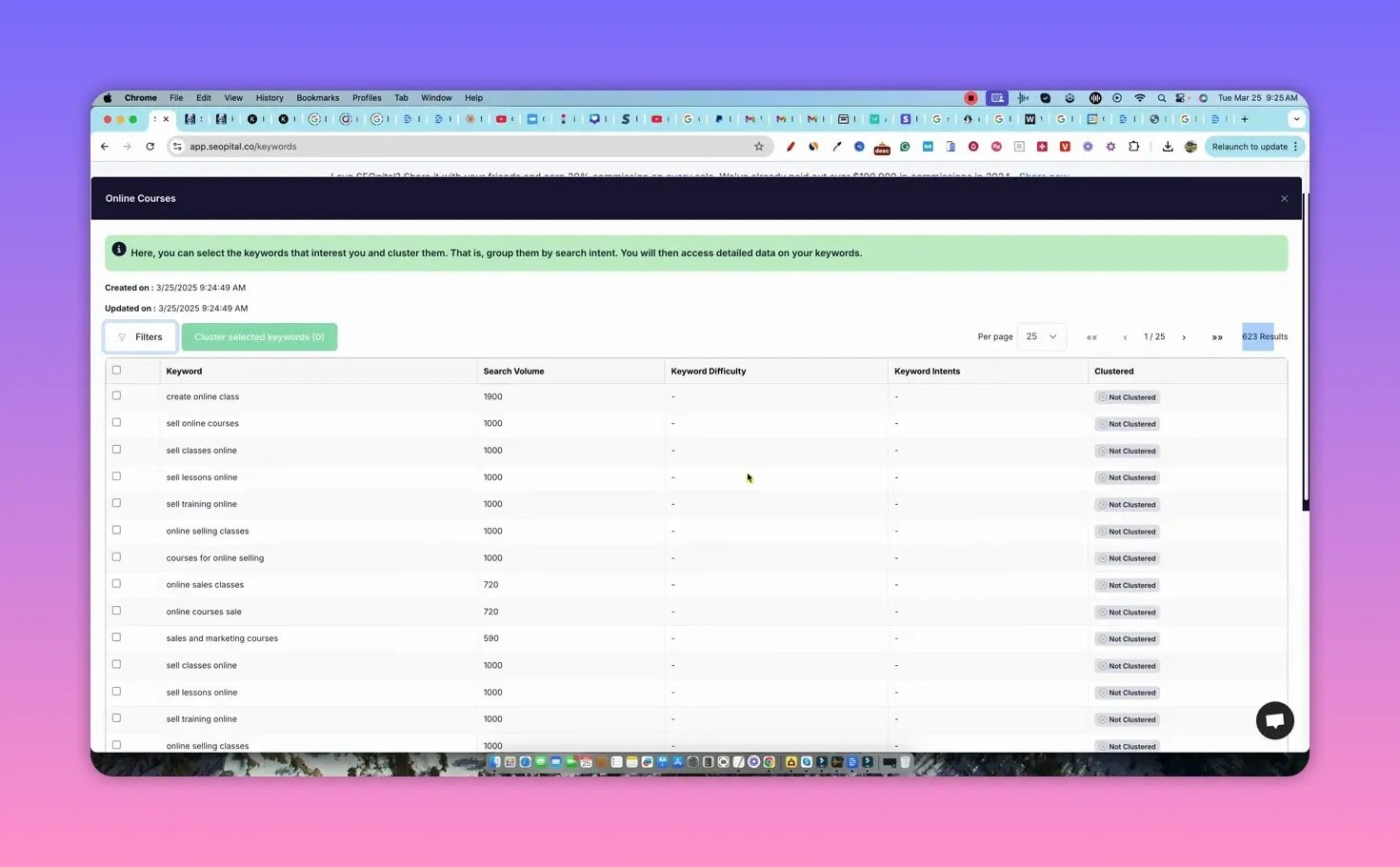
Clustering lets you:
- Turn hundreds of keywords into a manageable set of clusters.
- See suggested page types and the top-10 competitor analysis for each cluster.
- Export clustered keywords for planning and content briefs.
Note: clustering can be credit-heavy if you ask the tool to analyze page types or fetch difficulty metrics. The UI provides search volume but getting keyword difficulty often requires extra analysis steps.
✍️ Content creation: customization and workflow
SEOpital focuses on giving editors control. You can:
- Generate an outline based on the top 10 results.
- Supply your own outline or detailed editorial guidelines.
- Choose writing tone and provide sample content for voice consistency.
- Toggle automatic insertion of FAQs, images, bold/italic styling, and internal/external links (the latter requires providing URLs and anchor text).
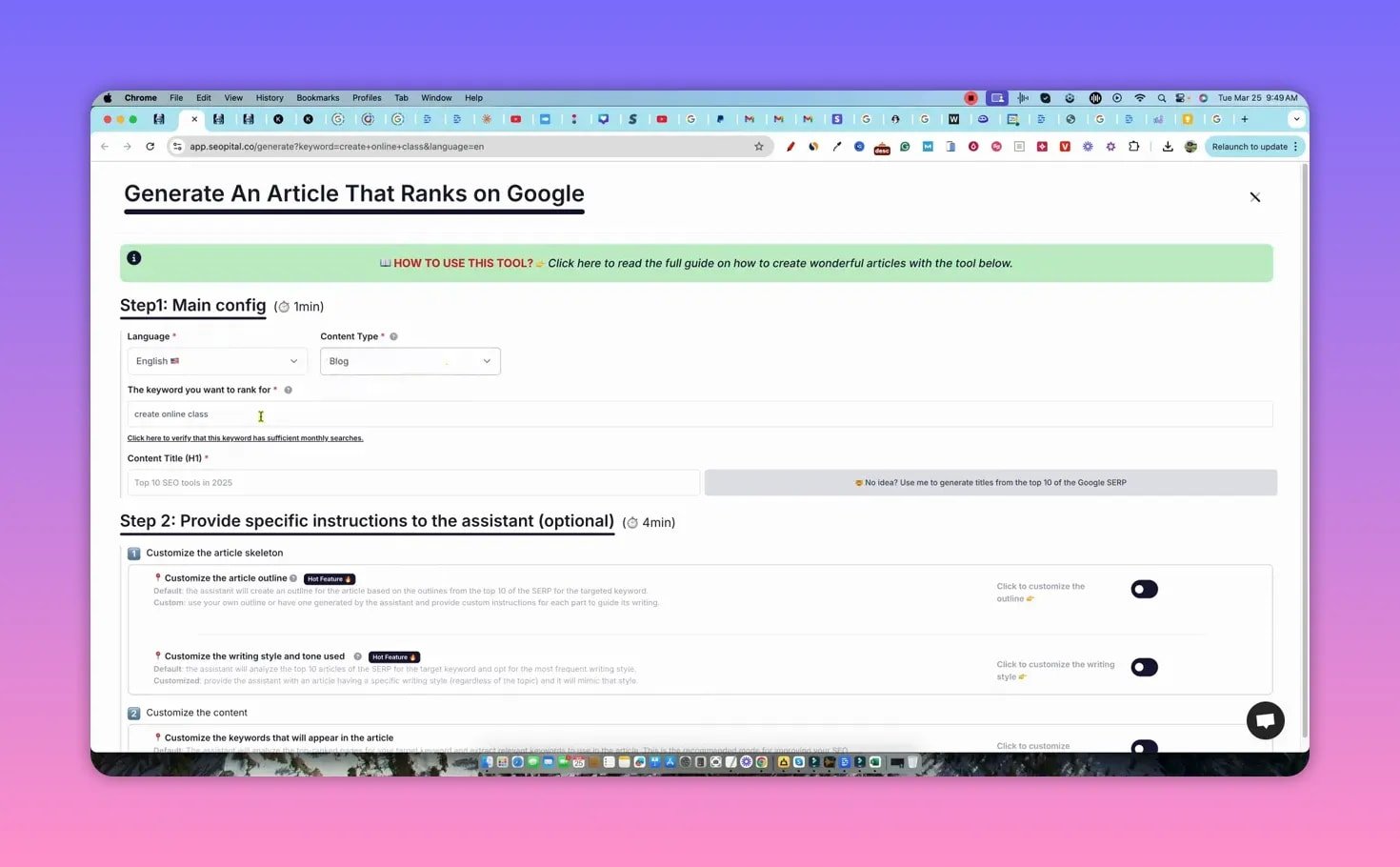
The tool attempts to extract topical keywords from competitor pages and incorporate them into the draft. That approach helps produce SEO-focused content without building everything from scratch.
⚠️ Integrations and UX issues I encountered
A few practical problems surfaced during testing:
- WordPress connection — setting up via application password can be hit or miss. I experienced repeated failures and needed support intervention in past cases.
- Credit transparency — several actions (clustering, generating, optimizing) consumed credits without clearly stating how many would be used beforehand.
- Performance bugs — the content optimizer sometimes stalls or takes an excessive amount of time to finish (30+ minutes on one attempt).
- Export and copy — copying a generated article from the UI failed initially; manual copy/paste was necessary for some drafts.
🧪 Real tests: two articles, very different outcomes
I ran two full-content tests to see how SEOpital performs in practice.
Test 1 — Create online class (short, disappointing result)
The first article generation returned a bare-bones output of about 420 words, mostly bullet points and FAQs with no proper introduction, transitions, or conclusion. That output was unusable for a topic that needed depth and ended up consuming credits without delivering value.
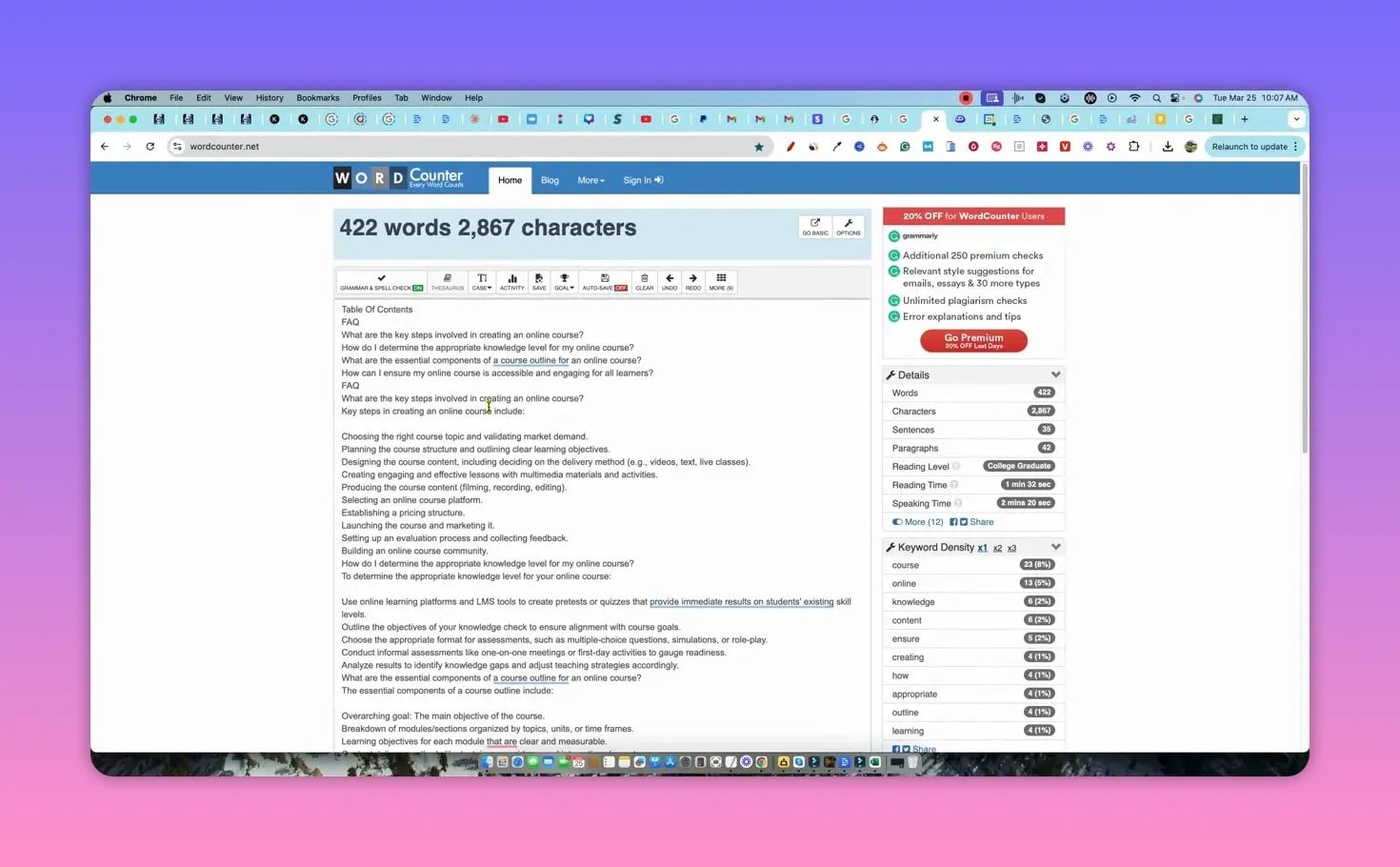
Takeaway: the writer can fail to produce long-form content when expected. This may be due to a temporary bug, misinterpreted options, or server-side issues.
Test 2 — Earn money with Udemy (strong result)
For the second test I supplied a custom outline, requested a long-form article (3,500–4,000 words), asked for a table in a specific section, and left other defaults on. SEOpital produced a well-structured ~3,400-word article with images, styling, a table, and a detailed table of contents.
The content felt factual and clear, formatted with H2s/H3s, and included sections you would expect in a comprehensive evergreen guide. The generated images were usable but not always perfectly relevant or sized consistently.
📈 Optimization and SER score
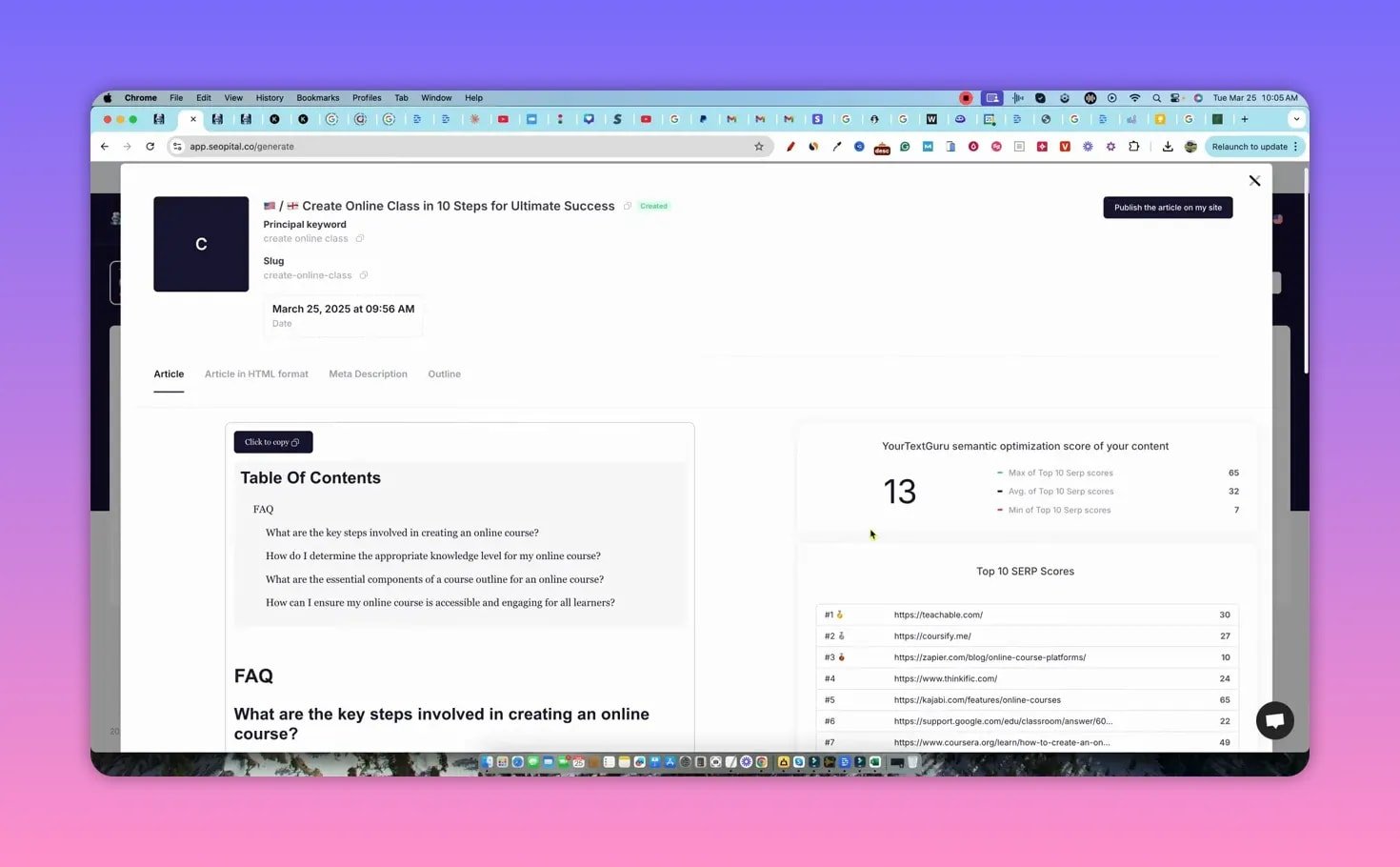
SEOpital’s optimizer compares your draft with top-10 competitor pages and generates a SER (Search Engine Relevance) score. The optimizer highlights missing keywords and suggests which terms to add to reach competitor parity.
In practice:
- The second article achieved a high internal SER score versus competitors.
- The optimizer itself can be slow or stall, though it gives actionable keyword suggestions when it completes.
- External and internal link insertion is not automatic by default; you can supply a list for the assistant to incorporate, which is powerful but requires manual input.
🖼️ Image generation and tables
SEOpital will insert images and can generate tables when you request them in the outline. Image sizing is currently inconsistent, and the editor has limited controls for image dimensions, so expect to make manual adjustments after generation.
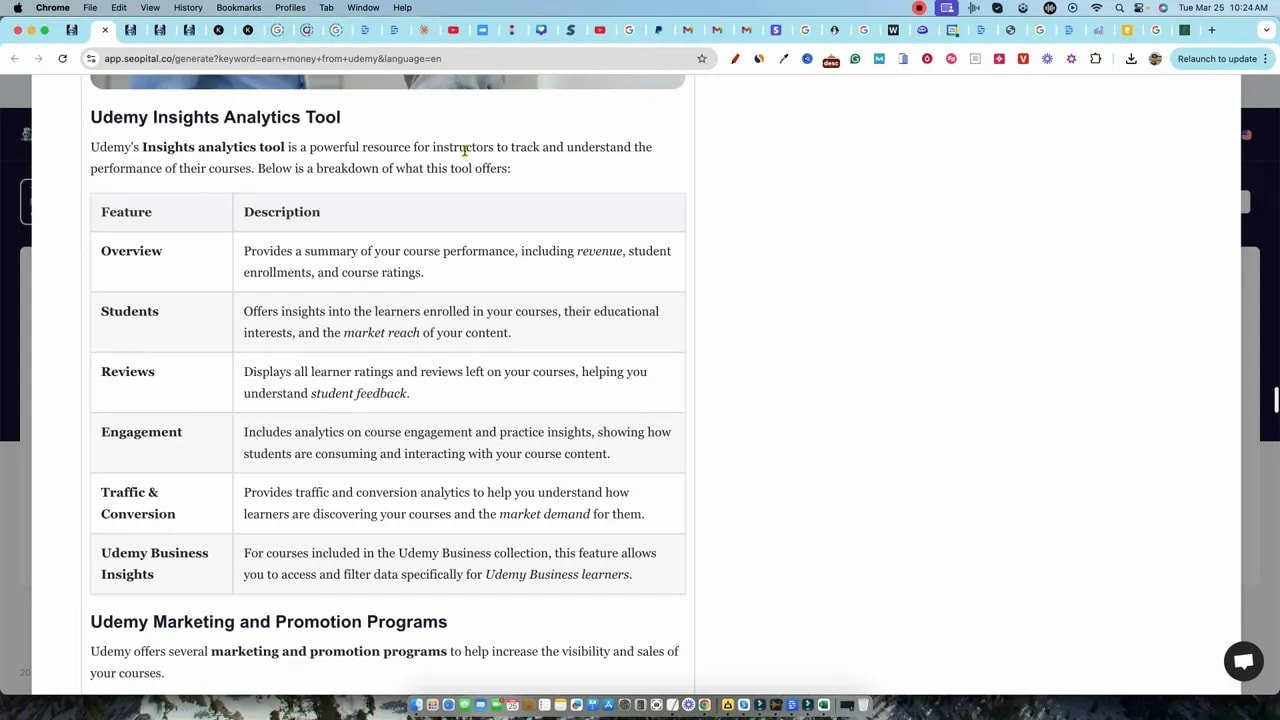
Creating a table in a specific subsection worked as instructed during testing. That level of responsiveness is a clear advantage for building data-driven content quickly.
✅ What SEOpital does well
- Keyword clustering and topical organization — fast way to turn big keyword lists into article targets.
- Customizable outlines — generate outlines from top-10 pages or provide your own for more control.
- Long-form capability — when it works, the AI can produce well-structured, SEO-ready long-form articles with images and tables.
- Competitor-aware optimization — SER scoring and keyword suggestions help align content with ranking factors.
🚧 Where SEOpital still needs work
- Improve WordPress connection reliability and make troubleshooting clearer.
- Make credit usage transparent for each action so users can budget articles and tasks.
- Speed up and stabilize the content optimizer; 30-minute optimizations are unacceptable.
- Add finer control over image sizes and more flexible export/copy features.
⚖️ Final verdict
SEOpital is a promising, ranking-focused AI writer that aims for high-quality outputs rather than churn. It has the right features: clustering, outline generation, image insertion, tables, and a competitor-aware optimizer. But reliability and UX gaps hold it back right now.
My rating: 3.6 out of 5.
Who should try it: content teams and solo creators who value SEO-first workflows and can tolerate some initial friction, especially if they plan to publish a handful of high-quality, long-form posts per month.
📌 Practical tips if you try SEOpital
- Start with a small paid plan or a credit pack and test a few full articles before committing to higher tiers.
- Always supply a clear outline when you need long-form depth. That greatly increases success rates.
- Prepare a list of internal links and key external references to paste into the link customization field for better final drafts.
- Monitor credit consumption after each major action until you understand how many credits each step uses.
❓FAQ
How many credits does an article cost?
Most simple articles cost around two credits. Adding images, tables, FAQs, or running the optimizer can increase credit usage. Credit consumption is not always shown clearly before an action, so track your usage closely.
Does SEOpital generate images and tables?
Yes. SEOpital can insert AI-generated images and create tables based on outline instructions. Image sizes may be inconsistent and sometimes require manual adjustment.
Is WordPress integration reliable?
Integration exists for WordPress, Webflow, and Shopify, but WordPress connection via application password can be flaky. If you hit errors, support intervention may be required.
Will SEOpital replace a content team?
Not entirely. It accelerates research, outlines, and drafts, but human editing is still essential for brand voice, link strategy, image selection, and final SEO polishing.
Is SEOpital worth the price?
It can be worth it if you publish several high-quality, SEO-first articles per month and want integrated keyword clustering and optimization. If you need many low-cost pieces, lower-priced AI writers may be a better fit until SEOpital stabilizes.
🛠️ Final thoughts
SEOpital shows real potential for creators who prioritize SEO outcomes over volume. Its clustering, outline generation, and optimizer are the right ingredients for content that can rank. However, fixable reliability and transparency issues currently limit its “out-of-the-box” usefulness. If those areas improve, this could become a staple for serious publishers.