
What Swft Connect does and why it matters
Swft Connect turns networking into a fast, trackable process. Create a scannable pass for Apple Wallet and Google Wallet, hand it to someone to scan, and they land on a digital business card that can instantly exchange contact details. The core promise is simple: make saving contact information painless and measurable.
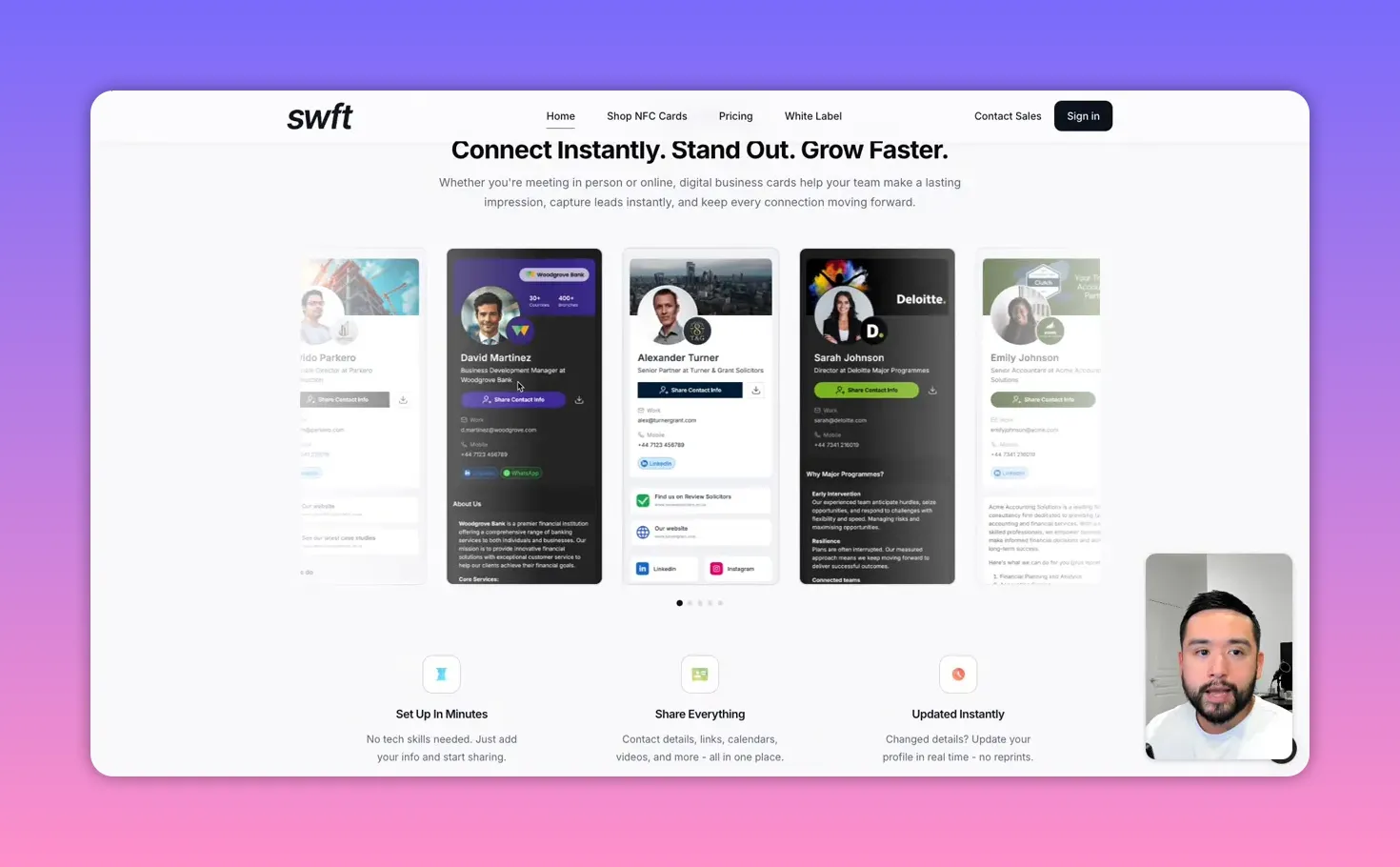
Building your digital business card
Cards are modular. Add links, social profiles, images, text blocks, embedded YouTube videos, and even an embedded calendar for bookings. The builder pulls your LinkedIn information when you provide your LinkedIn URL, which saves time on setup by auto-populating your photo and headline.
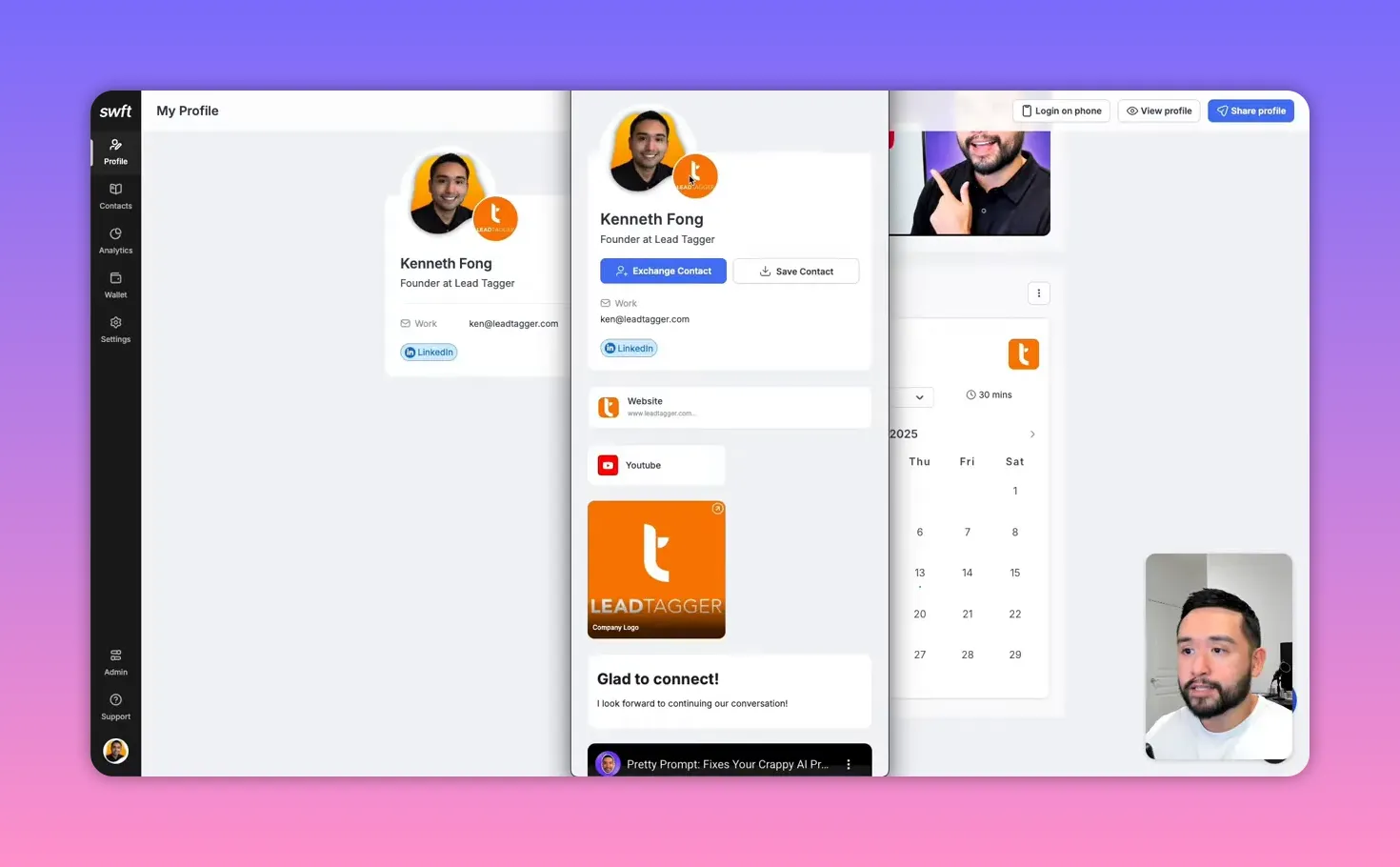
Useful sections include:
- Profile and logo
- Social links and website
- Photo gallery and video embeds
- Calendar integration for scheduling
- HTML embed for third-party widgets or widgets from other tools
Capture leads automatically with the contact exchange
The standout feature is the exchange contact button. When someone taps it, a short form appears asking for name, email, phone, company, job title, and an optional message. After submission, Swft Connect sends both parties an email containing a downloadable contact card that can be saved directly to a phone.
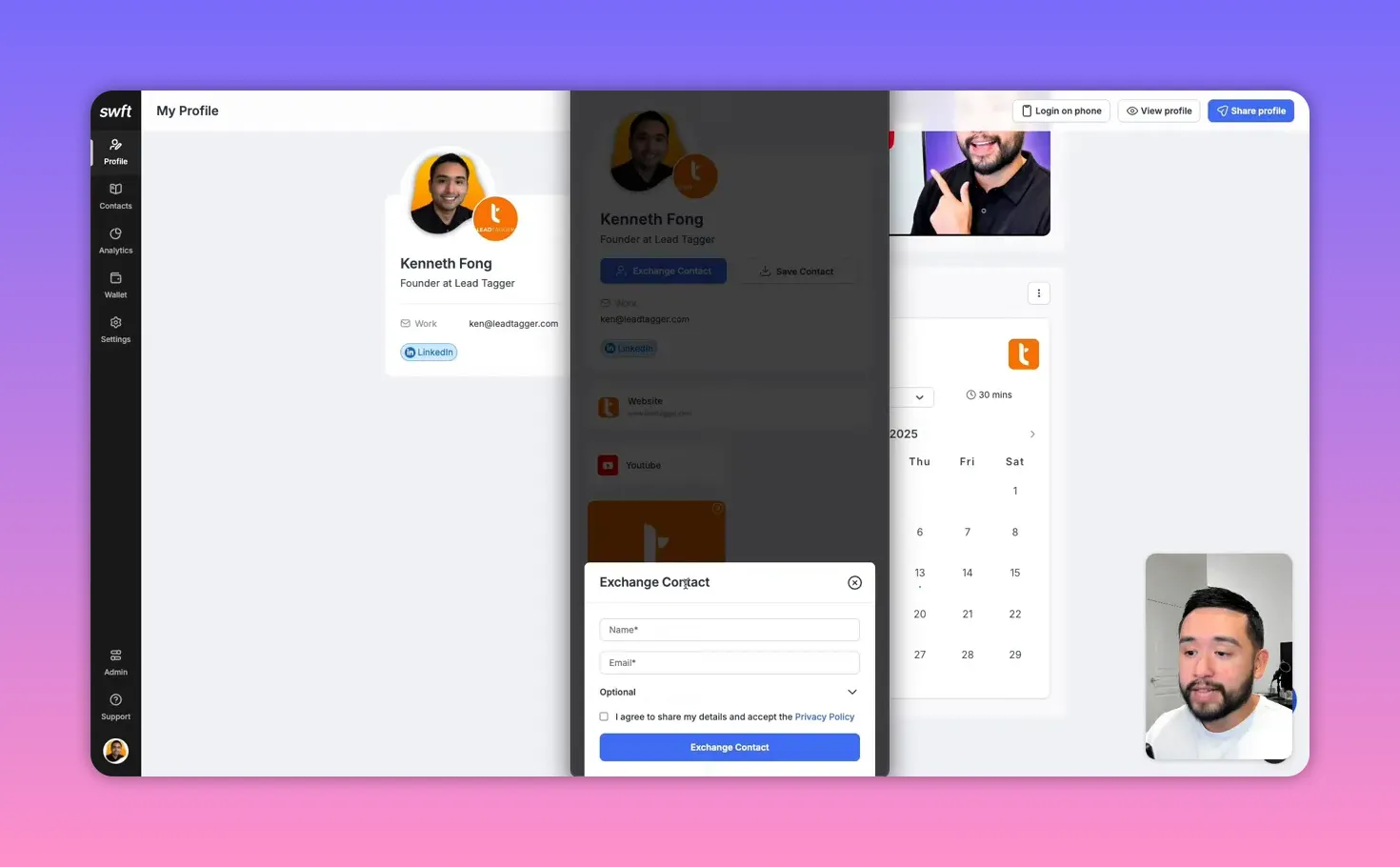
This is powerful because it eliminates the manual transfer of info from paper cards or typing into your phone. Both people walk away with a vCard they can add to their address book immediately.
Organize contacts and personalize follow-up
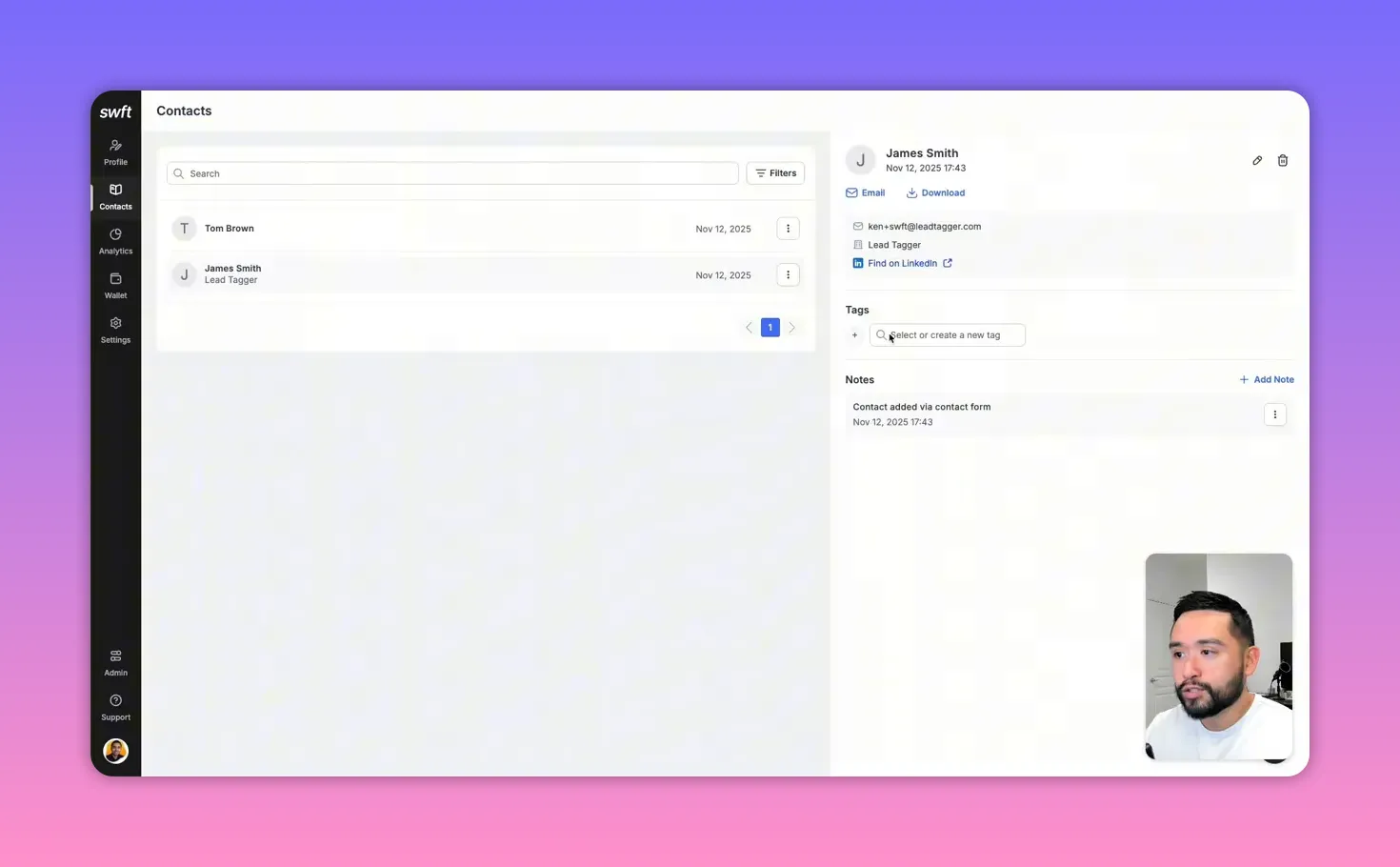
Every submitted contact is stored in your Swft Connect contacts area. You can:
- Tag contacts (useful for tracking leads from a specific conference day or event)
- Add notes to record details of a conversation for more personalized follow-ups
- Filter by tag, date, or team member to find leads quickly
Know what’s working with analytics
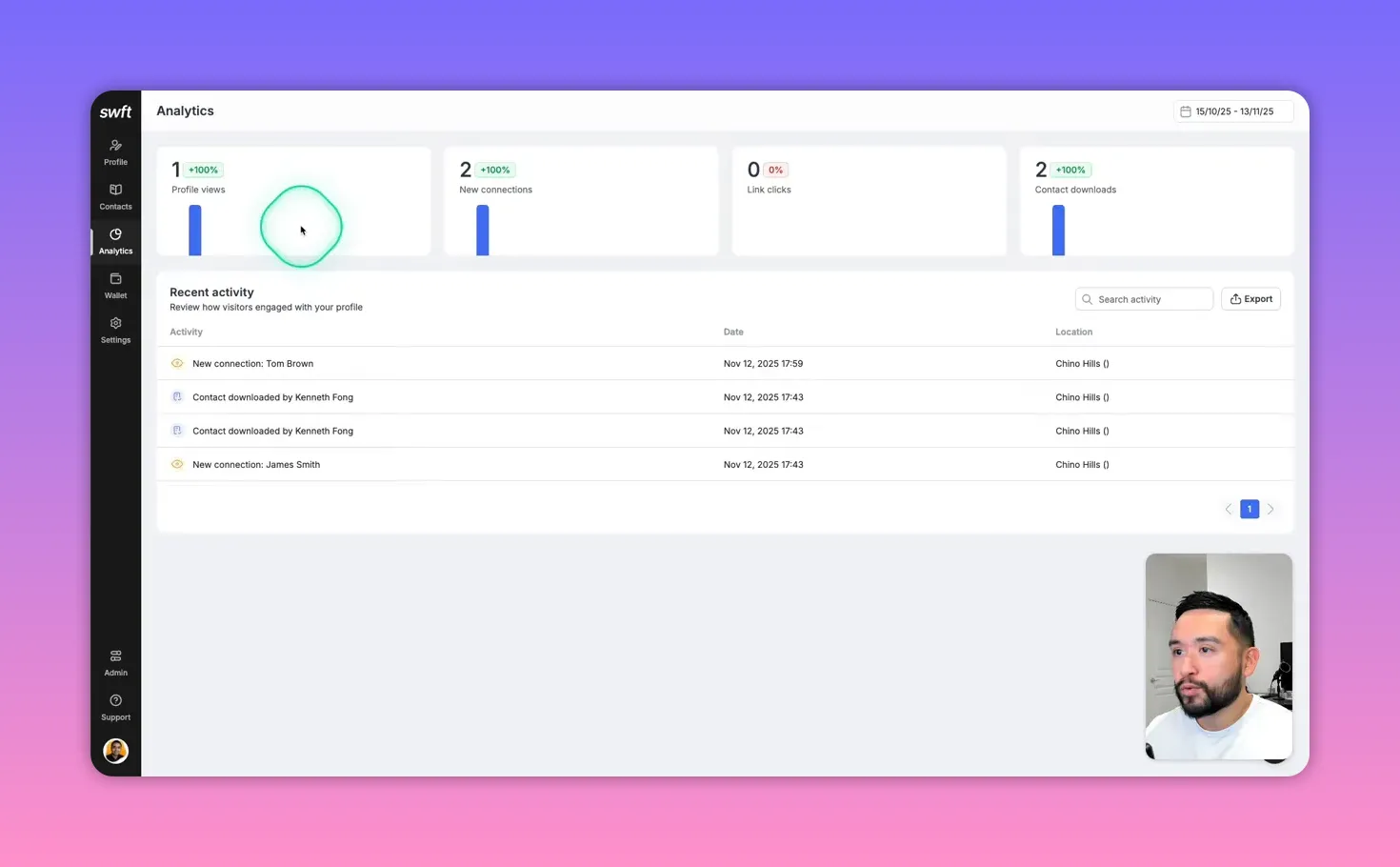
Swft Connect provides built-in analytics so you can track profile views, number of connections, link clicks, and contact downloads. The recent activity feed shows how visitors interacted with your profile, which helps prioritize follow-up and optimize the information on your card.
Apple and Google Wallet integration
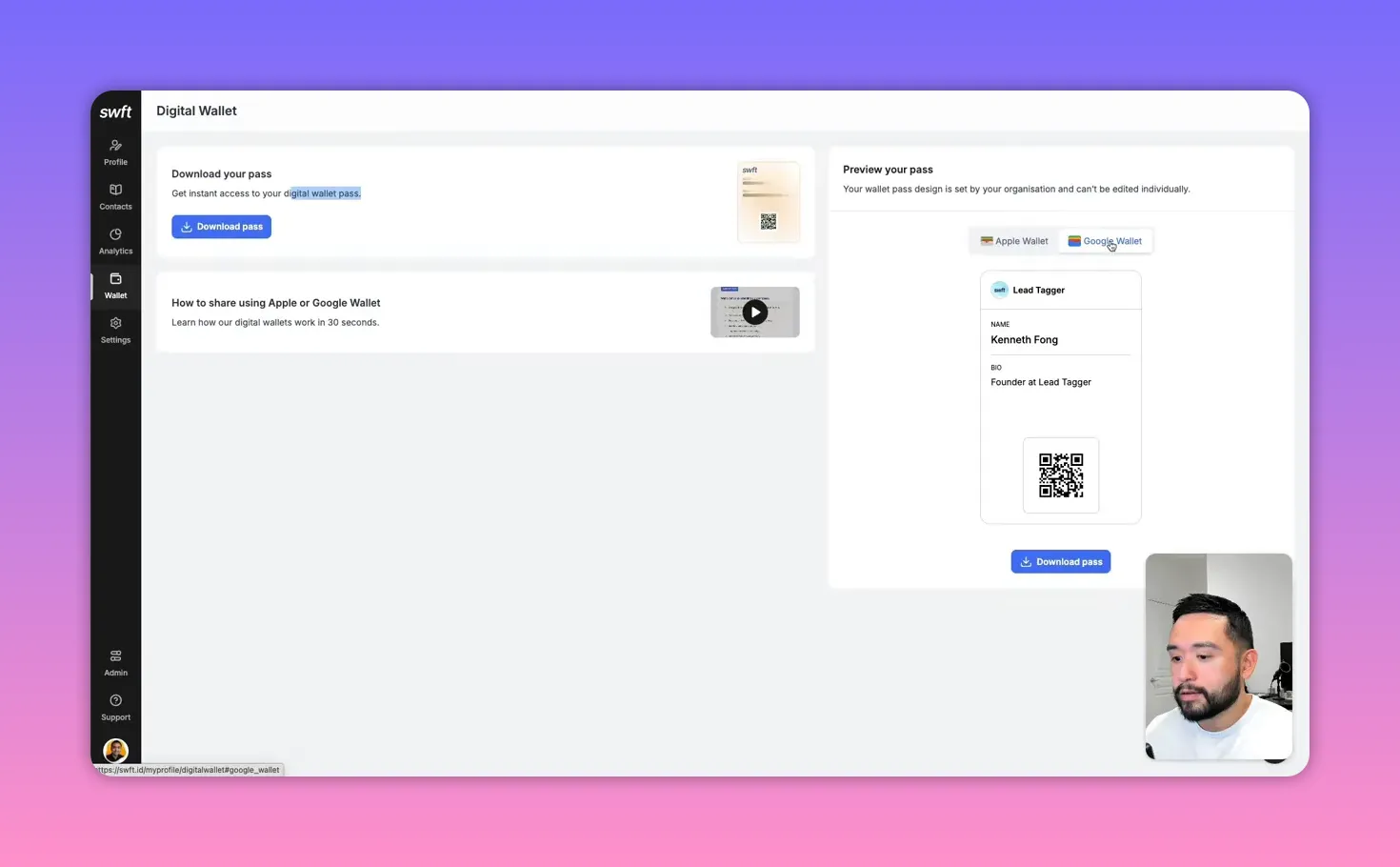
Create a wallet pass for Apple Wallet or Google Wallet so people can scan a QR code directly from your wallet. This is one of the fastest ways to share your card during a conversation: pull up your wallet, have the person scan the code, and the exchange form opens instantly.
Team features and admin control
For teams, Swft Connect offers user management, company-wide analytics, and profile templates. Admins can:
- See a dashboard of employee activity and top-performing links
- Group users into teams (marketing, sales, HR) and apply templates
- View collected leads across the organization, including who captured each lead and any tags or notes
- Set a custom domain for profiles (available even on the entry tier)
Integrations, tracking pixels, and what’s missing
Swft Connect supports adding tracking pixels and scripts such as Meta Pixel, Google Analytics, and LinkedIn Insights. These let you monitor broader marketing performance tied to your profile.
What’s currently limited:
- No native Zapier integration or webhooks yet, so automatic routing of new contacts into CRMs or email autoresponders requires manual export for now
- Direct CRM sync and webhook support are planned but were paused in favor of building white label features
Pricing and who should use it
Swft Connect is available as a lifetime deal on AppSumo with three tiers. The entry tier starts at about $19 and covers most needs for solopreneurs. Upgrade to tier two or three for multi-user support, company analytics, and user management.
The platform also offers branded NFC cards for physical sharing. They are more expensive but occasionally available with discounts.
Practical tips and recommended settings
- Enable auto-open contact form to prompt visitors to exchange details before viewing your profile.
- Use tags to segment leads by event, priority, or campaign for faster follow-up.
- Save profile templates for different teams to maintain consistent branding and messaging.
- Set a custom domain even on the basic plan to look more professional when sharing your card link.
- Plan for CRM sync by keeping an eye on incoming webhook and Zapier support to automate lead routing when available.
Bottom line
Swft Connect streamlines networking by combining scannable wallet passes, a simple exchange form that emails vCards, contact management with tags and notes, and company-level analytics. It’s an excellent choice for solopreneurs who want a polished, low-cost solution and for teams that need centralized visibility into networking activity. If automatic CRM integration is critical for your workflow, wait for the upcoming webhooks and Zapier support. Otherwise, Swft Connect is a solid tool for faster lead capture and smarter follow-up.