
Table of Contents
- 🔥 Why wpsubscription appsumo is worth a look
- ⚙️ Prep: hosting, licenses, and must-have plugins
- 🛠 Key settings to configure first
- 🧩 Building a subscription product (step-by-step)
- ✅ Test flow: cart, checkout, and first billing
- 🎯 Best use cases and quick pro tips
- ❓FAQ
- 🔚 Final note
🔥 Why wpsubscription appsumo is worth a look
If you want recurring revenue without recurring vendor fees, wpsubscription appsumo provides a fast route. WP Subscriptions installs on top of WooCommerce and lets you sell memberships, retainers, donations, and productized services with auto-renewals, free trials, role swaps, and more—then charge customers on a monthly, yearly, or custom cadence.
⚙️ Prep: hosting, licenses, and must-have plugins
Start with managed WordPress hosting and install three things: WooCommerce, WP Subscriptions, and payment processing via Stripe. Activate your WP Subscriptions license so every feature unlocks, then head to the plugin settings to decide renewal logic, grace periods, and guest checkout behavior.
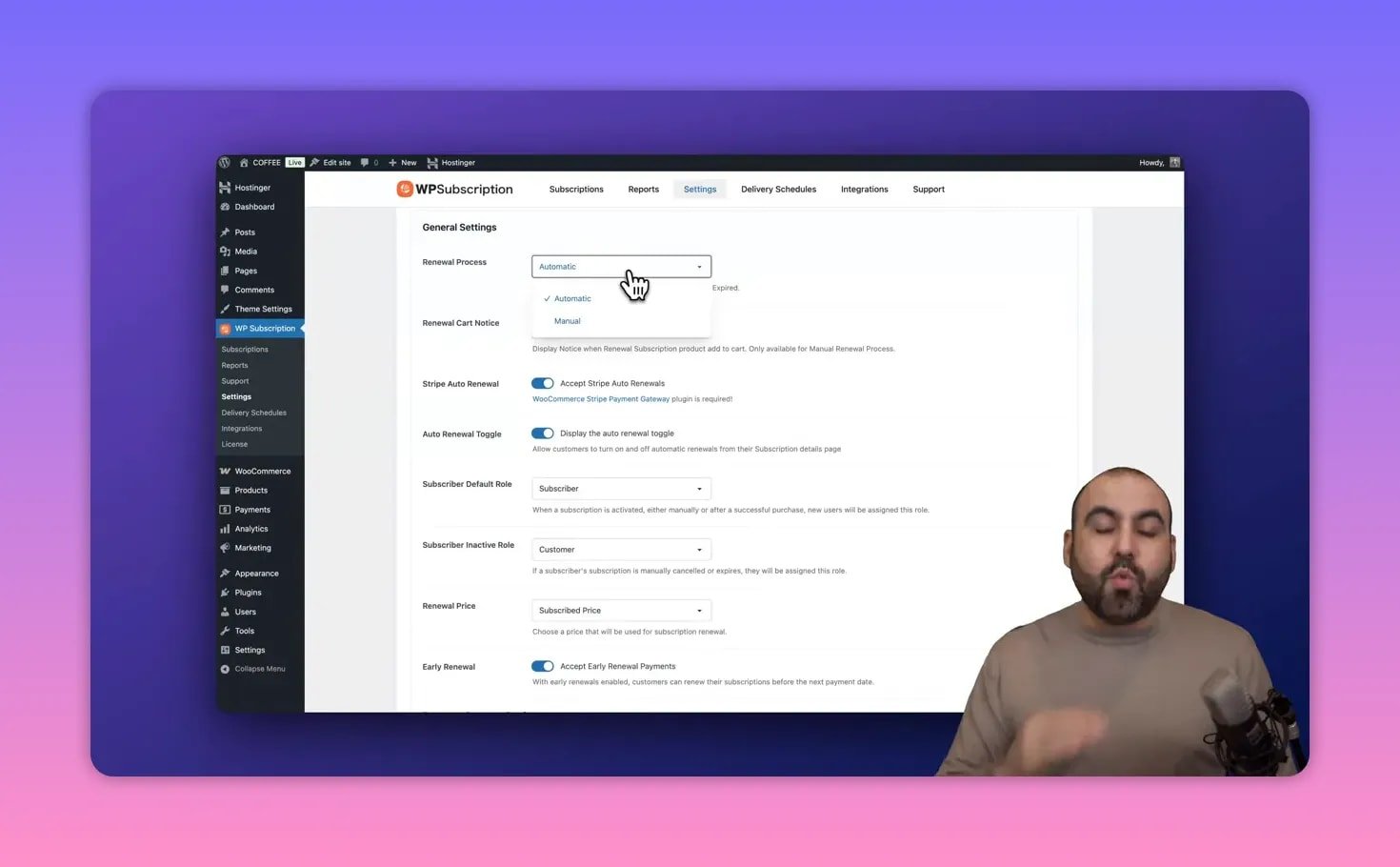
🛠 Key settings to configure first
There are a few critical switches that determine how your billing behaves:
- Auto renew vs manual — choose whether subscriptions renew automatically through Stripe or require manual confirmation.
- Stripe auto renewal — enable this so Stripe keeps recurring charges from failing due to missing permissions.
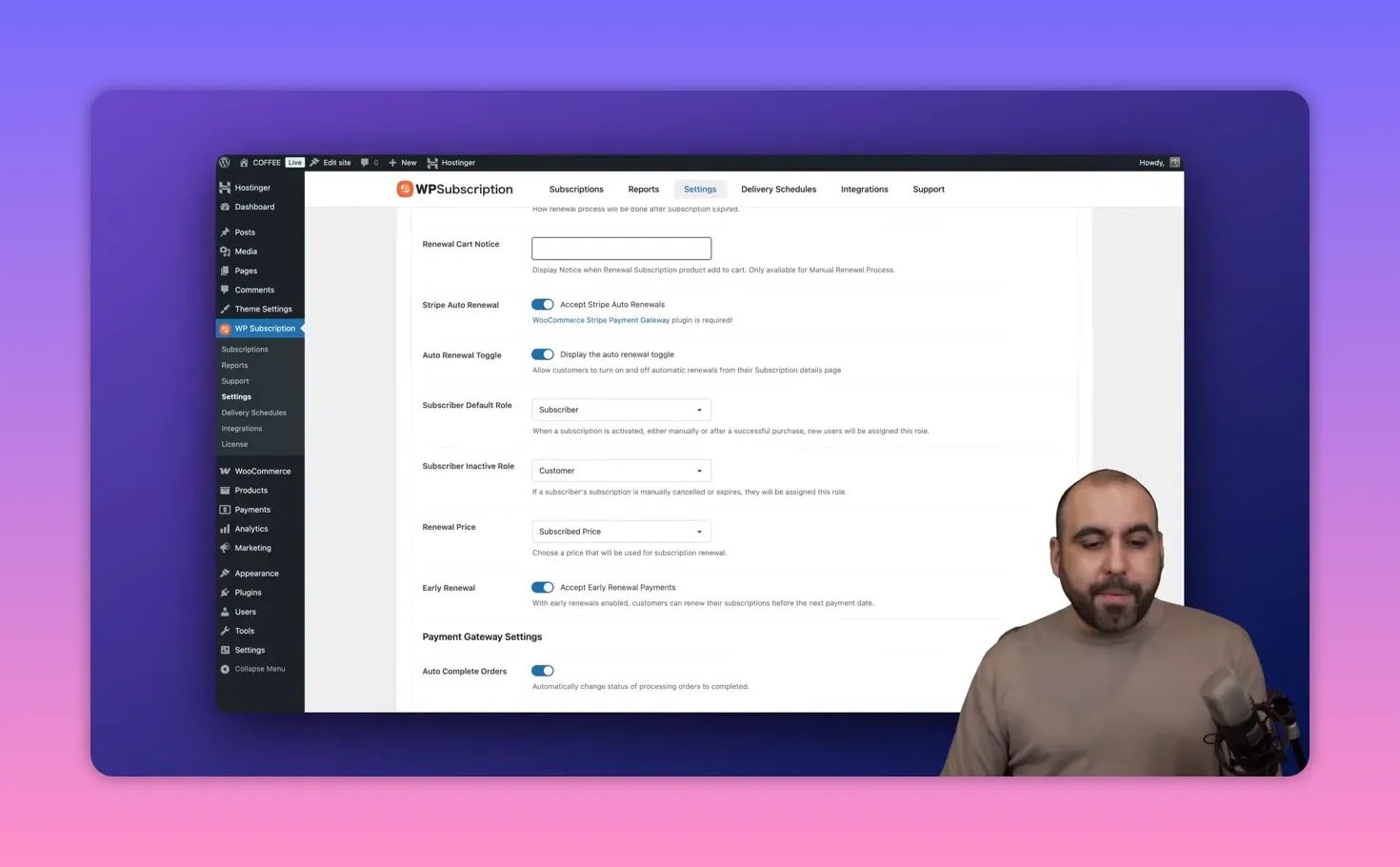
- Subscriber roles — set the default role for active subscribers and the inactive role for expired accounts to gate content cleanly.
- Grace periods — choose how many days to allow late renewal before downgrading access.
- Guest checkout — letting customers checkout as guests reduces friction for one-off donation flows or quick signups.
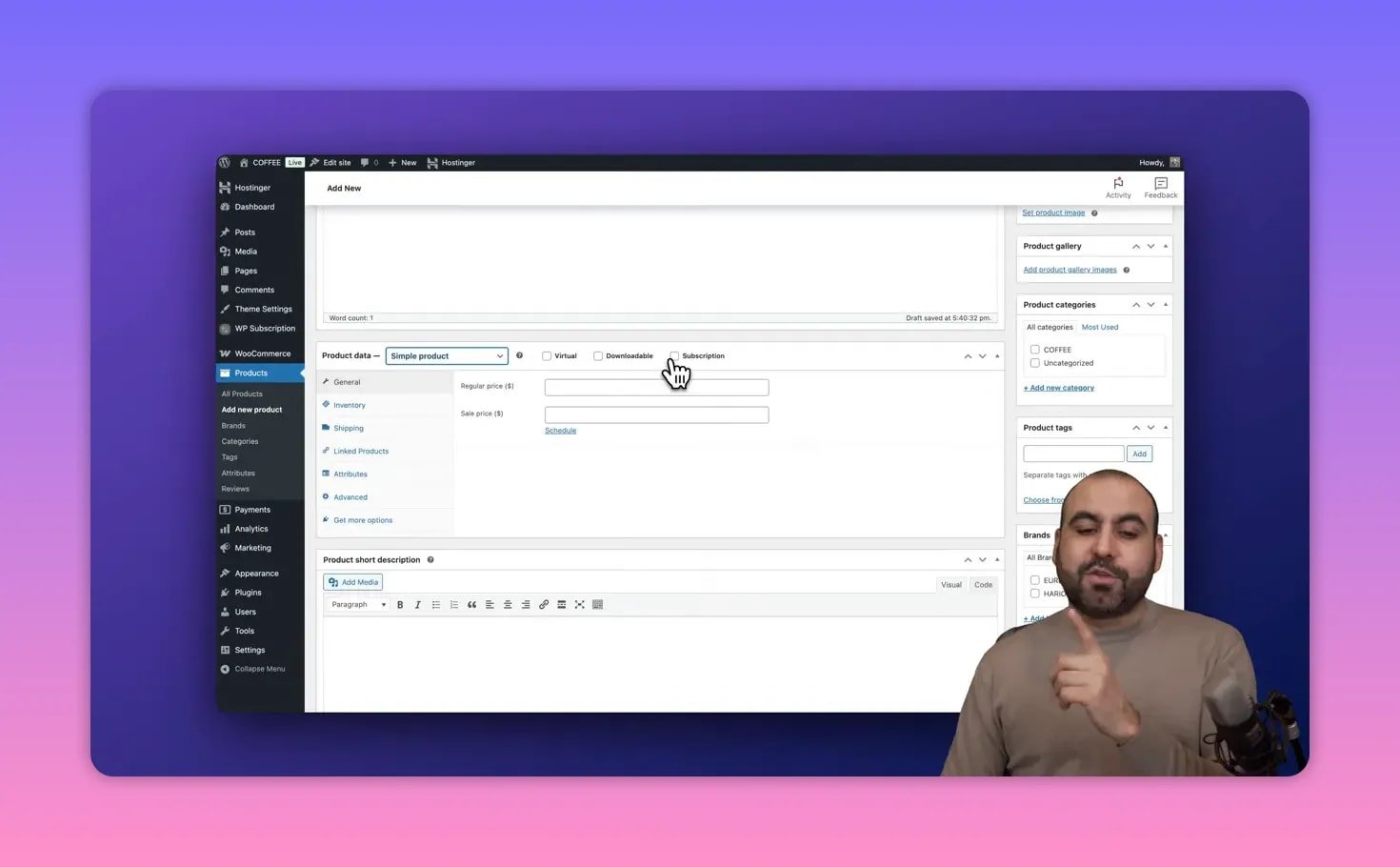
🧩 Building a subscription product (step-by-step)
With WooCommerce active, add a new product and pick the subscription type. Key fields you will set:
- Regular price and sale price — use price anchoring: show a higher regular price and a compelling sale price to lift conversions.
- Billing cadence — choose days, months, years, or multi-year intervals.
- Free trial and signup fee — add a 7–14 day free trial to prove value before the first bill; optionally set a signup fee.
- Deliverable schedule — if your subscription includes periodic deliverables, synchronize them here.
- Cancel and activation limits — allow cancellations and set any per-account activation limits you need.
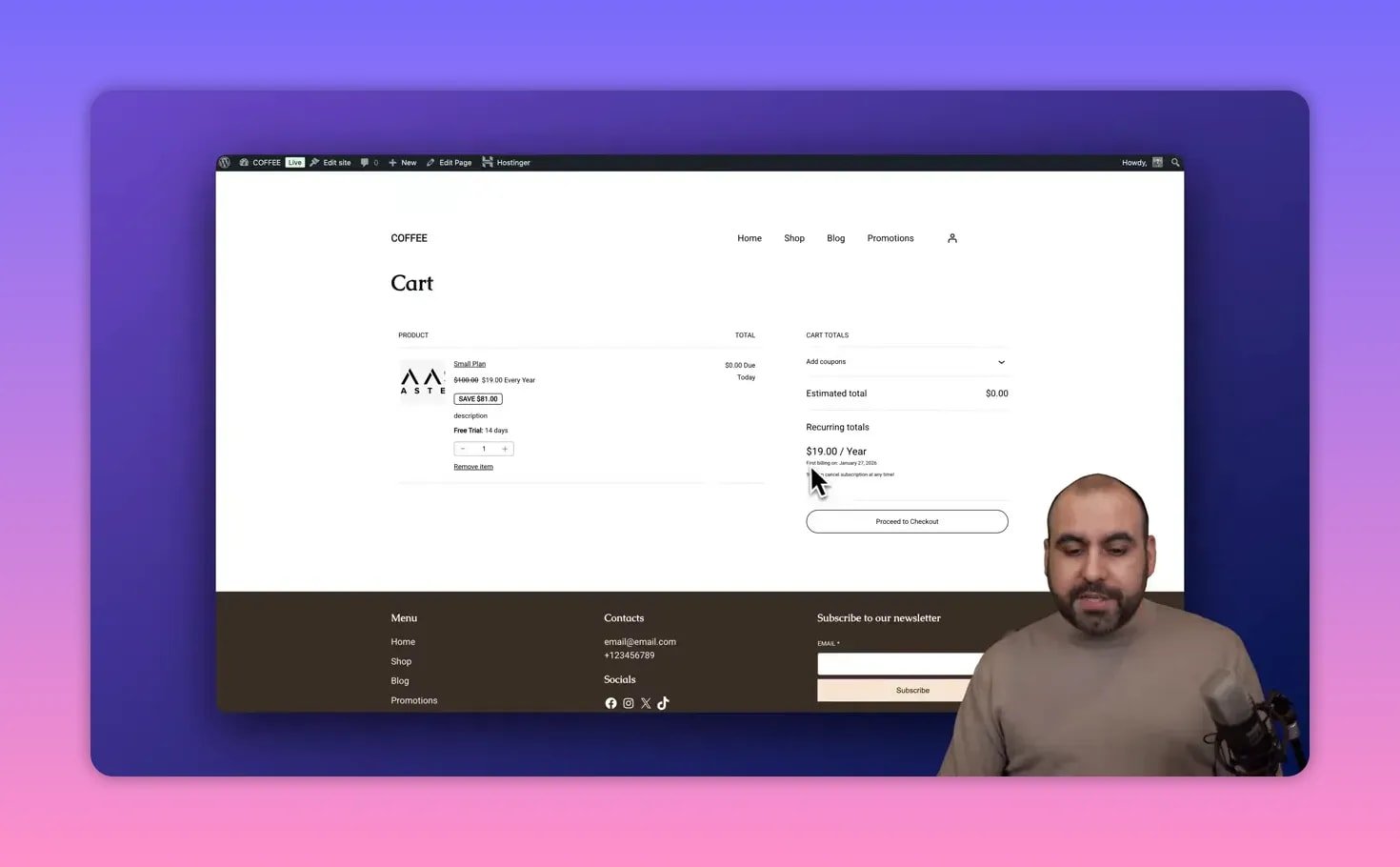
✅ Test flow: cart, checkout, and first billing
Always test by adding the subscription to cart, proceeding to checkout, and confirming the first billing date (trial end plus first charge). Coupons are handled through WooCommerce, and Stripe will show the auto-renewal consent when enabled.
🎯 Best use cases and quick pro tips
- Agencies and freelancers: sell retainers or support plans.
- Memberships: swap roles to unlock gated content automatically.
- Donations: recurring donations with guest checkout enabled.
- Productized services: recurring deliveries and synced schedules.
Pro tip: pair an inflated regular price with a short free trial and a strong sale price to reduce churn and increase add-to-cart rate.
❓FAQ
Do I need WooCommerce for WP Subscriptions to work?
Yes. WP Subscriptions is built on top of WooCommerce. Install WooCommerce, configure payments (Stripe recommended), then add WP Subscriptions and enable auto-renew in both systems to prevent failed renewals.
Can I offer free trials and one-time signup fees?
Yes. Each subscription product supports configurable free trial durations and optional signup fees so you can mix offers depending on the plan.
How do role-based access controls work?
Assign a WordPress role to subscribers on activation and a different role when the subscription lapses. Use role-based visibility plugins to show or hide content based on those roles without any custom code.
Is the AppSumo lifetime deal a good buy?
If you plan to run recurring products across one or multiple sites and want to avoid monthly plugin fees, the lifetime deal is appealing. Choose one-site, multi-site, or unlimited tiers based on your portfolio.
🔚 Final note
Implementing subscriptions on WordPress is straightforward when you follow a clear setup: hosting, WooCommerce, Stripe, WP Subscriptions, then configure renewals, roles, and product cadence. Use price anchoring and free trials to improve conversions. If recurring revenue is on your roadmap, wpsubscription appsumo is a practical tool to ship subscriptions fast.