Table of Contents
- 🔎 Quick take
- 🧭 What Unmixr offers (short overview)
- 💸 Pricing and tiers at a glance
- 🧰 The dashboard and UX
- 🤖 AI Chatbot and writing tools
- 🎙️ Voice Studio: promise and reality
- 🎬 Dubbing and transcription: functional but fiddly
- 🖼️ Image generator and credits
- ✍️ Templates, translators, and copy tools
- 🧾 Credits, extras, and developer support
- ✅ What I recommend Unmixr for
- ⚠️ What to avoid using Unmixr for (right now)
- 🛠️ Tips to get the most out of Unmixr
- ❓ Frequently asked questions
- 🔚 Final verdict
🔎 Quick take
Unmixr AI is an all-in-one creative assistant combining text-to-speech, AI chatbots, dubbing, translation, image generation, and copywriting templates. It’s strongest as a writing and copy tool: templates, chat engines, and the editor are solid and productive. The audio features—voice studio, dubbing, and transcription—show promise but feel inconsistent and need refinement before I’d recommend them for professional audio work.
🧭 What Unmixr offers (short overview)
The platform bundles everything creators want in one place: multi-engine AI chatbots, a writing editor with templates, a text transformer and translator, a voice studio with emotion-capable voices, a dubbing studio that accepts video URLs, an image generator, and purchasable credits for images and dubbing.
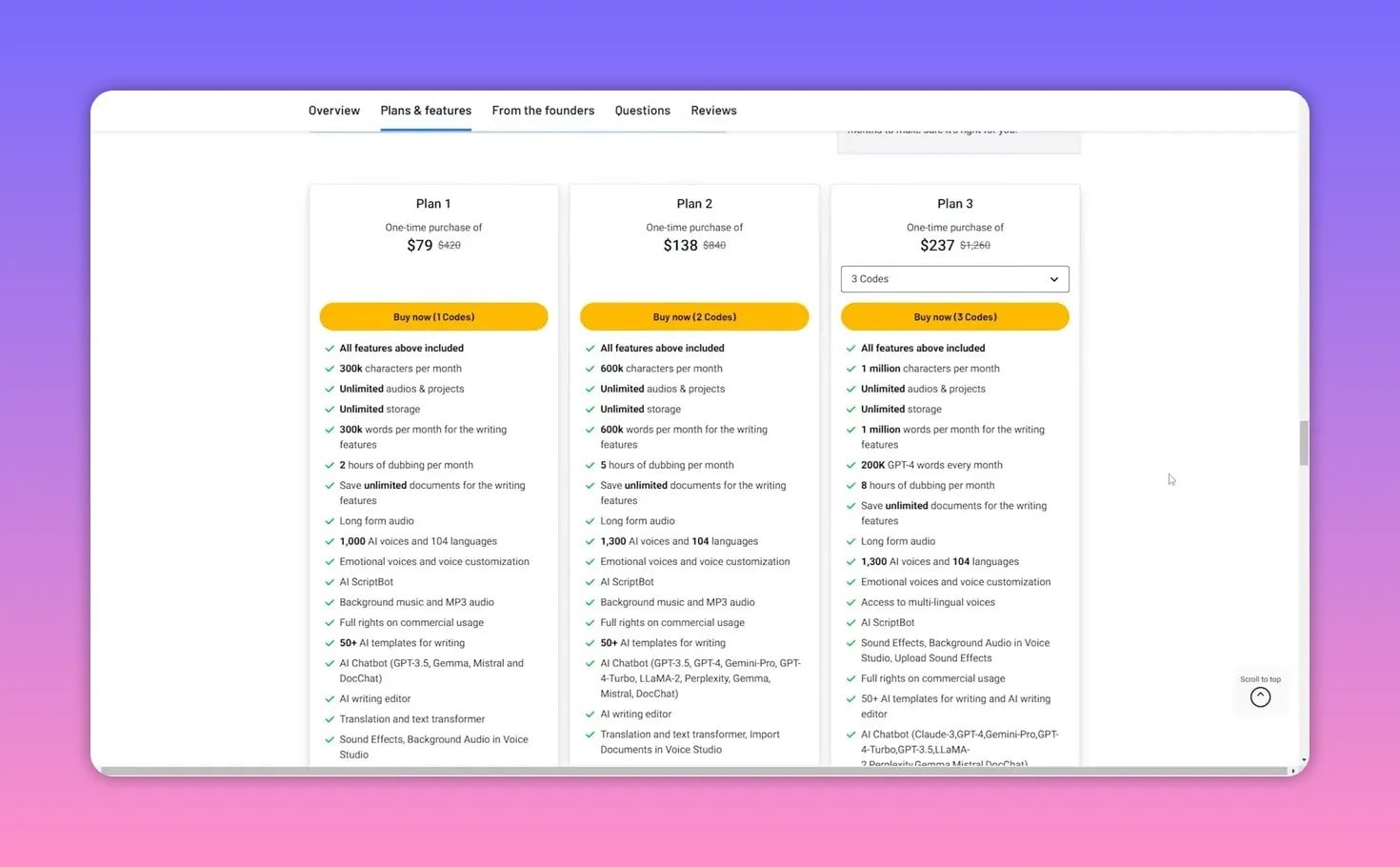
Plans scale from basic to pro, each increasing monthly characters, words, dubbing hours, and image credits. There’s also a credits store for one-off purchases that don’t expire.
💸 Pricing and tiers at a glance
There are four main paid plans. Each plan raises limits for:
- Characters and words per month for writing tools
- Dubbing hours per month
- Voice options and supported languages
- Image generation credits
The platform uses credits for certain features such as translation and dubbing. Credits do not expire, which is convenient if your usage is bursty.
🧰 The dashboard and UX
The dashboard is minimal and functional. It shows your credit balance front and center so you always know your remaining budget. Sections are arranged clearly: text-to-speech, AI chat, dubbing, templates, image generator, translator, and editor.
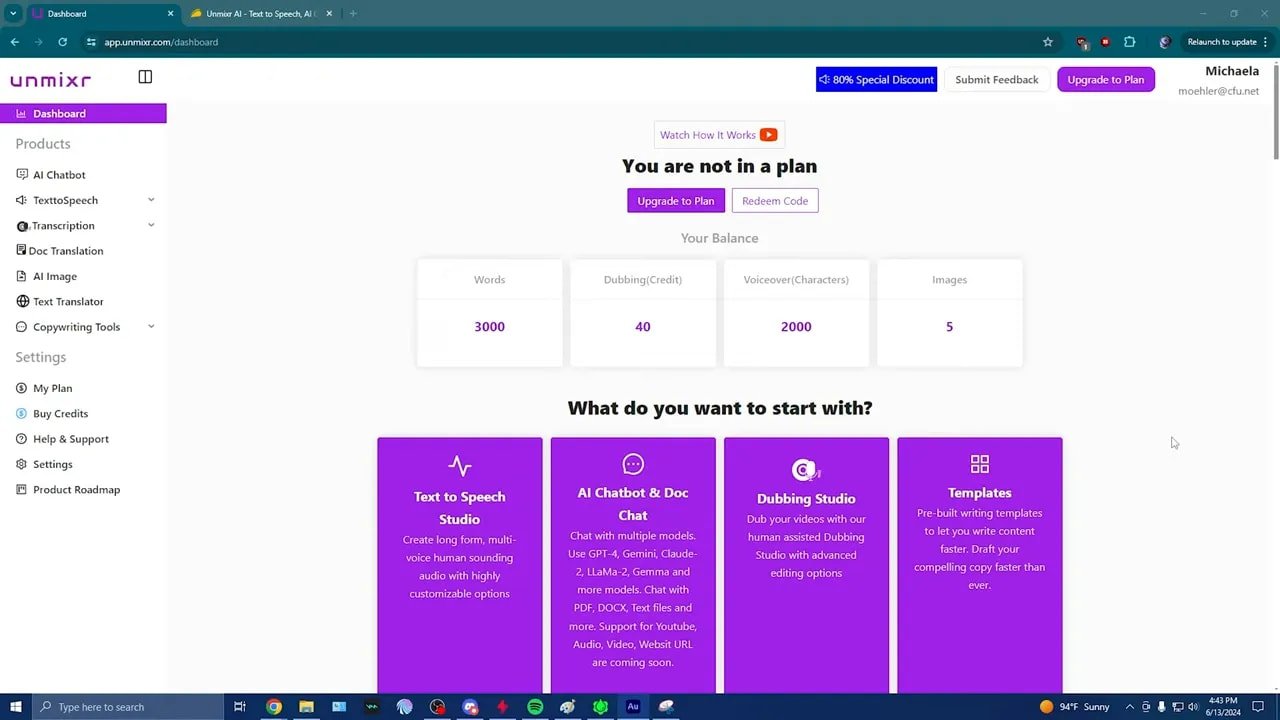
Small UX quirks exist: some controls lack hover explanations and a few parts of the interface feel unintuitive. Despite that, navigation is straightforward and templates are easy to find.
🤖 AI Chatbot and writing tools
The chatbot combines multiple engines and clearly labels which engine produced each response—handy when you want consistency. The editor supports rephrase, shorten, expand, rewrite with accents, grammar fixes, and per-word synonym suggestions. There are many templates: ads, emails, product descriptions, scripts, and more.
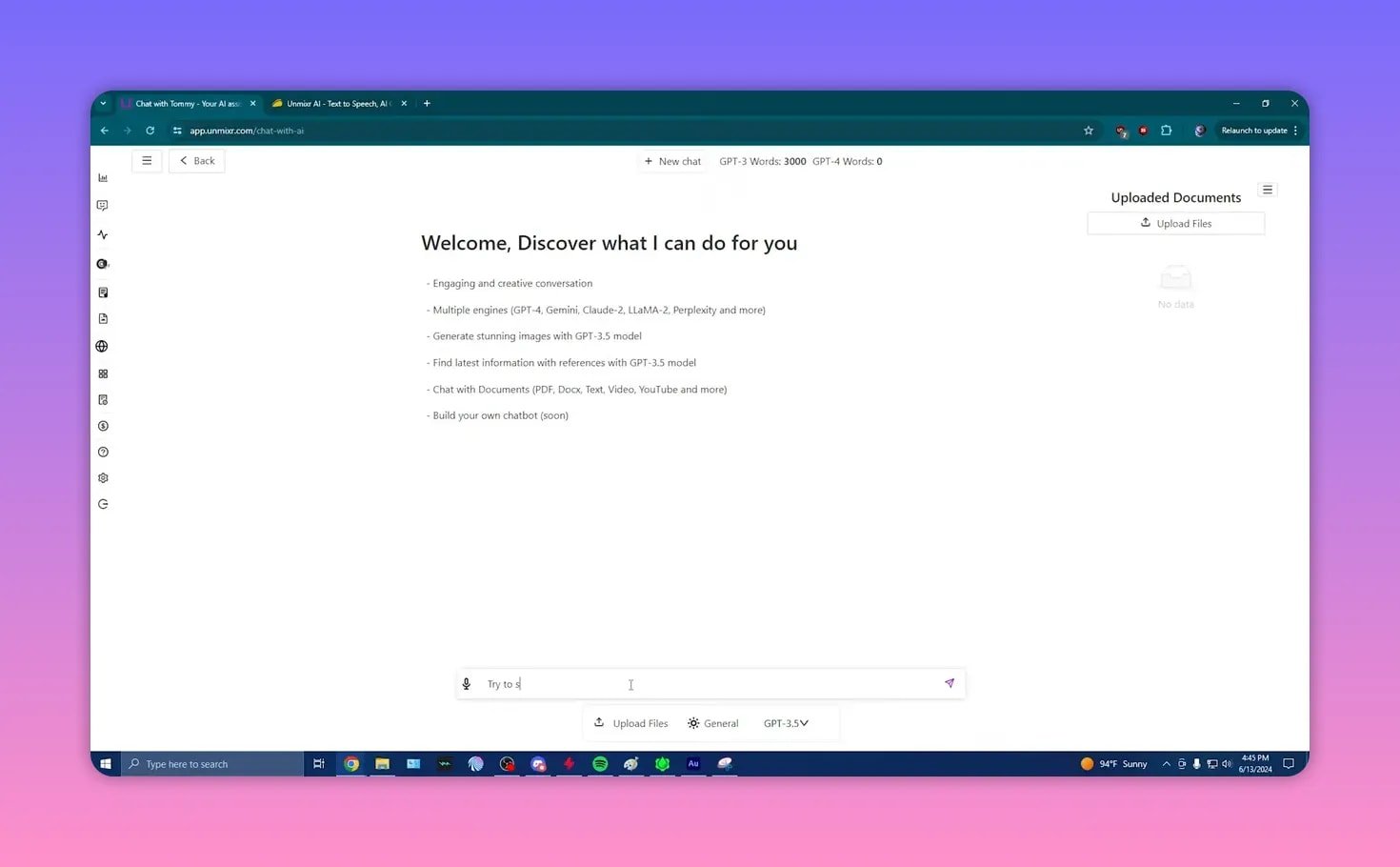
This is where Unmixr shines. For bloggers, content creators, and agencies, the templates and multi-engine chatbot produce usable, context-aware copy quickly. I often prefer tools that keep you aware of remaining word quotas—Unmixr does that well.
🎙️ Voice Studio: promise and reality
The voice library is extensive, with hundreds to over a thousand voice options depending on plan. Voices include pitch, volume, and an “intensity” slider that behaves more like pitch adjustment.
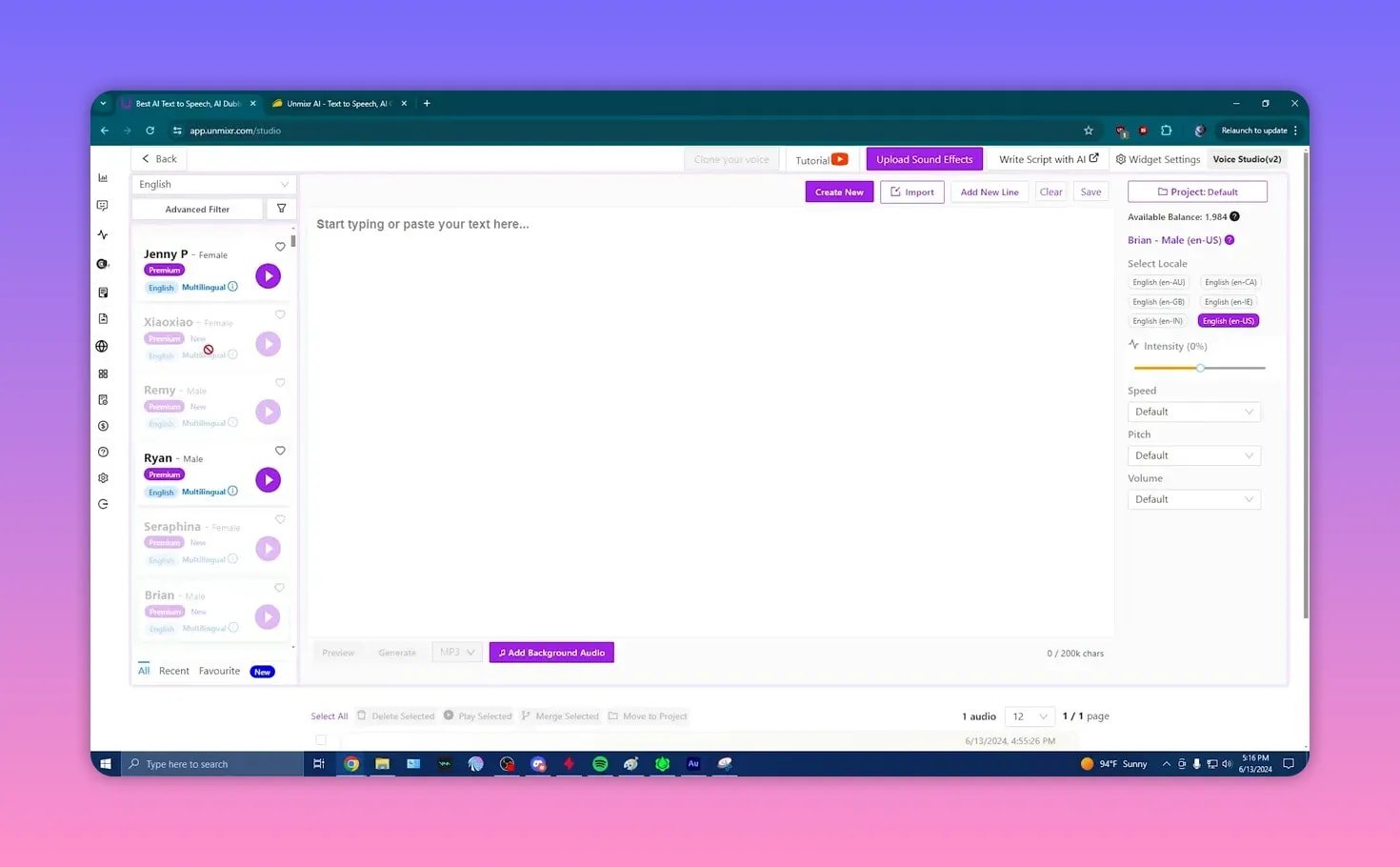
Limitations I noticed:
- Some voices are nearly identical duplicates.
- Lower-quality voices sound compressed or robotic.
- Advertised emotions are present but subtle; they rarely convey strong feelings without manual tuning.
In short, the foundation is good but polish is needed: consistent voice quality, clearer control labels, and more convincing emotional expression.
🎬 Dubbing and transcription: functional but fiddly
Dubbing accepts YouTube URLs or uploads and transcribes audio automatically. You can edit speaker blocks, translate, assign voices, and generate dubbed audio.

Practical issues to consider:
- Transcription speed is inconsistent; small clips can take unexpectedly long.
- Speaker detection can be poor and often lumps multiple speakers together.
- Every change requires regeneration, consuming credits each time. That makes iterative editing expensive.
- Timecode editing is possible but not always intuitive for frame-level adjustments.
The automatic background removal from dubbed audio is useful, but because editing requires consuming credits, I would not recommend Unmixr for professional dubbing workflows that demand many revisions.
🖼️ Image generator and credits
The image studio behaves like typical text-to-image tools. You can pick styles and sizes and the generator returns examples. It defaults to generating two images per prompt and consumes credits accordingly.
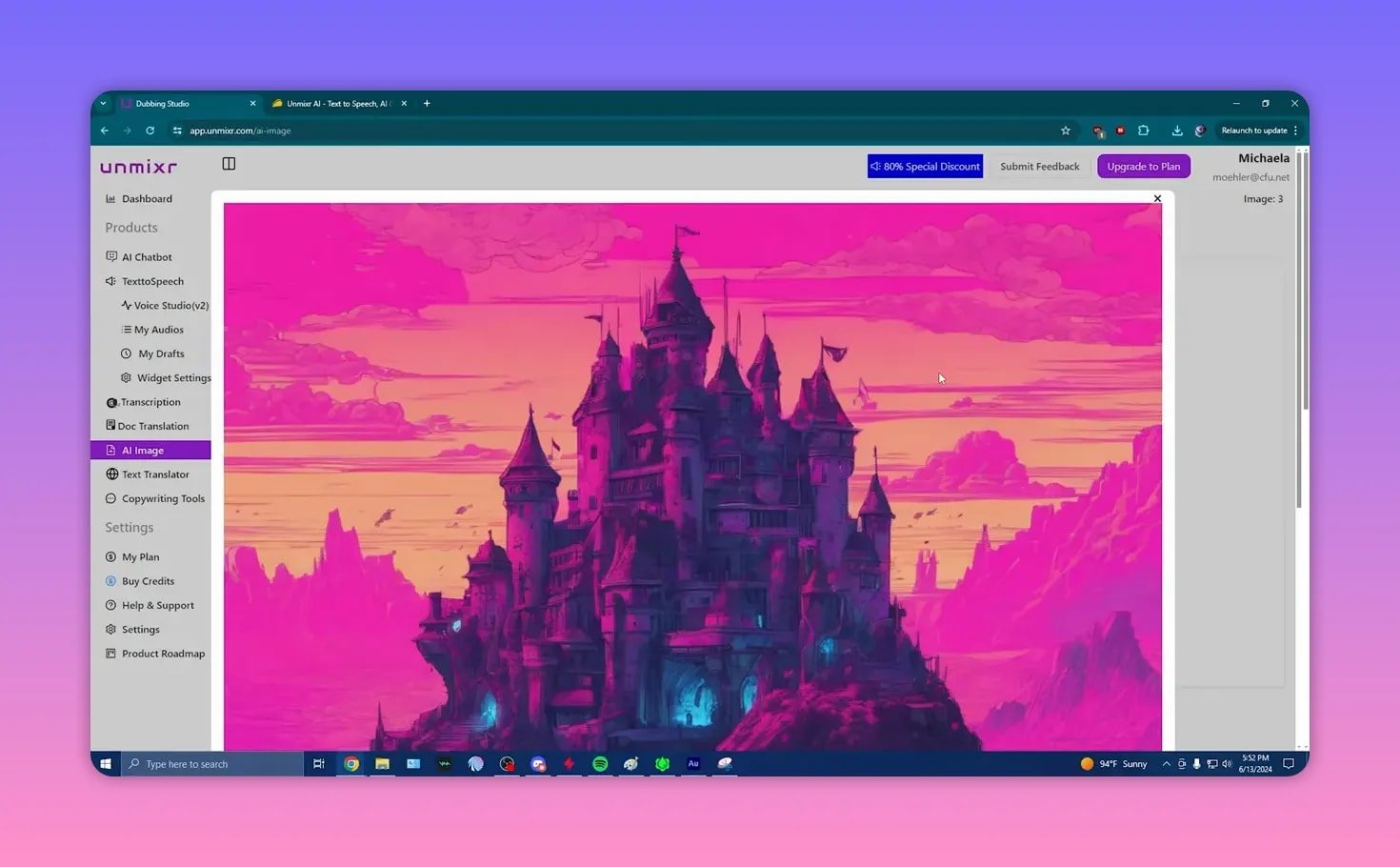
Notes on image quality:
- Results can look obviously synthetic: odd anatomy, strange object blending, and unrealistic physics.
- The tool sometimes generates extra images and consumes more credits than expected because it does not let you choose how many variants to create.
- Sample gallery images are better than many on-demand results, so prompt engineering and patience are necessary.
✍️ Templates, translators, and copy tools
Templates are broad and effective: Facebook and YouTube ads, email campaigns, product listings, and blog intros. The transform text and grammar corrector are handy for polishing copy.
The translator and text translation features are useful for quick conversions up to 40,000 characters. Document translation is in private preview for some plans.
🧾 Credits, extras, and developer support
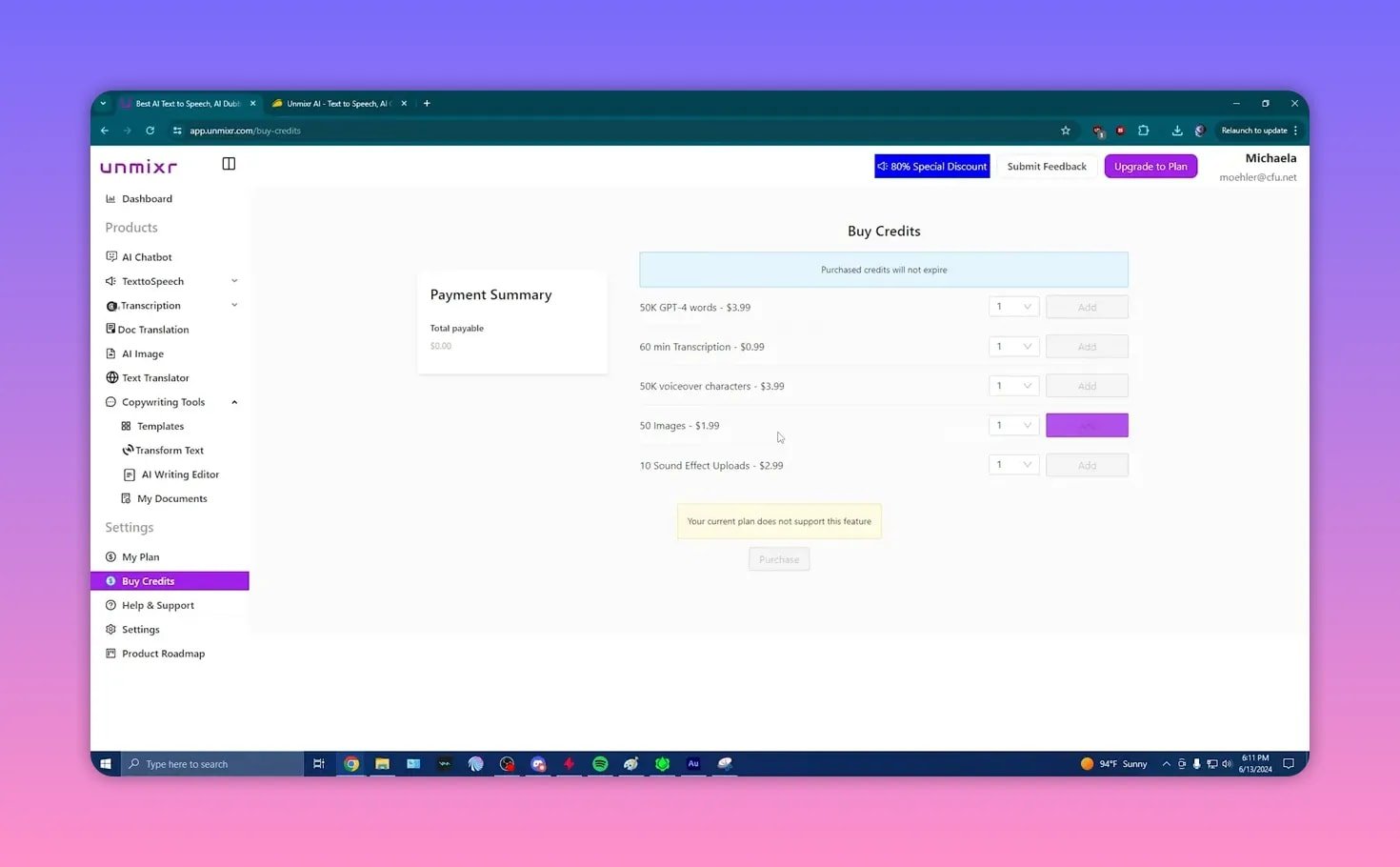
Credits are sold a la carte (for example, image credits bundles) and they do not expire. The founder appears responsive to feedback and answers reviews and Q&A consistently.
That responsiveness is a positive sign: this is a product under active development, and many rough edges may improve quickly.
✅ What I recommend Unmixr for
- Copywriting and marketing content: templates and chat tools save time and create usable drafts fast.
- Multilingual text translation for short to medium content needs.
- Casual or prototype audio projects where slight robotic artifacts are acceptable.
- Image generation for concept art where perfect realism is not required.
⚠️ What to avoid using Unmixr for (right now)
- Professional dubbing that requires frame-accurate edits and many iterative revisions.
- High-stakes voiceovers where consistent, natural emotional delivery is critical.
- Large-scale image production without manual prompt iteration due to credit usage.
🛠️ Tips to get the most out of Unmixr
- Plan your dubbing edits carefully to avoid wasting credits on repeated regenerations.
- Use the multi-engine chatbot labels to pick the style you prefer and stick to it for consistency.
- Test a few voices and save presets so you don’t accidentally pick low-quality or duplicate voices.
- Buy image credits in small batches until you’re comfortable with prompt behavior.
- Expect regular updates; recheck audio features as the product matures.
❓ Frequently asked questions
Is Unmixr suitable for professional dubbing work?
Not yet. Dubbing and transcription are functional but brittle: slow transcriptions, imperfect speaker separation, and credit costs for every regeneration make iterative editing expensive. For frame-accurate, professional dubbing, use a dedicated audio production tool until Unmixr further improves this workflow.
How good are the AI voices and emotional expression?
Voices are plentiful and the emotional options exist, but quality varies. Some voices sound compressed or synthetic. The emotion slider tends to shift pitch rather than convincingly change affect. Suitable for prototypes and low-stakes audio, but not yet a replacement for top-tier human voice talents.
Who should consider Unmixr?
Bloggers, content creators, marketing agencies, and anyone who needs fast, high-volume copy and translation tools will find great value. It’s also useful for creators experimenting with AI audio or images on a budget.
Do credits expire?
No. Purchased credits do not expire, which is convenient if you buy them for occasional use.
Is the image generator reliable?
It works for concept and stylistic images, but results often show telltale AI artifacts: odd proportions and blending issues. The tool also defaults to generating multiple variants and can consume more credits than you expect.
🔚 Final verdict
Unmixr AI is a powerful all-in-one playground that already delivers significant value for copy and content creation. The writing tools and chatbot are polished and productive. Audio features and the image generator are promising but uneven. If your priority is fast, reliable copy and translation, Unmixr is a good fit. If you need professional-level dubbing or consistent, highly natural voiceovers, wait for further improvements or use a specialized tool for now.