Table of Contents
- 🔎 Quick take
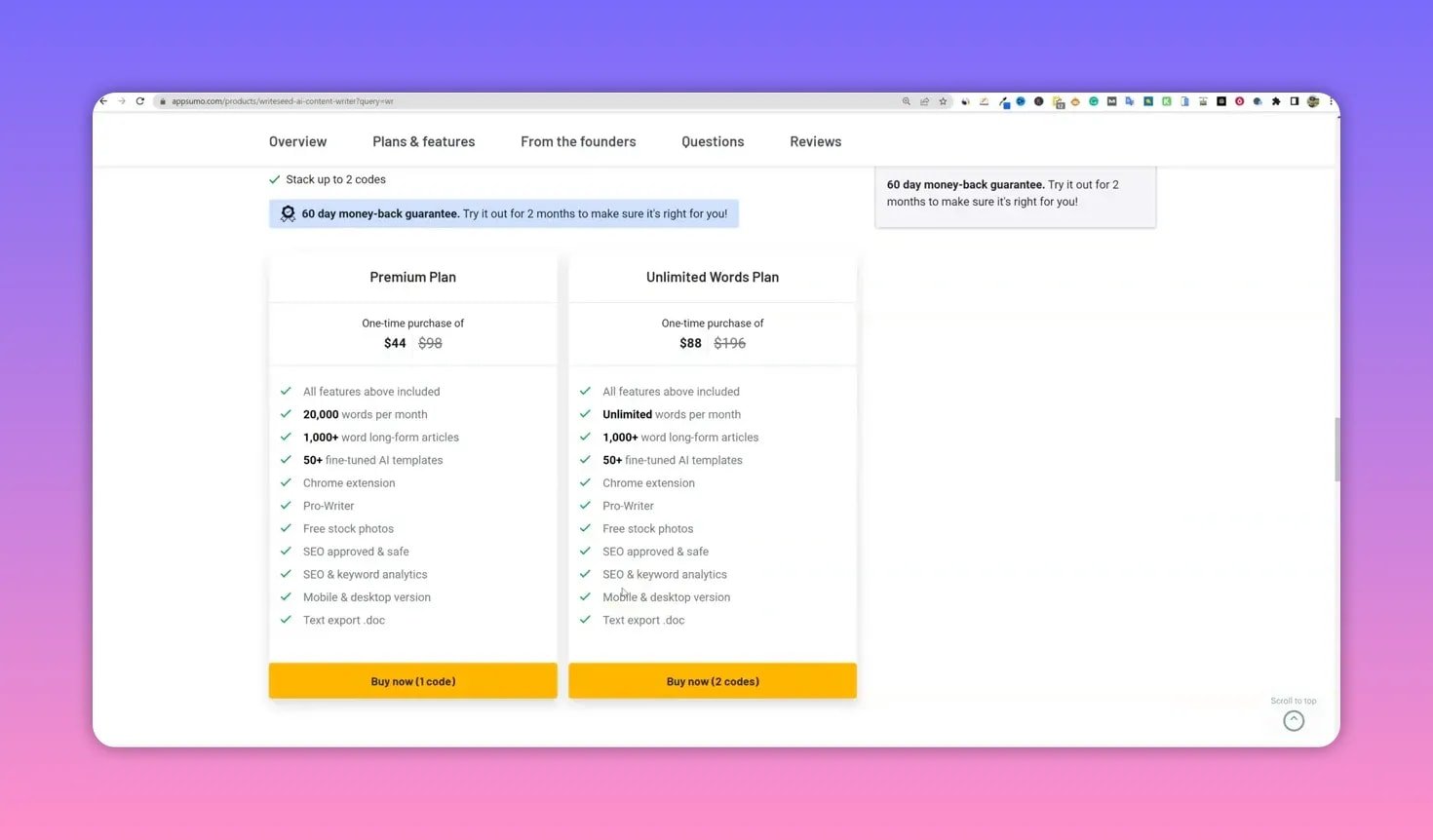
- 💸 Pricing and value
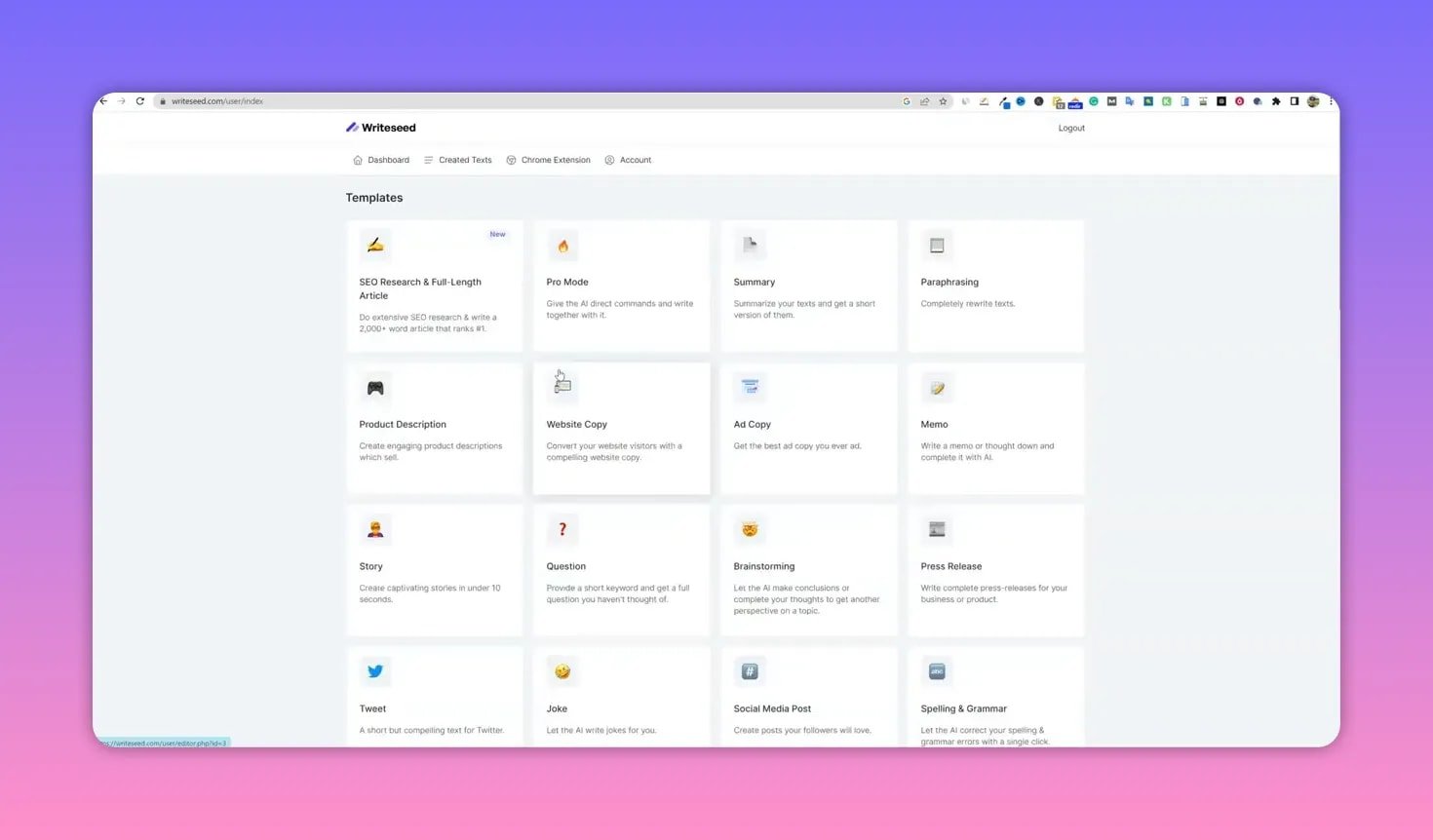
- 🖥️ First impressions: dashboard and usability
- 🧭 Keyword research and article builder
- ⚙️ Editor features: rewrite, expand, and SEO checks
- 🧰 Pro mode and the AI playground
- 🧾 Other useful tools: summarization, paraphrasing, and product descriptions
- ✅ Strengths
- ⚠️ Weaknesses
- 📊 Scores and who should buy
- 📌 Final verdict
- ❓ Frequently asked questions
🔎 Quick take
I tested Writeseed to see whether its promise of unlimited words, 50+ templates, and a Chrome extension holds up in real content workflows. In short: it is a solid, beginner-friendly AI writer that focuses on simplicity and getting the job done. It is not the most advanced SEO writer on the market, but for a low lifetime price, it offers a lot of practical value—especially for people who want straightforward content generation without a steep learning curve.
💸 Pricing and value
Writeseed offers a premium plan with a monthly word cap and an unlimited-words lifetime deal if you stack the second code on AppSumo. The lifetime option is the real draw here: for roughly $88 you can get unlimited content generation. That price point makes Writeseed one of the more attractive unlimited deals available, though that unlimited claim likely means the tool relies on older or self-hosted models rather than the latest OpenAI APIs.
🖥️ First impressions: dashboard and usability
The interface is extremely clean and minimal. That simplicity is a double-edged sword: it is beginner friendly and uncluttered, but it can feel too basic for power users who want richer controls or faster feedback.
- Pros: Very easy to navigate, clear structure, Chrome extension for in-browser generation (Gmail, Google Docs, etc.).
- Cons: No filters or search for the template list, few visible writing-state indicators, and some UI quirks when formatting generated content.
🧭 Keyword research and article builder
The built-in SEO research and article builder is one of the most useful features for bloggers and niche publishers. It pulls related keywords, competition scores, and can auto-generate outlines and articles based on a target keyword.
Example workflow I used:
- Enter a niche keyword (I used “how to play frisbee golf”).
- Run the research to see related keywords and competition metrics.
- Generate an outline and then create a full article from that outline.

Results: a 1,100+ word article was produced in about two minutes. The content stayed on topic and used short, punchy paragraphs that read well for web audiences. There is no easy dial to push the length beyond roughly 1,000–1,200 words, so you may need to manually expand sections or request additional paragraphs.
⚙️ Editor features: rewrite, expand, and SEO checks
The editor offers a few helpful tools: rewrite, expand, summarize, and a basic SEO analyzer. You can rewrite paragraphs or expand specific subheadings with a click. The SEO tool checks keyword placement and density and gives a simple score—useful for beginners but not a substitute for advanced NLP-driven optimization tools.

Notes on SEO capabilities:
- The analyzer highlights whether the main keyword appears in the title and early in the content.
- It lacks deep NLP keyword suggestion and competitor-derived recommendations found in higher-tier tools.
🧰 Pro mode and the AI playground
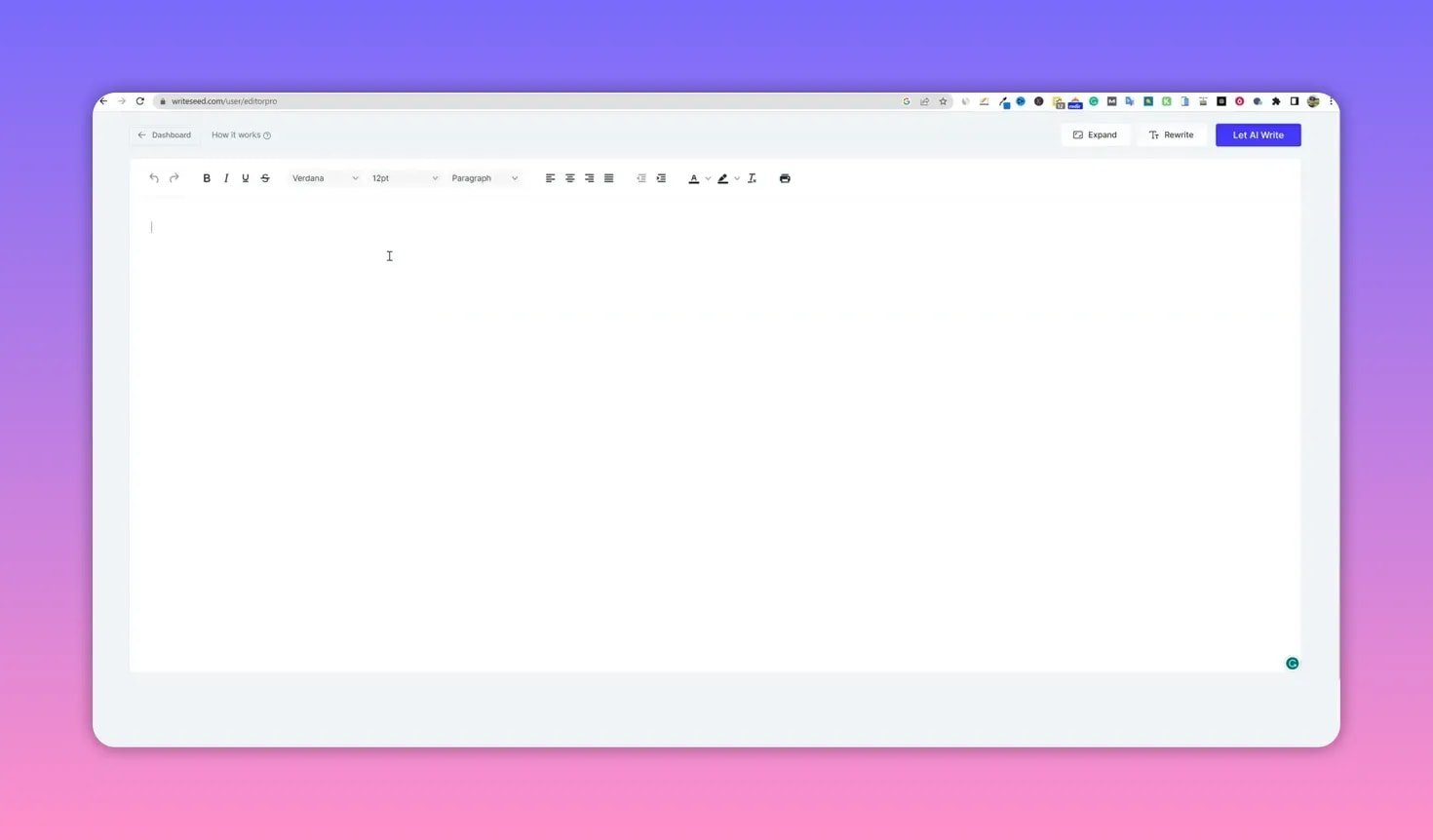
Pro mode acts like an open canvas. You can paste an outline, highlight a section, and ask the AI to write that block. It supports three core commands and can accept custom prompts. This is where the tool feels like a lightweight AI playground: flexible, but a bit rough around the edges when it comes to text placement and formatting.
Tips for using Pro mode effectively:
- Highlight the exact block you want the AI to replace or expand.
- Copy and paste outlines into the editor first, then request writing—this avoids formatting glitches.
- Expect to clean up formatting and convert lists or headings after generation.
🧾 Other useful tools: summarization, paraphrasing, and product descriptions
Writeseed includes several handy utilities:
- Summarize: Can condense long text (1,400+ words) down to a short summary, though it can be slow on long inputs.
- Paraphrase: Quickly rewrites content in a tighter form and works well for short to medium-length passages.
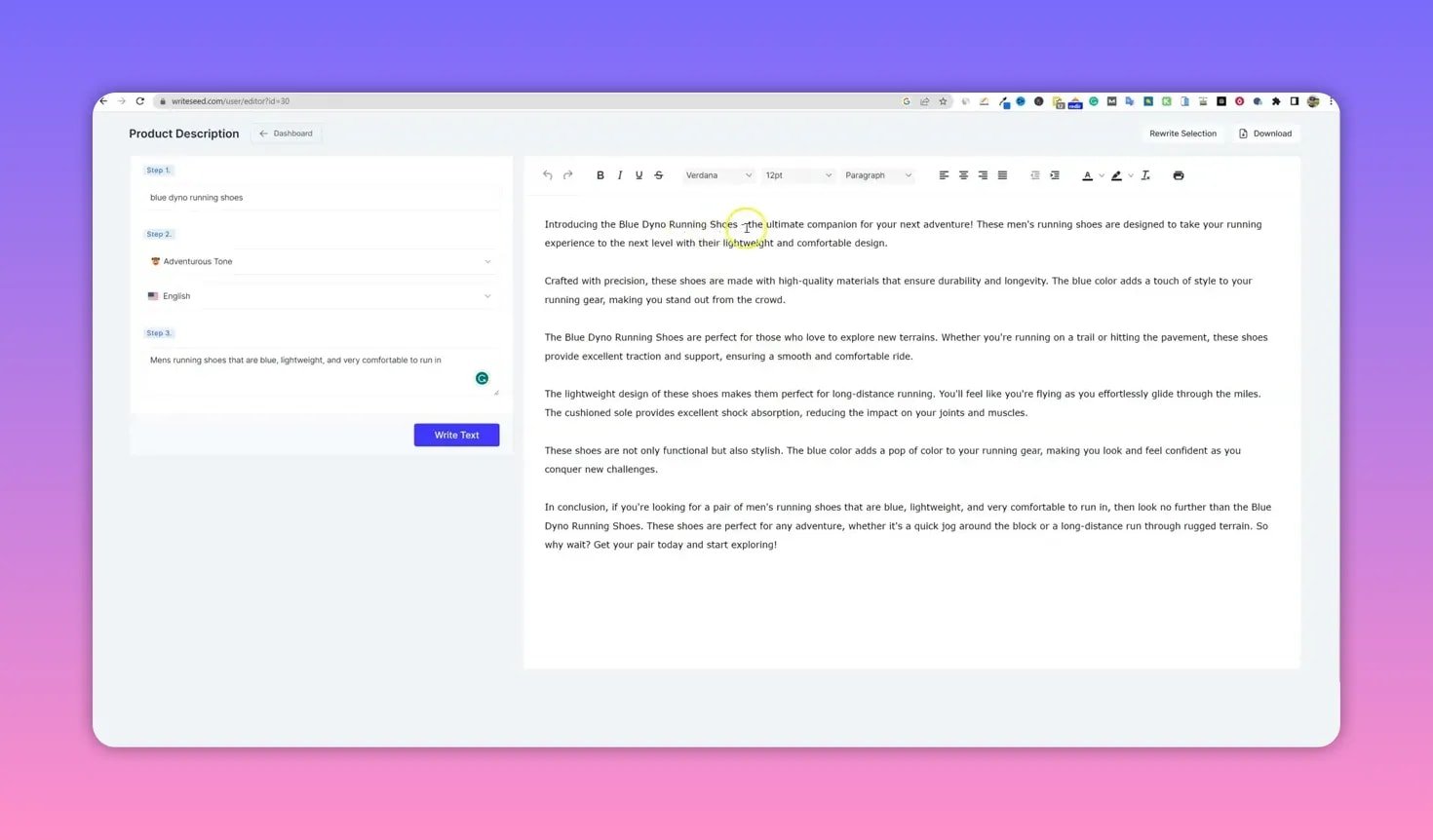
- Shopify/Amazon product descriptions: One of the standout features—give it a product title and a short description and it produces a polished 200–300 word product blurb suitable for e-commerce listings.
✅ Strengths
- Very affordable unlimited content option for AppSumo buyers.
- Simple, beginner-friendly interface with useful templates for ads, emails, product pages, and blog posts.
- Pro mode provides flexible prompt-based writing for guided content generation.
- Shopify product description generator produces impressive results from minimal input.
⚠️ Weaknesses
- Limited advanced SEO features—no deep NLP keyword integration or competitor-driven suggestions.
- Some speed issues: a few modules can feel slower than competing tools.
- Editor lacks convenient image insertion from stock libraries and more robust formatting controls.
- Uniqueness: this product sits in a crowded field and does not introduce anything radically new compared to other unlimited writers.
📊 Scores and who should buy
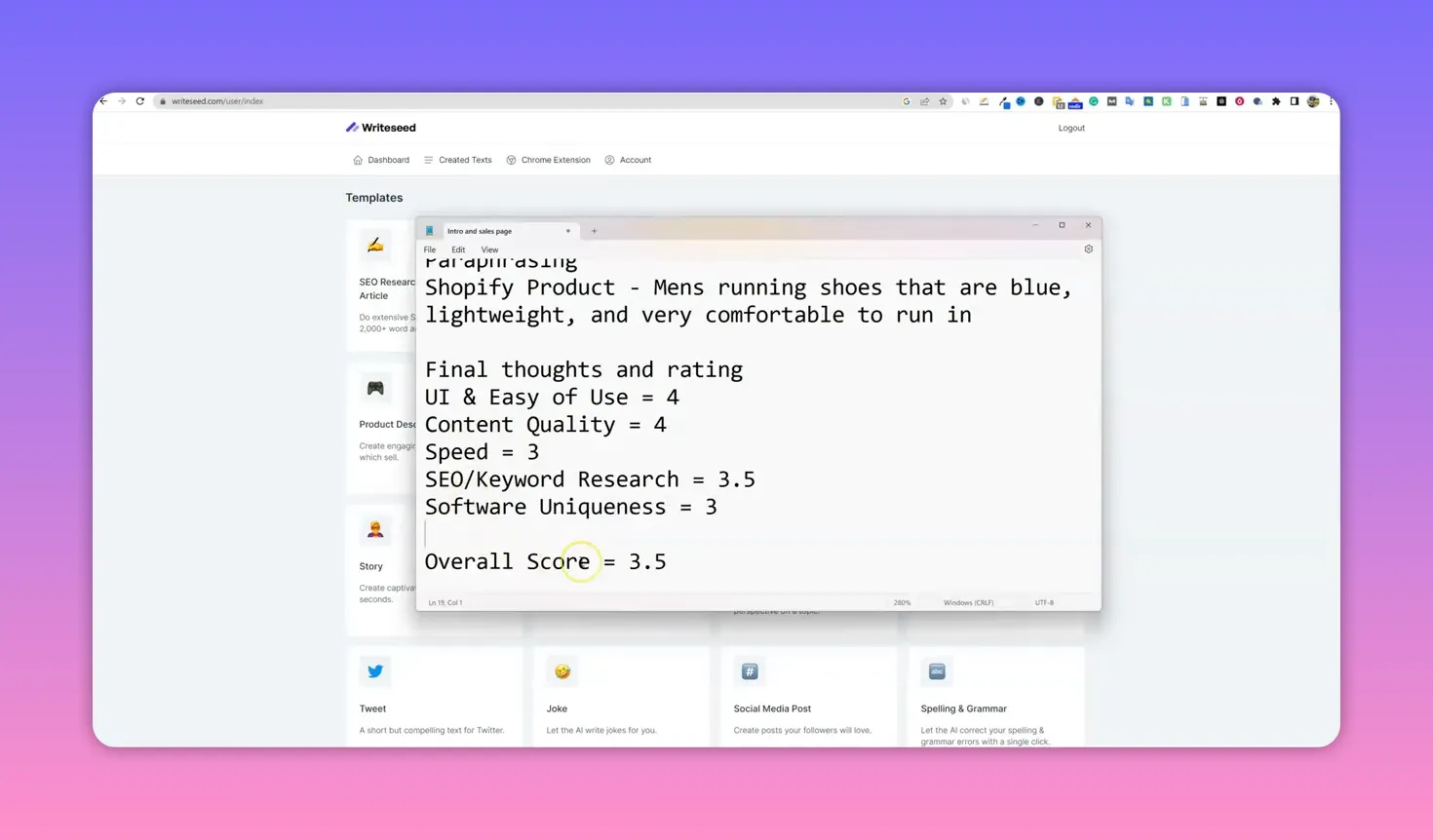
Here are the practical scores I assigned based on hands-on use:
- Ease of use: 4/5 — Great for beginners.
- Content quality: 4/5 — Solid on-topic output and excellent product descriptions.
- Speed: 3/5 — Functional but can be slow on heavier operations.
- SEO and keyword research: 3.5/5 — Basic but serviceable for entry-level SEO.
- Software uniqueness: 3/5 — Competent, not category-defining.
Average practical score: 3.5/5. Writeseed is a good choice for small teams, solo creators, and store owners who need reliable copy quickly and at low cost. If you require advanced SEO optimization or enterprise-level features, consider pairing Writeseed with a dedicated content optimizer or choosing a more sophisticated platform.
📌 Final verdict
Writeseed is a competent, affordable AI writer that focuses on simplicity. Its unlimited lifetime option makes it especially tempting for content-heavy users on a budget. The editor and feature set cover most everyday needs—blog posts, product descriptions, ads, and short-form copy—while leaving room for improvement in SEO depth, speed, and formatting tools.
If you value an easy onboarding experience and want a cost-effective way to generate consistent content, Writeseed is worth a look. If top-tier SEO automation and advanced model performance are critical, you may want to evaluate higher-end alternatives first.
❓ Frequently asked questions
What is Writeseed best used for?
Writeseed is ideal for generating blog posts up to about 1,000–1,200 words, crafting product descriptions for e-commerce listings, producing ad copy, and rewriting or paraphrasing existing content.
Does Writeseed offer unlimited words?
Yes. Writeseed’s AppSumo lifetime deal includes an unlimited word option when you stack the second code. Keep in mind this likely relies on models or hosting approaches that allow high-volume, low-cost usage.
How does Writeseed handle SEO?
Writeseed includes a basic on-page SEO analyzer that checks keyword placement and density and provides a simple score. It also offers a keyword research panel with competition metrics. For advanced NLP-based optimization, use Writeseed alongside a dedicated SEO tool.
Can I use Writeseed inside Gmail or Google Docs?
Yes. Writeseed offers a Chrome extension that integrates into in-browser text fields like Gmail and Google Docs, allowing you to run commands and generate copy directly where you write.
Is Writeseed suitable for enterprise users?
Writeseed is geared more toward individuals, small teams, and store owners seeking value and simplicity. Enterprises needing advanced security, collaboration, or deep SEO features should evaluate enterprise-grade platforms.