Teable is an AI native builder that combines app generation, database hosting, and live dashboards. I used it to create an affiliate sales dashboard, auto-generated thumbnails, and a lead capture page in minutes. The result: a practical, interactive reporting tool that turned raw CSV data into actionable insights.
Table of Contents
- What’s Teable? 🚀
- Pricing and tiers 💸
- How I built a live affiliate dashboard 📊
- Key features that stood out ✨
- Thumbnail and lead capture generator 🖼️
- Templates and workflow flexibility 🧩
- Limitations and things to watch ⚠️
- Verdict ✅
- How to reproduce my dashboard (quick steps) 🛠️
- FAQ ❓
What’s Teable? 🚀
Teable is more than an AI chat that writes code. It builds, manages, and hosts the database layer needed to run real apps. That means you can ask it to create dashboards, CRM-style tables, marketing pages, and workflows while the tool handles database structure and UI scaffolding for you.
Pricing and tiers 💸
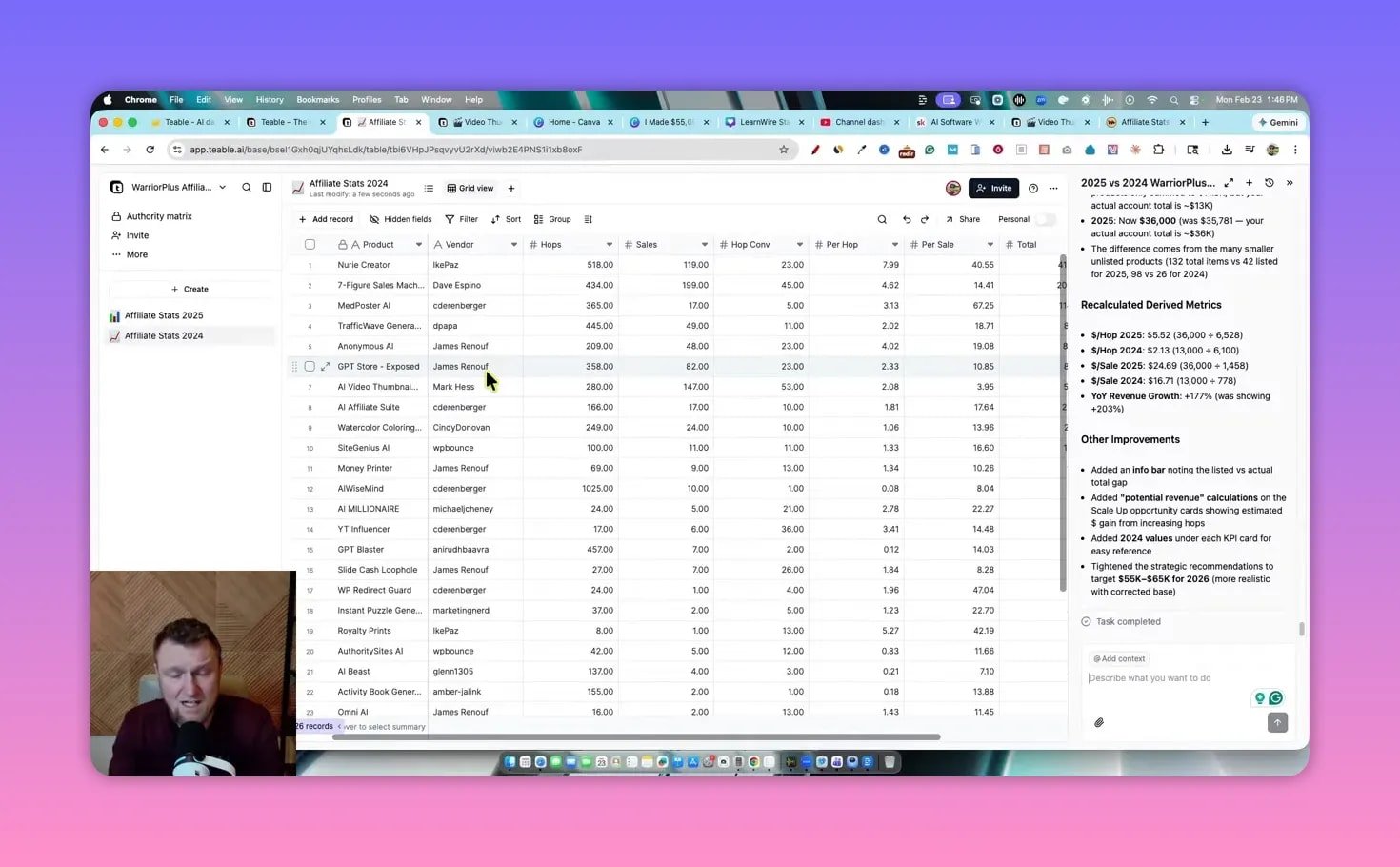
Pricing tiers start low and scale by seats and monthly credits. The basic lifetime tier runs around sixty dollars while higher tiers unlock features like SSO and advanced permission matrices. If you want a small team to test prototypes, the lower tier is enough. For company deployments you will want a higher tier to get more seats and more credits.
How I built a live affiliate dashboard 📊
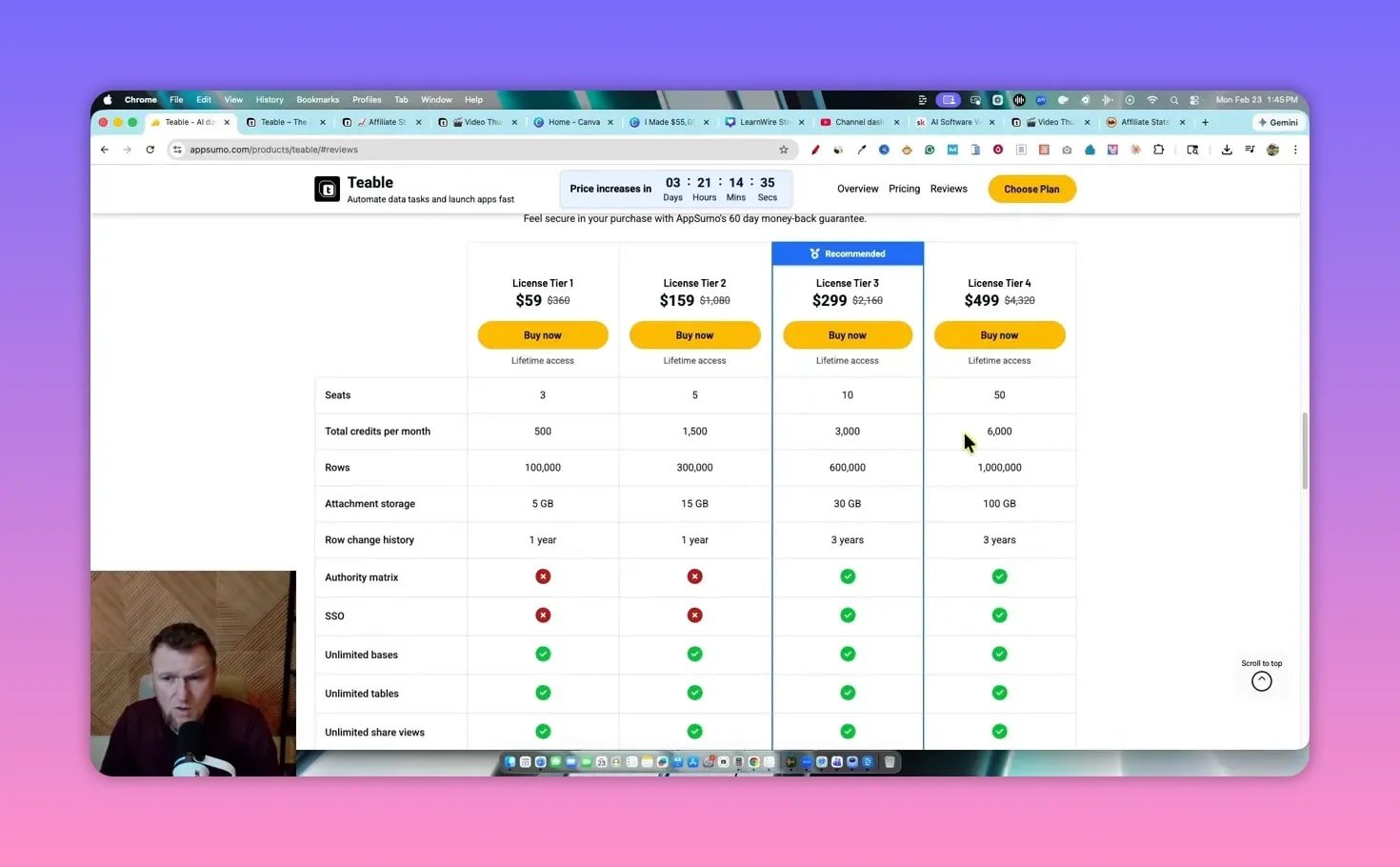
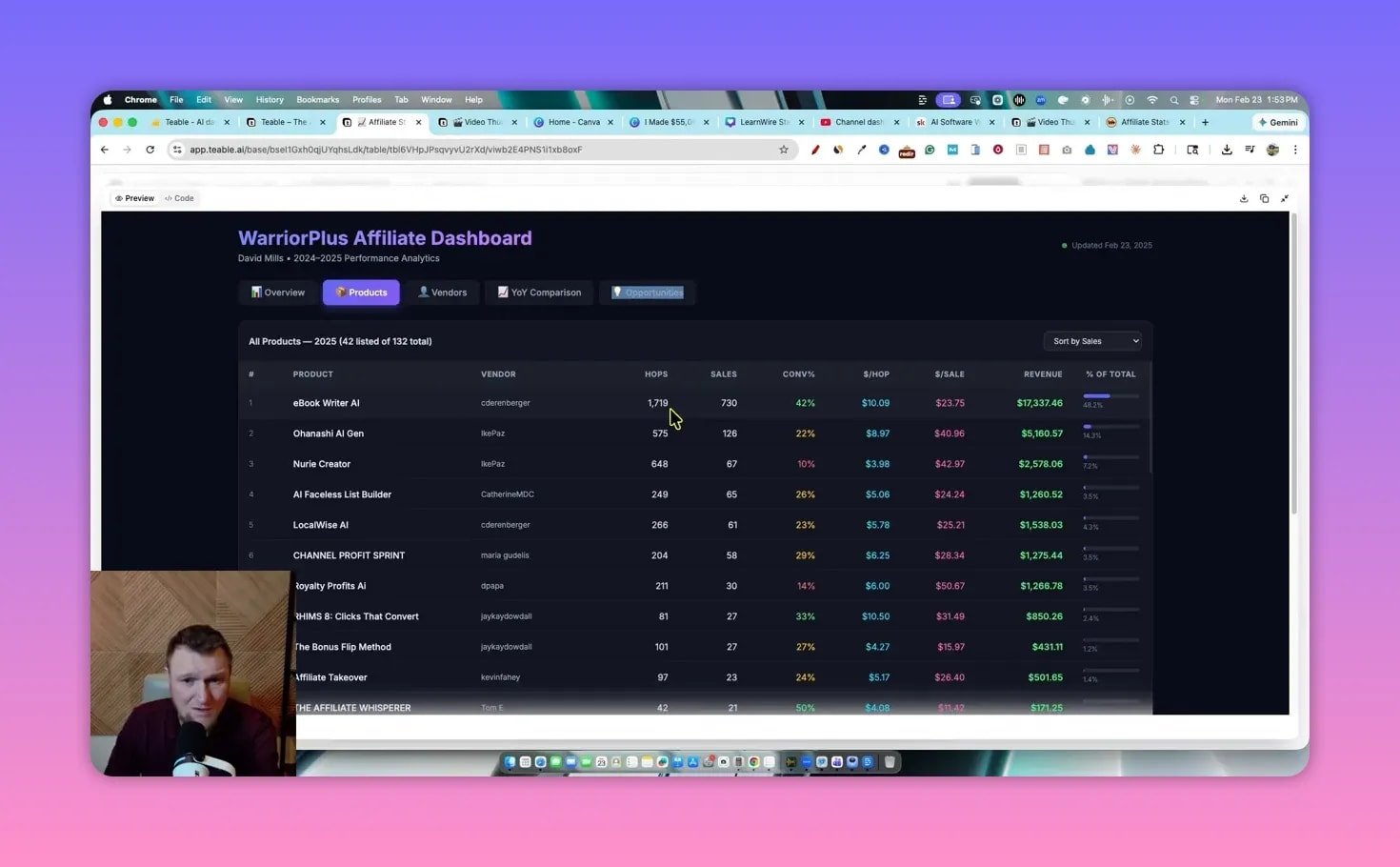
I grabbed two CSV exports of my affiliate commissions—one for 2025 and one for 2024—and pasted them into Teable. Then I asked Teable to create an interactive dashboard that compared year over year performance and highlighted opportunities.
In a few minutes Teable produced:
- Total sales by product and vendor
- Conversion rate comparisons (2025 vs 2024)
- Monthly trends and a 12-month rolling view
- Opportunity tab that calls out high conversion evergreen products to scale
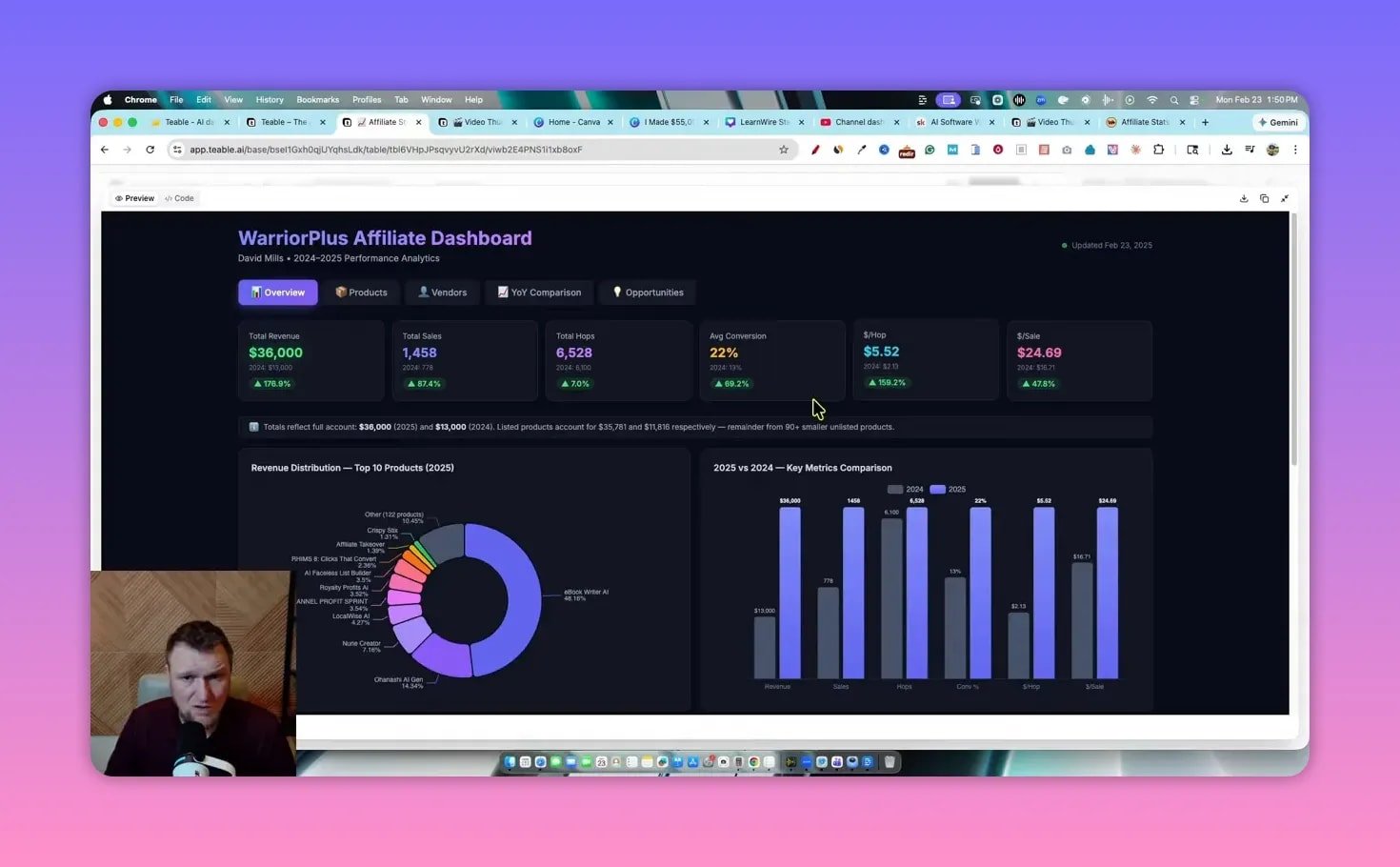
Example numbers: my 2025 sales showed around thirty six thousand dollars while 2024 was about thirteen thousand. Teable surfaced a 177 percent revenue improvement and highlighted high-converting products that drove the lift. Those kinds of insights are exactly what turn raw data into decisions: which vendors to promote, where to push traffic, and what to scale.
Key features that stood out ✨
- Native database hosting — Teable creates and hosts the tables for you. No separate database setup required.
- Auto-generated dashboards — Ask for a year-over-year comparison and Teable builds charts, tables, and KPIs automatically.
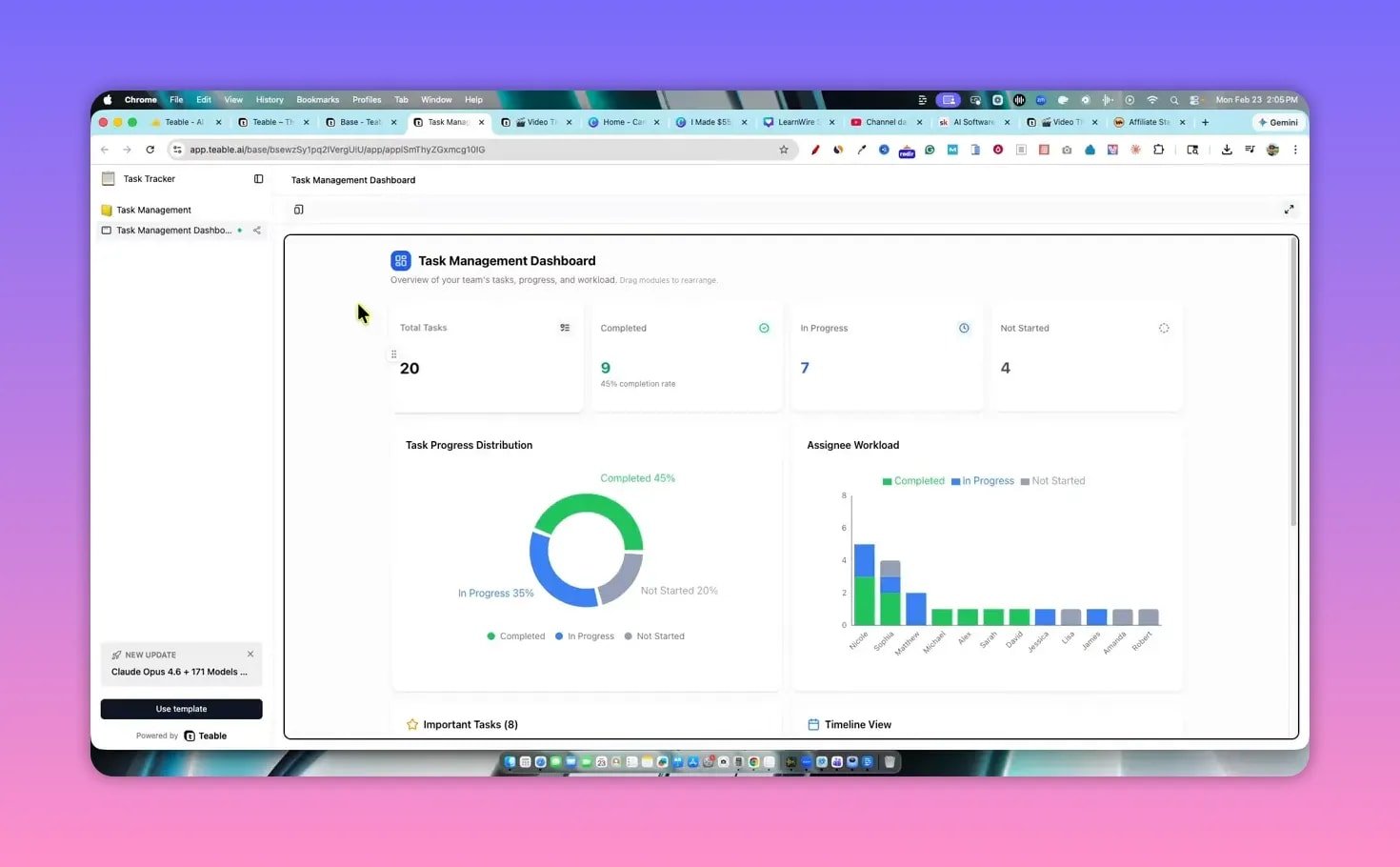
- Templates — Prebuilt bases for task managers, thumbnail generators, lead capture pages, and more to get started fast.
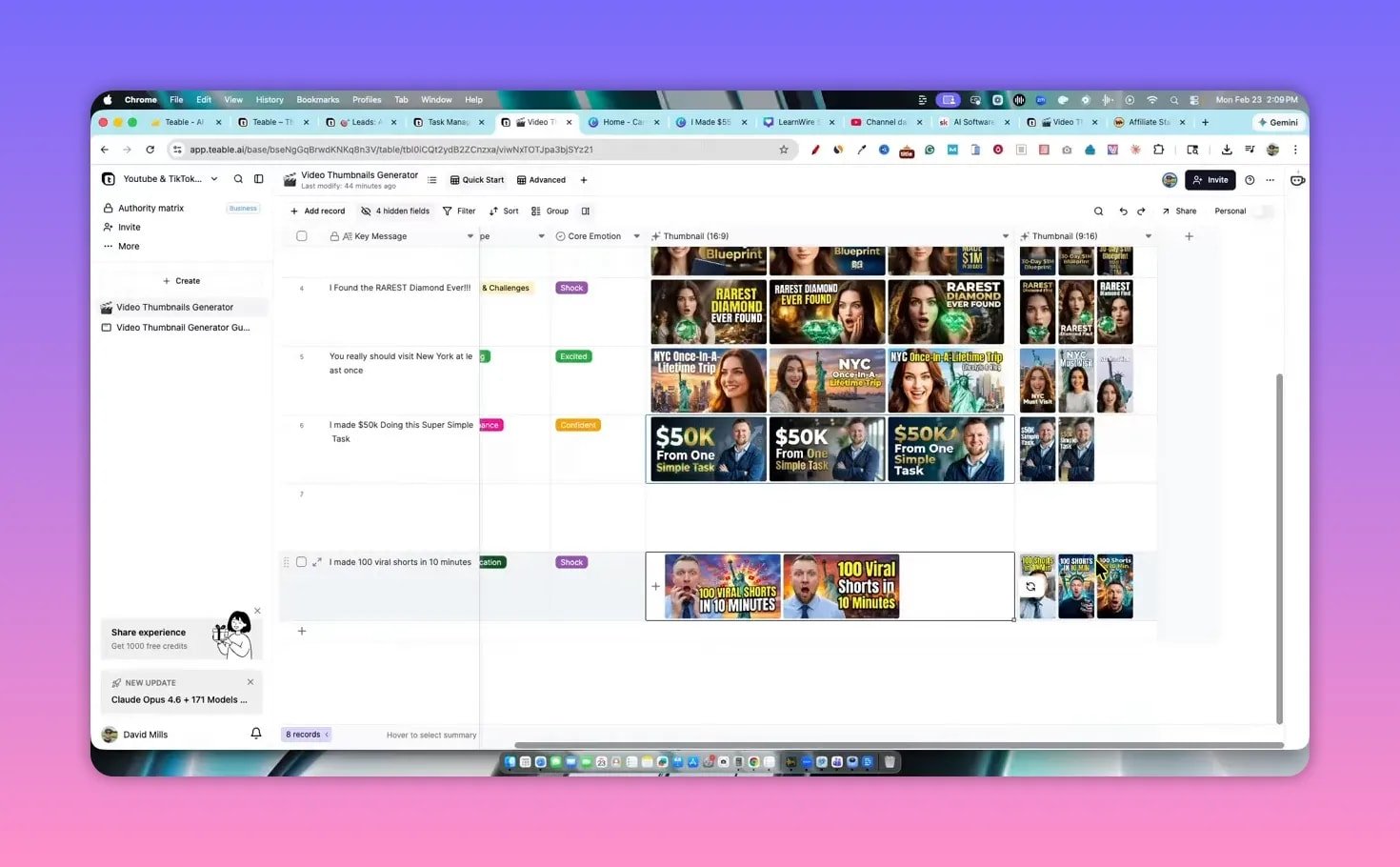
- AI-driven assets — Thumbnails and 9×16 variants generated from references you upload.
- Model selection — Choose the chat model that powers your automation, including custom models if you prefer.
- Downloadable outputs — Export HTML or PNG for easy publishing and hosting.
Thumbnail and lead capture generator 🖼️
One workflow I tested was a YouTube/TikTok thumbnail generator. Upload a face reference, a background object, pick a core emotion and category, and Teable rendered multiple thumbnails including vertical 9 by 16 versions.
I also asked it to build a lead capture page that gives away my top 10 AI tools. Within minutes it created the page structure, the copy placeholders, and made the page publishable. You can download the HTML and host it or connect an email provider to capture leads.

Templates and workflow flexibility 🧩
Templates remove the guesswork. Pick a task tracker, thumbnail creator, or CRM base and either use it as-is or instruct Teable to customize fields and workflows. Everything behaves like a spreadsheet-backed app with clickable UI and data-driven charts.
Limitations and things to watch ⚠️
- Minor data aggregation quirks occurred when totaling two separate databases. Expect to do a quick check on totals or merge logic for multi-source reports.
- Hosting and domain mapping may not be fully visible in the UI I tested. You can export HTML but verify the domain and hosting options if you need a single fully hosted product.
- Complex custom backends or niche integrations may still require manual work. Teable accelerates most common use cases but not every edge case.
Verdict ✅
This is one of the most impressive tools that I have seen.
Teable quickly moves from data to deployed app. If you need live dashboards, internal CRM tables, or a way to auto-generate marketing assets, Teable is a strong choice. It handles the database work that standard LLM code generators do not, which is the single biggest time saver.
How to reproduce my dashboard (quick steps) 🛠️
- Export CSVs from your sales platforms.
- Create a new base in Teable and upload the CSVs or paste the tables.
- Ask Teable to build a dashboard and specify KPIs like total sales, conversion, and monthly trends.
- Review the generated charts and validate totals. Merge tables if needed.
- Publish the lead capture or dashboard and connect an email provider if you need signups.
FAQ ❓
What is Teable best used for?
Teable is ideal for building internal dashboards, simple SaaS-style apps, CRMs, lead capture pages, and content asset generators where the database is required. It shines when you have spreadsheets or CSVs to analyze and want a live interface quickly.
Can Teable host my database and app?
Yes. Teable creates and manages the underlying database for the apps you build inside the platform. You can download HTML or PNG outputs for external hosting. Confirm domain mapping options with the current plan before committing to a production deployment.
Does it generate marketing assets like thumbnails?
Yes. Teable includes a thumbnail generator. Upload reference images, pick an emotion and category, and Teable outputs thumbnails in standard sizes including vertical formats for short-form video.
Is Teable easy enough for non-technical users?
Absolutely. The interface behaves like a spreadsheet and templates guide most common workflows. You can get useful results in minutes without reading a manual or watching tutorials.
What are the main caveats?
Watch out for data aggregation across multiple bases. Totals sometimes need manual verification. Also verify hosting and domain capabilities for enterprise use cases.